Community Cash Reconciler
From an unreconciled bank line to matched invoices, in one click
The video below shows Community Cash Reconciler running on a real Odoo 19 database. Want it driven against your own data, or a question answered first? Ask and we will set up a session.
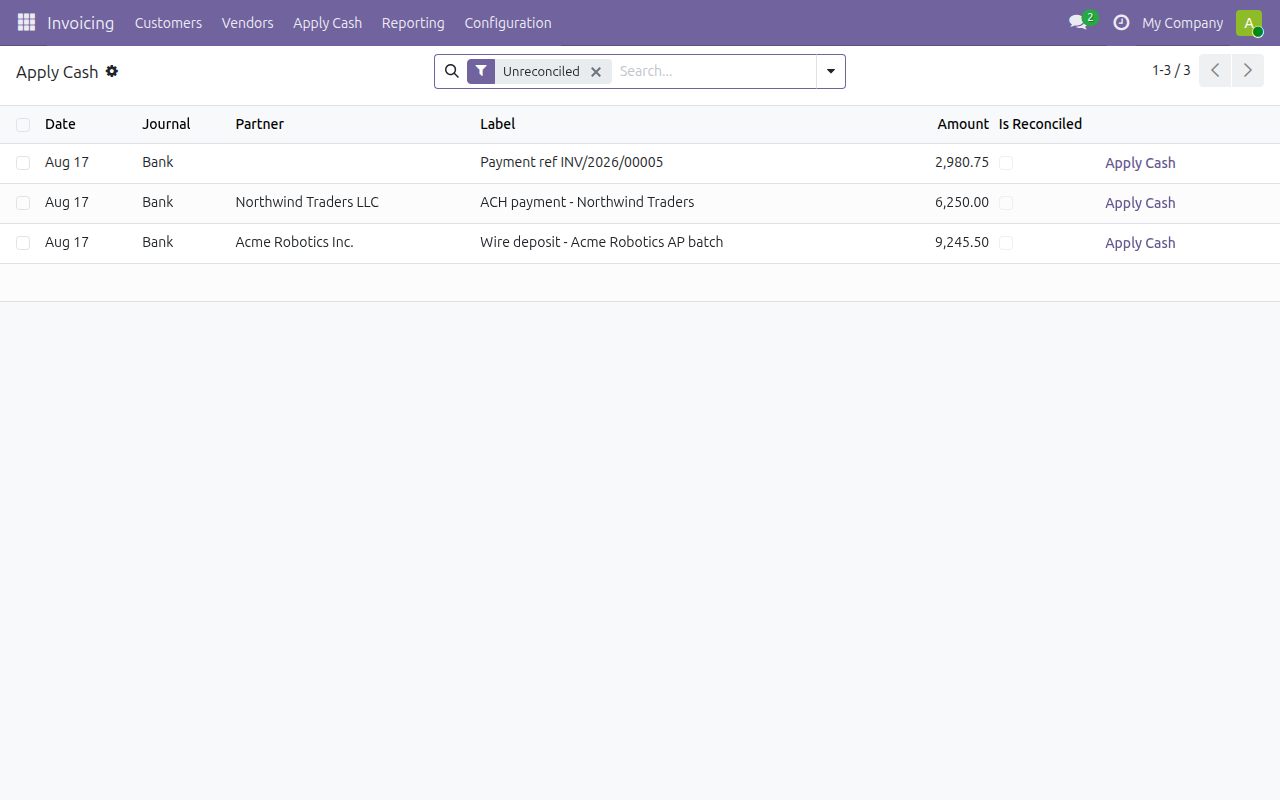
Odoo 19 Community doesn't ship a way to apply an unreconciled bank statement line's cash straight to open invoices — you have to go through the invoice-side payment wizard first. Community Cash Reconciler adds that missing screen: pick an unreconciled bank line and apply its cash directly.
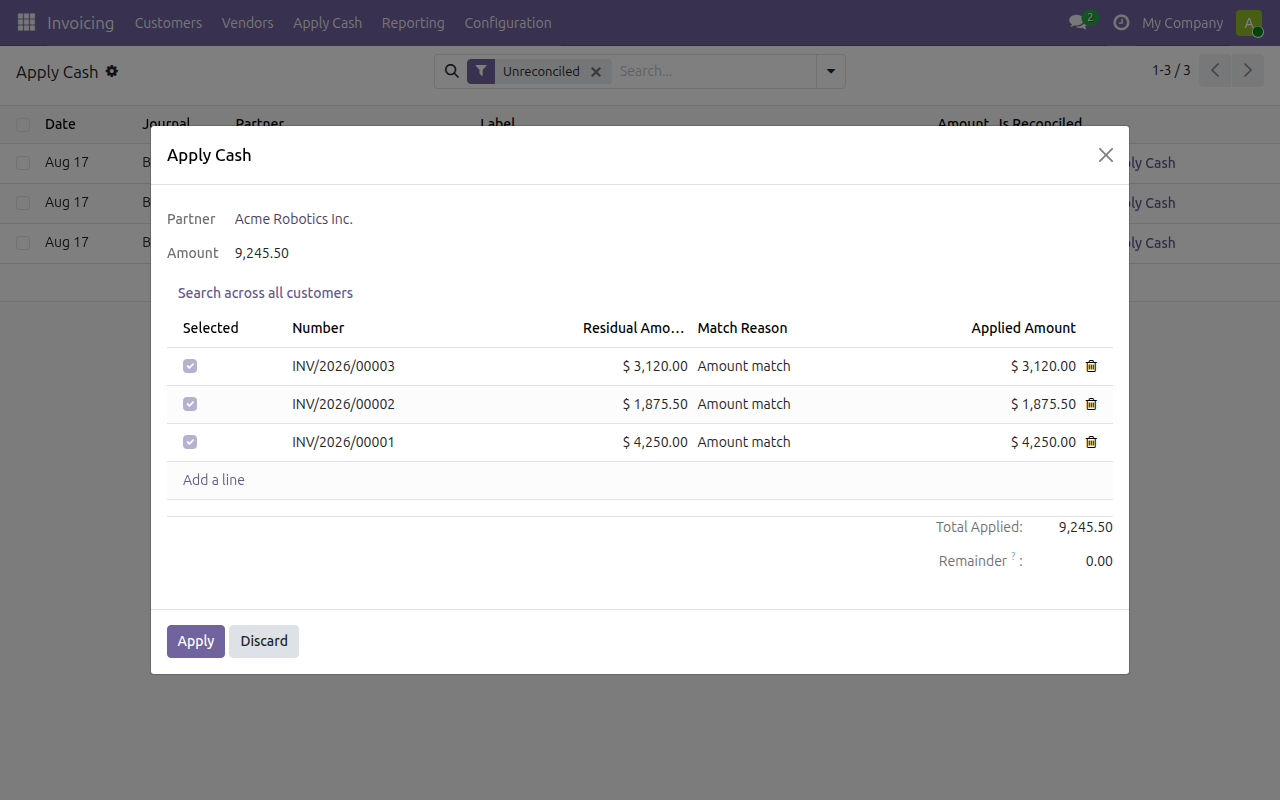
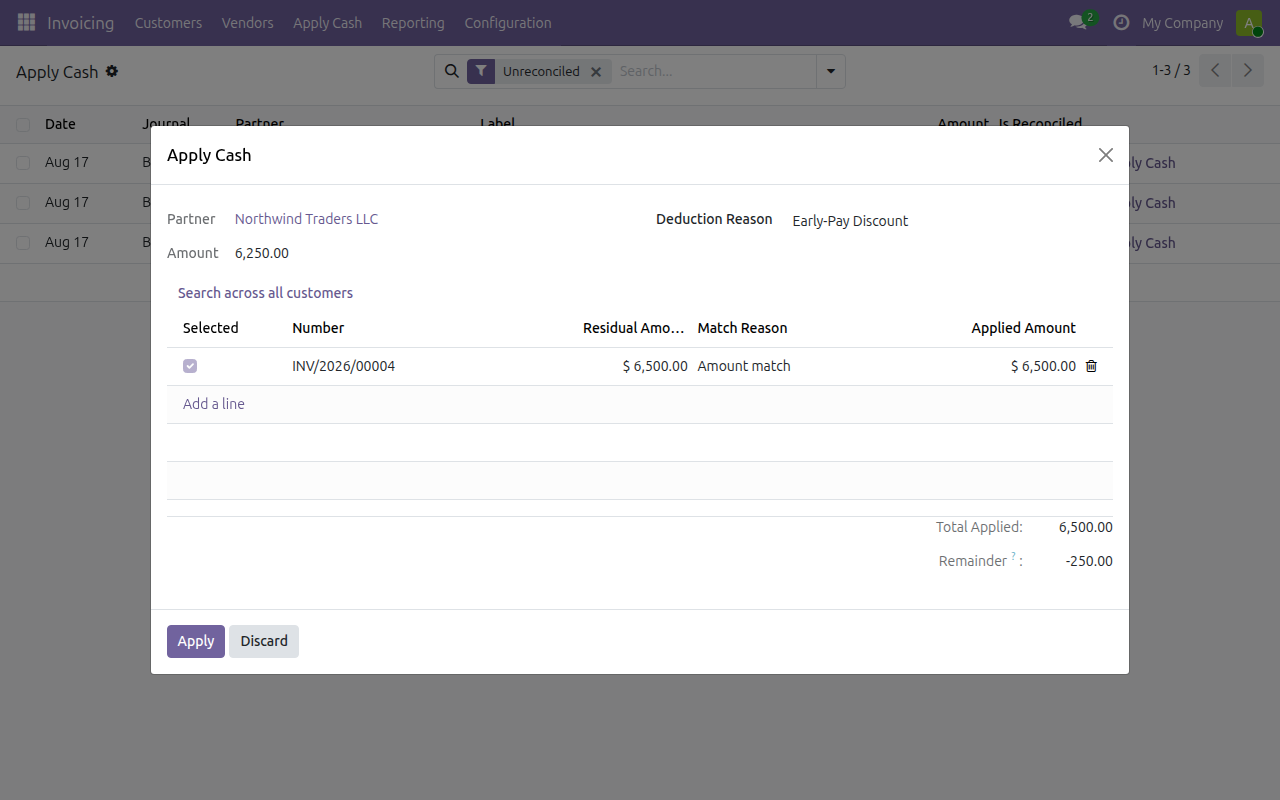
It searches for the combination of open invoices a lump sum covers — across a single customer, or, as an explicit opt-in, across several customers at once — and suggests the match for review. Reference numbers in the bank memo are matched first; anything left over from a short payment gets coded to a reusable, named deduction reason instead of a one-off write-off.
Configure deduction reasons under Accounting Settings, then apply cash from any unreconciled bank statement line's Apply Cash action.
What you get
- Apply an unreconciled bank line's cash directly to open invoices
- Matches a lump sum across multiple invoices for one customer automatically
- Opt-in cross-customer matching for combined deposits
- Reference numbers in the bank memo matched first
- Short payments coded to reusable, named deduction reasons — not one-off write-offs