Google Ads Spend Monitor
Google Ads cost, clicks and conversions, read straight into Odoo
The video below shows Google Ads Spend Monitor running on a real Odoo 19 database. Want it driven against your own data, or a question answered first? Ask and we will set up a session.
Your ad cost lives in the Google Ads UI and your numbers live in Odoo, so somebody ends up copying one into the other by hand every month.
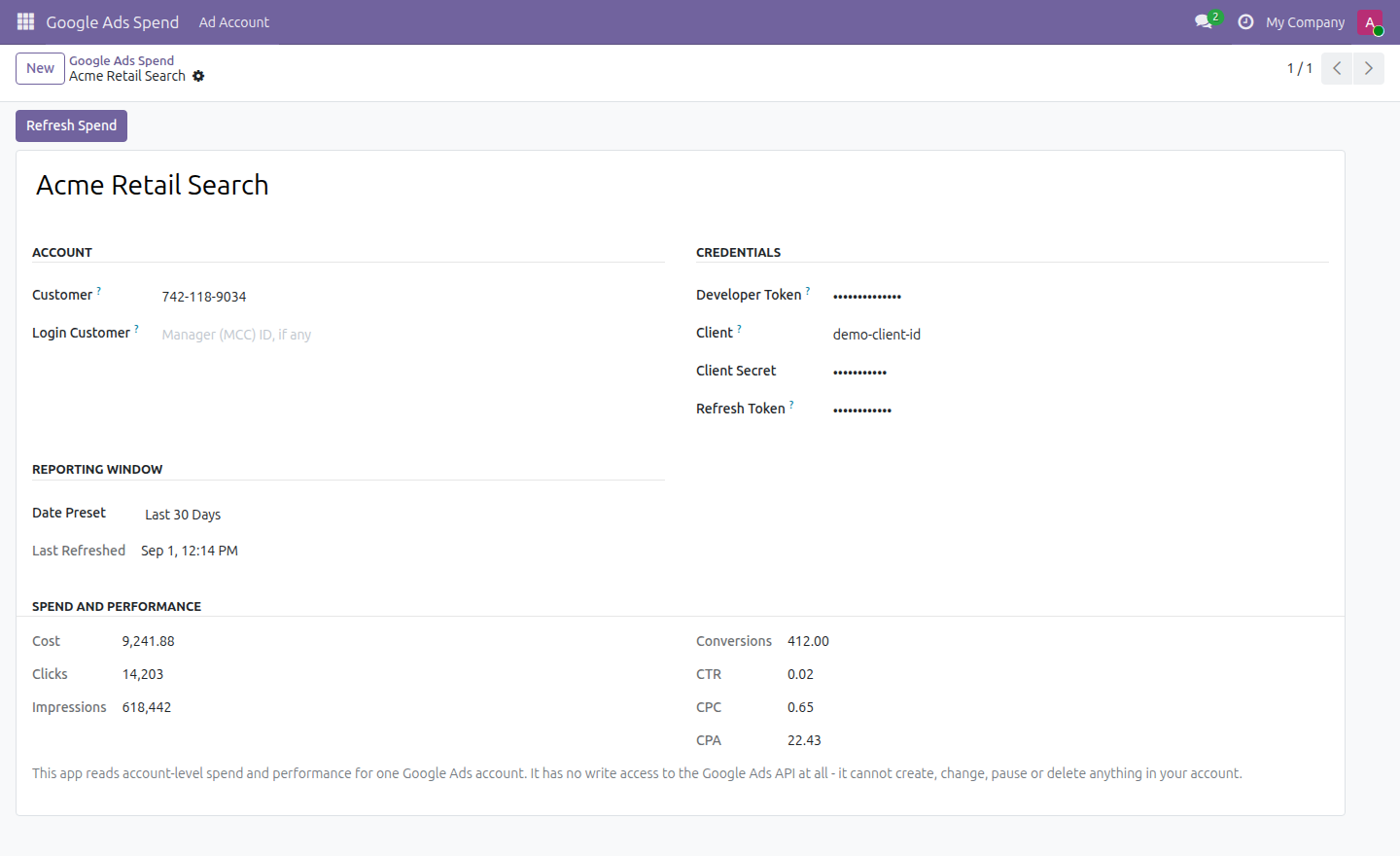
This reads it straight in. Connect with your own developer token, OAuth client and refresh token - generated in your own Google Cloud project and Google Ads Manager account, with no app-review dependency on us - pick a reporting window, and cost, clicks, impressions, conversions, CTR, CPC and CPA land on a form in Odoo.
One customer account, one reporting window, refreshed when you ask for it.
What it does
Read-only by construction
There is no write call to the Google Ads API anywhere in this module - not a hidden one, not a disabled one. A test in the module asserts it, so it stays true. It cannot create, change, pause or remove anything in your account.
Your credentials, your control
The developer token, OAuth client secret and refresh token are all generated by you and revocable by you at any time. Each is encrypted at rest and never stored in plain text. There is no activation key, and nothing phones home.
What it does not do
Stated up front so nothing about the scope is a surprise after you install it.
Screenshots
Requirements
- Odoo 19.0, Community or Enterprise.
- Odoo.sh or On-Premise only. Third-party apps cannot be installed on Odoo Online (SaaS) databases — check your hosting before buying.
- A Google Ads account you control, a developer token from your own Google Ads Manager account, and an OAuth client plus refresh token from your own Google Cloud project. The Python packages google-ads and cryptography must be available to your Odoo instance.
- Module
mh_google_ads_spend, version 19.0.1.0.9, licensed OPL-1.
Related apps
Auto-clone winning Meta ad campaigns into other ad accounts under a budget rule
Publish, pause and clone Snap ad squads and ads with your own OAuth credentials. Campaign objectives, daily budgets and delivery status without leaving your ERP.
Create and manage search campaigns, ad groups, keywords and responsive search ads with your own developer token. PPC cost and conversions beside your CRM.