Microsoft Ads Connector
The video below shows Microsoft Ads Connector running on a real Odoo 19 database. Want it driven against your own data, or a question answered first? Ask and we will set up a session.
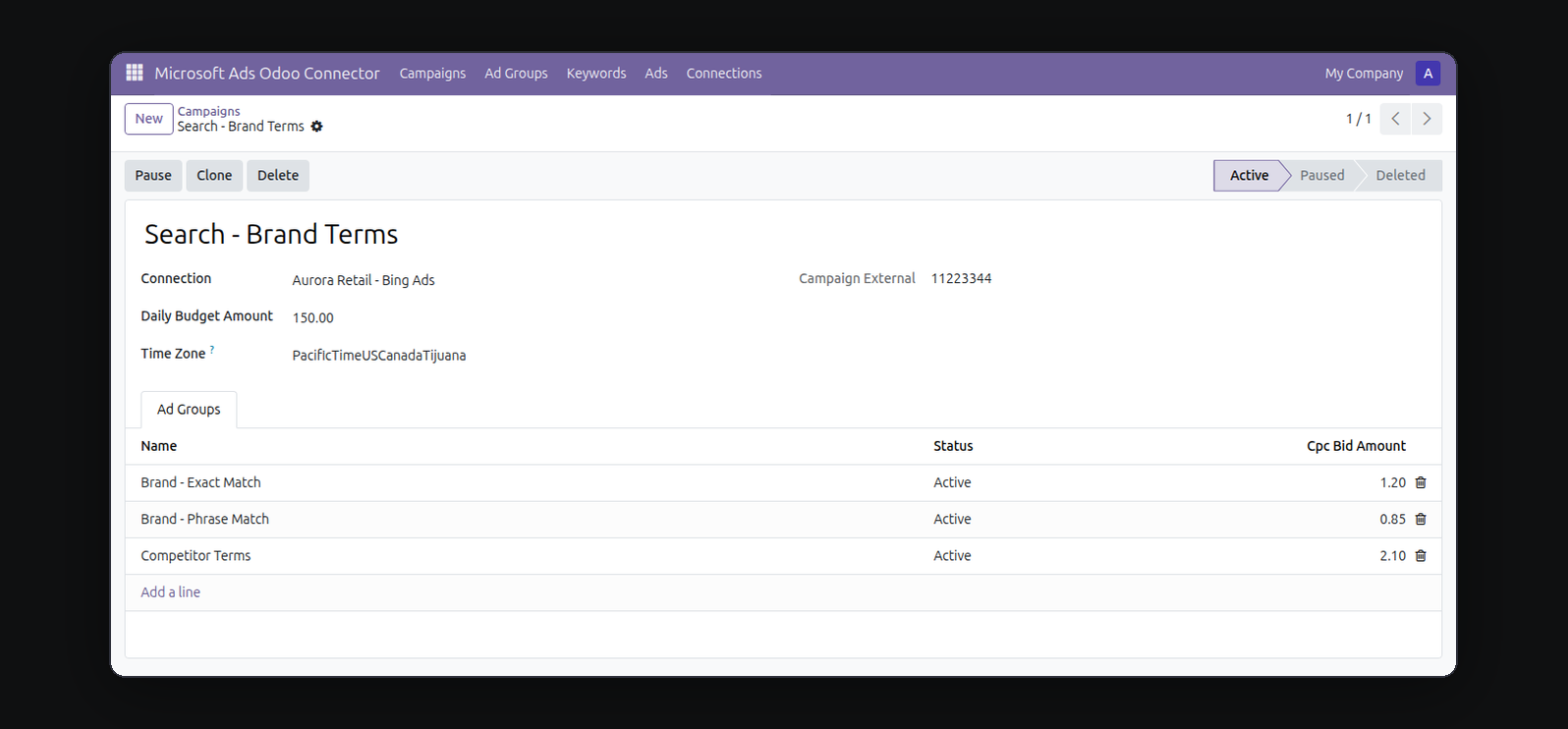
Microsoft Ads Connector connects to your own Microsoft Advertising account with a developer token, Azure AD (Entra ID) OAuth client, and refresh token you generate yourself - nothing to submit to us, no app review dependency on our end. Once connected, you get real campaign management inside Odoo: browse and sync existing Search campaigns, ad groups, keywords, and ads, publish new ones, control daily budget and CPC bids, manage keywords and match types, pause, resume, clone, or delete anything - all through the real Microsoft Advertising API.
What it does
Bring your own credentials
Uses a developer token, Azure AD client ID/secret, and refresh token from your own Microsoft Advertising and Azure accounts - you're managing your own account with your own credentials. A single-account developer token is issued instantly from Microsoft's Developer Portal - there's nothing to submit to us and nothing to wait on from our side.
Real campaign management, not just reports
Builds, publishes, updates, clones, and deletes campaigns, ad groups, keywords, and ads directly - the same actions you'd otherwise do in the Microsoft Advertising UI.
Budget and keyword targeting
Set a daily budget per campaign, then manage keywords and match types (broad, phrase, exact) with per-ad-group CPC bids, all from standard Odoo form and list views.
Reach Bing's search audience from Odoo
Microsoft Advertising reaches the Bing/Microsoft Search Network - a real, if secondary, search-ads channel most Google-first advertisers still don't manage - now on the same screens as the rest of your Odoo data.
Every write action stays reviewable before it touches Microsoft
Publish, pause, resume, clone, and delete are explicit buttons you click after reviewing the record - nothing is pushed to Microsoft automatically in the background. Every field maps directly to a real Microsoft Advertising API parameter, so what you set in Odoo is exactly what reaches your account.
Who this is for
Odoo teams running Microsoft Advertising (Bing Ads) search campaigns - often alongside Google Ads - who want campaign management next to their CRM, sales, and reporting data instead of switching to a separate platform, and who manage their own Microsoft Advertising and Azure access without waiting on our review queue.
Screenshots
Requirements
- Odoo 19.0, Community or Enterprise.
- Odoo.sh or On-Premise only. Third-party apps cannot be installed on Odoo Online (SaaS) databases — check your hosting before buying.
- Module
mh_microsoft_ads_launcher, version 19.0.1.0.11, licensed OPL-1.
Related apps
Auto-clone winning Meta ad campaigns into other ad accounts under a budget rule
Publish, pause and clone Snap ad squads and ads with your own OAuth credentials. Campaign objectives, daily budgets and delivery status without leaving your ERP.
Create and manage search campaigns, ad groups, keywords and responsive search ads with your own developer token. PPC cost and conversions beside your CRM.