Approval Requests
Ask for something and keep the record of who agreed: approval types with named approvers, a minimum number of them, and every decision stored against the person who made it
The video below shows Approval Requests running on a real Odoo 19 database. Want it driven against your own data, or a question answered first? Ask and we will set up a session.
What it does
Define approval types and approvers
Create named approval types, add the people who may approve, and set how many of them must agree before a request is approved
Record who decided and when
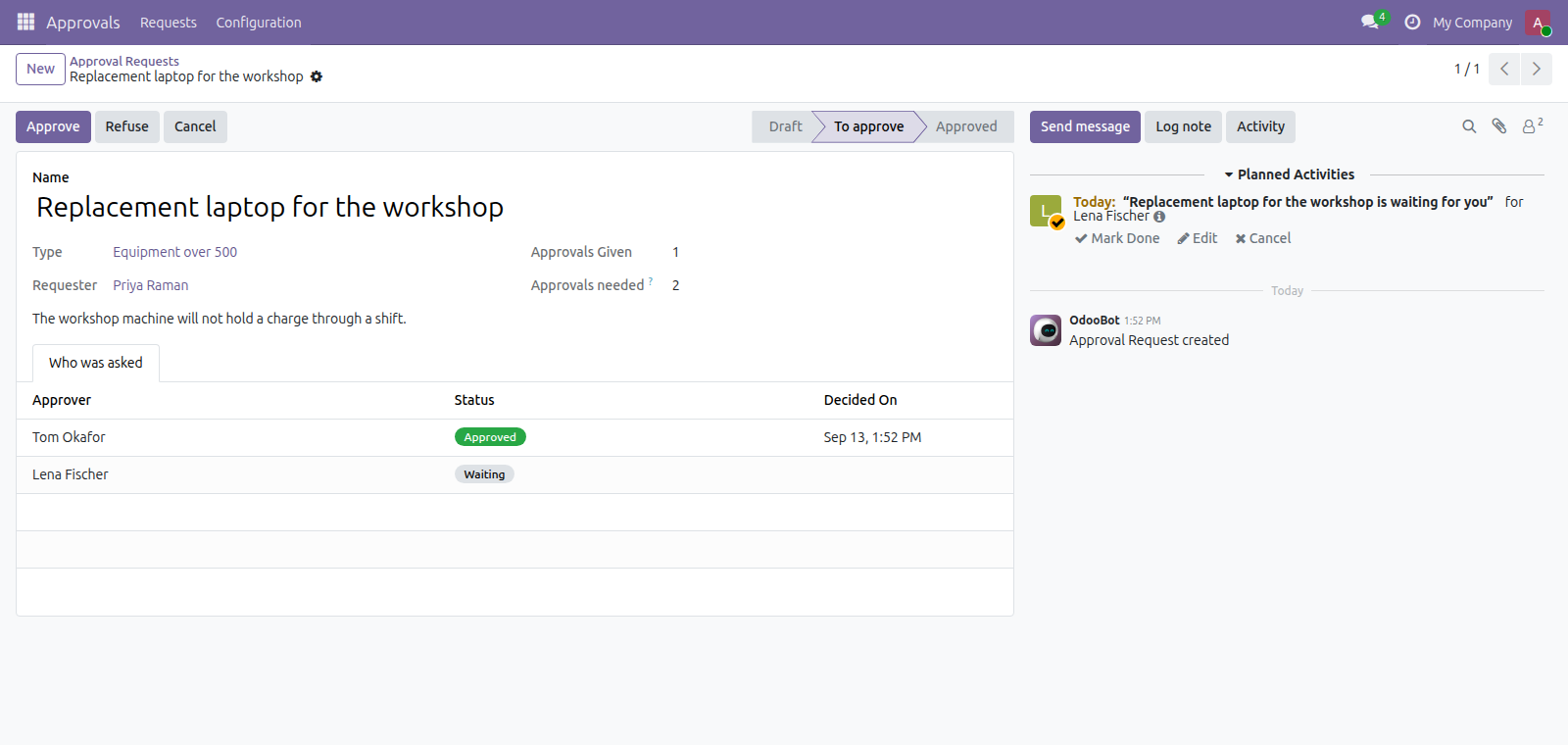
Every decision on a request is stored against the person who made it, records the decision taken, and captures the date and time it was made
Submit requests and track approvals
Submit requests for approval and see how many approvals are required and how many have been given, with the request state available for review
Approve, refuse, cancel or reset requests
Approve or refuse a request you were asked about. A request can be cancelled while it is still open, and reopened if it was cancelled - but never once it has been decided.
Nobody approves their own request
An approval somebody gave themselves is not an approval, so this refuses it rather than recording it. One refusal ends the request outright, instead of leaving it in everyone else’s list waiting for approvals that cannot change the outcome.
What it does not do
It does not gate other records. This is a standalone request. It does not stop a purchase order being confirmed or an invoice being posted. Gating an existing document is a different job, and Purchase Approvals does that one for purchase orders.
Approvers are the people you named. There is no approval by manager, by department or by amount, and no delegation when somebody is away. Say so when you set the types up.
The approvers are copied onto the request when it is submitted. Not read from the type when somebody clicks approve. Otherwise editing the type's approver list next year would quietly rewrite who was entitled to approve a decision already made, and the record would stop being the truth.
Screenshots
Requirements
- Odoo 19.0, Community or Enterprise.
- Odoo.sh or On-Premise only. Third-party apps cannot be installed on Odoo Online (SaaS) databases — check your hosting before buying.
- Module
mh_approvals, version 19.0.1.0.7, licensed OPL-1.
Related apps
Track visa, licence and certification expiry dates with reminders before they lapse. Log grievances and disciplinary penalties against the employee record.
Find the work permits and contracts that have already lapsed without anyone noticing
Find out when the EU pay-gap reporting duty reaches you, and whether your data is ready