EUDR Due Diligence
Request a live demo · Odoo.sh or On-Premise only, not Odoo Online (SaaS).
4 ha
the area above which a plot needs a boundary rather than a point (cattle excepted); a constant in the code
7
commodities: cattle, cocoa, coffee, oil palm, rubber, soya, wood
5
line statuses on a statement: Untracked, No lot, No plot, Wrong commodity, Not reserved, Incomplete, Ready
3
despatch settings: do not check, log the gap, refuse the transfer
27
automated tests in this app, none failing
0
things sent to any authority or other system
Records the plot of land behind each lot of coffee, cocoa, soya, rubber, palm, cattle or wood, and checks a delivery has the plot data a due diligence statement would need before it leaves
Odoo knows the product and the quantity; it has nowhere to put the plot of land the material came from. This app adds that record, links lots to it, and shows for each delivery which lines have complete plot data and which do not, and why. It records and checks fields. It does not make any shipment compliant, does not decide anything under Regulation (EU) 2023/1115, and submits nothing: judgment and filing stay with you. This page shows an Odoo 19 database seeded with made-up suppliers, plots and shipments, and says where the app stops.
How it works
What the app does and does not do
The regulation is the context; the app itself only works with fields you fill in.
1 Plots of land: entered once, checked on save
Use it when suppliers send coordinates in spreadsheets and you want them on records.Writes when saved
The plot of land lives in a supplier's file, not in Odoo, and it is the part missing on the day goods are loaded.
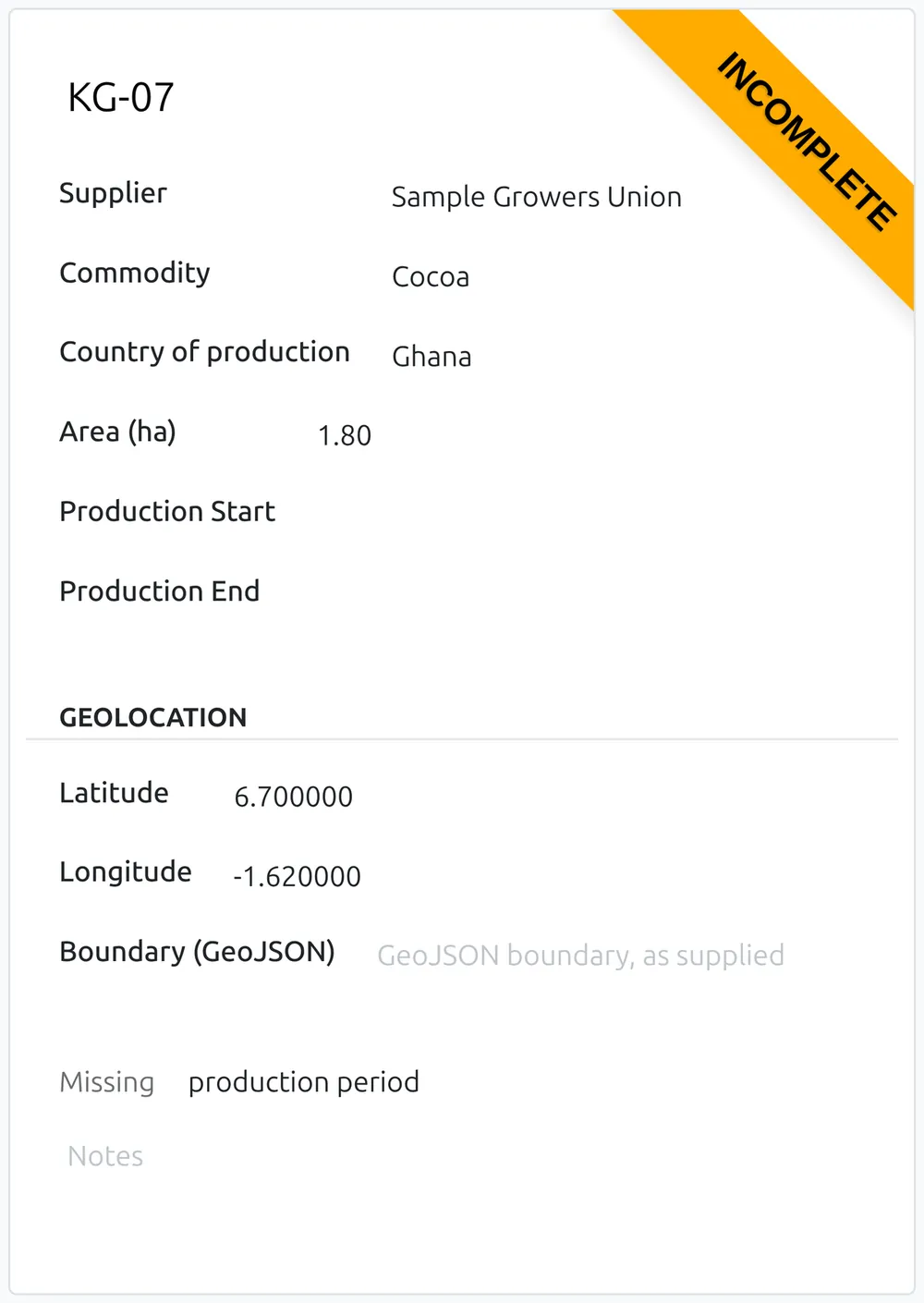
Under Inventory > EUDR > Plots of Land each plot has a supplier, commodity, country of production, area in hectares, latitude and longitude, a boundary field for GeoJSON, and a production start and end. A ribbon and a Missing line say what an incomplete plot lacks.
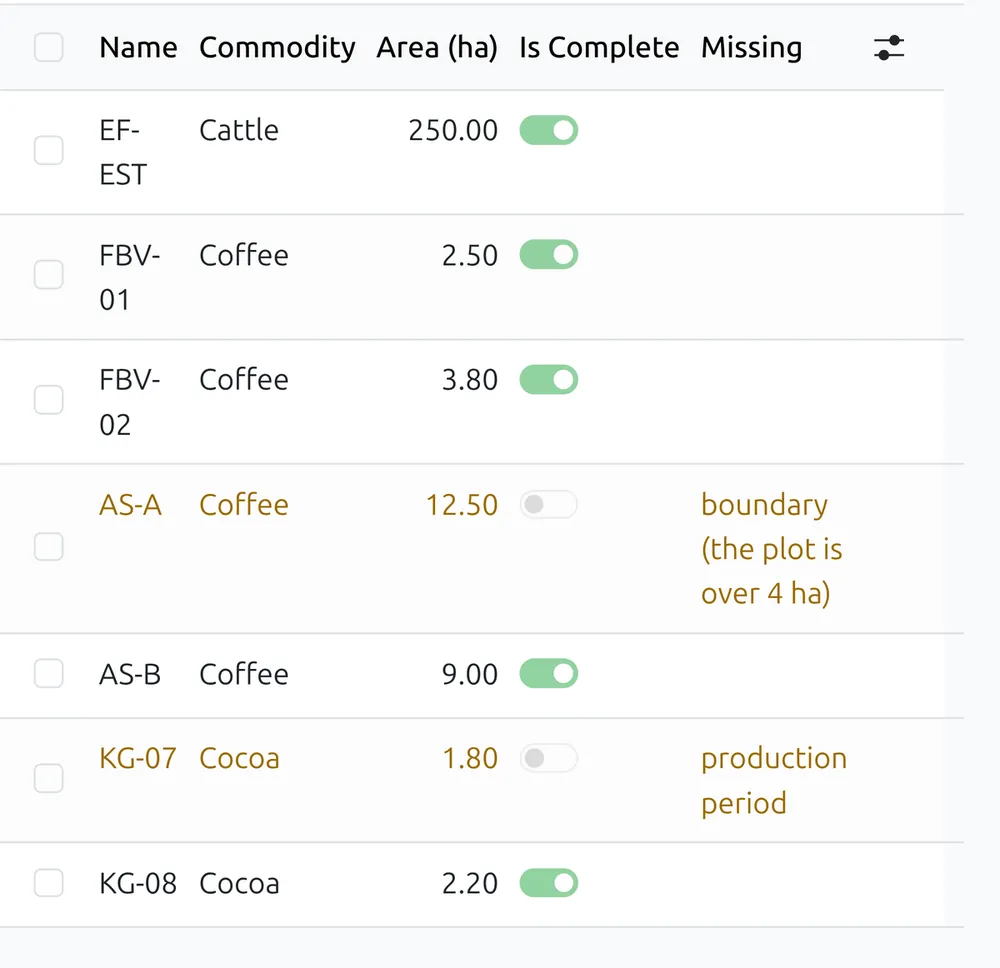
Seven seeded plots. Supplier and country columns were hidden in this picture to keep the text readable; nothing was edited.
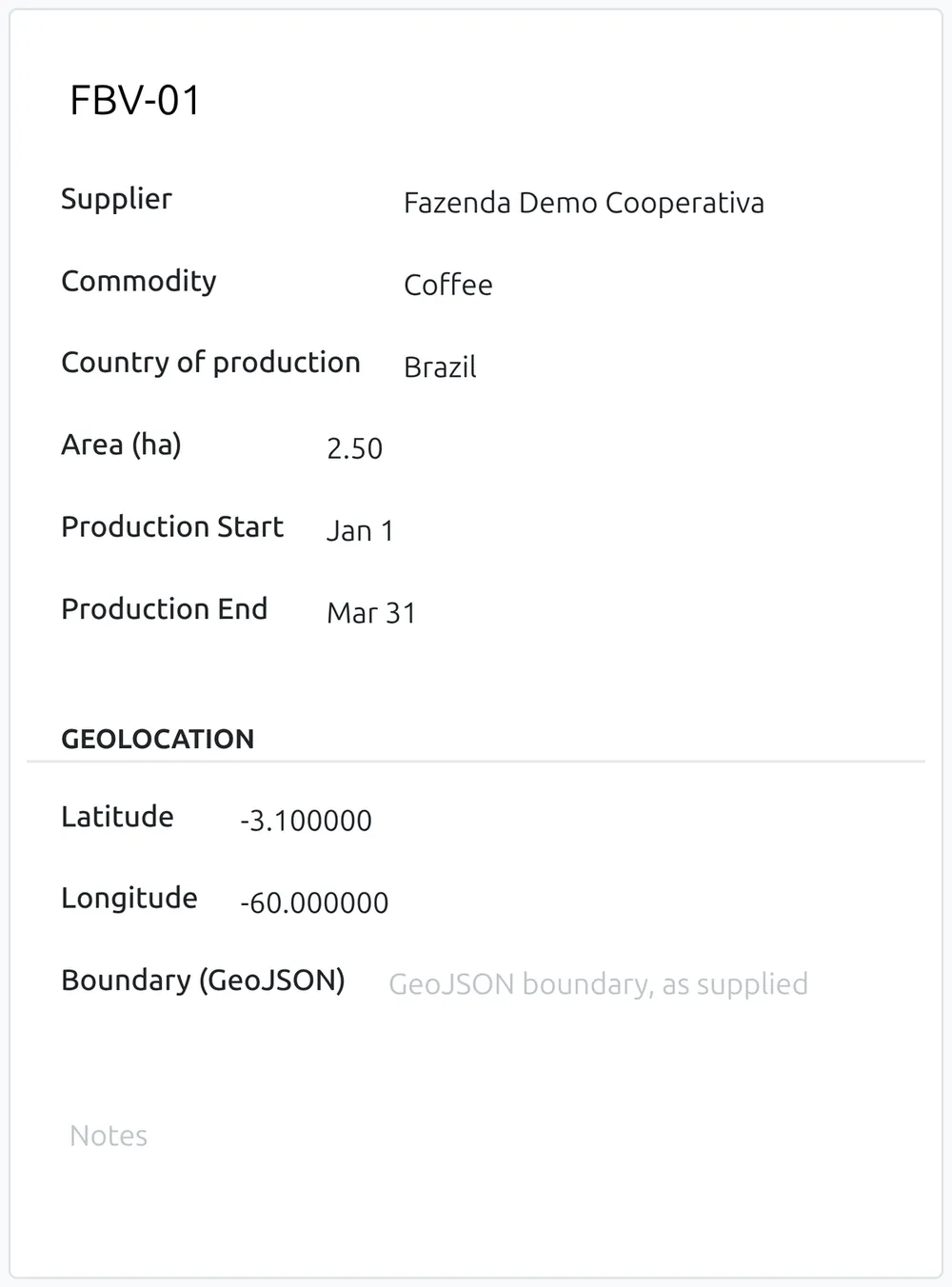
A 2.5 ha coffee plot with a point and a production period is complete.
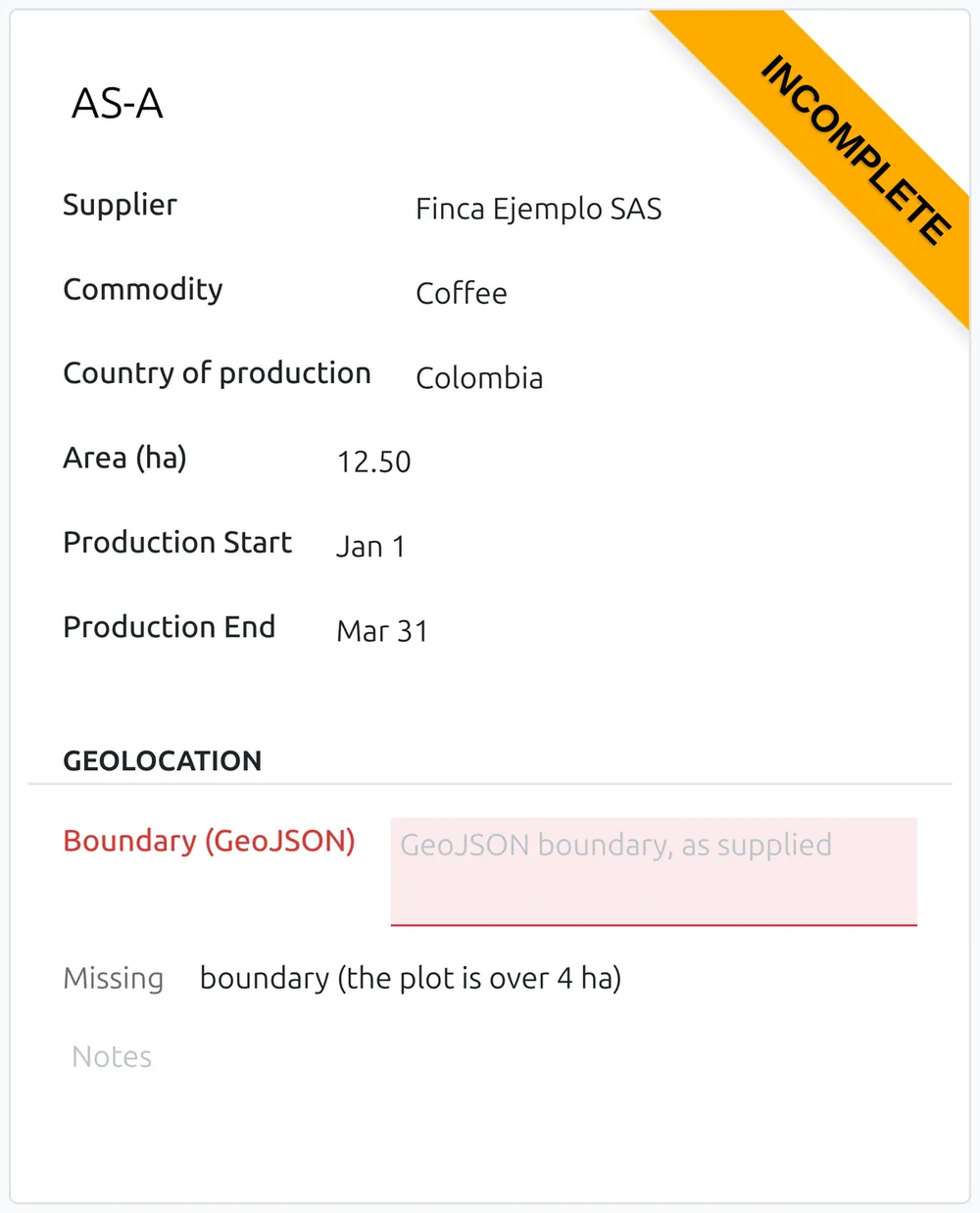
Over 4 ha, the boundary is required and the latitude and longitude fields are replaced by it.
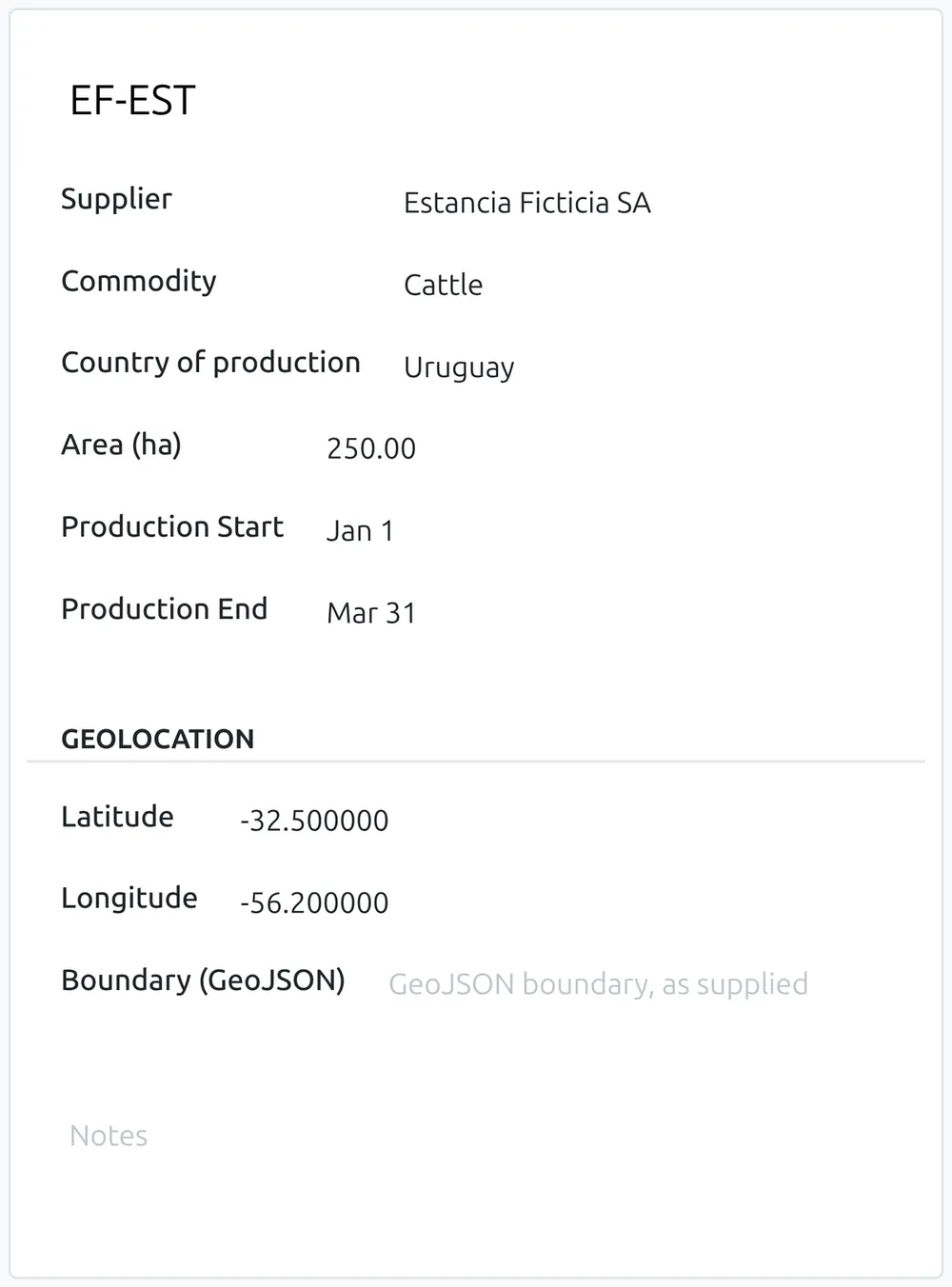
Cattle is the exception: 250 ha is complete on a point.
No production period, so the plot is incomplete.
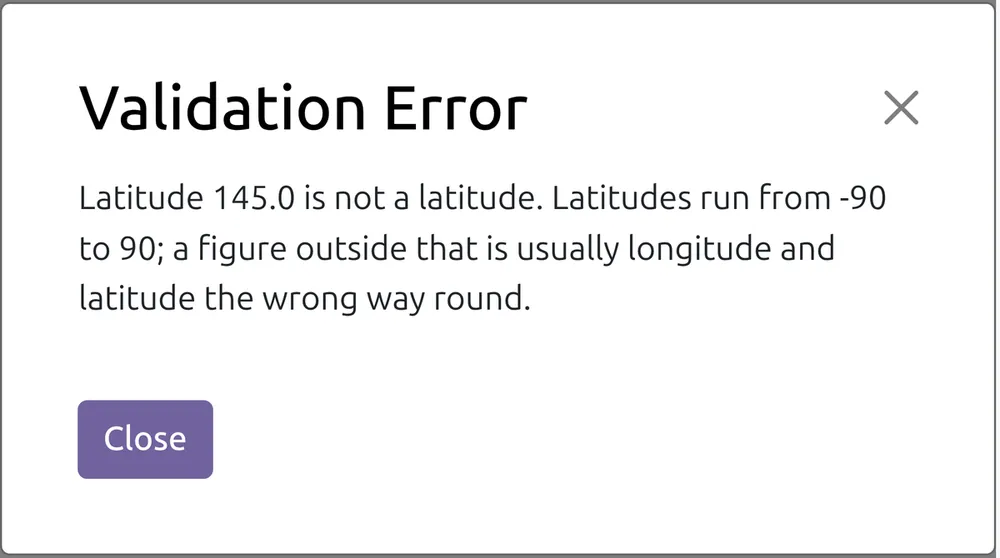
A latitude past 90 is refused when saving.
With the seeded data, a point at exactly 4.00 ha is complete and 4.01 ha with a point is not; 250 ha of cattle on a point is complete. A pair of zero coordinates reads as empty; latitude 0 with longitude 30 is accepted.
It does not check where a boundary lies, whether the land was cleared, the HS code, or the risk rating of a country.
The boundary field is free text and is never parsed: a 12 ha plot holding the words "not geojson at all" counts as complete. An area left at zero counts as small. Production dates are only checked for order (an end before a start is refused); there is no cut-off date in the code and a period in 2019 or 2031 is accepted.
2 Products and lots: where a plot is attached
Use it when you track coffee, cocoa or similar by lot and need to say where each lot came from.Writes when saved
A statement can only name plots for goods that carry a lot.
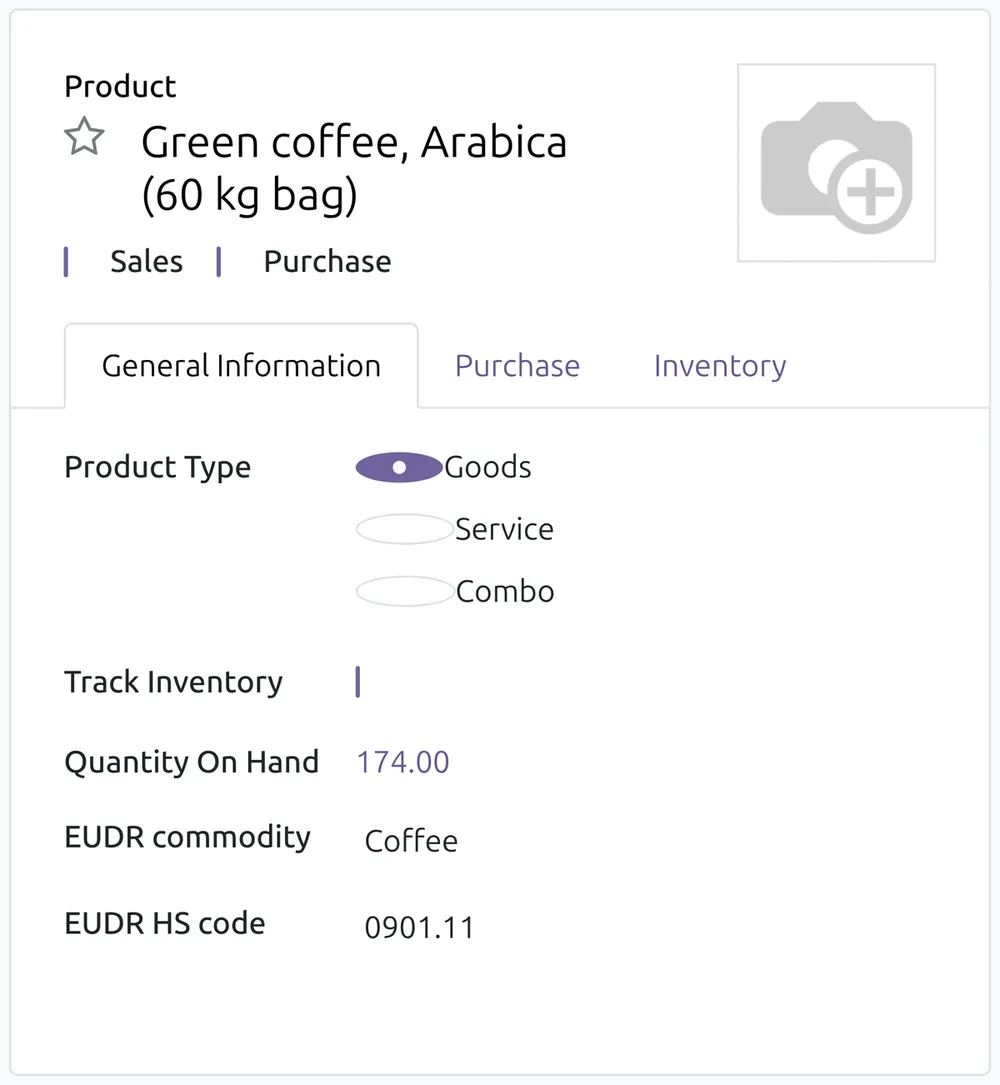
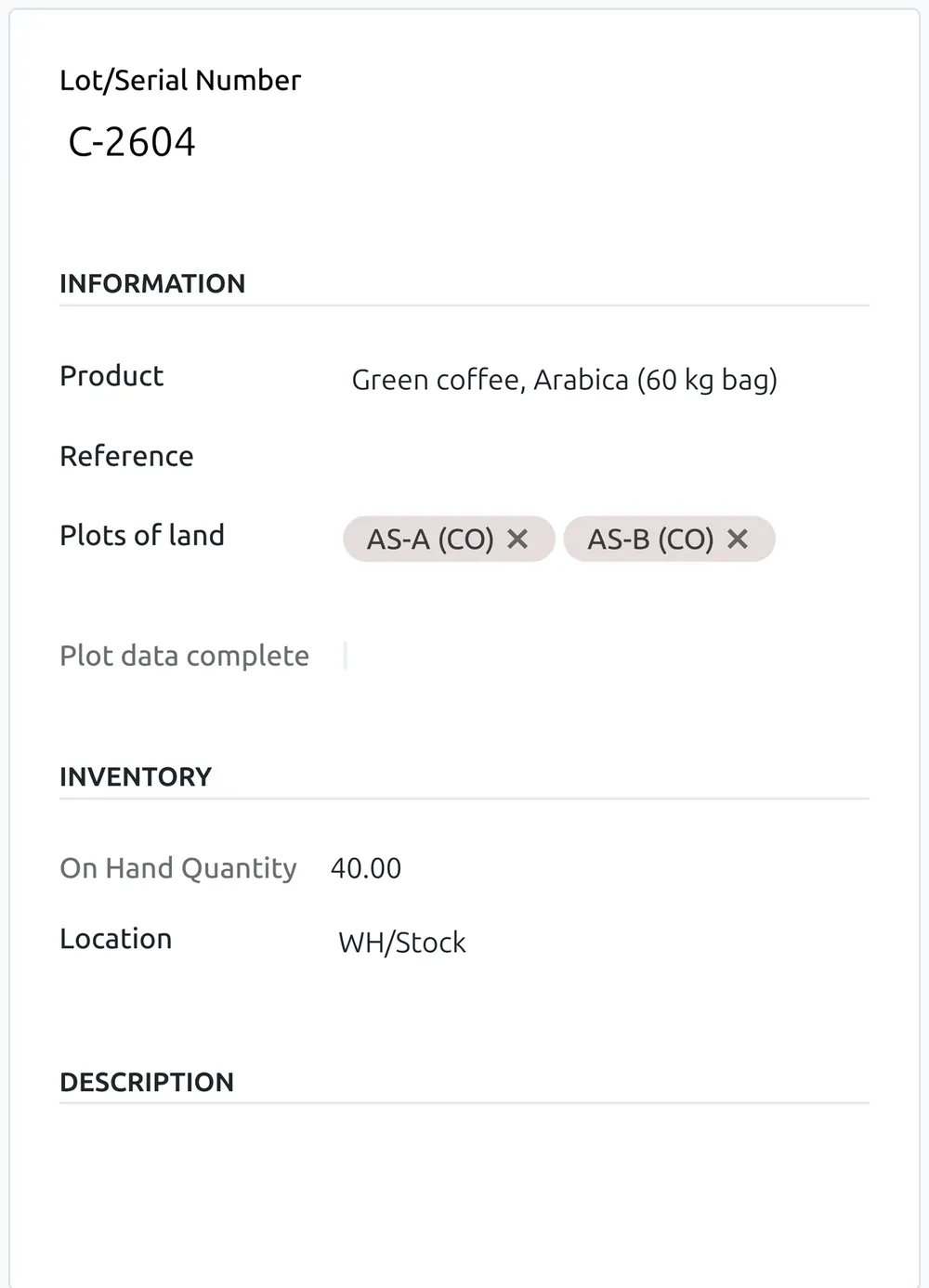
On the product, EUDR commodity puts it in scope and an EUDR HS code field appears; the code is stored as typed. A product with no commodity is ignored by the app. On the lot, Plots of land takes one or several plots, and Plot data complete is on only when the lot has at least one plot and every plot is complete.
Commodity and HS code on the product.
Lot C-2604 sits on two plots; AS-A is incomplete, so the lot is not complete.
Lot C-2604 has AS-A (no boundary) and AS-B (boundary present). One incomplete plot is enough to make the whole lot incomplete.
It does not check the supplier on the plot against the supplier on the purchase, or that quantities fit what a plot could produce.
A plot of another commodity than the product's (a cocoa plot on a coffee lot) reads Wrong commodity and blocks Ready; the supplier and country are still not compared. Archiving a plot removes it from its lots silently, so the lot reads as having no plot.
3 The statement for a delivery
Use it when you want to know, before a container leaves, which lines could go into a statement.Rebuilds the lines each time
Finding a missing plot after the goods have gone is the expensive way to find it.
A delivery with an in-scope product shows a Due diligence button. It builds a statement with one line per move line: product, lot, quantity, status and reason. The statuses, worst first, are Untracked (product not tracked by lot), No lot, No plot, Wrong commodity (a plot of another commodity than the product's), Not reserved (a tracked product with nothing reserved yet), Incomplete and Ready. The findings text above the lines groups them.
The button on a delivery.
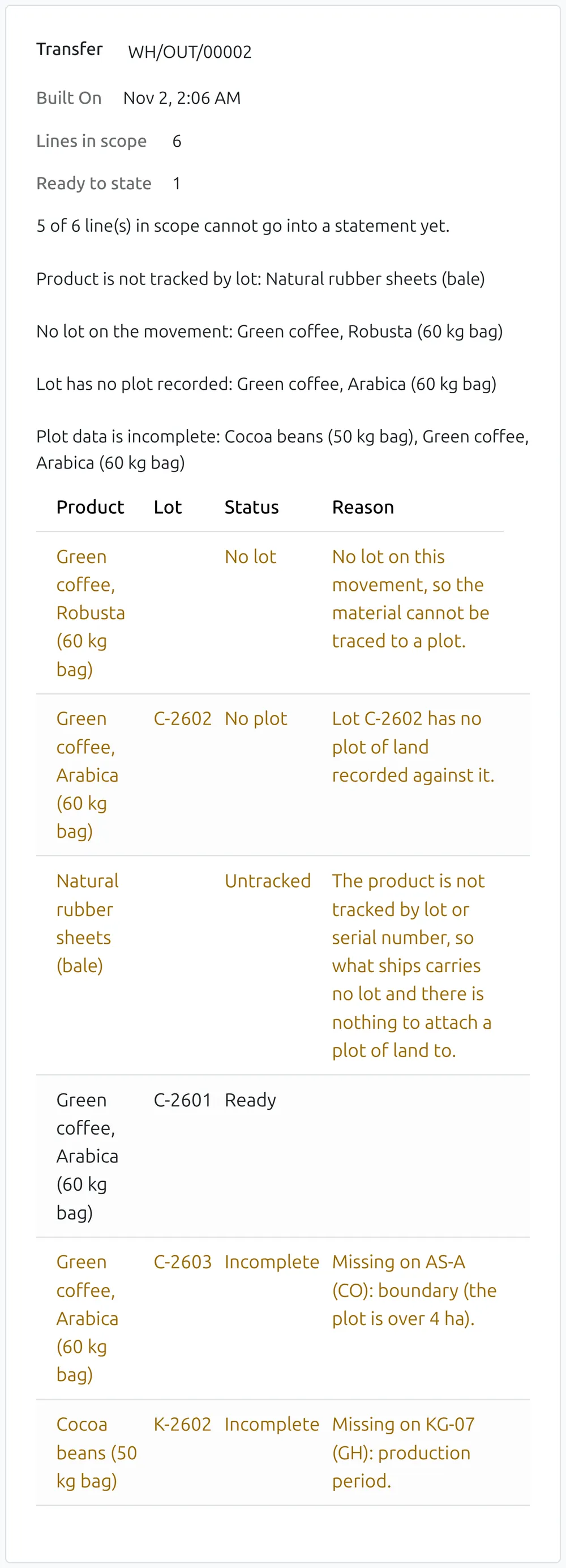
A mixed delivery: one line ready, five with a reason. Optional columns were hidden in this picture; nothing was edited.
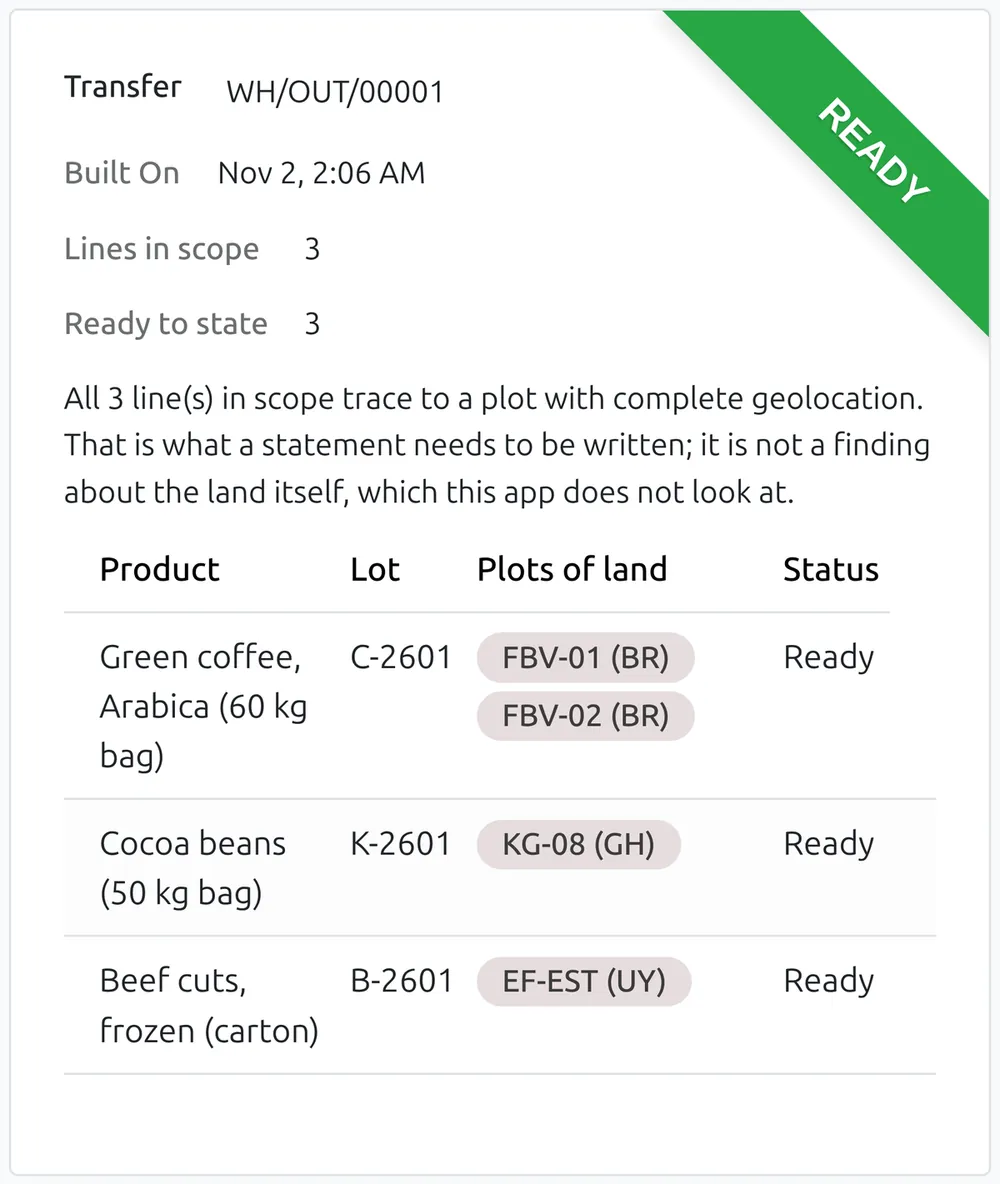
A delivery where every line has a lot with complete plots.
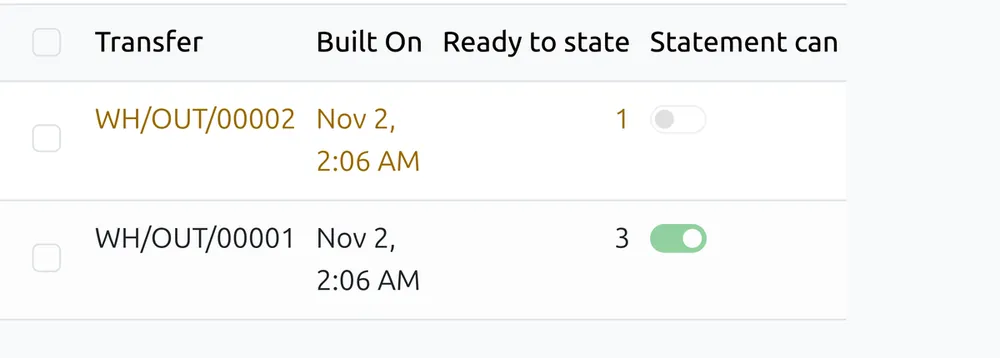
The statements built so far.
On the seeded delivery WH/OUT/00002, the Robusta bag has no lot, lot C-2602 has no plot, rubber is untracked, lot C-2603 sits on AS-A which lacks its boundary, and cocoa lot K-2602 sits on KG-07 which lacks its production period. Only lot C-2601 is Ready.
It does not file the statement, produce a reference number, or send anything to any system. It is the checked content for whoever files.
Ready means every line has a lot whose plots are all complete. It does not mean the consignment is compliant, and the app says so on the statement. A statement is a snapshot: after you fix a plot it still reads Incomplete until you press Rebuild.
4 Checking a despatch before it goes
Use it when you want a missing plot to be noticed at the dock, not afterwards.Reads the transfer; can refuse it
A rule that stops the warehouse on day one tends to be switched off on day two, so the check has three settings.
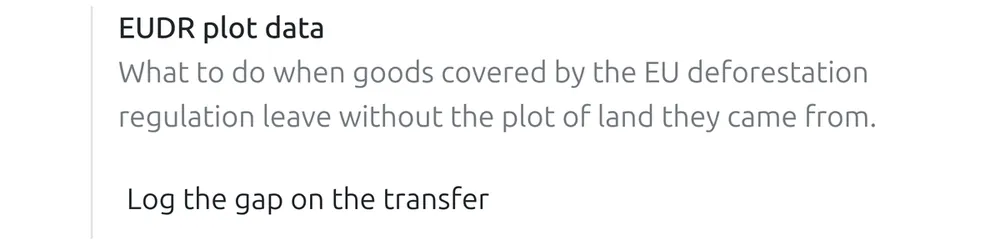
Under Inventory settings, EUDR plot data offers Do not check , Log the gap on the transfer (the default) and Refuse the transfer . On Validate of an outgoing transfer, the check uses the same scan as the statement. Receipts are not checked.
The setting is per company.
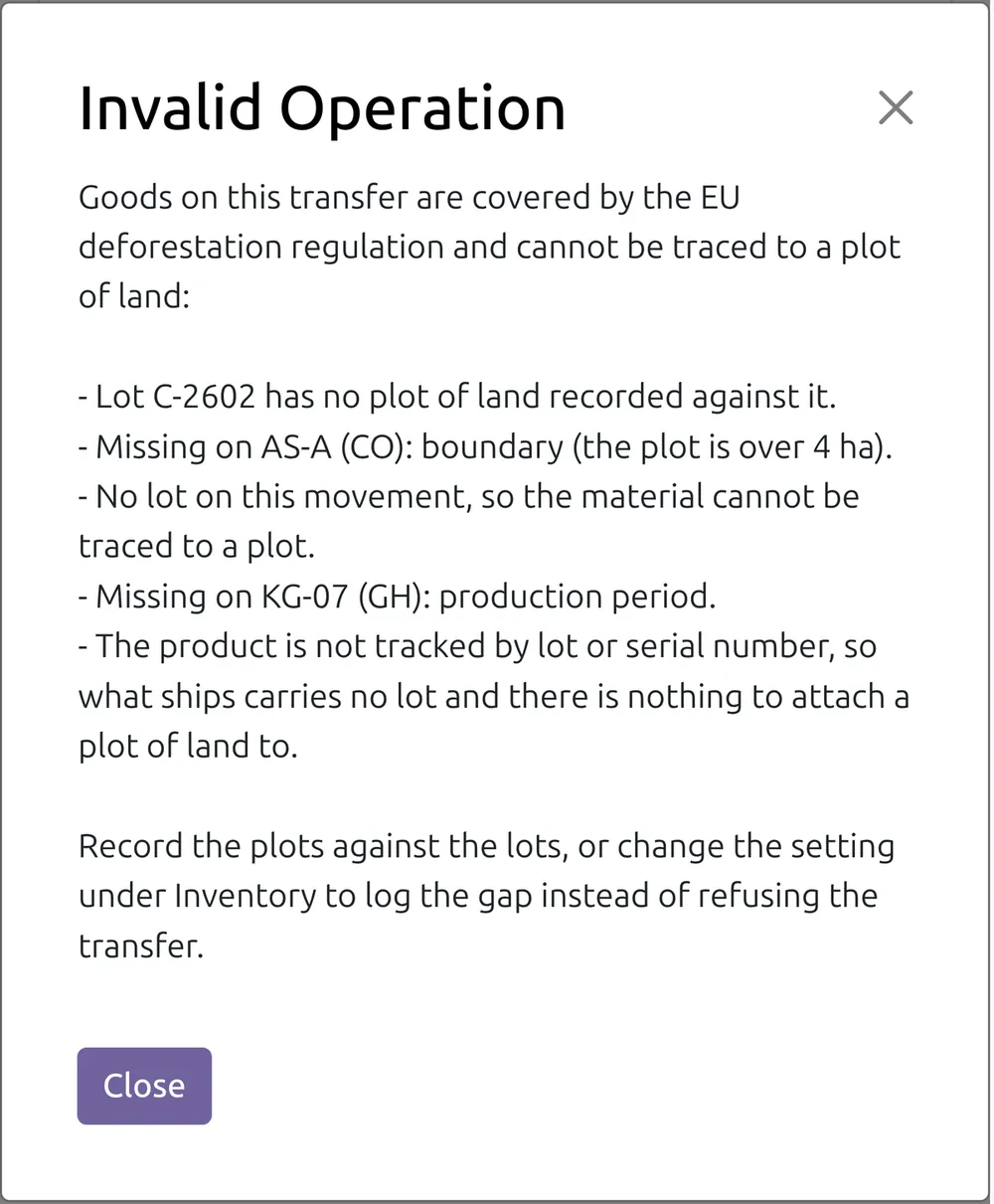
In refuse mode, Validate on the mixed delivery stops with the reasons.
In log mode the delivery goes through and carries this note.
In refuse mode the complete delivery validates and the mixed one does not. In log mode the same mixed delivery validates and one note is added to it. With the setting off, nothing is added.
It does not look at incoming transfers, and it does not decide whether a shipment may be placed on the market.
A tracked product with nothing reserved reads Not reserved, so refuse mode refuses it. The refusal message lists at most the first ten gaps.

Questions buyers ask
Does it make us compliant with the deforestation regulation?
No. It records plots and checks that listed fields are filled. Whether a shipment complies is your judgment.
Does it submit statements to the EU?
No. It makes no outgoing connection and submits nothing.
Which rule does it apply to plot size?
Over 4 hectares a boundary is required instead of a point, except for cattle. The comparison is strictly greater than 4.
Does it check dates or deforestation?
No. Production dates are only checked for order; there is no cut-off date and no land-use test.
Can it stop a shipment leaving?
Yes, if you choose Refuse the transfer. The default only logs the gap. A tracked product with nothing reserved is refused too.
Requirements
- Odoo 19.0 or 20.0. The App Store sells each version separately, so buy the one that matches your database.
- Odoo.sh or On-Premise only. Third-party apps cannot be installed on Odoo Online (SaaS) databases. Check your hosting before buying.
- Module
mh_eudr_diligence, version 19.0.1.0.18, licensed OPL-1.