Access Management
Eleven access tools in one app, from who-can-do-what across every model to safe offboarding
The video below shows Access Management running on a real Odoo 19 database. Want it driven against your own data, or a question answered first? Ask and we will set up a session.
What it does
What it does
Eleven separate access-control apps, merged into one module. You install it once, it adds one Access Management menu, and every tool below is under it.
Nothing here changes a permission on its own. The reports report; every bulk action shows you the exact list of what it will change before it changes anything.
Seeing what access actually is
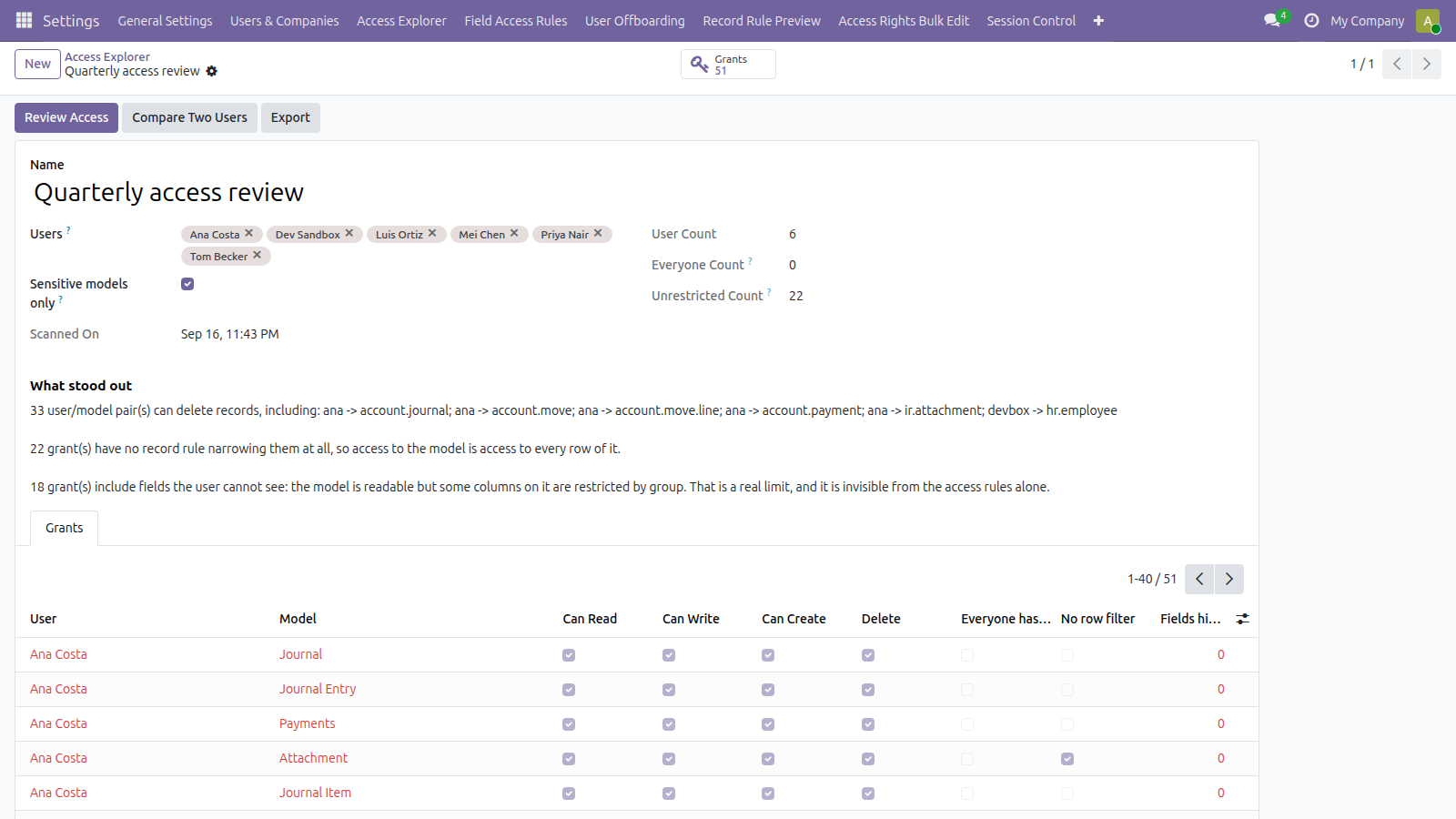
Access Explorer sweeps every internal user against every model and resolves what each one can really read, write, create and delete — implied groups and record rules already combined, because it asks Odoo the same way Odoo asks itself. It flags the two over-grants nobody spots by inspection: a rule left without a group, which applies to everybody, and a grant with no record rule narrowing it, where access to the model is access to every row.
Record Rule Preview answers the question you have before you save a rule: how many records does this actually leave a chosen user? Counted for real against the database, not estimated.
Access Change Log keeps the history — every change to a group, an access right or a record rule, and who made it.
Changing it without a hundred clicks
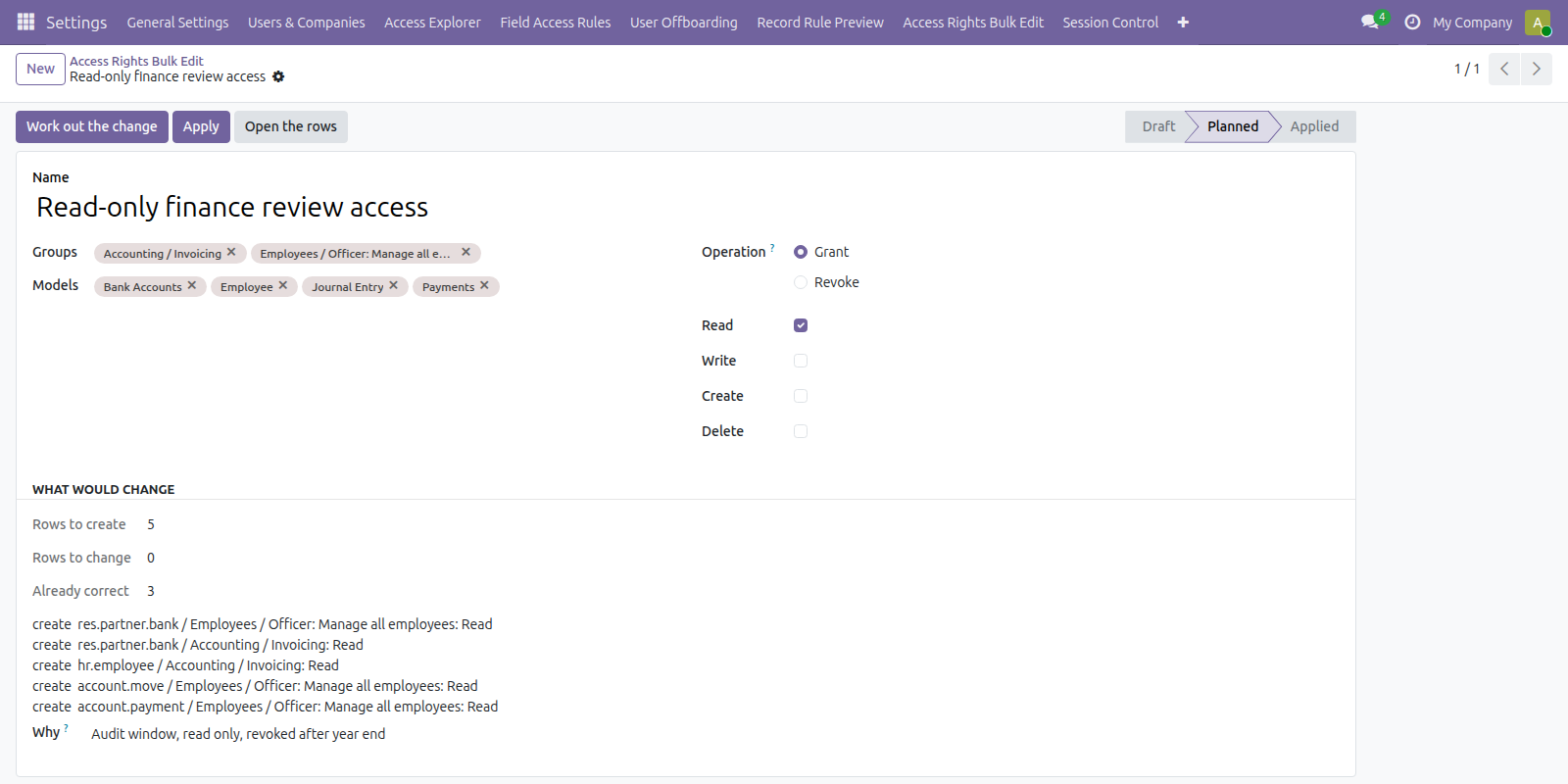
Access Rights Bulk Edit and Group Membership Bulk apply model access and group membership across many rows at once. Multi-Company Access grants or revokes company access for many users at once, and shows the default-company moves and group changes Odoo makes on its own before you commit them.
Field Access Rules hides or locks any field for the groups you choose, enforced server side rather than in the view, so it holds for imports and the API too.
Access Config Migration exports groups, access rights and record rules from one database and imports them into another, which is how a staging database stops disagreeing with production.
The accounts themselves
API Key Inventory lists every key in the database with its owner, its expiry and when it was last used. Session Control sets an idle timeout per group and shows the sessions open right now, with the ability to end one.
User Offboarding Check lists everything still pointing at a user before you archive them — scheduled actions, open activities, assigned records, API keys — and what breaks if you archive without reassigning first.
Why one app and not eleven
Bought separately these are eleven installs and a considerably larger bill. They also overlap in practice: whoever needs a record-rule preview needs the change log, and every one of them eventually needs offboarding.
What it does not do
It does not replace a security review by somebody who knows your business. Access Explorer excludes the superuser deliberately — it bypasses every rule by design, so including it would report full access to everything and bury the findings that matter.
Warehouse-specific access rules are deliberately not in here. They need the Inventory app, and an access product should not force Inventory onto a database that does not use it. That stays a separate module.
Screenshots
Requirements
- Odoo 19.0, Community or Enterprise.
- Odoo.sh or On-Premise only. Third-party apps cannot be installed on Odoo Online (SaaS) databases — check your hosting before buying.
- Module
mh_access_management, version 19.0.1.0.7, licensed OPL-1.
Related apps
See exactly what every user can read, write, create and delete across every model, resolved through group inheritance and record rules
Set the default list view columns for a model and assign them per group, so a team opens the same layout instead of rebuilding it
MCP server exposing Odoo to Codex and other MCP clients - on the current 2026-07-28 revision, with an explicit list of what each connection may reach