Access Rights Bulk Edit
Grant or revoke access rights for many groups and models at once, after reading the plan
Request a live demo · Odoo.sh or On-Premise only, not Odoo Online (SaaS).
4 + 0
rows the example change would create and change, with 2 already correct, shown before anything is saved
Grant
or revoke: a permission you did not tick is left alone
18
automated tests, none failing
1 box
to tick before the last holder of a permission can be removed
0
rows written by planning; Apply refuses a plan that no longer matches
Rows
it writes ordinary access rows; nothing is wrapped, so uninstalling keeps them
Odoo keeps access rights in a flat list thousands of rows long. Granting one group read on twelve models means finding twelve rows, and a missing row looks like a row that grants nothing. Access Rights Bulk Edit takes the groups, the models and the permissions, and lists what it would create and change before it writes anything. This page walks through one real change in an Odoo 19 database seeded with made-up data, and says where the app stops.
How it works
Why a plan comes first
One bad row in a flat list of thousands is easy to miss. The plan turns the change into numbers and lines you can read.
1 Pick groups, models and permissions
Use it when a group needs the same permission on a dozen models.Writes nothing yet
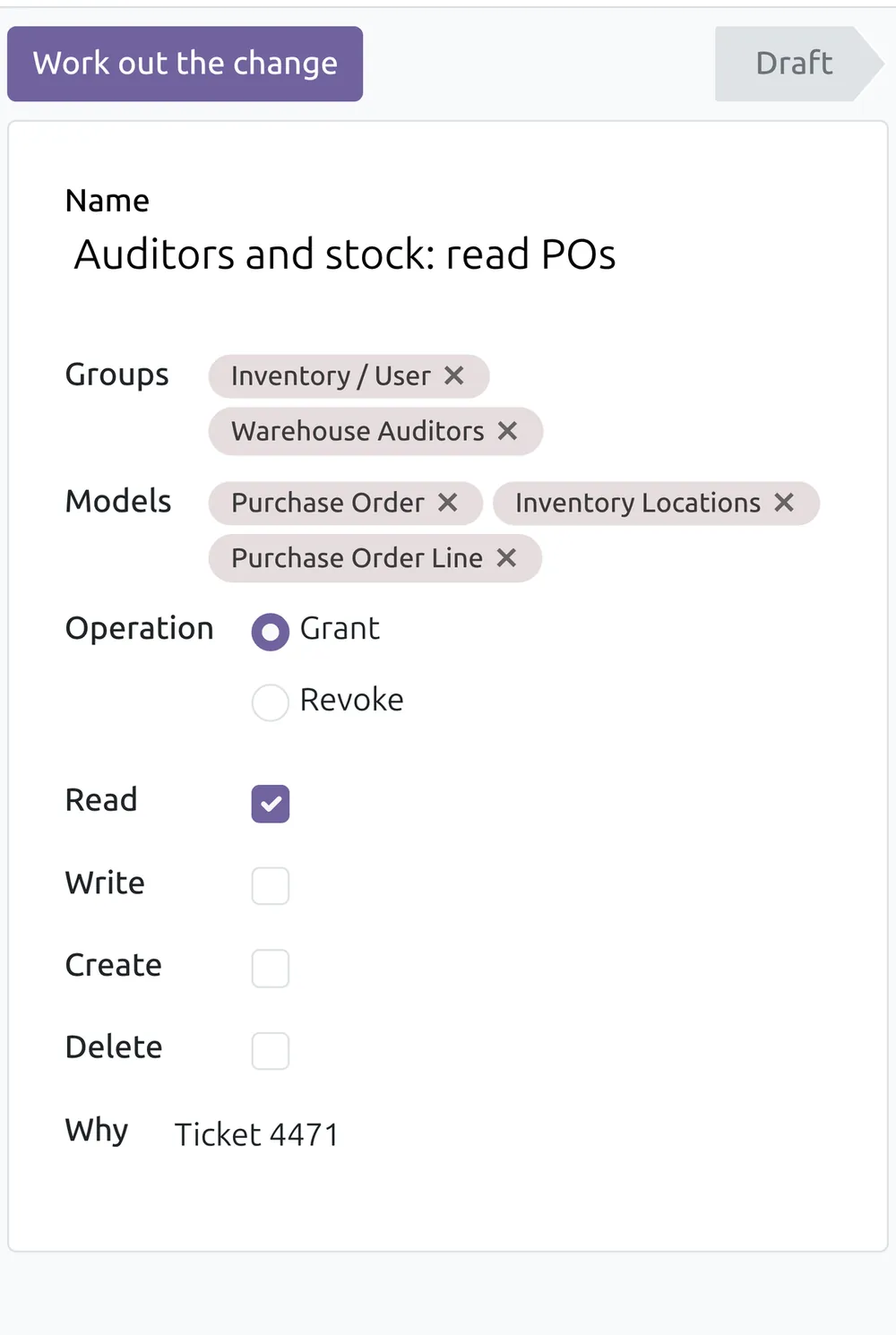
Open Settings > Access Rights Bulk Edit and create a change: Groups , Models , an operation (Grant or Revoke) and the permissions Read, Write, Create and Delete. Why is a note for whoever reads it later.
A draft change: two groups, three models, Grant Read.
2 Read the plan
Use it when you want the exact list of rows before anyone gains or loses access.Plan only, no writes
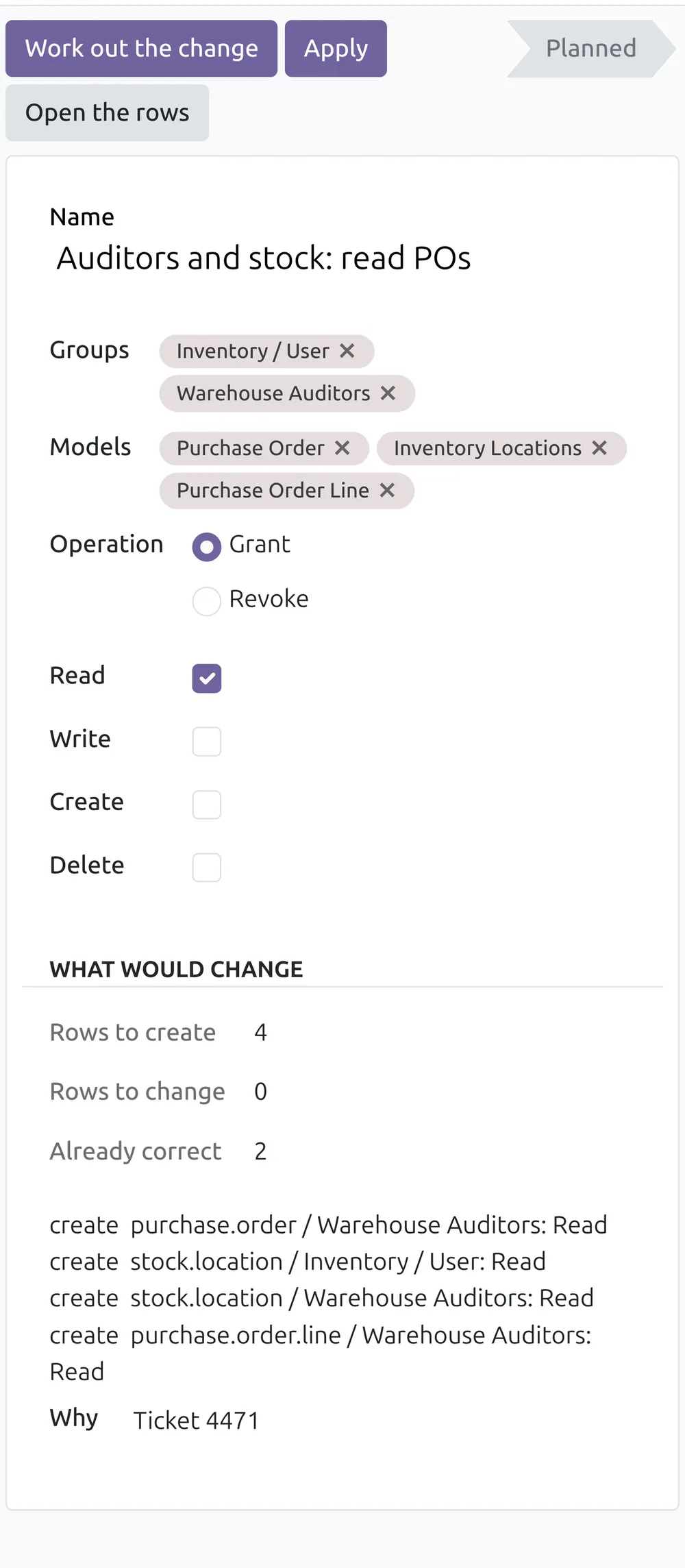
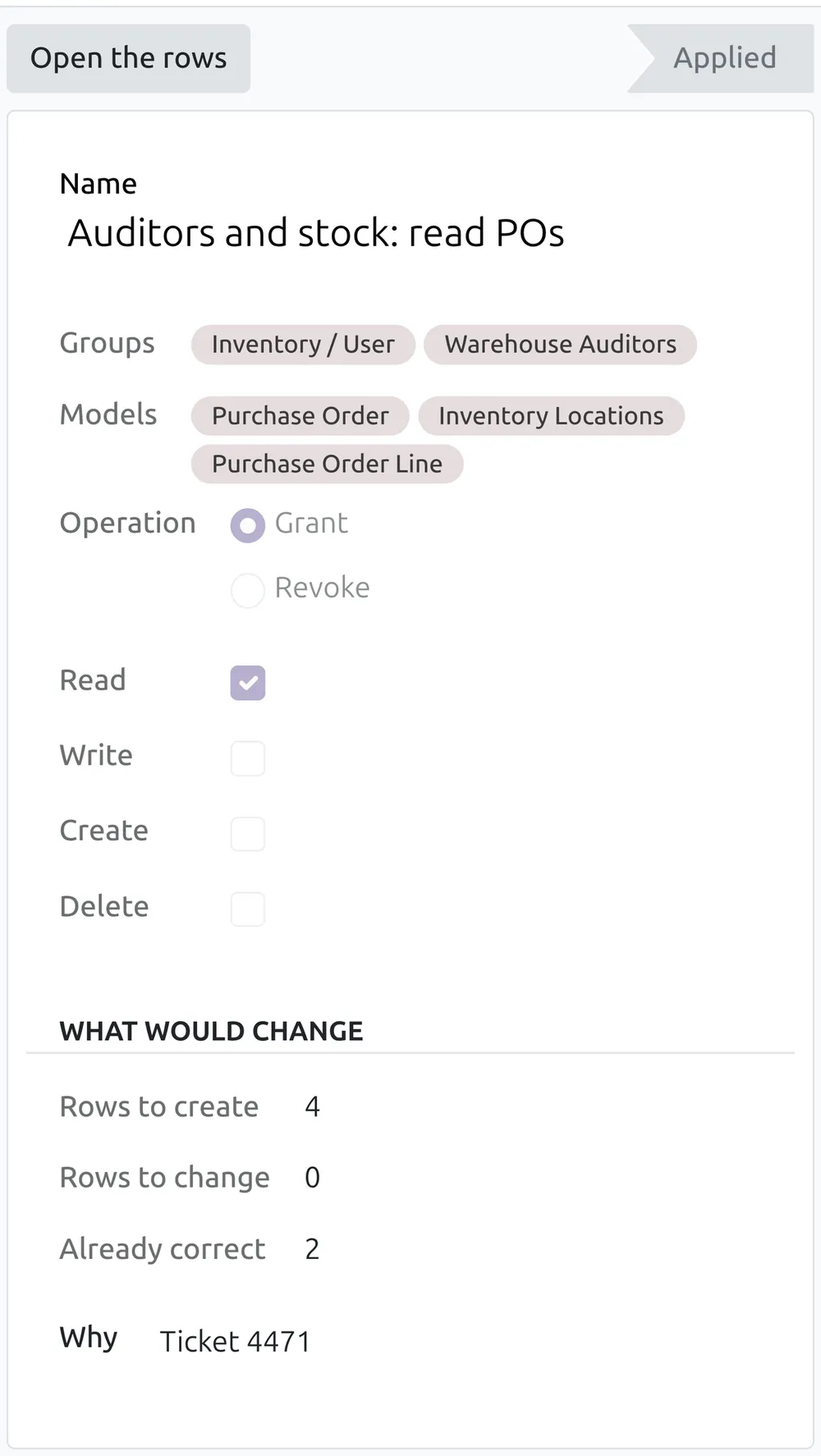
Work out the change counts what it would create, change and leave alone, and lists each one. In this run it would create 4 rows and change 0; 2 were already the way the change asks.
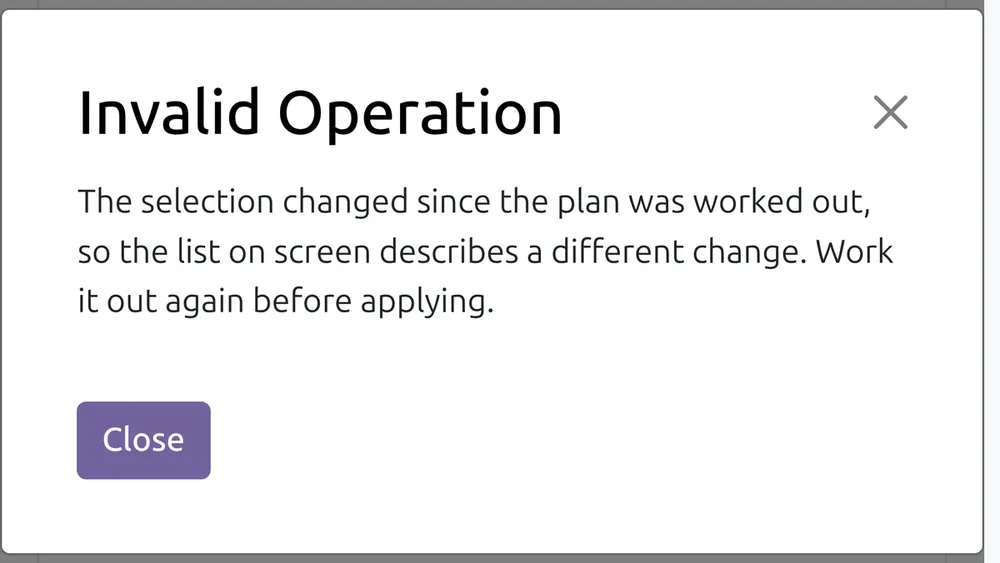
Planning writes nothing. Apply is refused until the change has been worked out, and refused again if the groups, models or permissions moved afterwards.
The plan: counts first, then one line per row.
Removing a group after planning, then pressing Apply: refused.
3 The mistake the row count hides
Use it when you revoke a permission and want to be told when nobody else holds it.Needs a tick
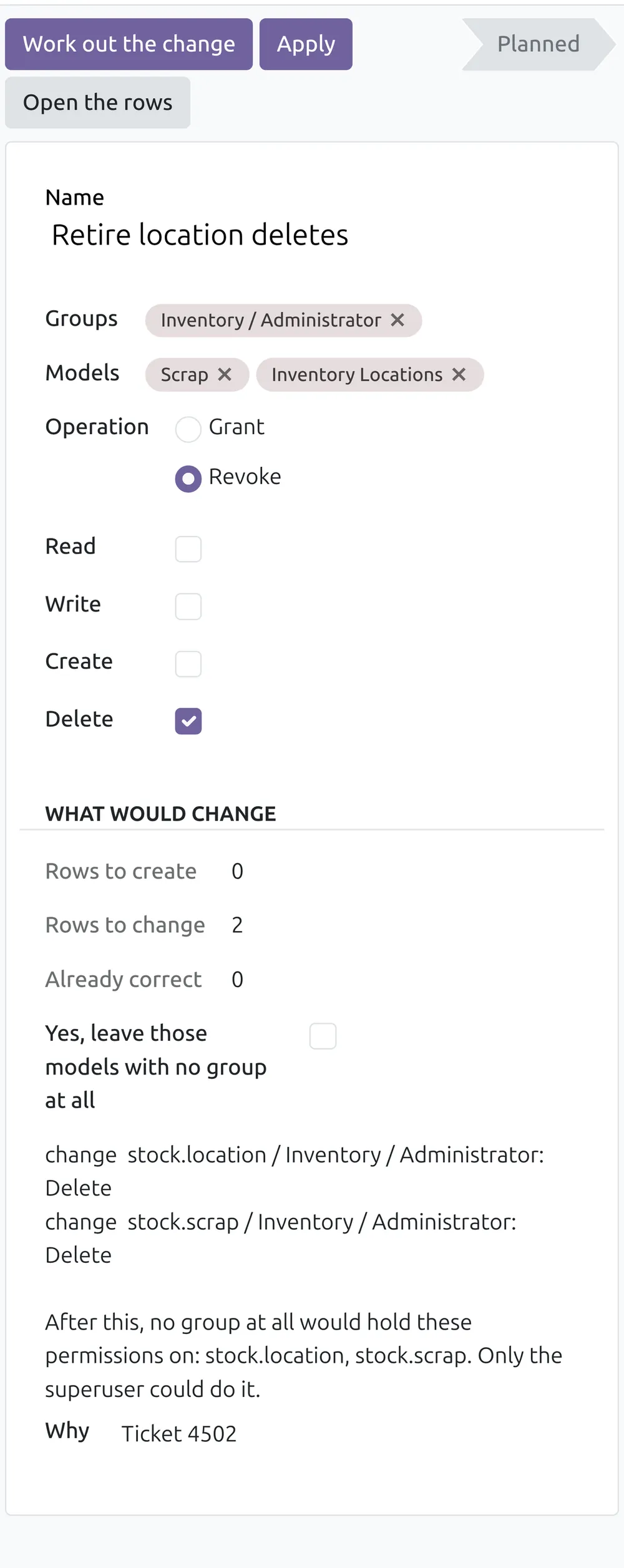
Revoking the last group that holds a permission on a model leaves only the superuser able to do it. Every row looks reasonable on its own; the plan adds a line naming the models, shows a box to tick, and Apply is refused until it is ticked.
Revoking Delete on Inventory Location and Scrap from Inventory / Administrator: the plan warns and shows the box.
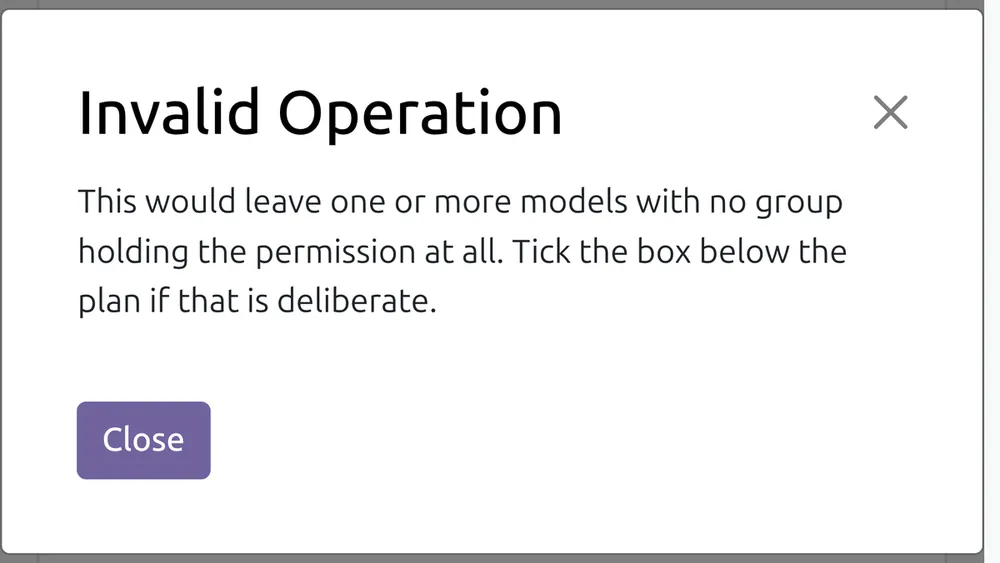
Apply without the tick: refused.
The warning counts only rows that name a group. A row with no group, which grants everyone, is not counted, so the warning can appear when everyone still holds the permission.
4 Apply and check the rows
Use it when the plan reads right and you want the rows written.Writes access rows
Apply asks for confirmation and writes the ir.model.access rows. Open the rows opens the list of rows for those groups and models. A granted permission works for the group's users at once, and a revoked one stops working; both were checked in a test run.
In Odoo 19, a revoke that unticks a row's last permission leaves the row in place with nothing ticked; it is not deleted.
The change after Apply.
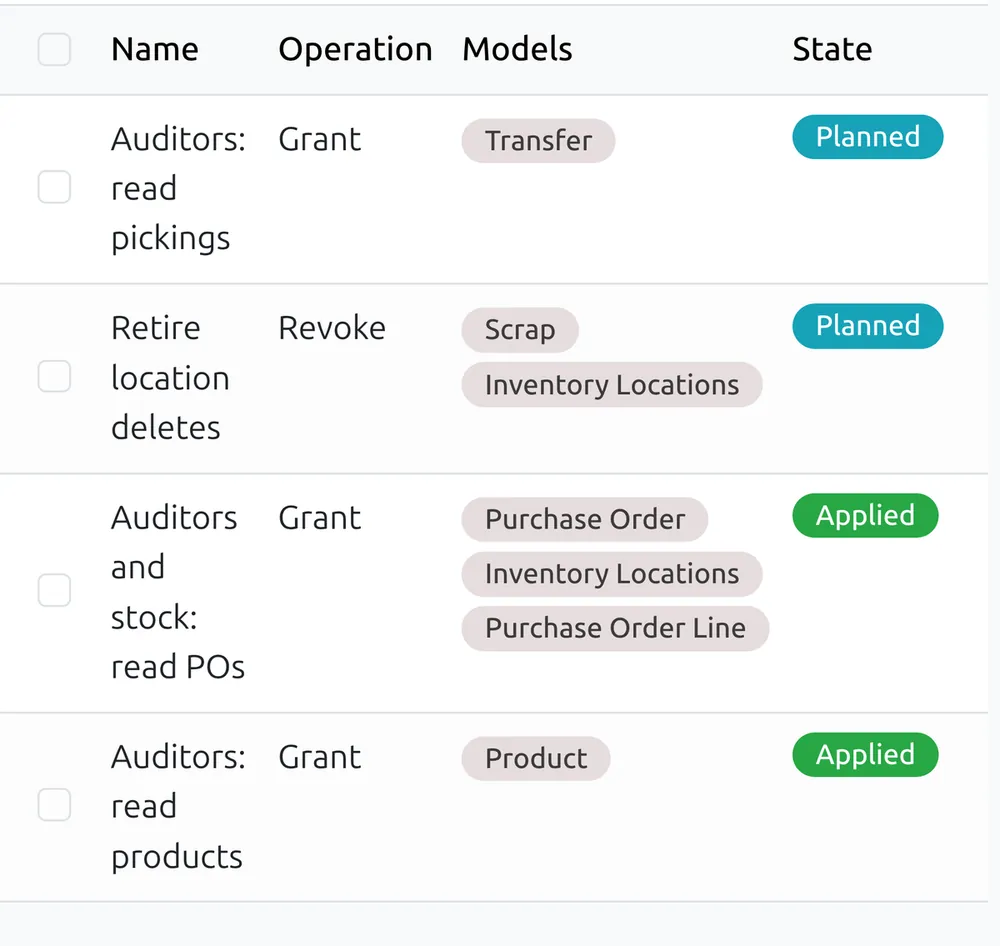
The list of changes, each with its state.
Questions buyers ask
Does Grant remove a permission someone already had?
No. Grant turns on the permissions you ticked and leaves the others alone; Revoke does the reverse.
Can I undo an applied change?
There is no undo button. Make a Revoke change for the same groups, models and permissions, and read its plan.
What does uninstalling do?
The rows it wrote are ordinary access rows and stay where they are.
Who can use it?
Users in the Settings group.
Requirements
- Odoo 19.0 or 20.0. The App Store sells each version separately, so buy the one that matches your database.
- Odoo.sh or On-Premise only. Third-party apps cannot be installed on Odoo Online (SaaS) databases. Check your hosting before buying.
- Module
mh_access_rights_bulk, version 19.0.1.0.15, licensed OPL-1.