Google Drive Attachments
Move Odoo attachments out of the filestore into a Google Drive folder, using Odoo 19 own cloud storage migration - Drive is the provider Odoo does not ship
The video below shows Google Drive Attachments running on a real Odoo 19 database. Want it driven against your own data, or a question answered first? Ask and we will set up a session.
What it does
Drive, added to the cloud storage Odoo already has
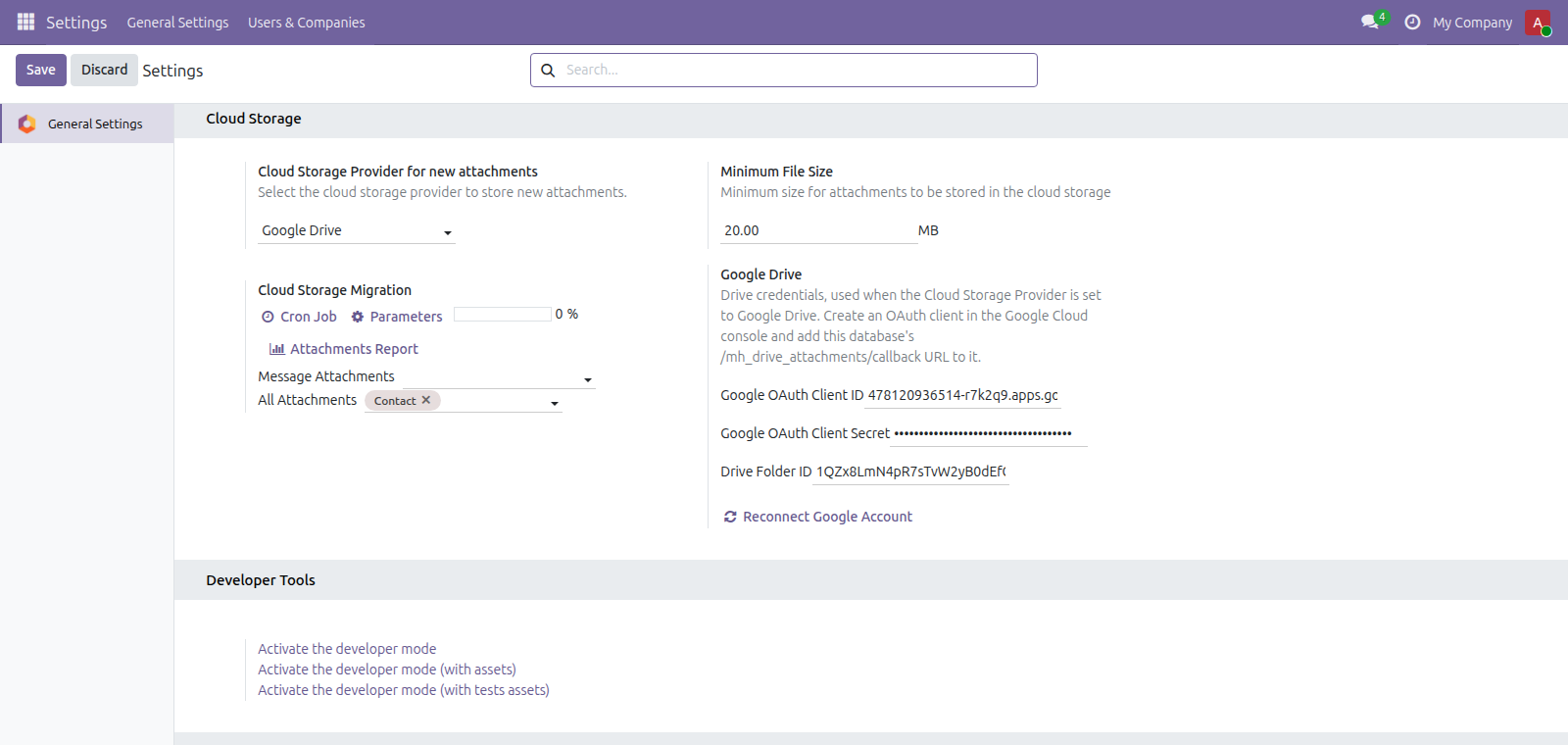
Odoo 19 ships cloud storage for Google Cloud Storage and Azure Blob, free, in Community — but not for Google Drive. This adds Drive to that same provider list, so the settings page, the migration cron and the progress report you already have start filling a Drive folder instead.
Attachments leave the filestore, and keep working
Pick the models in Odoo's own cloud storage settings and its migration cron moves those attachments into your Drive folder. Opening one afterwards still works exactly as before.
Your Google credentials never reach a browser
Odoo can have the browser upload large files straight to a cloud provider, because a bucket can issue a one-shot signed URL. Drive has no such thing — every call needs the account's token, and Odoo's uploader copies whatever headers it is given into the browser request. So uploads here run on the server only, and that browser path is switched off while Drive is the provider.
Downloads still obey Odoo's access rights
Drive files stay private. Opening an attachment streams it back through Odoo, so the same record rules that decided who could read it before still decide now. The alternative — a shareable Drive link — would make every migrated file readable by anyone who has the URL.
Reversible, and it says so before you switch away
Any file can be pulled back out of Drive into Odoo, and changing provider while Drive attachments are still in use is refused rather than quietly leaving them unreachable.
What it does not do
It cannot see files it did not create. The module asks Google for the drive.file scope, which limits it to its own uploads. Documents already sitting in your Drive stay where they are. Adopting those needs the full drive scope, which puts the app through Google's OAuth verification and a yearly security assessment.
It does not sync back. Renaming or moving a file inside Drive does not update Odoo. This is one directional on purpose: two way sync makes a deletion destructive at both ends, and a folder tidied up in Drive should not quietly remove an Odoo attachment.
New large attachments do not go straight to Drive. They land in Odoo first and the migration cron moves them afterwards. Odoo's browser upload path would need your Google token in the browser of everyone who attaches a file, so it is switched off while Drive is the provider.
Downloads use your server's bandwidth. They pass through Odoo rather than redirecting the browser to Google. That is what keeps them private and subject to Odoo's access rights, but the bytes do travel through your server.
It does not choose what gets migrated. Odoo's own cron decides that: the models you select, above the minimum file size, older than seven days, and not on models whose code reads the bytes. Odoo generated files such as reports and Sign documents are outside its scope, not this module's.
It covers chatter attachments, not the whole filestore. Odoo 19’s cloud_storage is scoped to files attached through the chatter, above a minimum that defaults to 20 MB. Binary fields such as product images and company logos are never in scope, and Odoo excludes every model whose own code reads the bytes — which in Community means account.move , account.payment , hr.employee , hr.expense , hr.leave and hr.applicant . So invoices, bills, payments, employee files, expense receipts and CVs stay on local disk. If moving the entire filestore is what you need, this is not that app.
Screenshots
Requirements
- Odoo 19.0, Community or Enterprise.
- Odoo.sh or On-Premise only. Third-party apps cannot be installed on Odoo Online (SaaS) databases — check your hosting before buying.
- Module
mh_drive_attachments, version 19.0.1.0.9, licensed OPL-1.
Related apps
Hide or lock any field for the groups you choose, on any model, enforced by the server and not just hidden in the form view
Write a record rule and see how many records it actually leaves a chosen user, counted for real before you save it
Log users out after an idle time you set per group, and see and end the sessions that are open right now