Session Control
Log users out after an idle time you set per group, and see and end the sessions that are open right now
The video below shows Session Control running on a real Odoo 19 database. Want it driven against your own data, or a question answered first? Ask and we will set up a session.
Odoo has one inactivity limit for the whole database - the sessions.max_inactivity_seconds system parameter, a week unless somebody sets it. The admin, the accountant and the warehouse terminal all get the same number, which is the wrong answer to give an auditor asking why the terminal is still logged in at midnight.
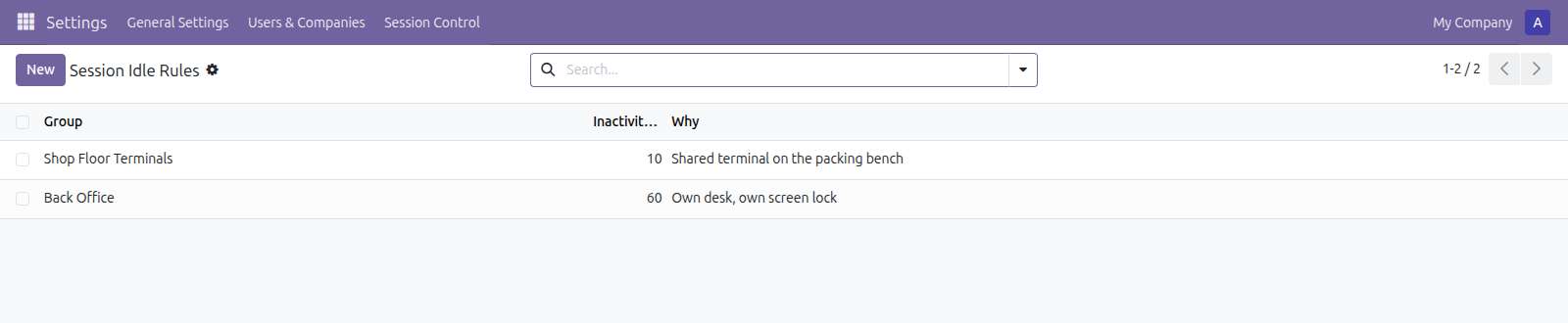
Minutes per group. A shared terminal gets ten; somebody at their own desk with a screen lock gets an hour.
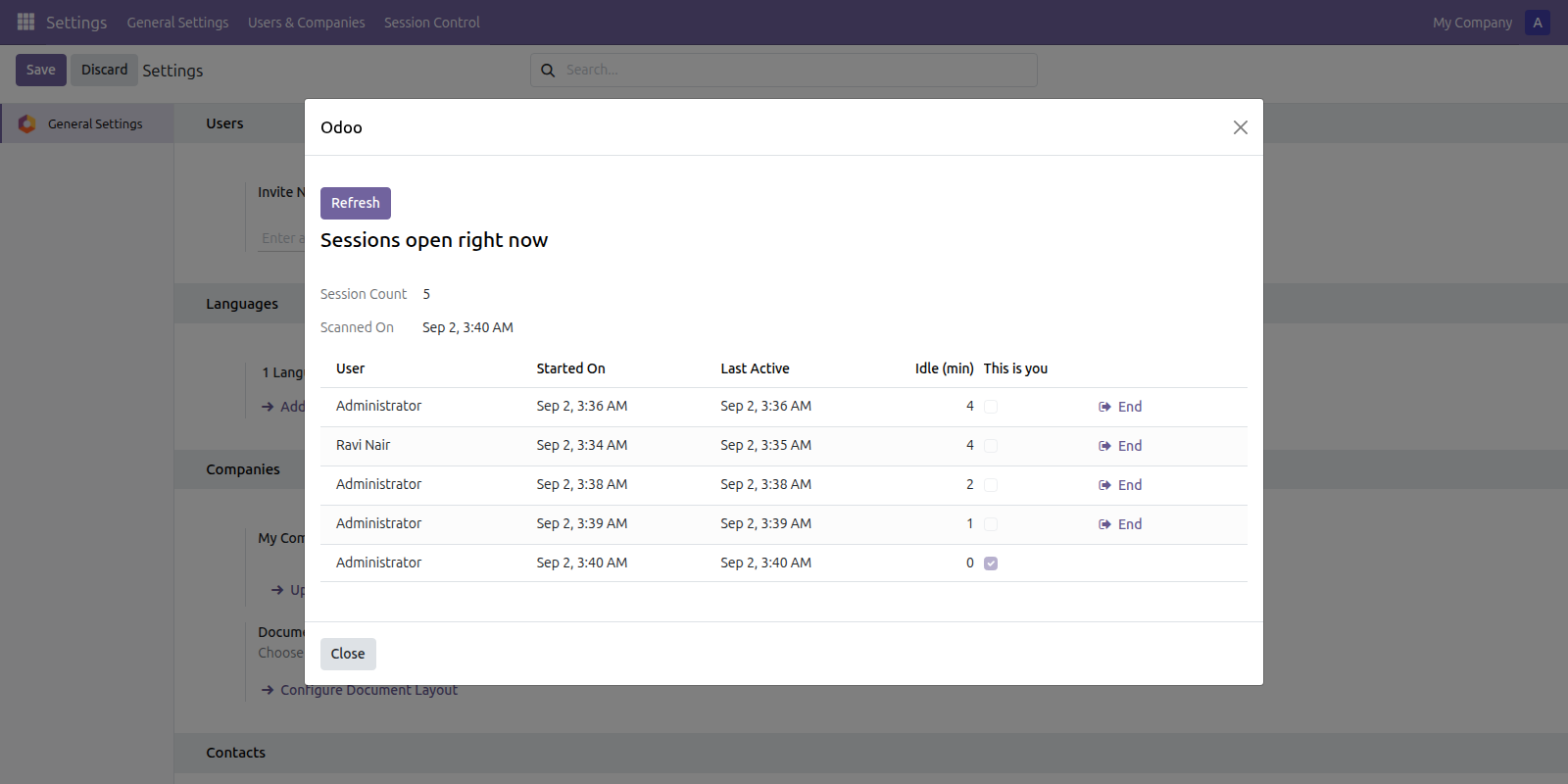
What is actually open, read from where Odoo keeps it. Your own session is marked and has no End button.
What it does
Idle, not lifetime
The clock runs from the last request, not from login, and any request counts - so a dashboard left open on a screen that polls does not pass for somebody sitting at it.
The shortest rule wins
A user in several groups gets the tightest of their timeouts. Belonging to a lenient group does not buy a way out of a short one, which is the reading anybody auditing this will expect.
The open list is the truth
There is no table of logged-in users in Odoo - it writes one file per session - so this reads them where they are. It is what is open now, not a log of logins that may or may not still be live. Sessions belonging to other databases on the same server are left out of it.
A floor of five minutes
Below that, people are logged out in the middle of filling in a form and lose what they typed - and the software gets blamed rather than whoever chose the number. Shorter values are refused.
What it does not do
The last-seen stamp is written at most once a minute per session, not on every request - a write per request across a whole database to store a timestamp would cost more than the feature is worth. So a timeout can overrun by up to a minute. The check also runs inside a guard that swallows its own errors, because code on every request that can raise is code that can take a database offline.
Screenshots
Requirements
- Odoo 19.0, Community or Enterprise.
- Odoo.sh or On-Premise only. Third-party apps cannot be installed on Odoo Online (SaaS) databases — check your hosting before buying.
- Odoo 19 Community or Enterprise, no other module needed. The superuser is never logged out, so crons and upgrades keep working. It does not restrict where people log in from and it is not a login history.
- Module
mh_session_control, version 19.0.1.0.15, licensed OPL-1.
Related apps
Move Odoo attachments out of the filestore into a Google Drive folder, using Odoo 19 own cloud storage migration - Drive is the provider Odoo does not ship
Hide or lock any field for the groups you choose, on any model, enforced by the server and not just hidden in the form view
Write a record rule and see how many records it actually leaves a chosen user, counted for real before you save it