Access Snapshot
See what one user can actually do on one model, after groups and record rules are resolved
The video below shows Access Snapshot running on a real Odoo 19 database. Want it driven against your own data, or a question answered first? Ask and we will set up a session.
What it does
"Can this person see that?" takes twenty minutes to answer
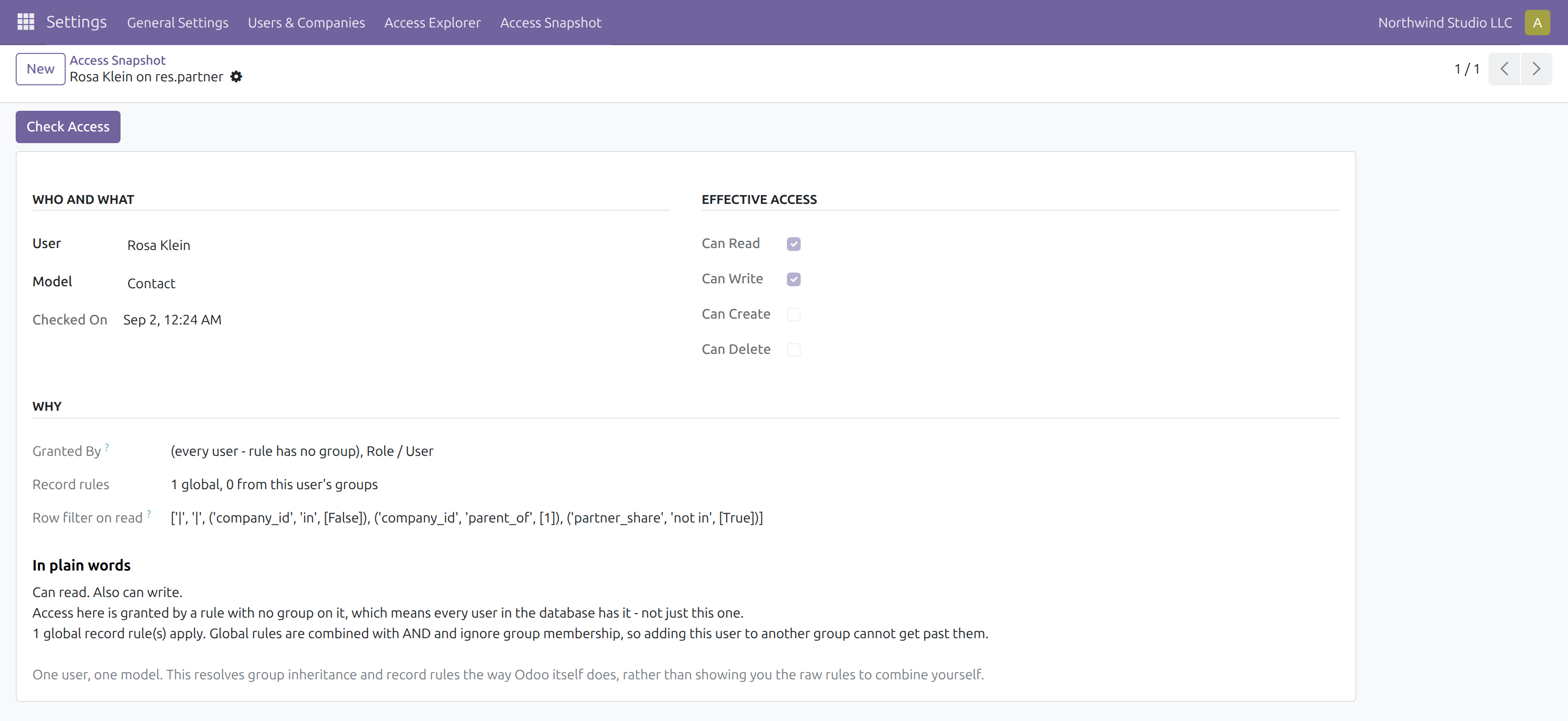
The answer lives in three places that have to be combined by hand: the access rules for the model, every group the user is in including the ones implied by other groups, and the record rules that filter which rows they get. Odoo shows you those three things separately and leaves the combining to you.
This does the combining. Pick a user and a model, and get the answer Odoo itself would give.
One user against one model: what they can do, which groups granted it, and the row filter that applies.
Global rules cannot be group-hopped
Record rules with no group are global: they combine with AND, and adding a user to another group cannot get past them. Rules that do carry groups combine with OR, so each extra group only ever widens what the user sees. Getting that backwards is how permissions end up wrong, so the result says which kind is in play.
It refuses to answer about the superuser
The superuser bypasses every access rule and record rule by design, so a report on it would say "allowed" for everything no matter how your database is configured. That is a confident wrong answer about security, so the app declines instead of producing it.
What it does not do
Stated up front so nothing about the scope is a surprise after you install it.
Screenshots
Requirements
- Odoo 19.0, Community or Enterprise.
- Odoo.sh or On-Premise only. Third-party apps cannot be installed on Odoo Online (SaaS) databases — check your hosting before buying.
- Module
mh_access_snapshot, version 19.0.1.0.10, licensed OPL-1.
Related apps
Eleven access tools in one app, from who-can-do-what across every model to safe offboarding
See exactly what every user can read, write, create and delete across every model, resolved through group inheritance and record rules
Set the default list view columns for a model and assign them per group, so a team opens the same layout instead of rebuilding it