Archived Match Hint
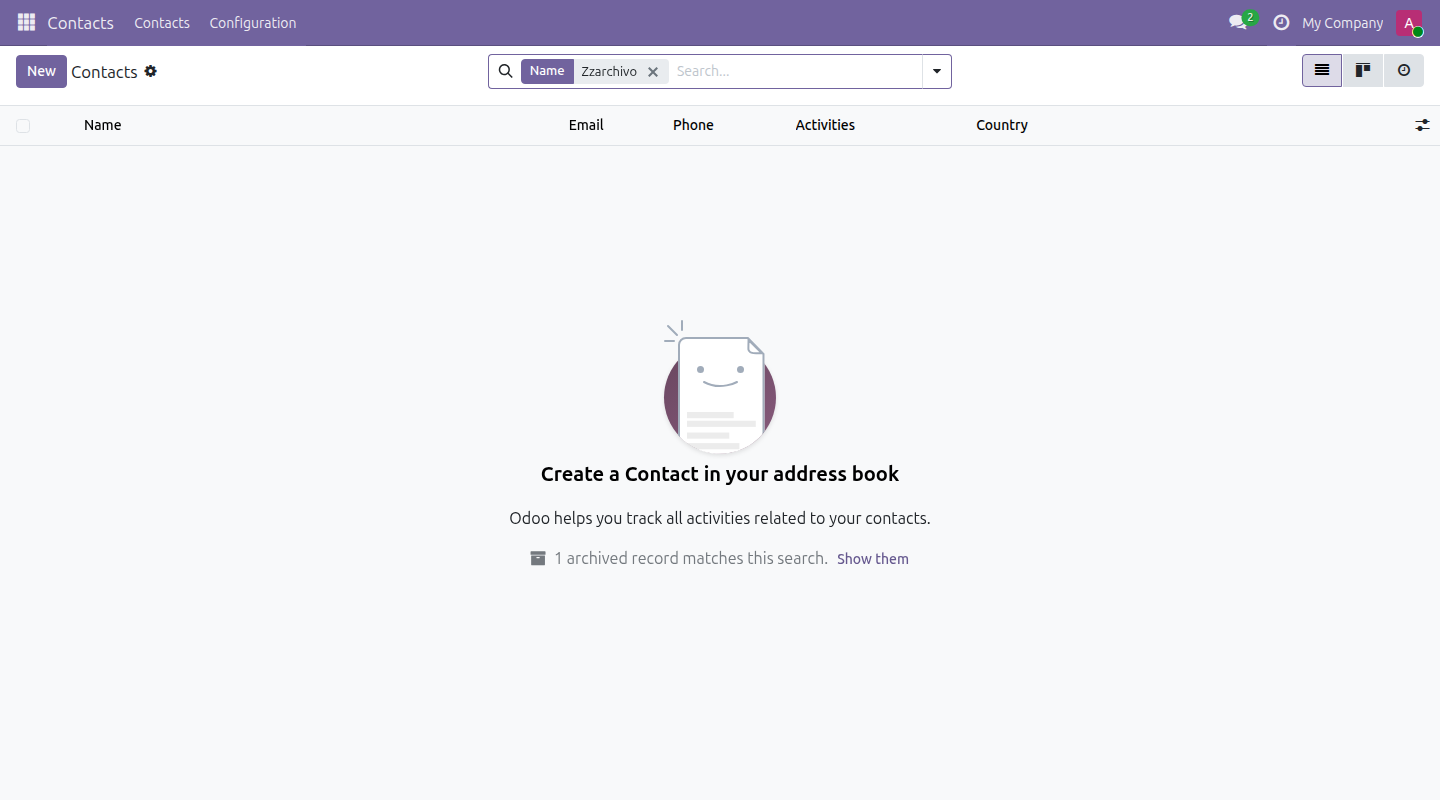
When a search comes back empty, it tells you if the match is just archived
The video below shows Archived Match Hint running on a real Odoo 19 database. Want it driven against your own data, or a question answered first? Ask and we will set up a session.
Odoo hides archived records from every search by default, and never mentions it. When a search comes back empty, the stock message only guesses - "make sure that there is no active filter in the search bar" - and the filter actually responsible, active_test, is not in the search bar at all.
So the record exists, the search was right, and the screen tells you nothing. This app closes that gap: it counts the archived records matching the search you just ran and says so, with a one-click "Show them".
Nothing appears when nothing archived matches, or when you are already searching archived records on purpose - the hint only shows up on the one screen where it changes the answer.
What it does
Every model, every view
It extends the one no-content screen that list, kanban, graph and pivot all fall back to - so it works on any model with an archive field, with no per-model setup.
Nothing new to secure
The count is a plain search_count through the ORM, so your record rules apply to it unchanged - it can never hint at a record you are not allowed to see.
Screenshots
Requirements
- Odoo 19.0, Community or Enterprise.
- Odoo.sh or On-Premise only. Third-party apps cannot be installed on Odoo Online (SaaS) databases — check your hosting before buying.
- Module
mh_archived_match_hint, version 19.0.1.0.8, licensed OPL-1.
Related apps
Per-field anonymization, a legal hold override, and an append-only purge log - not a Data Recycle clone
Real WCAG violations, found in your rendered pages - not another overlay widget
The Article 33 72-hour clock starts the moment you log the incident