Awaiting-Reply Badge
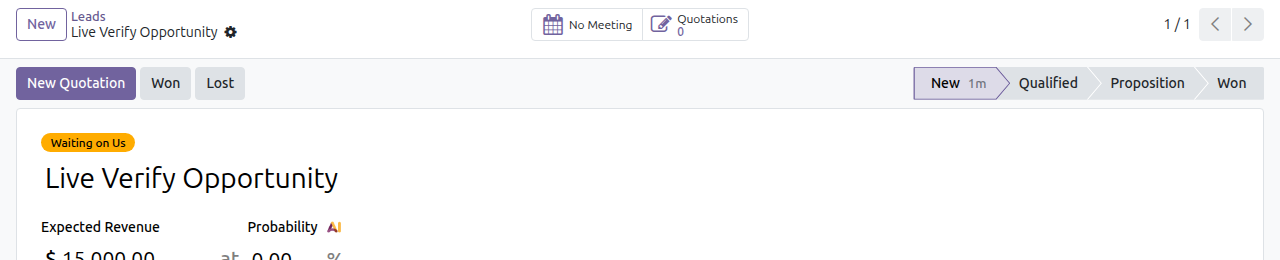
See whose turn it is to reply on a Lead or Sales Order, without opening the thread
The video below shows Awaiting-Reply Badge running on a real Odoo 19 database. Want it driven against your own data, or a question answered first? Ask and we will set up a session.
Odoo's only "waiting on customer" indicator is a Helpdesk-only feature. Every Lead or open Sales Order sharing the same mail.thread mixin gives you no way to tell at a glance whose turn it is to reply without opening the record and reading the whole thread.
This app adds a small badge - "Waiting on Them" or "Waiting on Us" - computed from whether the last logged message was authored by the record's own contact, or by anybody else - a colleague, an automated sender, a second contact on the thread. It is the contact against everyone, not a two-sided sort. No new model, no configuration: it reads mail.message through the ORM, which already enforces per-record access.
Scoped to Leads and Sales Orders for this version - both share the same customer-facing negotiation shape the badge is built for.
What it does
No new model, no new permissions
Reads mail.message through the ORM, which already enforces exactly which messages each user can see.
Direction, not just presence
Not "has a message" - who sent the last one. A system notification never counts as a reply from either side.
Screenshots
Requirements
- Odoo 19.0, Community or Enterprise.
- Odoo.sh or On-Premise only. Third-party apps cannot be installed on Odoo Online (SaaS) databases — check your hosting before buying.
- Module
mh_awaiting_reply_badge, version 19.0.1.0.9, licensed OPL-1.
Related apps
Commission for salespeople and external agents, earned on the invoice or on the payment, and paid out on one vendor bill per person per period.
Point of Sale sales by cashier, by session and by product, with a profit and loss that never counts a missing cost as margin.
Split one order into several deliveries, confirm many quotations at once, duplicate lines in place, and add custom fields to quotations without code.