Sale Order Power Tools
The video below shows Sale Order Power Tools running on a real Odoo 19 database. Want it driven against your own data, or a question answered first? Ask and we will set up a session.
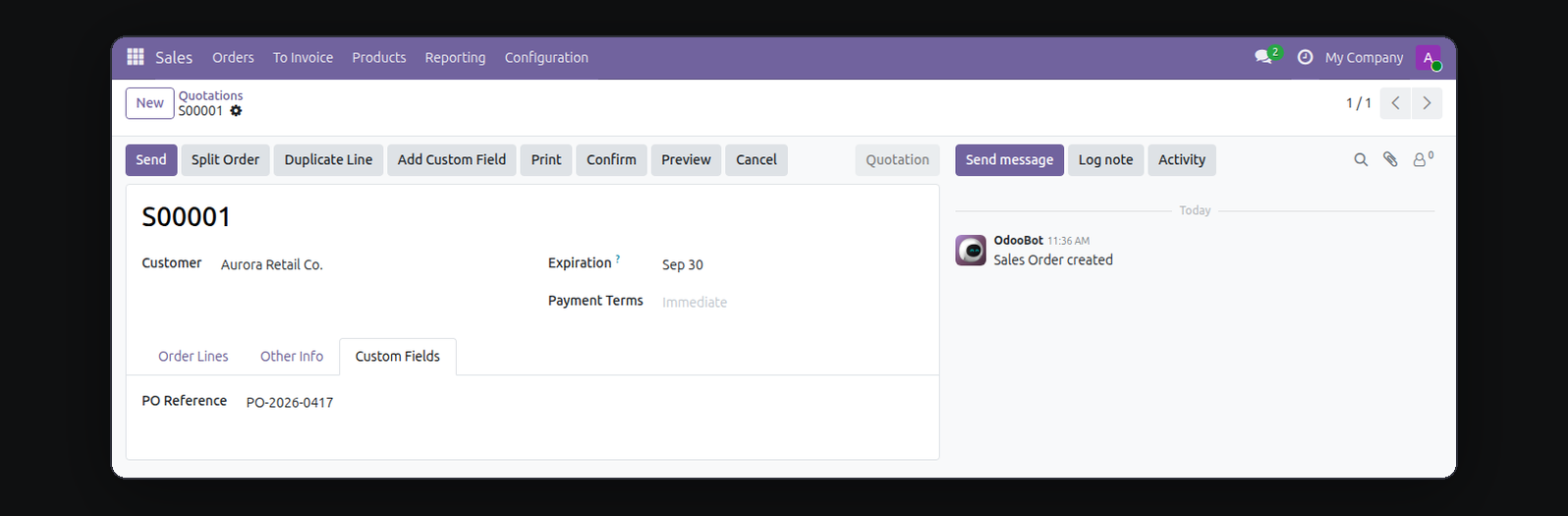
Split Sale Order Power Tools combines the four narrow sale-order utilities buyers keep reaching for one at a time: move lines from a quotation into a brand new order, confirm several quotations in one click instead of opening each one, duplicate a line as many times as you need, and add a real field to the Sale Order form yourself - no Odoo Studio, no developer, no code.
What it does
Split Order
Tick which lines belong on a separate order and click Split - a brand new draft order is created with just those lines, moved (not copied) out of the original.
Bulk Mass-Confirm
Select several quotations from the list view and confirm them all at once. One bad order in the batch is reported, not silently dropped - it never blocks the rest from confirming.
Duplicate Line
Copy an existing order line within the same order, as many times as you need, from a one-field dialog.
Custom Field, No Code
Add a real text, number, date, or checkbox field to every Sale Order - a genuine ir.model.fields record, not a workaround - straight from a small dialog. A Community-only convenience: Odoo Studio already covers this on Enterprise.
Who this is for
Sales teams who process a high volume of quotations and are tired of buying (or missing) four separate small apps to split orders, bulk-confirm, duplicate lines, and track one or two extra fields Odoo doesn't ship out of the box.
Screenshots
Requirements
- Odoo 19.0, Community or Enterprise.
- Odoo.sh or On-Premise only. Third-party apps cannot be installed on Odoo Online (SaaS) databases — check your hosting before buying.
- Module
mh_sale_order_power_tools, version 19.0.1.0.7, licensed OPL-1.
Related apps
Commission for salespeople and external agents, earned on the invoice or on the payment, and paid out on one vendor bill per person per period.
Point of Sale sales by cashier, by session and by product, with a profit and loss that never counts a missing cost as margin.
See whose turn it is to reply on a Lead or Sales Order, without opening the thread