Before and After Slider
Before and after image slider snippet: compare two images with a draggable, swipeable slider. Drag and drop it on any website page
Request a live demo · Odoo.sh or On-Premise only, not Odoo Online (SaaS).
Free
App Store price, per Odoo version
19 · 20
Odoo versions, each sold on its own page
Odoo.sh
or On-Premise; not Odoo Online (SaaS)
1.0.2
version of mh_before_after_slider
Odoo's website builder has no image comparison block. Odoo 20's Duo Images block puts two photos side by side and that is all; Odoo 19 has nothing close. If you want a visitor to see a renovation, a retouch or a repair as a before and after, you end up pasting in an outside widget that loads somebody else's scripts. This is a native building block instead.
How it works
What it does
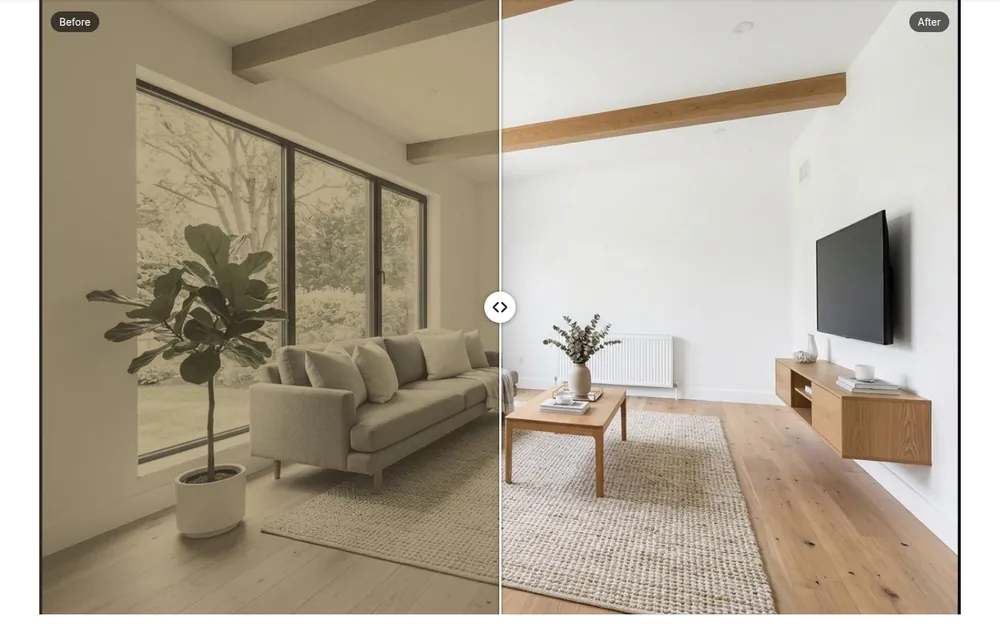
One block, two photos. It stacks a Before photo and an After photo with a divider between them. Visitors drag the divider with a mouse or swipe it on a phone, and the Before photo is revealed up to the divider.
Keyboard and screen reader friendly. The handle can be reached with Tab and shows a clear focus ring. Left and Right (or Down and Up) arrows move it by 5 percent, Home and End jump to 0 and 100. It is exposed as an ARIA slider with a value from 0 to 100.
Works in the website editor. Find it under the Images category of the block picker, drop it on a page, then double-click either photo to replace it through Odoo's own media dialog. The Before and After captions are normal editable text.
Nothing leaves your server. The slider's script and style are part of the module. No external scripts, fonts or images, no tracking, no data sent anywhere. It also works on phones, where the page still scrolls vertically when a swipe starts on the slider.
Who it is for
Anyone running an Odoo website who needs to show a change: renovation and cleaning companies, photographers and retouchers, dentists and clinics, landscapers, repair shops, before and after product comparisons.
Screenshots
What it does not do
- There is no vertical (top and bottom) mode, no options panel for the starting position (it always starts at 50 percent) and no automatic animation. The slider is not active inside the editor; you see both photos and edit them, and the slider runs on the published page. Use two photos with the same proportions: the After photo sets the height of the block and the Before photo is cropped to fit it. It compares exactly two images and does not add captions beyond Before and After.
Requirements
- Odoo 19.0 or 20.0. The App Store sells each version separately, so buy the one that matches your database.
- Odoo.sh or On-Premise only. Third-party apps cannot be installed on Odoo Online (SaaS) databases. Check your hosting before buying.
- Odoo 19 and 20, Community or Enterprise. Needs the Website app. Third-party apps install on Odoo.sh or On-Premise only - they cannot be installed on Odoo Online (SaaS).
- Module
mh_before_after_slider, version 19.0.1.0.2, licensed OPL-1.