Store Locator
A store finder page for your Odoo website: a list of your stores with hours, tags, search, directions and nearest-store sorting, and a map that loads only after the visitor agrees
Request a live demo · Odoo.sh or On-Premise only, not Odoo Online (SaaS).
0
tile requests before the visitor agrees, in every no-consent case of the browser run
7 of 7
nearest-store distances matched an independent calculation
15
automated tests in the app, none failing
50
stores per Geolocate press, one second apart
1,013
stores in one page: 1.5 MB, no paging
Not
range-checked: latitude 200 is saved, pinned and zooms the map out to the whole world
Customers ask where your shops are, and the answer lives in a footer or a hand-made page. Store Locator adds a /stores page to your website. Every store is an ordinary contact: tick Store, type the opening hours, add tags, give it coordinates and publish it. This page walks through it with screenshots of an Odoo 19 database holding a made-up coffee roaster with eight shops, and with readings from real browser runs.
It also says what the app does not do, which defects were found, and where an Odoo module it depends on sends data on its own.
Install it and a Stores entry appears under Website, Site, with a Store Tags entry beside it, and a Stores item is added to your website menu. It needs Odoo's website and geolocation modules, which every Odoo database can install.
How it works
1 Add stores
Use it when your shops are not yet listed anywhere on your website.Writes when saved
Opening hours and addresses live in a footer, a PDF or somebody's head, and they go stale in different places.
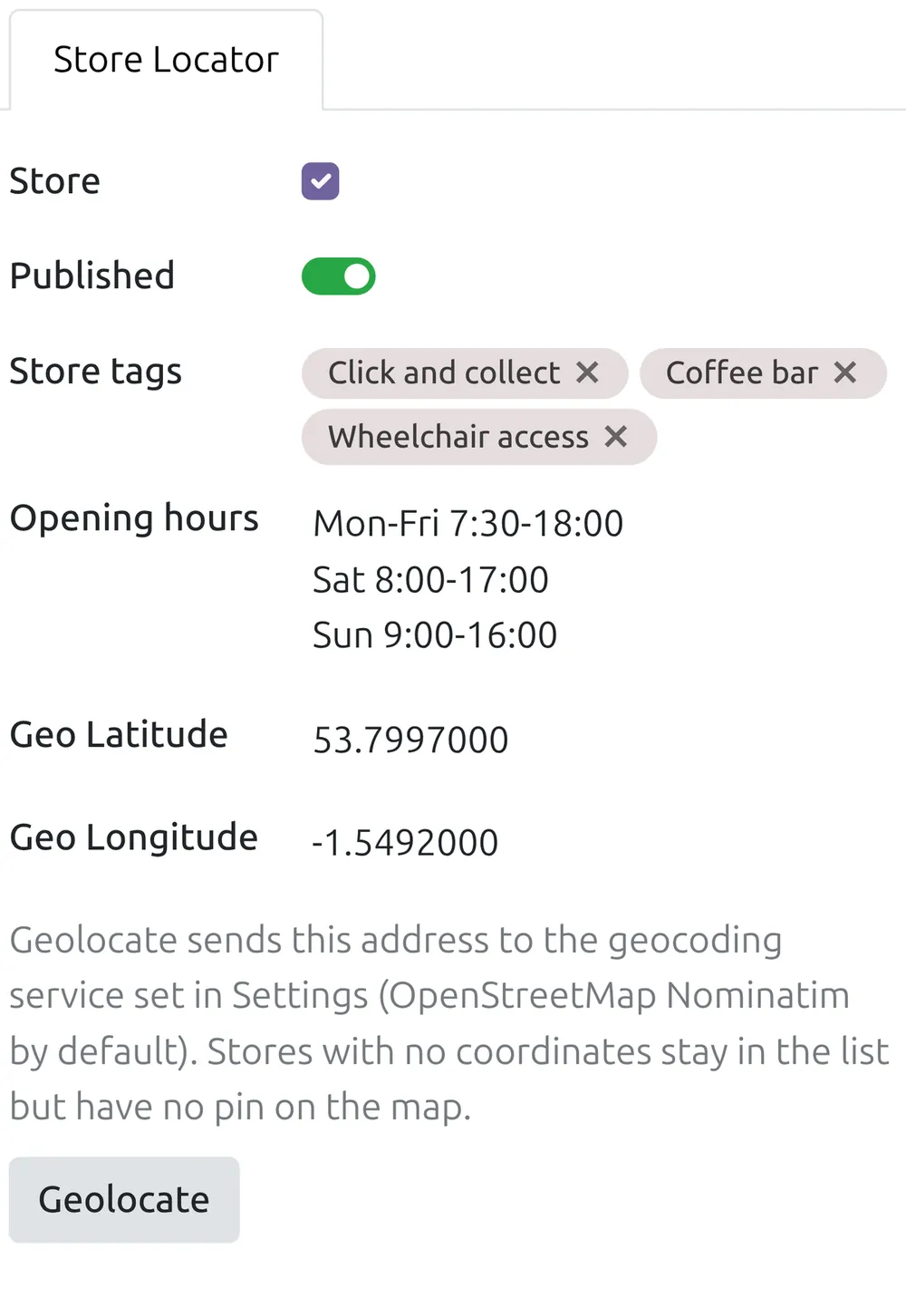
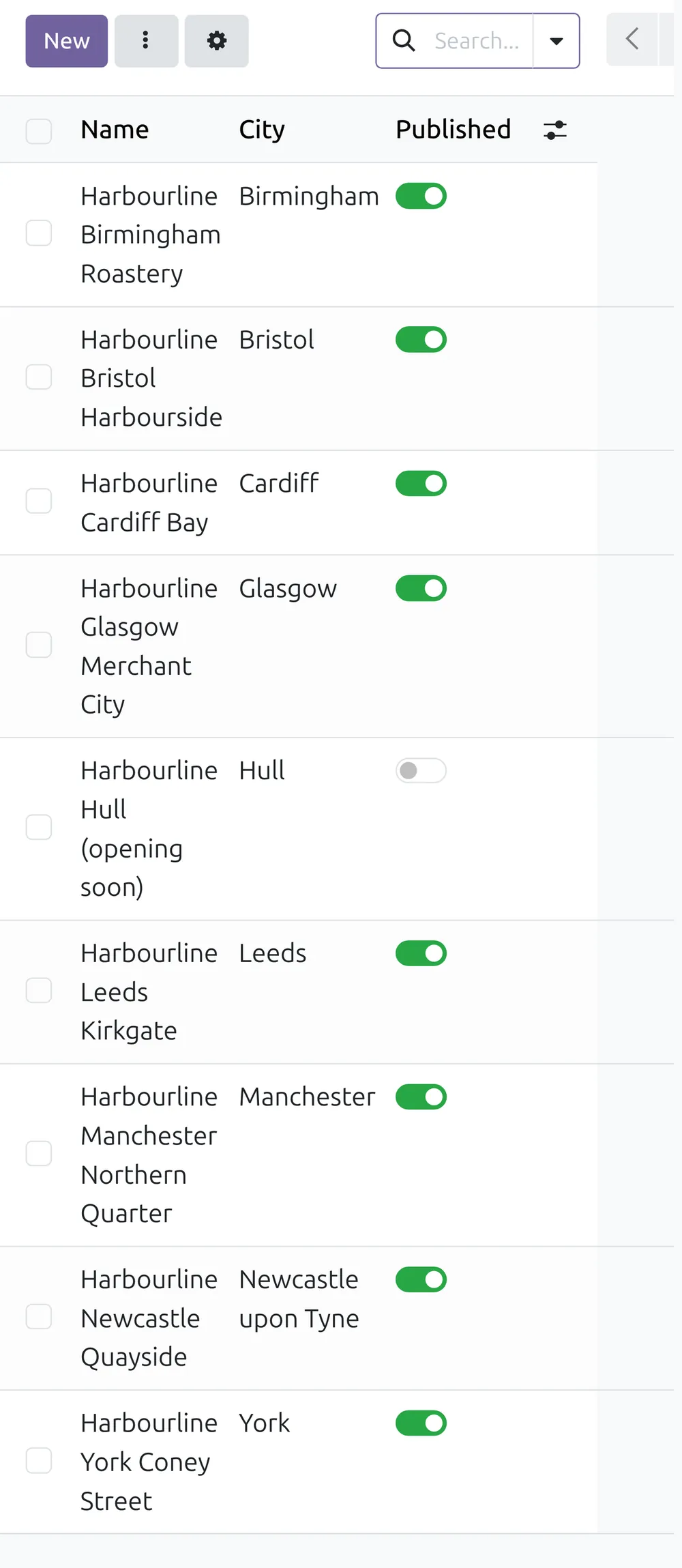
A store is a contact. Open Website > Site > Stores , create a contact (new ones start as a company with Store ticked) and fill the Store Locator tab: tick Store, switch Published on, add tags, and type the opening hours the way they should read. Latitude and longitude sit beside the Geolocate button. The Stores list shows every store and its Published switch; a store switched off, like the one still opening soon, is not on the page.
Nothing is imported from a file, and a store has no page of its own: all stores are on /stores.
The Store Locator tab on a contact.
The Stores list. Columns for zip, country, tags and coordinates were hidden so the table fits the picture.
2 The public page
Use it when visitors ask where you are.Read-only
A visitor looking for the nearest shop should not have to open five pages.
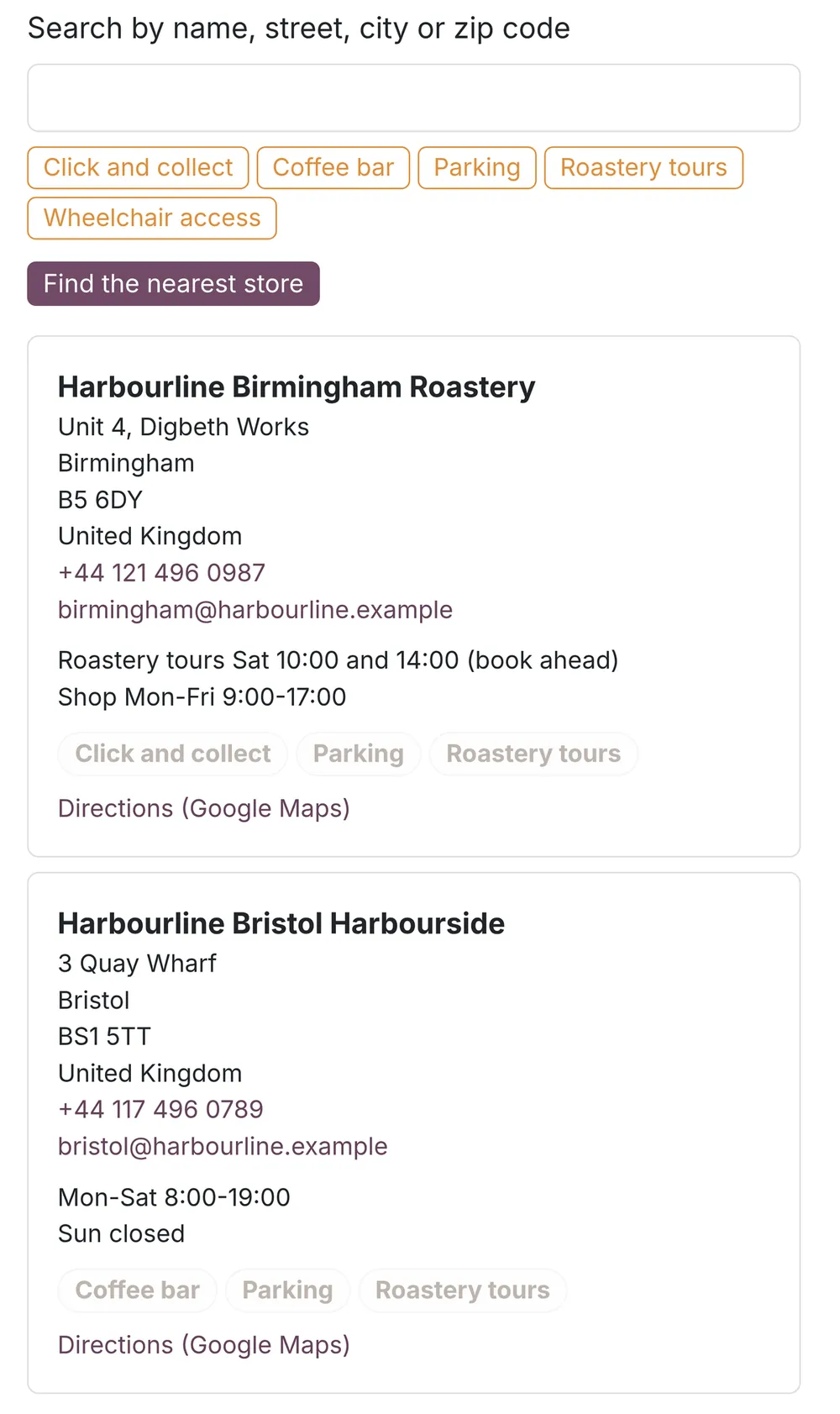
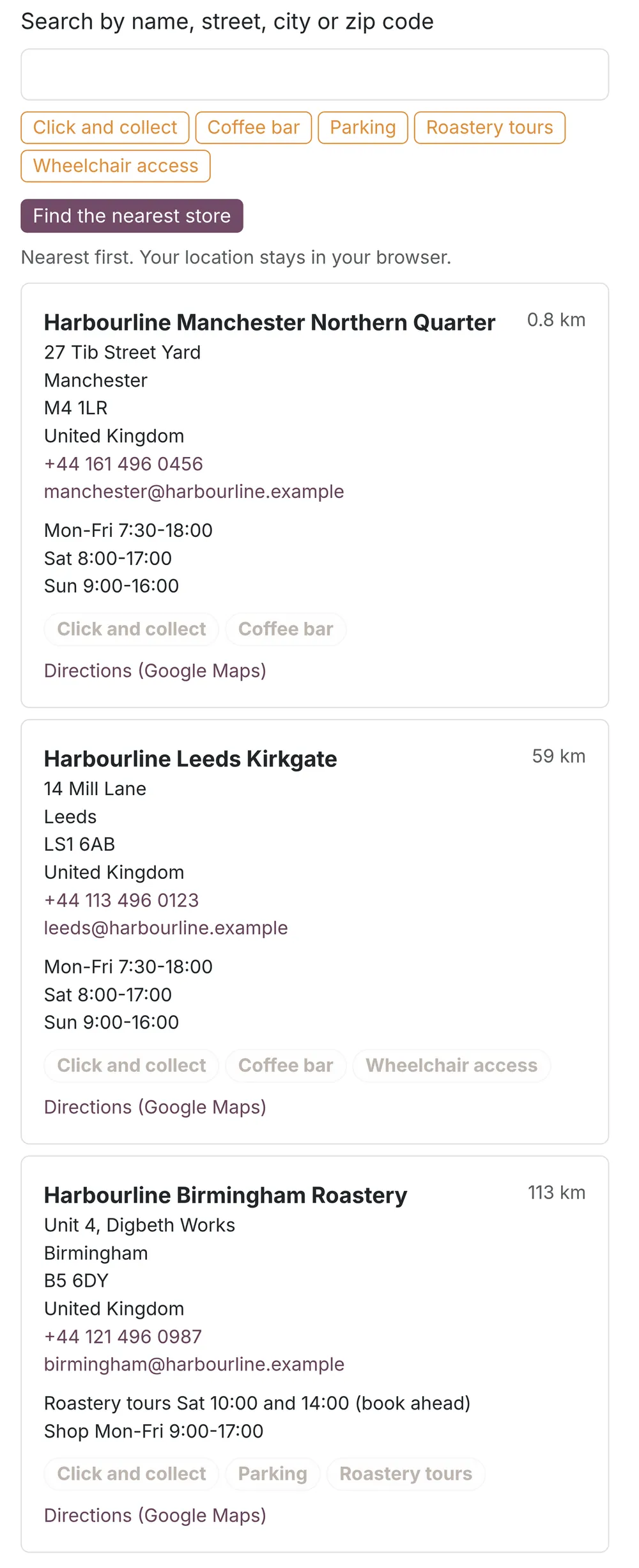
The /stores page lists every published store of the current website and company, in name order. Each card has the name, the address (the country line always appears), the phone as a tap-to-call link, the email, the opening hours exactly as typed with their line breaks, tags as badges and a Directions (Google Maps) link that opens in a new tab. The link uses the coordinates when the store has a pin and the address when it has not, and nothing is sent to Google until the visitor clicks it. Text typed into a store is escaped: a store whose name, hours and tag held script tags showed them as plain text.
It does not say whether a store is open now: hours are text. Hours are one text for all languages; tag names can be translated. A second language was not tested.
The first two of eight cards. Text below 13.5 px was raised to 13.5 px for the picture.
The Stores item the install adds to the website menu.
3 Search and tags
Use it when a visitor knows a city, a street or what they need.Read-only
A list of thirty stores is only useful if a visitor can cut it down.
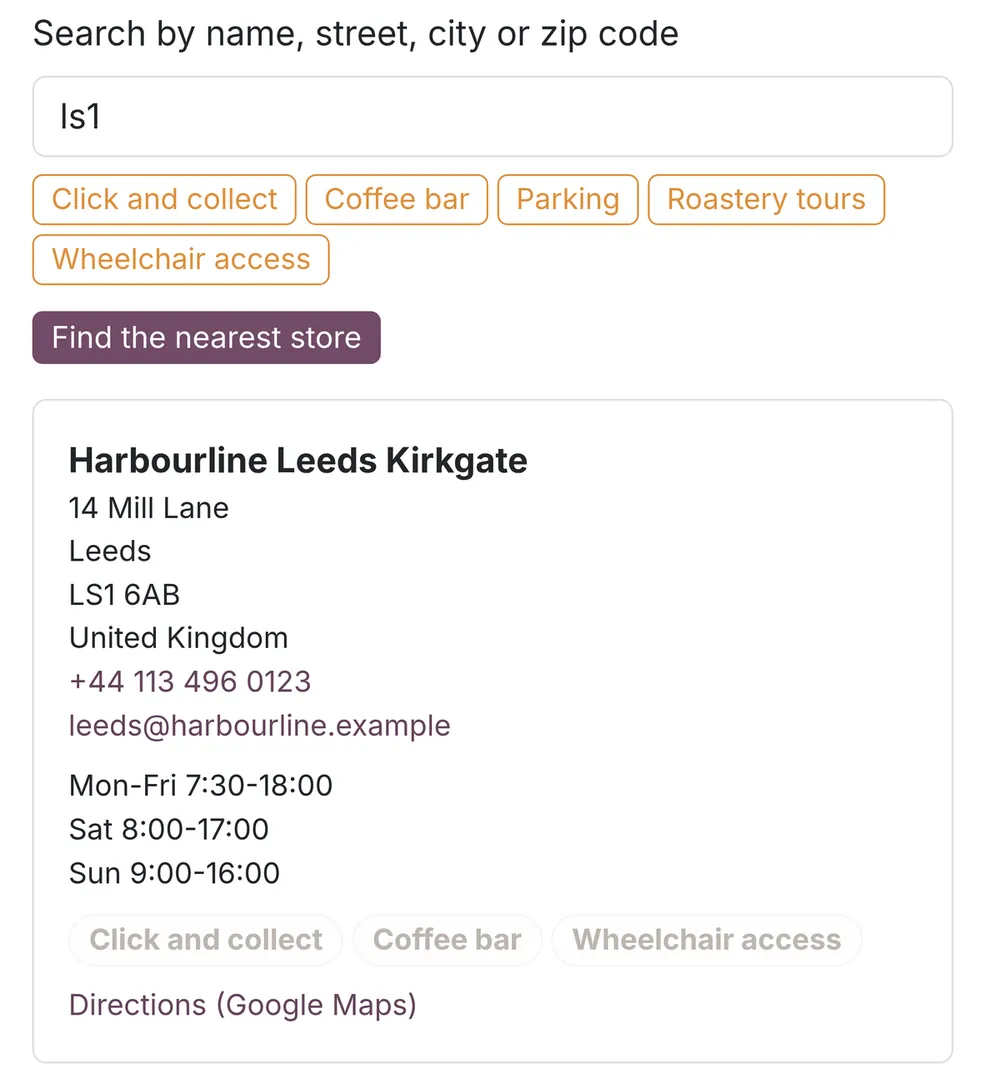
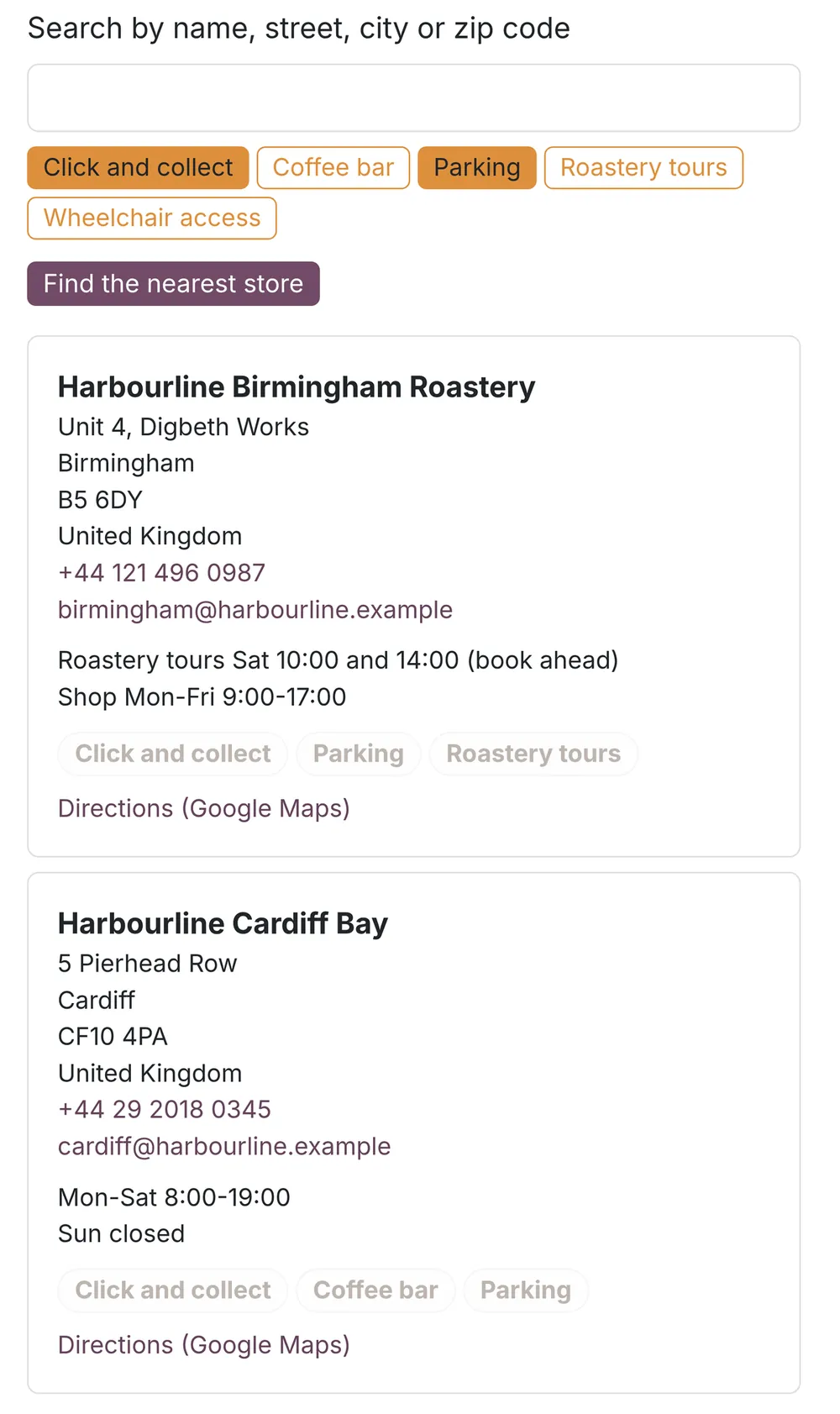
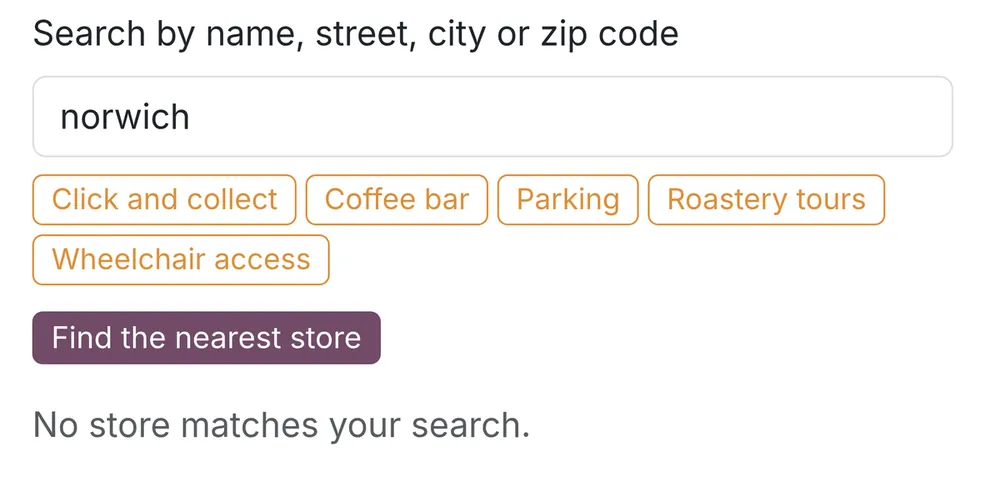
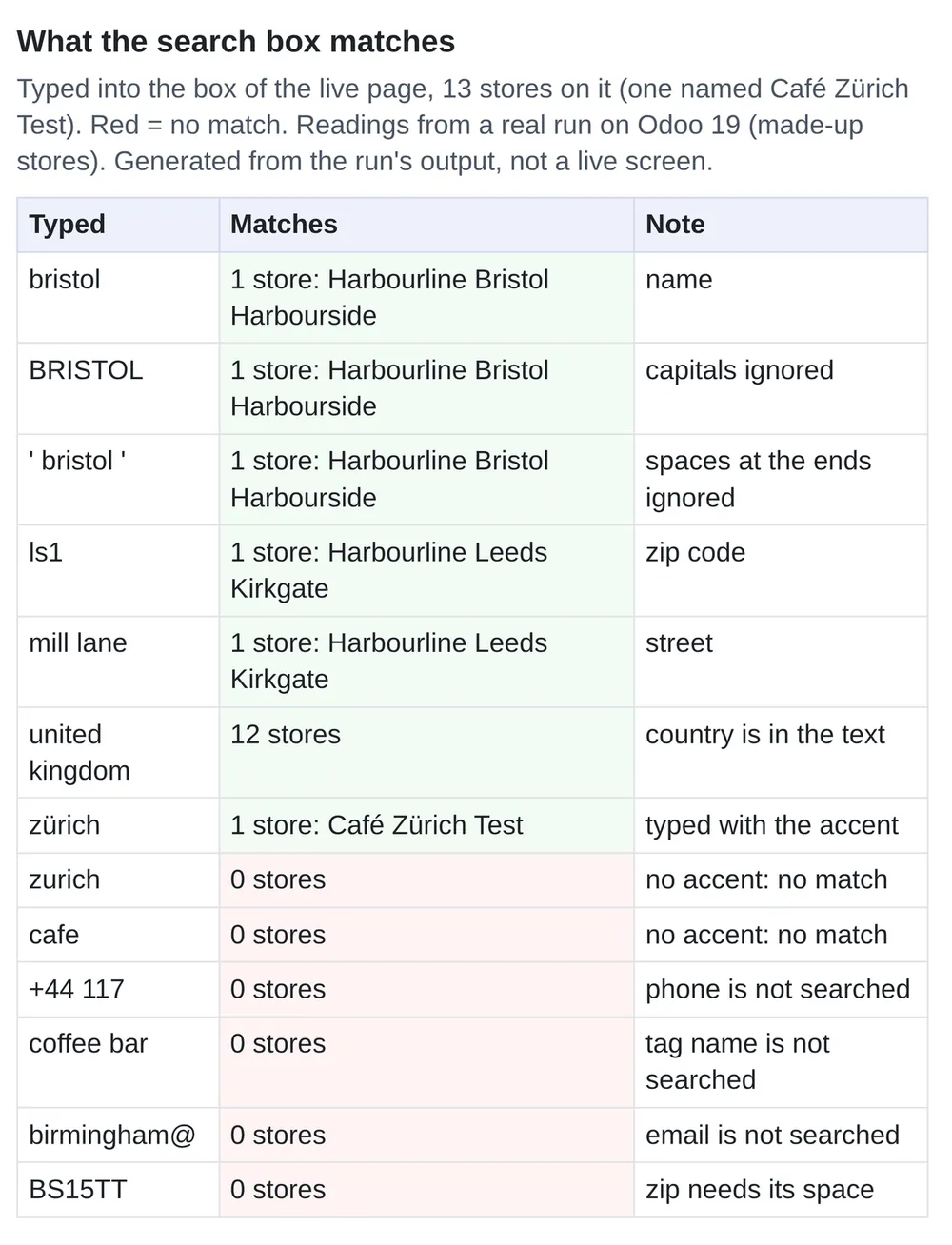
The search box filters the cards as the visitor types, matching the store name and its address lines: street, city, state, zip code and country. Capitals and spaces at the ends do not matter. Tag buttons come from the tags of the listed stores only; picking several keeps the stores that carry all of them, and they combine with the search box. With nothing left the page says so.
Search is plain text matching. It does not ignore accents ("zurich" does not find "Zürich"), it does not read phone, email, tags or hours, and a zip typed without its space does not match.
It does not search by distance from a typed address or zip code.
Typing a zip code prefix.
Two tags selected: only stores with both remain.
A search with no match.
What the search box matches, read from the live page. Generated from the run's readings.
4 Find the nearest store
Use it when a visitor wants the closest shop, not the whole list.Read-only
Sending a visitor's position to a server just to sort a list is more than the job needs.
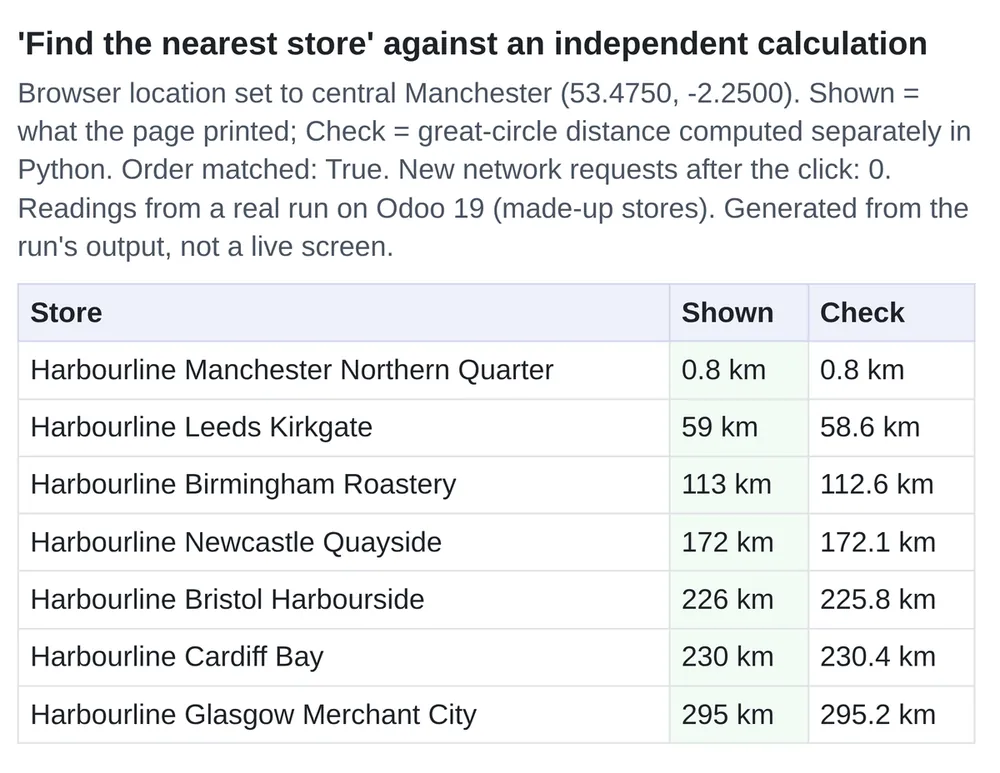
The button asks the browser for the visitor's position and sorts the cards nearest first, with the distance in kilometres or miles, as you set. The sort happens in the browser: after the click the page made 0 new network requests. In the test, the browser was set to central Manchester and the seven pinned stores came out in the right order with distances equal to an independent calculation (0.8 km against 0.8; 59 against 58.6; 295 against 295.2). Stores without a pin go last with no distance. If the visitor refuses, the page says "Your location is not available. Search by city or zip code instead." and leaves the order alone.
The order is not remembered: a reload brings back A to Z. Browsers only share a position on pages served over HTTPS (the runs used a location override).
The first three cards after the sort, with the browser's location set to central Manchester.
Page against an independent calculation. Generated from the run's readings.
5 The map, and when it loads
Use it when your visitors' privacy rules matter more than a map.Loads after consent
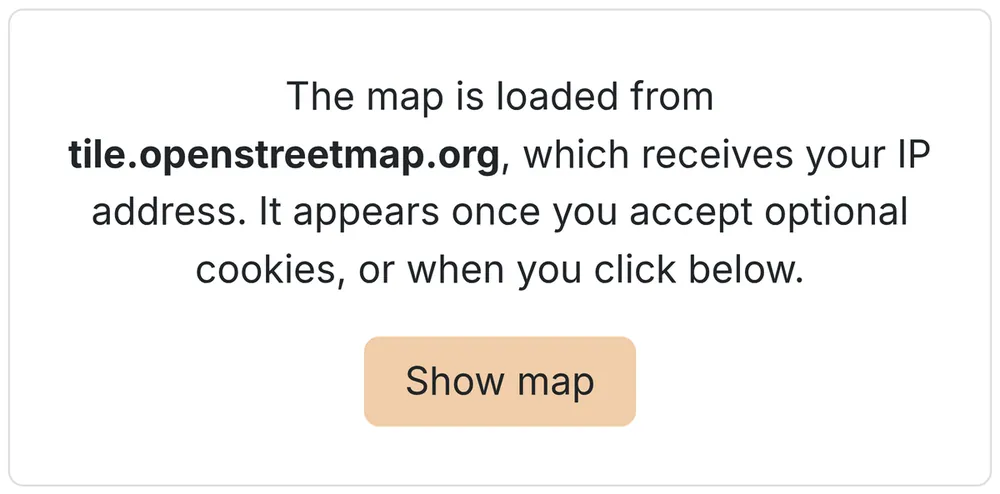
A map tile comes from a tile server, which learns the visitor's IP address the moment it is asked.
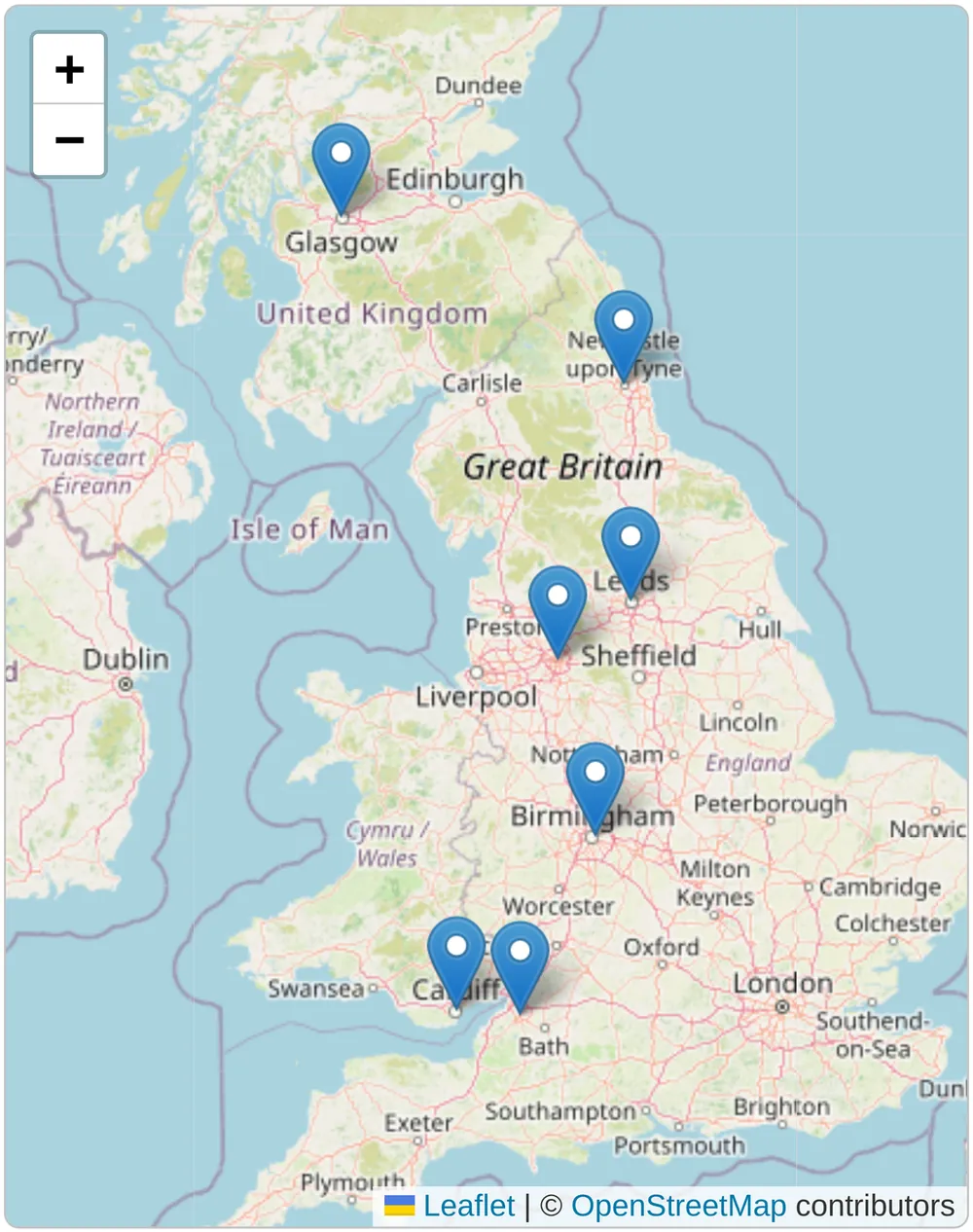
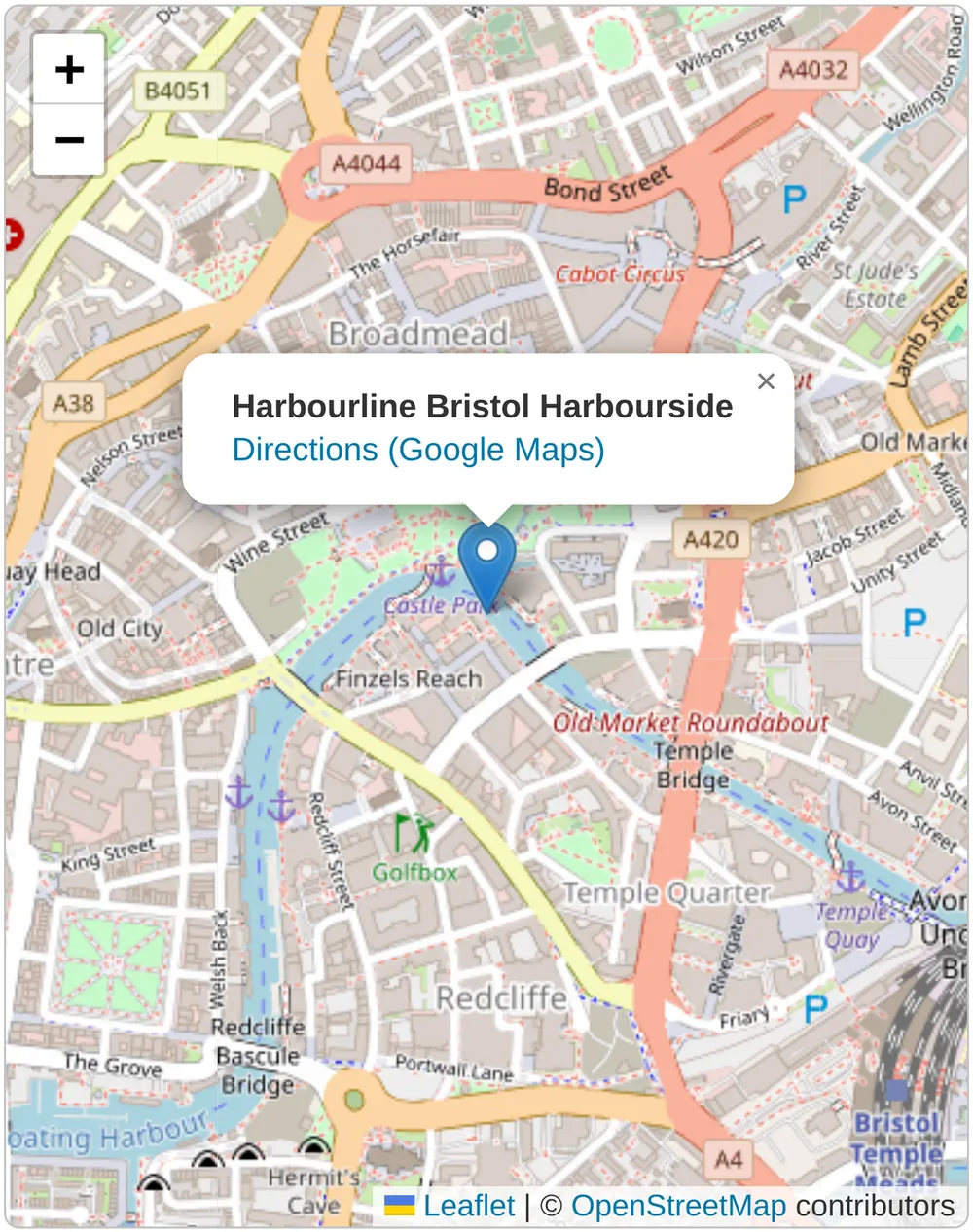
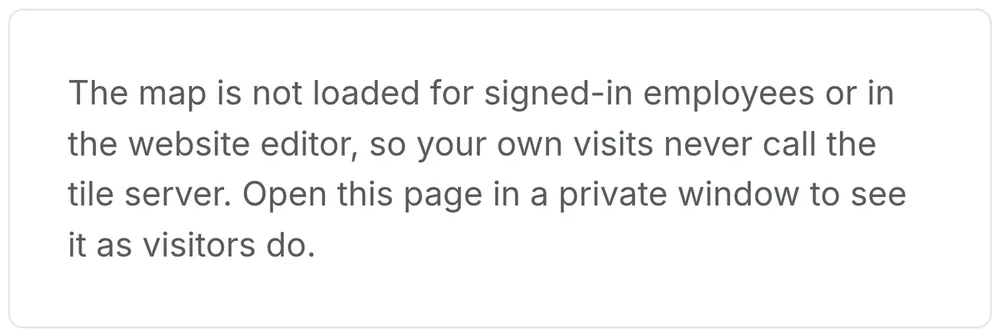
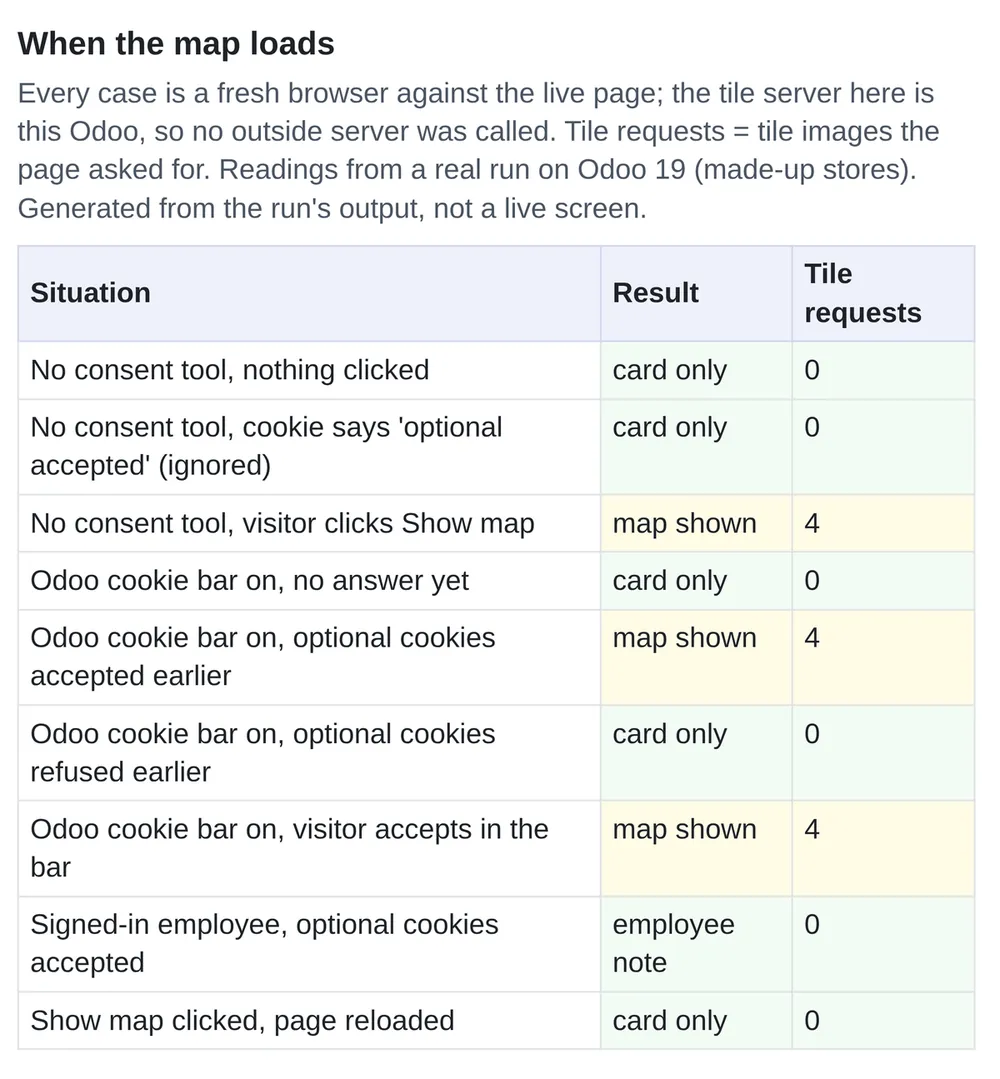
Until the visitor agrees, the page carries no map code and makes no tile request. The card says which server the tiles come from and that it receives the IP address. What counts as agreeing depends on what you run: with Odoo's own cookie bar switched on, accepting optional cookies; with Mithahara's Cookie Consent Banner app installed, accepting its Functional category for the current policy version; with neither, only a click on Show map . After that the map shows one pin per located store, a popup with the name and the directions link, and Show on map on each card zooms to the pin. Filters hide the pins of hidden stores. Signed-in employees never get the map (they see a note), so your own visits never call the tile server; portal users are not employees and do get it.
Tiles come from OpenStreetMap by default. Its servers are free but best-effort; a busy site should set another tile server in Settings.
Choosing Show map is not remembered: after a reload the card is back. The app does not set a cookie.
The card before the map.
The map after consent, with real OpenStreetMap tiles.
Show on map on one card.
What an employee sees instead of the map.
When the map loads, read from the live page. In the test the tile server was this Odoo, so no outside server was called. Generated from the run's readings.
6 Geolocate
Use it when you have addresses but no coordinates.Writes when saved
A store without coordinates has no pin and cannot be sorted by distance.
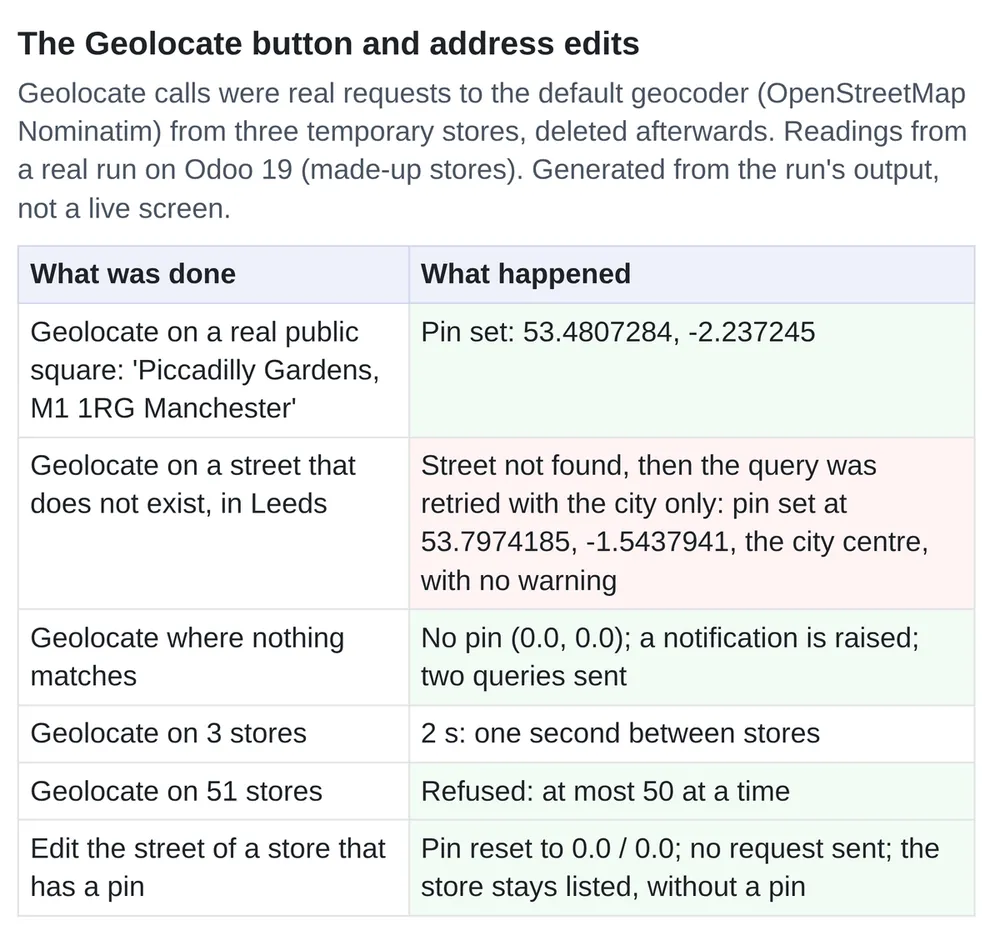
On the contact, or on the Stores list for the selected stores, Geolocate asks the geocoding provider set in Odoo's settings (OpenStreetMap Nominatim by default) for the position of each address, one second apart, at most 50 stores per press. In the test a real public square got its position. When the geocoder cannot find the street it retries with the city only, so the pin lands in the city centre with no warning: check the map after a batch. When nothing matches there is no pin and Odoo shows a notification.
On this Odoo 19 build, Odoo's own Geolocation module resets the pin to 0.0 / 0.0 the moment the address of a store is edited and sends nothing. The store stays in the list, without a pin and with a Directions link built from the address, until someone presses Geolocate.
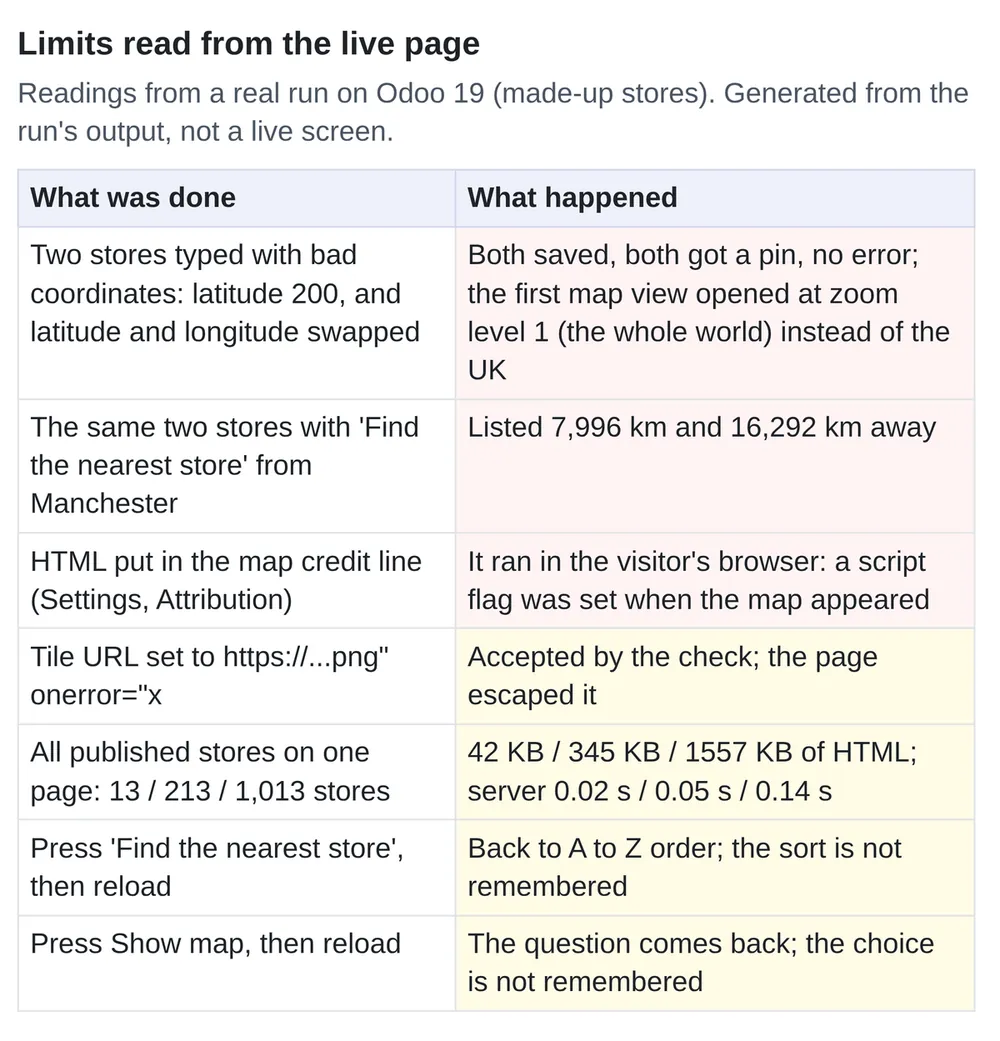
It does not check coordinates: latitude 200, or latitude and longitude swapped, are saved and pinned (see Known limits).
Real lookups from temporary stores and an address edit. Generated from the run's readings.
7 Settings and who can do what
Use it when you run several websites or need another tile server.Writes when saved
Defaults suit a small site; a busy site, or a site with its own tile server, needs to change them.
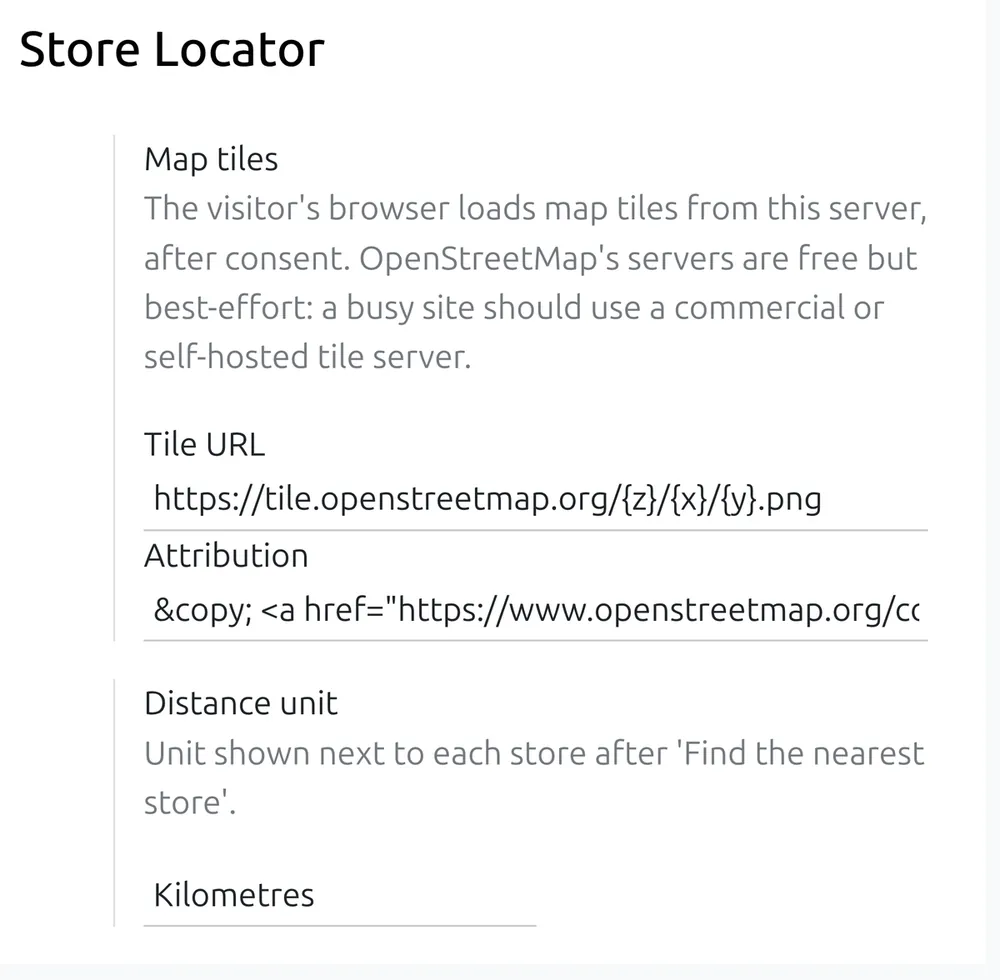
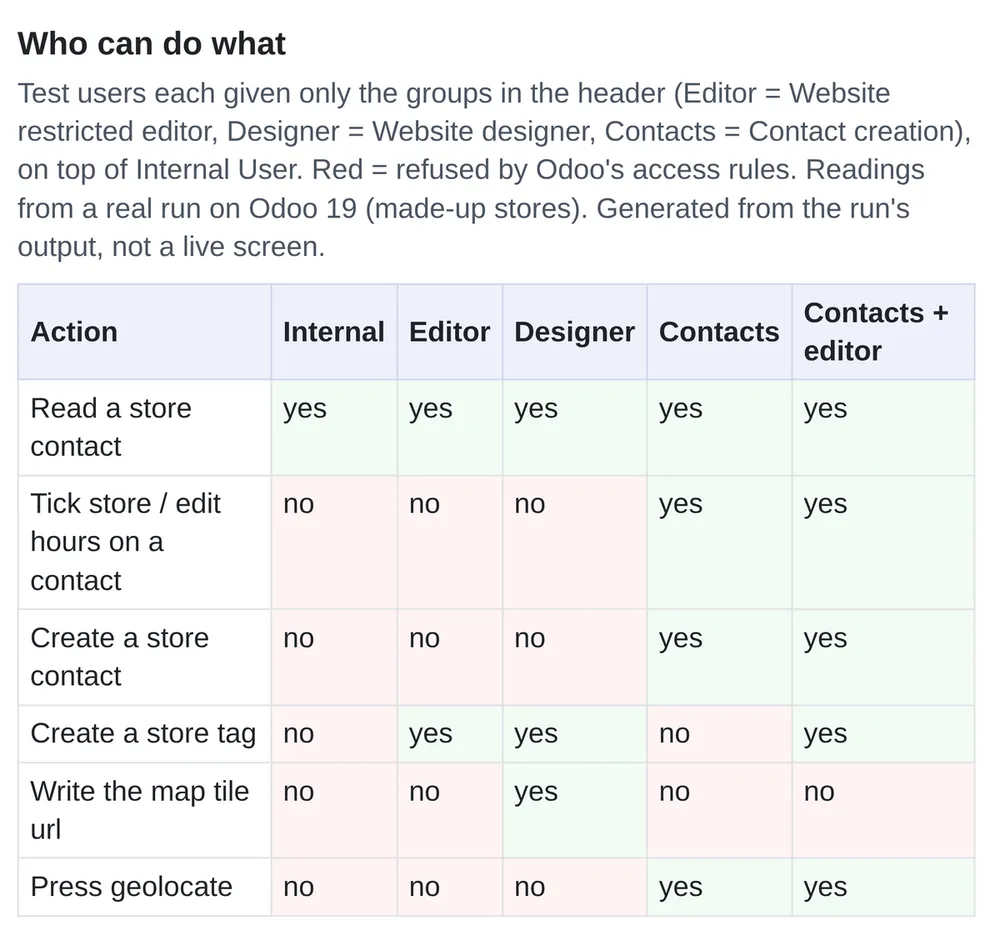
In the website settings, block Store Locator , per website: the tile URL (it must start with https://, or one slash for tiles served by your own website, and contain {z}, {x} and {y}; an empty value is refused), the credit line the tile provider requires, and the distance unit. A second website kept its own tile URL in the test. Every internal user can read stores and tags. Tags are edited by Website editors; the tile URL needs a Website designer; ticking Store, typing hours and pressing Geolocate need Contact Creation rights, because those fields live on contacts, so a Website editor alone is refused.
The credit line is shown as HTML (see Known limits).
The settings block. Copied into a bare page for the picture so it is not buried in the long settings screen.
Who can do what, from five test users. Generated from the run's readings.
Screenshots
What it does not do
- Read this part first. Each line was tested.
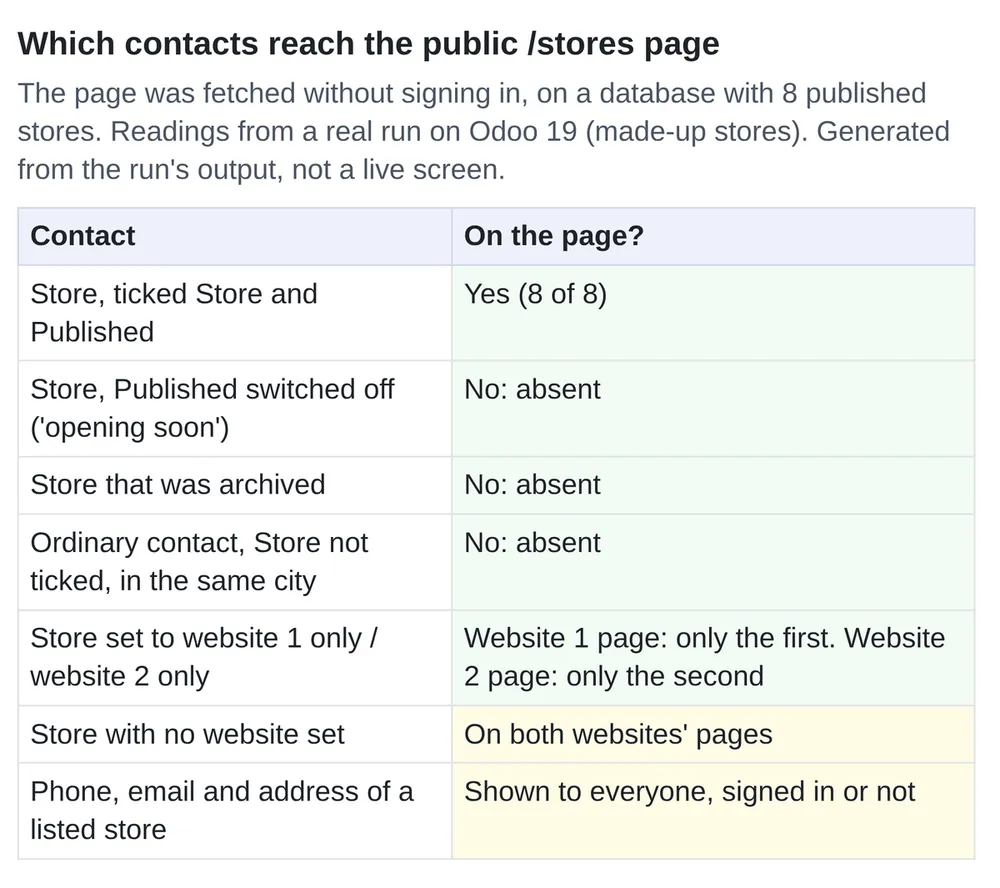
- Which contacts reach the public page, read from the page itself without signing in. Generated from the run's readings, not a live screen.
- These were measured in the test runs or read from the code. None is fixed in this version.
- Limits read from the live page. Generated from the run's readings.
Questions buyers ask
Does the map load for every visitor?
No. Nothing about the map loads until the visitor agrees: accepting optional cookies in Odoo's cookie bar, accepting the Functional category in Mithahara's Cookie Consent Banner, or clicking Show map when neither is installed. Signed-in employees never get it.
Does it send my customers' location anywhere?
No. Find the nearest store sorts the cards in the browser, and the page made 0 network requests after the click.
Does Odoo send store addresses to a geocoder by itself?
On Odoo 19 (the build tested) no: editing an address clears the pin and Geolocate does the sending. On Odoo 20, yes: Odoo's own scheduled action sends a contact's edited address without a click. This page is for Odoo 19.
Can a visitor search by their own postcode and see the nearest store?
Not from a typed postcode. Search matches text in the name and address, and nearest store uses the browser's position.
How many stores can it list?
All published stores are in one page, with no paging. 1,013 stores made a 1.5 MB page that was ready in 0.65 s in a headless browser. More was not tested.
Who can add stores?
Users with Contact Creation rights, because the Store fields are on contacts. Website editors manage the tags and website designers the tile URL.
What is removed if I uninstall it?
The Store, Opening hours and Store tags fields, the tags, the three settings and the menu entries. Contacts stay and /stores answers 404.
Can it show whether a store is open now?
No. Opening hours are text shown as typed.
Requirements
- Odoo 19.0 or 20.0. The App Store sells each version separately, so buy the one that matches your database.
- Odoo.sh or On-Premise only. Third-party apps cannot be installed on Odoo Online (SaaS) databases. Check your hosting before buying.
- Module
mh_store_locator, version 19.0.1.0.3, licensed OPL-1.