Request a Quote
Hide the price of quote-only products in your Odoo shop, let visitors send their cart as a quote request, and get a draft quotation with an activity for your salesperson
Request a live demo · Odoo.sh or On-Premise only, not Odoo Online (SaaS).
0
payment transactions created when a quote cart was sent to the payment routes in the test run
2,000
characters of the customer's message kept; the rest is cut
29
automated tests in the app, none failing
0
emails queued for the customer; Odoo queues its assignment emails for the salesperson only
List
price: the quotation starts at the product's list price, reprice it before you send
0.0
price a quote-only product returns in the variant lookup and comparison JSON; the delivery answer sends no totals
Some products cannot carry a price tag: pumps, machines, anything priced per project. In the Odoo shop they show a price or cannot be bought without one. Request a Quote adds a Quote Only checkbox to the product. The shop then says Price on request, the button reads Add to quote, the cart shows no total, the payment step is replaced by a review page, and what the customer sends lands in Sales as a draft quotation. This page walks through it with screenshots of an Odoo 19 database holding a made-up pump supplier, and with readings from real requests to that shop.
It hides prices from view, which is not the same as removing them from every answer Odoo gives, so this page also lists where the price still shows.
Install it and a Quote Only checkbox appears on the product form, and a Quote Requests menu under Website > eCommerce > Orders. It needs Odoo's Website Sale app.
How it works
1 Mark a product Quote Only
Use it when you sell products that are priced per project and do not want a price on the shop.Per product
Odoo's shop prints a price for every product, and a visitor has no way to ask for one.
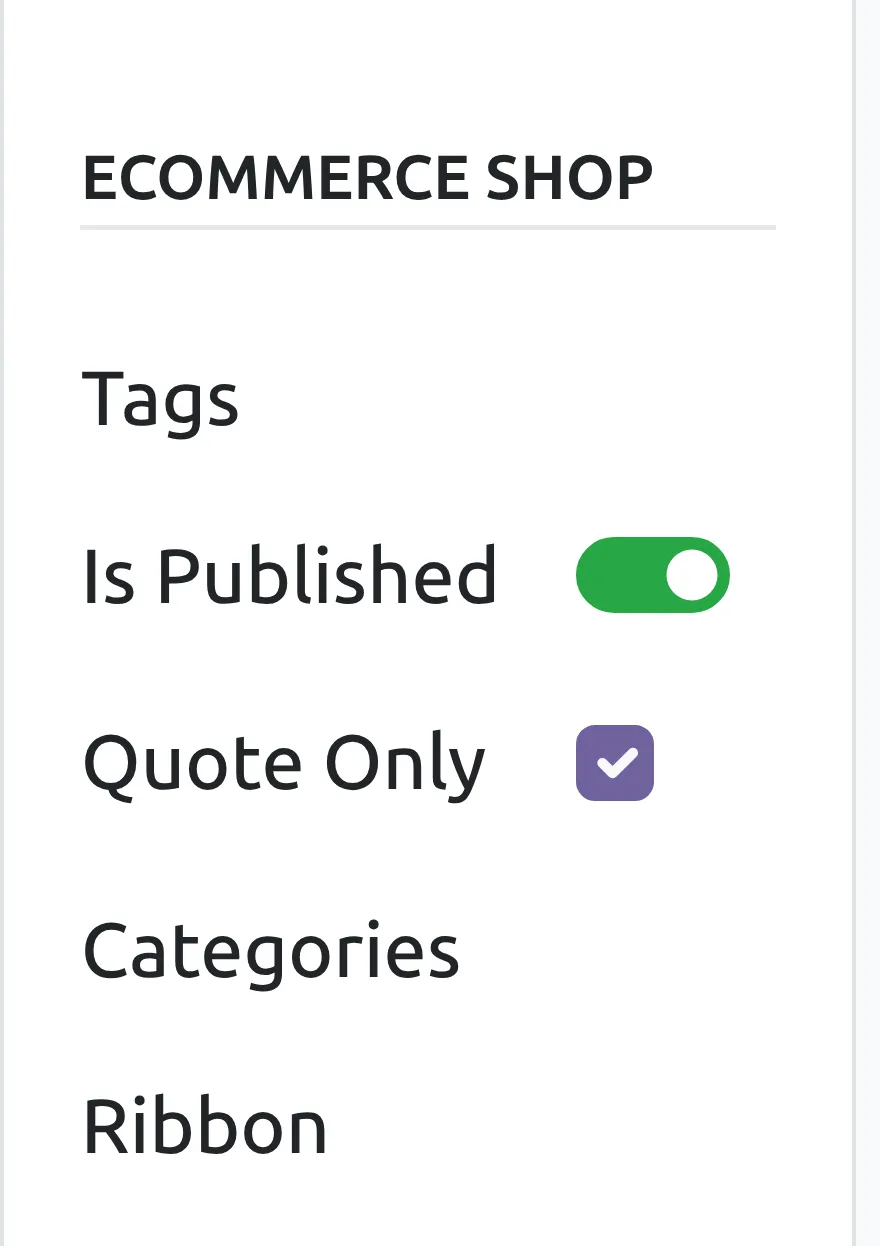
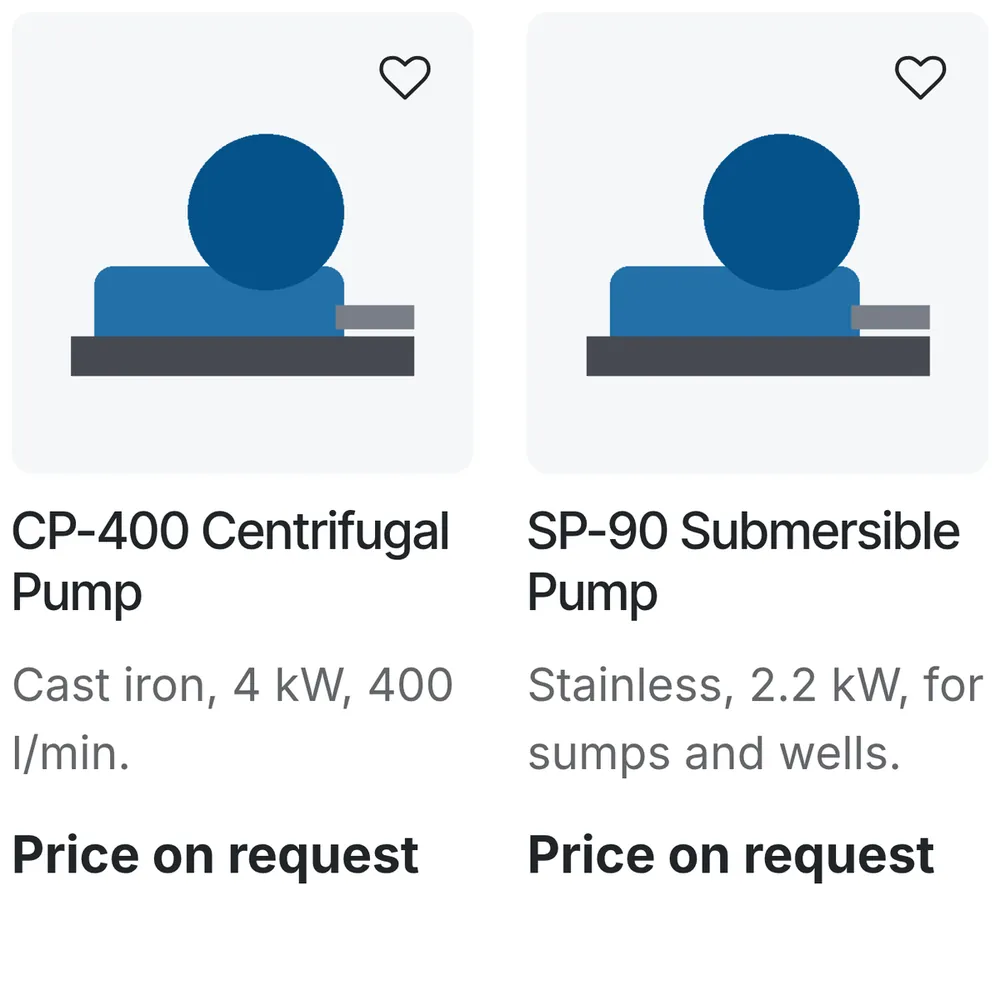
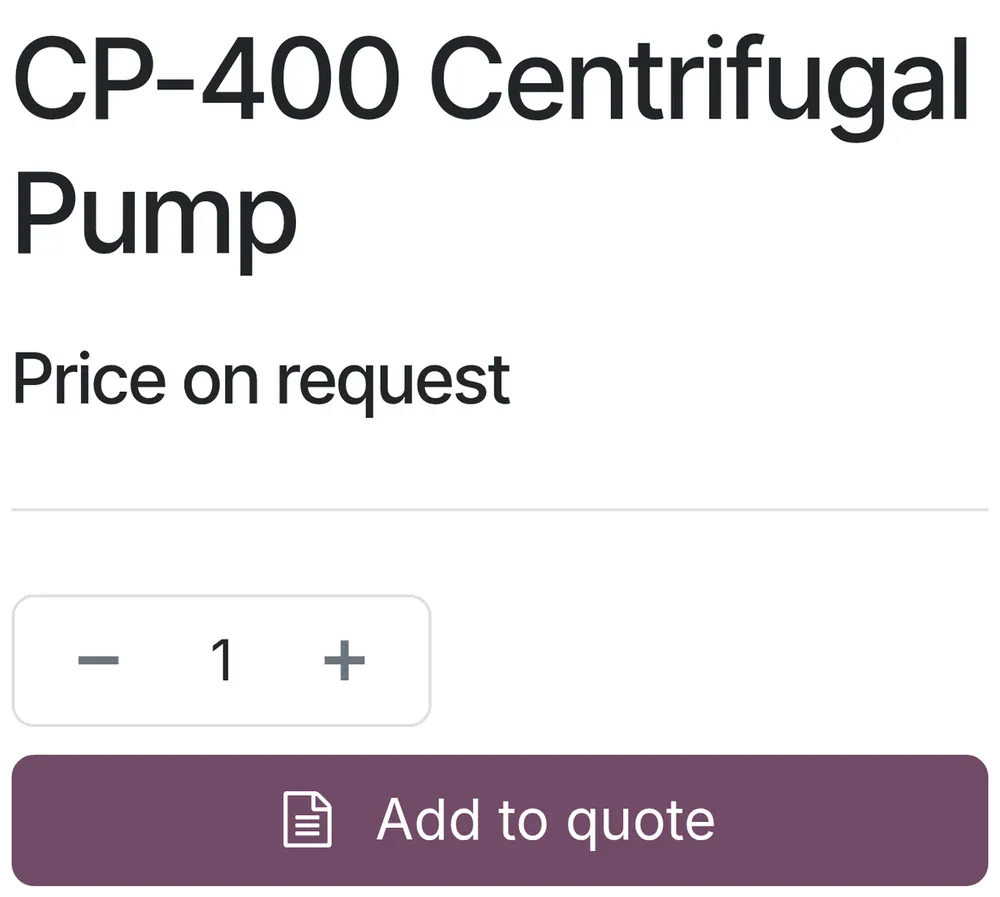
Open the product form and tick Quote Only (Sales tab, Ecommerce Shop group). On the website the shop tile, the product page, search results and product carousels say Price on request ; the price filter ignores it; the product's structured data carries no offer. Add to Cart becomes Add to quote ; Buy Now and the quick-add button are not offered. A raw reading of the shop, the search and the product page as a visitor found no price for the pump, while a priced seal kit on the same page kept its own.
It does not make a product unsearchable or unbuyable by other means, and it does not touch variants: the flag belongs to the product template.
The Quote Only checkbox on the product form.
Shop tiles for two quote-only pumps, seen as a visitor. The images are made-up.
The product page: no price, Add to quote.
2 Add to quote, and what the cart shows
Use it when a customer builds a list of products before asking for a price.Cart only
A cart that adds up to a number the customer then cannot pay is confusing.
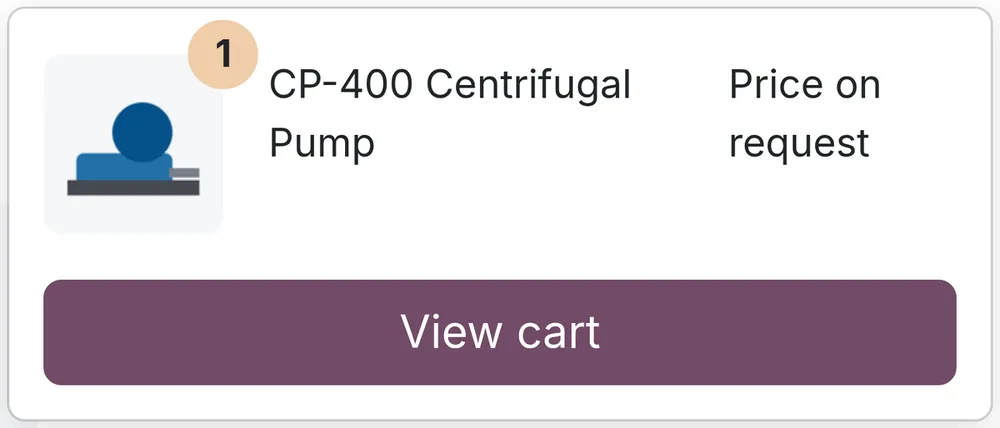
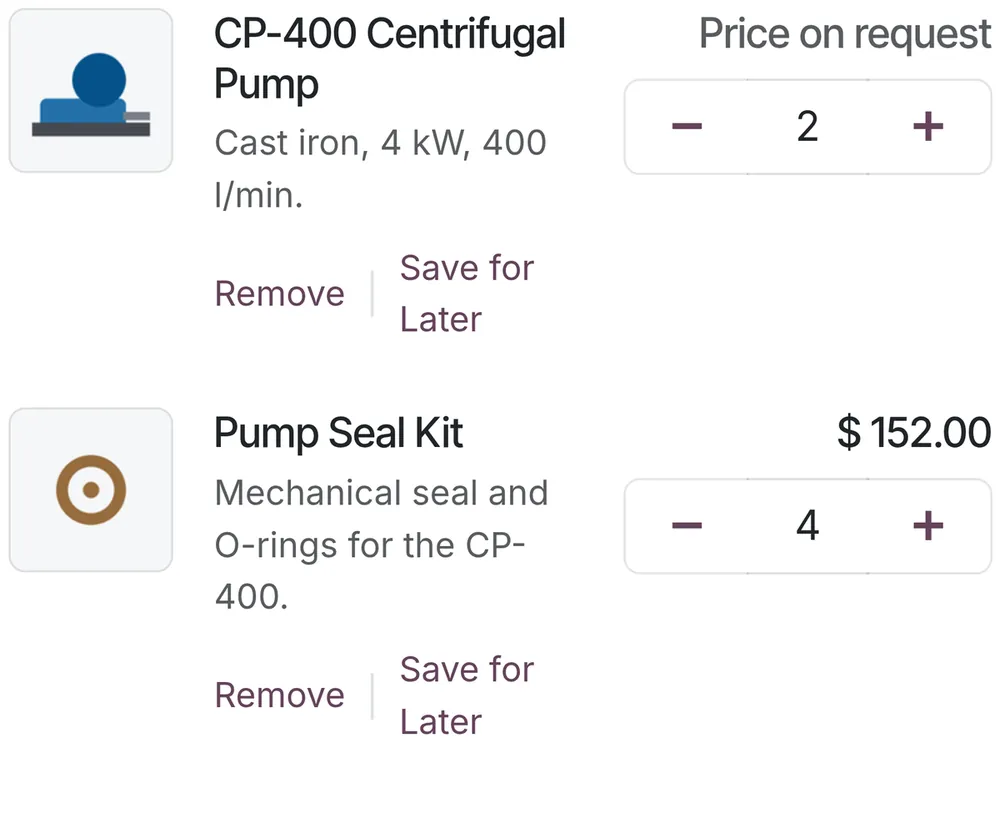
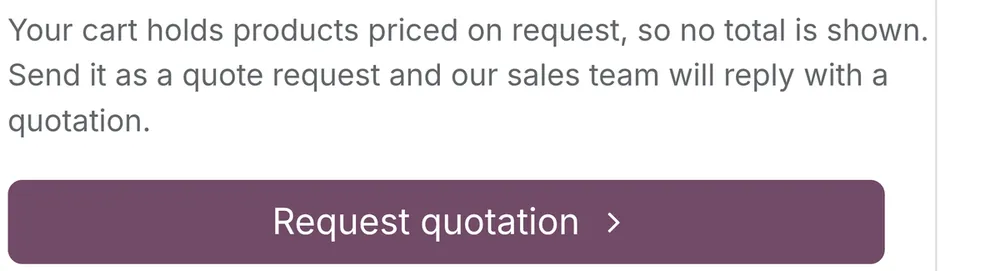
Add to quote puts the product in Odoo's normal cart and a popup says Price on request . As soon as the cart holds one quote-only product it is a quote cart: quote-only lines say Price on request, priced lines in the same cart keep their price , no total or tax table is shown (a note says so), the step bar has no Payment step, express checkout is not offered and the main button reads Request quotation .
The cart is all-or-nothing: the priced products in a quote cart are part of the request, not of a payment.
It does not let a customer pay for the priced lines of a quote cart.
The add-to-cart popup, seen as a visitor.
A logged-in customer's cart: the pump on request, the seal kit priced.
Where the total would be: a note and the Request quotation button.
3 Address, review and send
Use it when a customer is ready to ask for the price.Creates a quotation
A payment page asks for money the shop cannot yet quote.
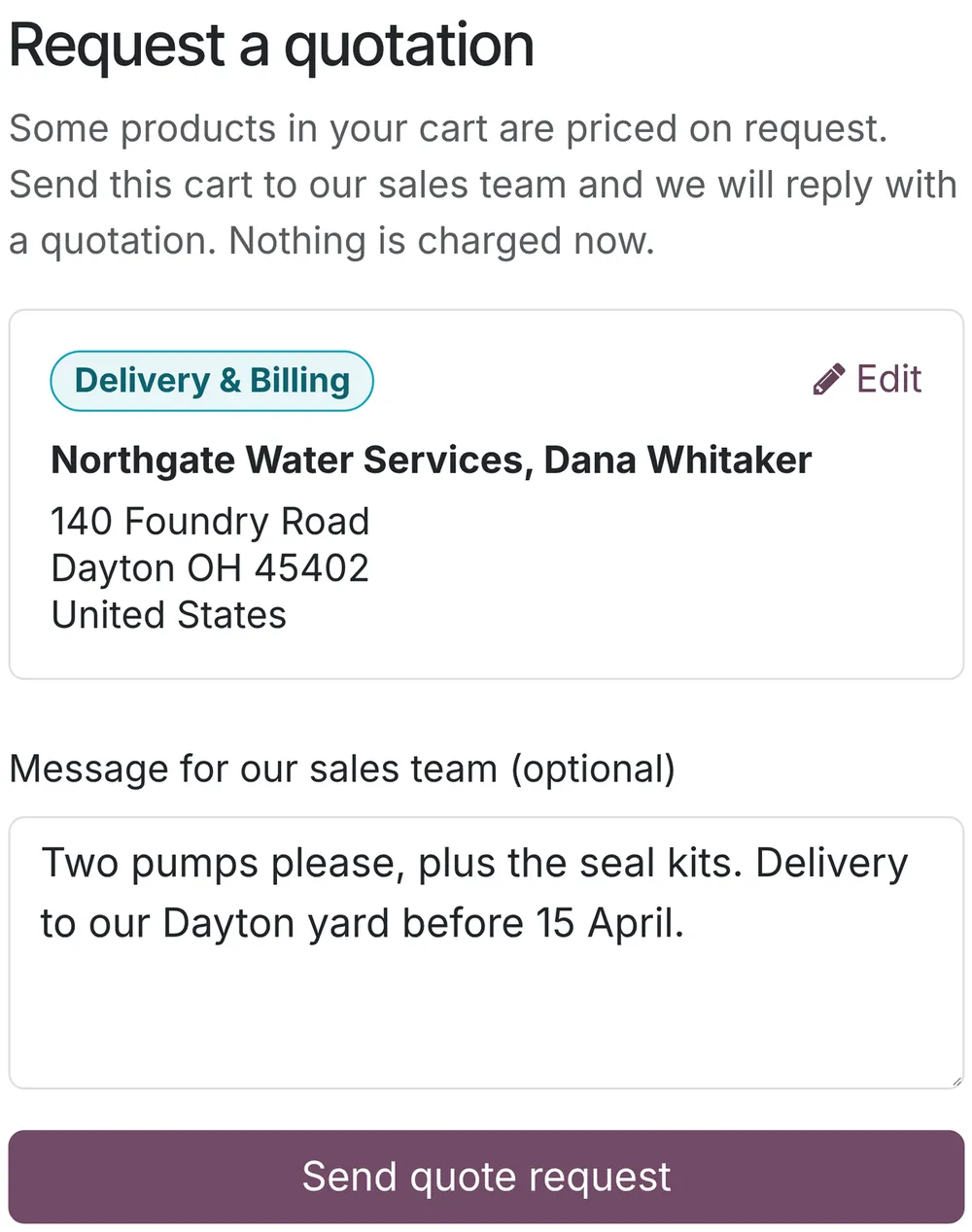
The address step is Odoo's own, for guests and logged-in customers. Where the payment step would be, /shop/quote shows the address, an optional message (up to 2,000 characters are kept) and Send quote request . Nothing is charged. A guest was taken through the whole path in a real browser by the module's test tour; the screens here are a logged-in customer's.
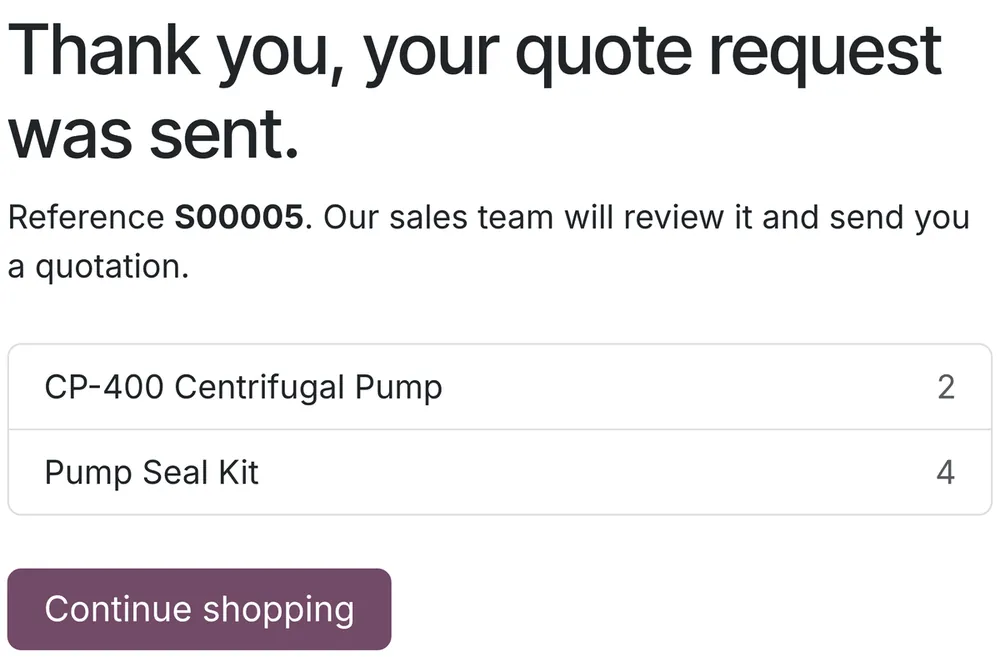
Sending twice with a double click makes one request, and a post without Odoo's CSRF token is refused. The confirmation page shows the reference and the lines.
It does not email the customer. The confirmation page is the acknowledgement.
The step bar of a quote cart: no Payment step.
The review page that replaces payment.
The confirmation page.
4 What your sales team gets
Use it when you price the request and send a quotation.Draft quotation
A request that lands in a shared inbox is slow to price and easy to lose.
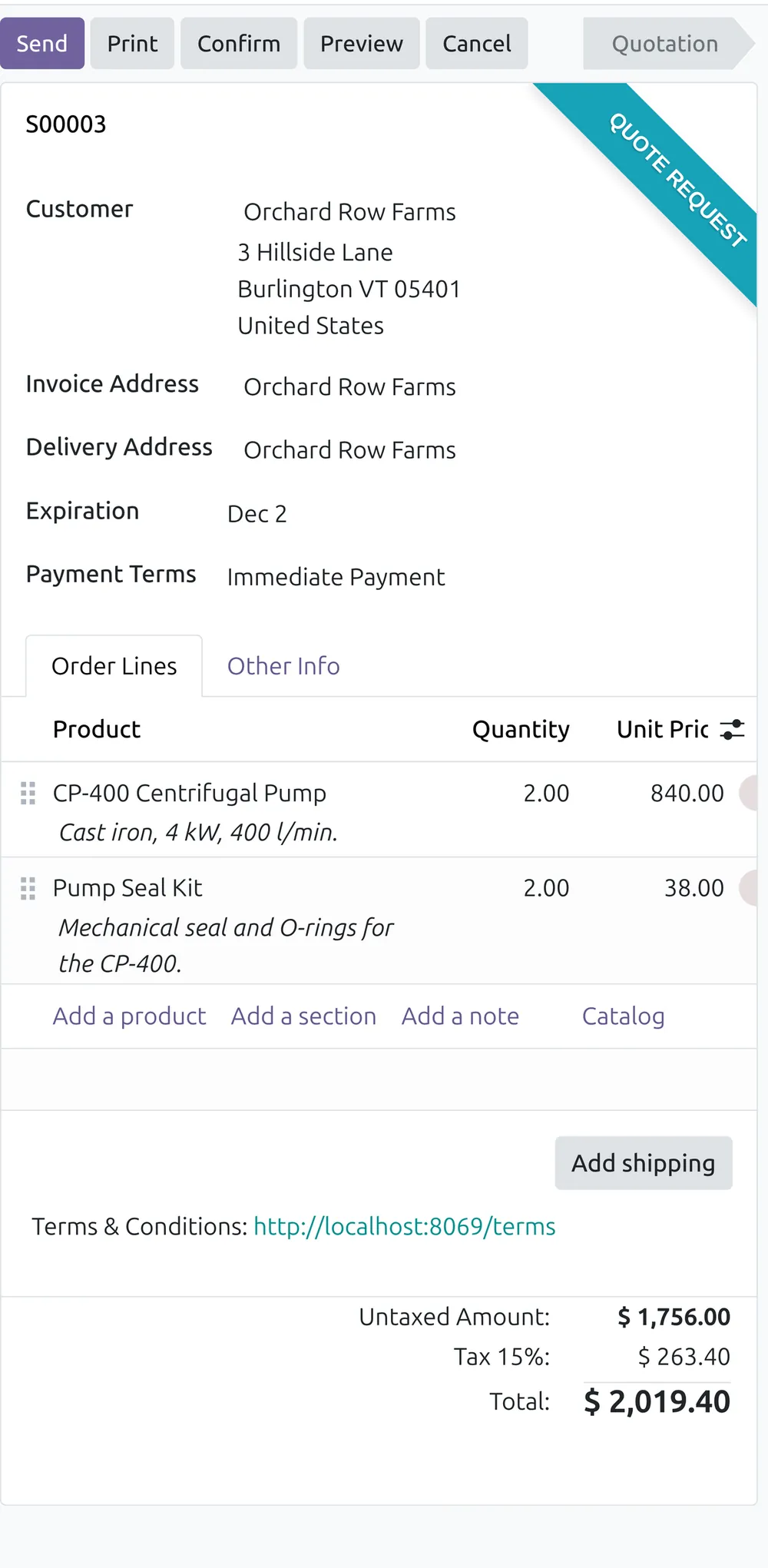
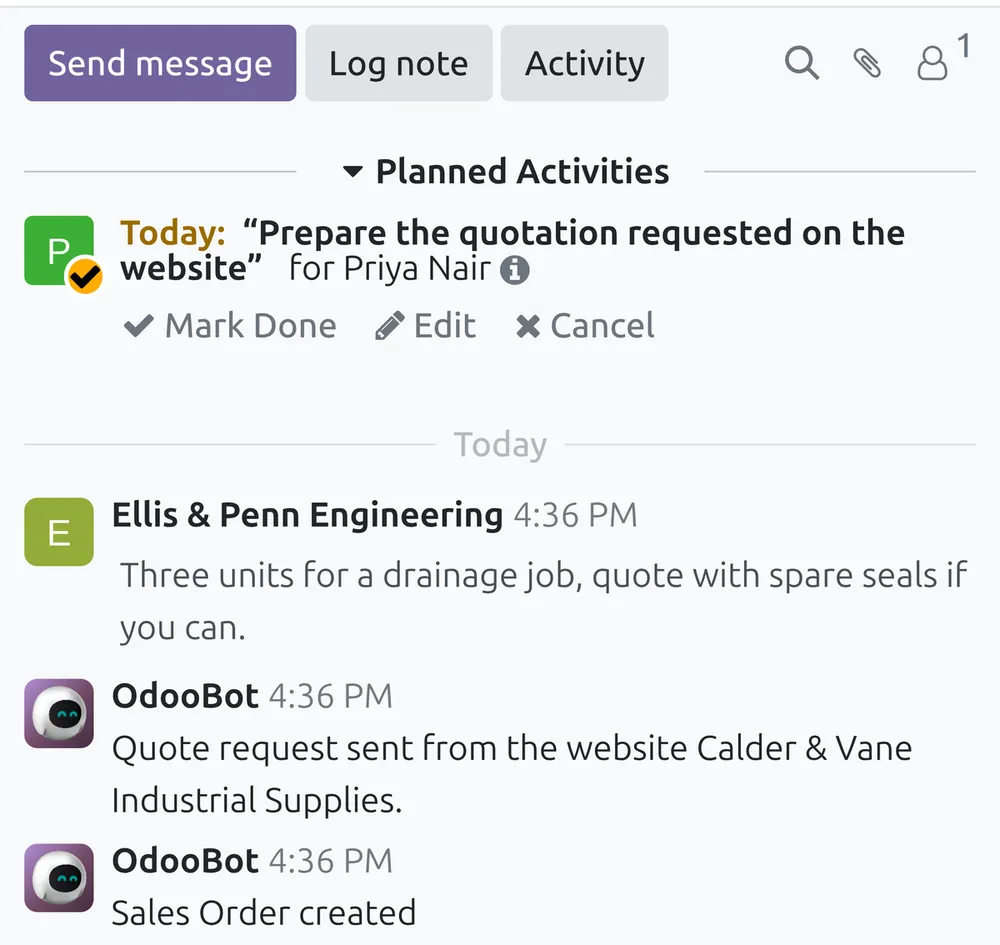
The request is a draft quotation in Sales with a Quote Request ribbon. The salesperson is assigned the way Odoo assigns one for a web order (the website's salesperson), a To-Do activity Prepare the quotation requested on the website is scheduled for them (for the sales team leader when there is none, and for nobody when neither exists), the customer's message is logged as a note by the customer, and Odoo queues its standard assignment emails for the salesperson. The Website field is emptied, so the request is neither the customer's cart again nor an abandoned cart.
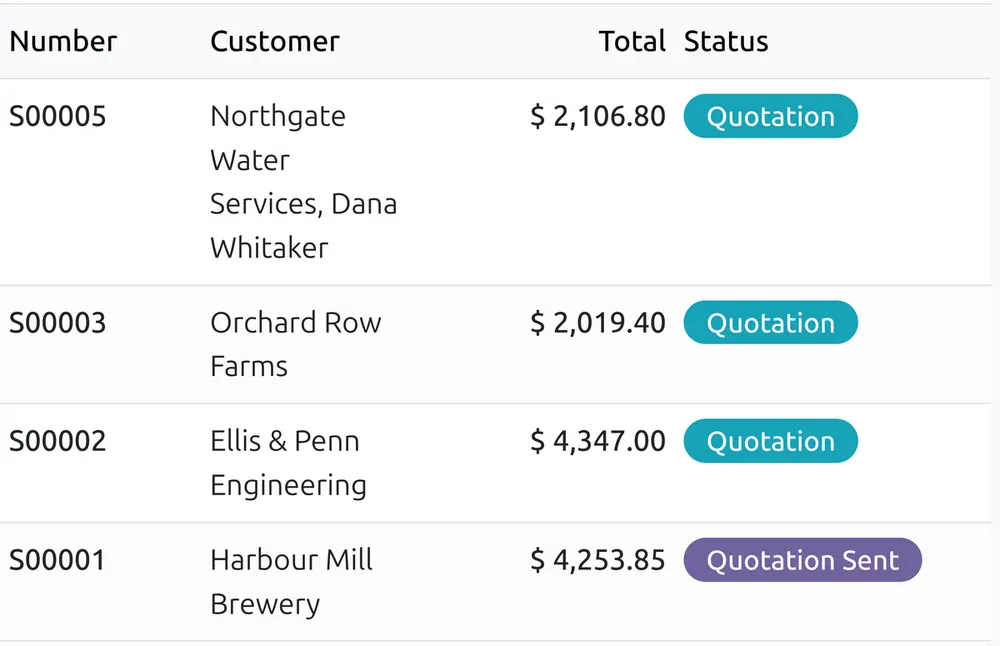
Find them under Website > eCommerce > Orders > Quote Requests or with the filter Website Quote Requests. The lines carry the list price : reprice before you press Send, or the customer receives the list price.
It does not price the quotation, send it, or email the customer. A request nobody is assigned to has no activity and is invisible to salespeople who see only their own documents.
The Quote Requests list. One request was already priced and sent.
A request as a quotation: ribbon, customer, lines at list price.
The activity and the customer's message in the chatter.
5 Where the price was found, and what changed
Use it when you need to know how hidden the price really is.Read-only
Hiding a price on a page is not the same as keeping it private.
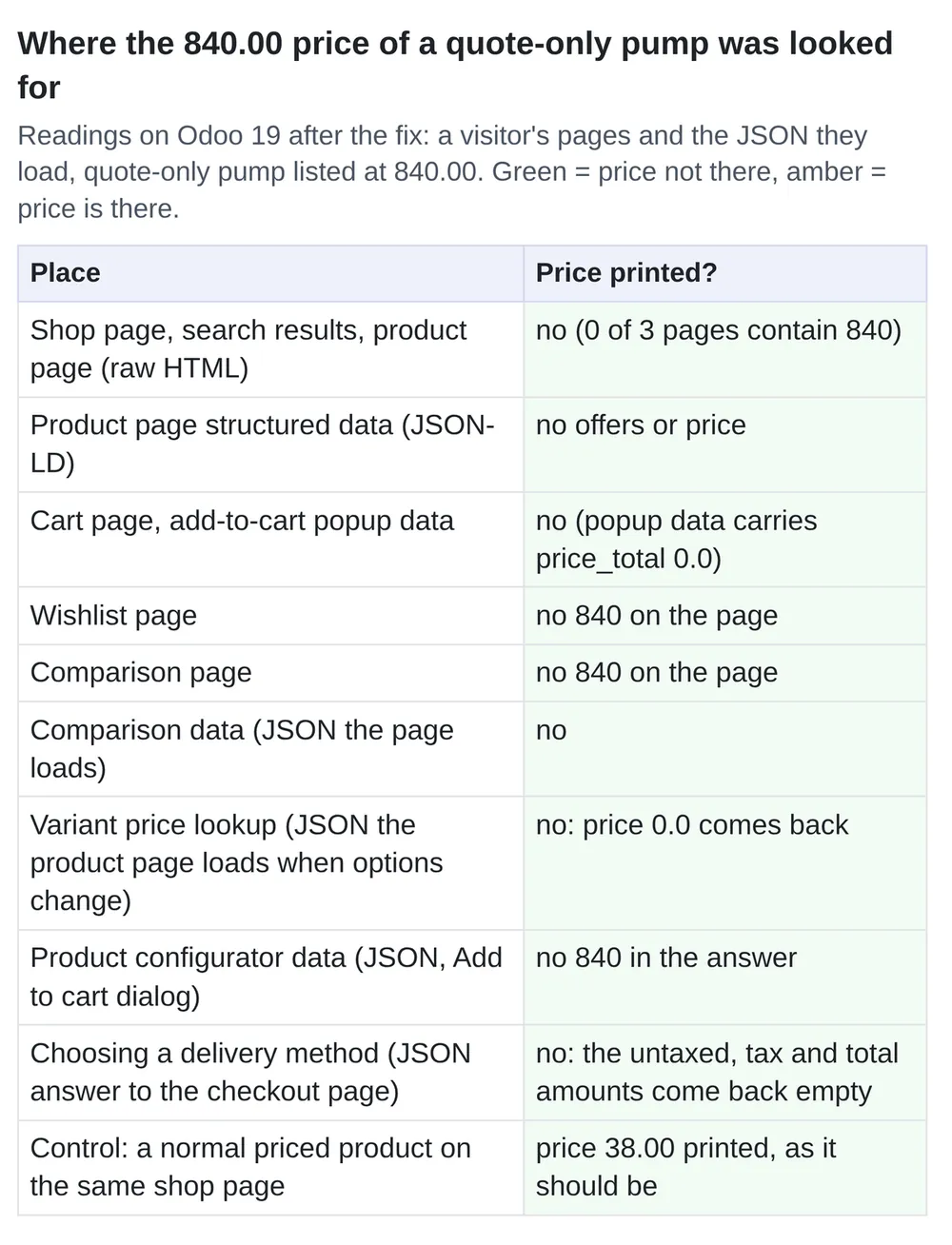
The first build only hid the price from view: Odoo still returned it in the variant price lookup the product page calls when options change (price 840.0), the comparison data and the answer to choosing a delivery method (the cart's amounts), and on Odoo 19 it printed on the wishlist and comparison pages and sat in the configurator data. This version closes those paths: the lookup and comparison data answer price 0.0, the delivery answer sends empty untaxed, tax and total amounts for a quote cart, the configurator data carries no price, and the wishlist and comparison pages show a Contact us button instead of the price (a quote-only product has no Add to cart button there). The table shows each reading after the fix, with a priced product as control.
Not tested: the Google Merchant feed, Google Analytics events, other website apps, the cart's other JSON answers, and the product configurator dialog with real variants. The quotation itself still carries the list price, for your sales team.
If the price itself must stay secret, do not rely on this app; it removes the price from view.
The same table as at the top, readings per place. Generated from real requests, not a live screen.
6 What stops a quote cart from being paid
Use it when you must be sure a quote cart cannot become a payment.Read-only
A hidden price is useless if the payment route still works.
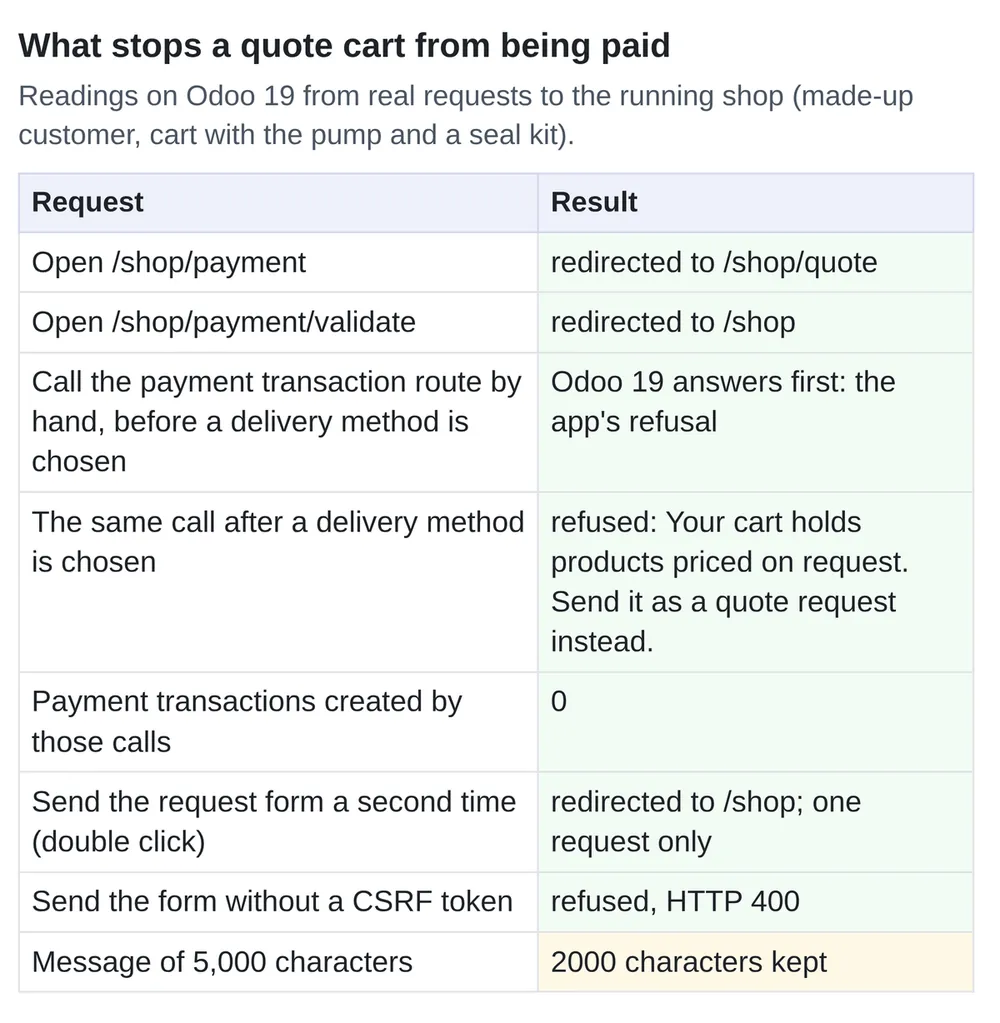
/shop/payment sends the visitor to /shop/quote, /shop/payment/validate sends them to /shop, and calling the payment transaction route by hand is refused (with the app's own message). No payment transaction was created in the test run. The table lists each request and its result.
Requests to the running shop and their results. Generated, not a live screen.
7 What exists after Send
Use it when you want to know what lands in the database.Read-only
A request that creates the wrong records is worse than no request.
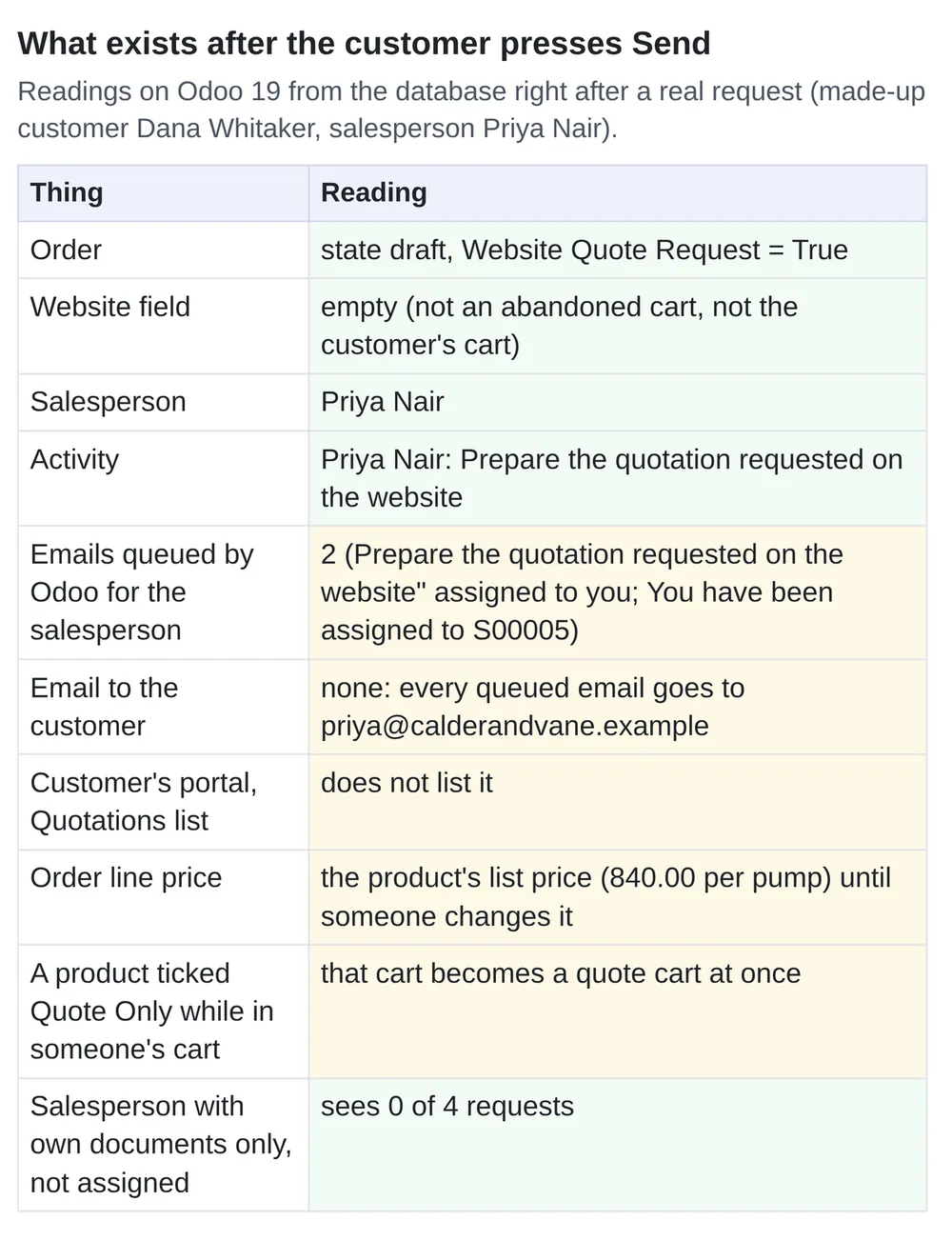
The table is read from the database right after a real request: a draft quotation, the website field empty, the salesperson assigned, one activity, two emails queued for the salesperson and none for the customer, and no listing on the customer's Quotations page.
Readings after one request. Generated, not a live screen.
What it does not do
- This is the part to read before you tick Quote Only on a product you sell today. Each line was tested.
- These were measured in the test run or read from the code. The price paths of section 5 are closed in this version; the rest are not.
Questions buyers ask
Does the customer pay anything?
No. A quote cart cannot be paid in the shop. The customer sends a request and you reply with a quotation.
Is the price really hidden?
It is hidden from the pages and removed from the JSON answers that leaked it in the first build: the variant price lookup, the comparison data, the delivery-method answer and, on Odoo 19, the wishlist, comparison and configurator data. The Google Merchant feed, Analytics events and other website apps were not tested.
What if the cart also holds normal products?
The whole cart becomes a quote request. The priced lines keep their price in the cart but there is no total and no payment.
What price is on the quotation?
The product's list price. Reprice the lines before you send it.
Who is told when a request arrives?
The salesperson set on the website gets a To-Do activity and Odoo's assignment emails; the sales team leader gets the activity when there is no salesperson. The customer gets no email.
Can guests send a request?
Yes. A guest fills in Odoo's address step and sends the request; a real-browser test covers this.
What happens if I tick Quote Only on a product already in carts?
Those carts become quote carts at once.
Does it send data to third parties?
No. It makes no network call and loads no third-party script.
Requirements
- Odoo 19.0 or 20.0. The App Store sells each version separately, so buy the one that matches your database.
- Odoo.sh or On-Premise only. Third-party apps cannot be installed on Odoo Online (SaaS) databases. Check your hosting before buying.
- Module
mh_website_request_quote, version 19.0.1.0.4, licensed OPL-1.