Data Cleaning
Tidy a text field across every record at once - trim spaces, fix capitalisation, format phone numbers - with every value shown old against new before anything is written
The video below shows Data Cleaning running on a real Odoo 19 database. Want it driven against your own data, or a question answered first? Ask and we will set up a session.
What it does
Seven ways to tidy a field
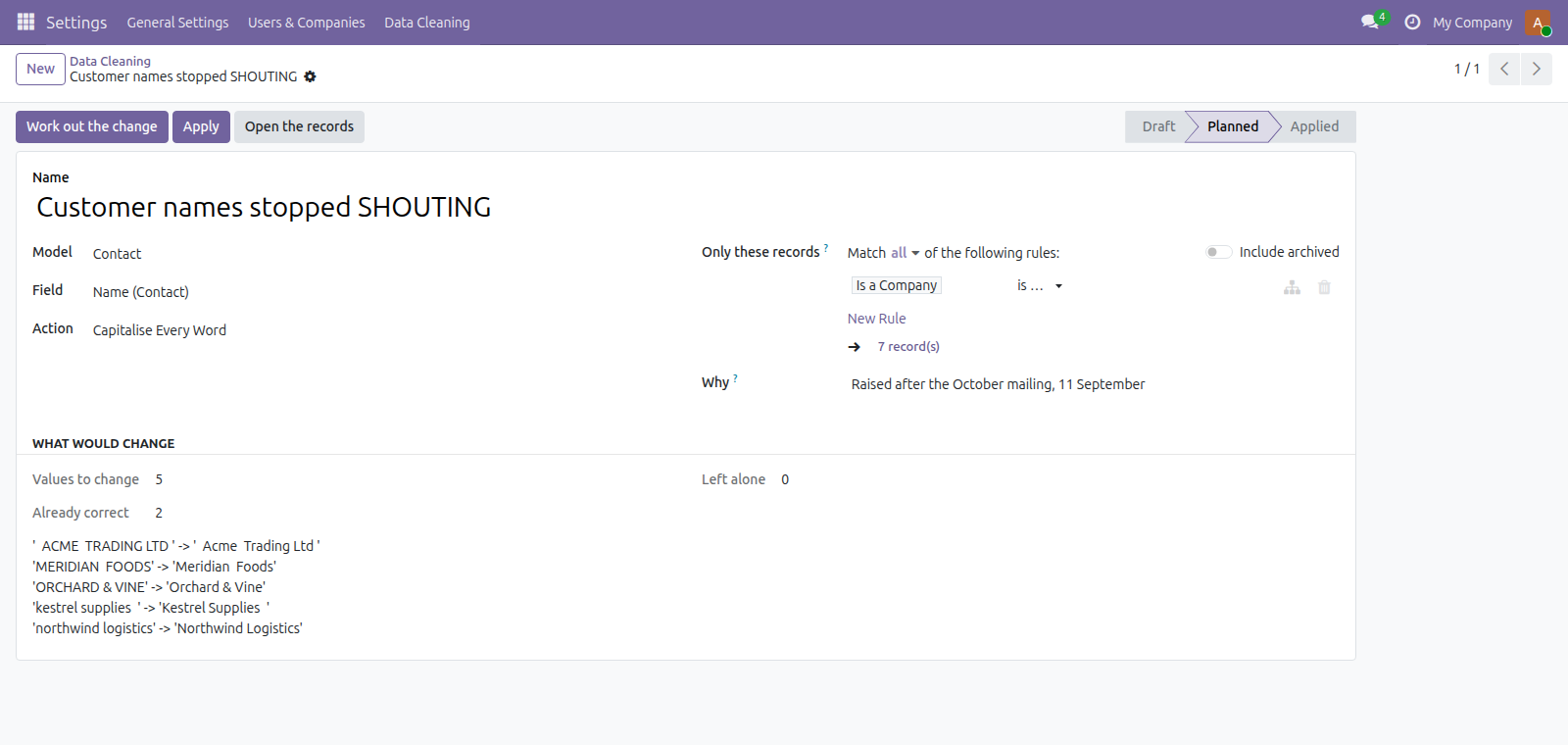
Trim the spaces at the ends, collapse repeated spaces inside, Capitalise Every Word or just the first letter, force upper or lower case, or format a phone number.
Preview every change before writing
Show each current value next to the computed new value so you can confirm edits before anything is written.
Apply or revert planned edits
Write the planned edits in a single operation or revert applied edits; the tool records the run state and reports how many will change, were already correct, or were skipped.
Target specific records and fields
Limit a run to a chosen dataset, pick the specific text field to tidy, and restrict the operation with a search domain; you can open the affected records from the plan.
Normalise phone numbers by country
Reformat telephone values against the record’s own country, falling back to the company’s. A number that cannot be read is left exactly as it is rather than rewritten into a guess.
What it does not do
It does not find or merge duplicate records. Merging safely means rewriting every reference that points at the record being removed, and Odoo only does that for contacts, through a wizard written for that one case. A generic version that deleted the loser without reassigning its references would leave orphans behind. This does the half that can be done safely.
It changes stored data, so it keeps the old values. Upper and lower case destroy the original capitalisation - re-running the opposite action does not bring it back. Every run stores the exact prior value and one button restores it.
It does not run on a schedule. Every run is planned and reviewed before it writes. A cron that rewrites stored text unattended is not something to hand anyone.
On a translated field it writes one language. The language you are working in. The others keep what they have, and the plan says so before you apply it.
Screenshots
Requirements
- Odoo 19.0, Community or Enterprise.
- Odoo.sh or On-Premise only. Third-party apps cannot be installed on Odoo Online (SaaS) databases — check your hosting before buying.
- Module
mh_data_cleaning, version 19.0.1.0.6, licensed OPL-1.
Related apps
Move Odoo attachments out of the filestore into a Google Drive folder, using Odoo 19 own cloud storage migration - Drive is the provider Odoo does not ship
Hide or lock any field for the groups you choose, on any model, enforced by the server and not just hidden in the form view
Write a record rule and see how many records it actually leaves a chosen user, counted for real before you save it