Field Access Rules
Hide or lock any field for the groups you choose, on any model, enforced by the server and not just hidden in the form view
The video below shows Field Access Rules running on a real Odoo 19 database. Want it driven against your own data, or a question answered first? Ask and we will set up a session.
Odoo already has field-level access. A field can carry a list of groups, and users outside them neither read it nor write it - not in the form, not in a list, not in an export, not over the API. What Odoo does not have is a way to say so without editing the field in Python.
This is that way.
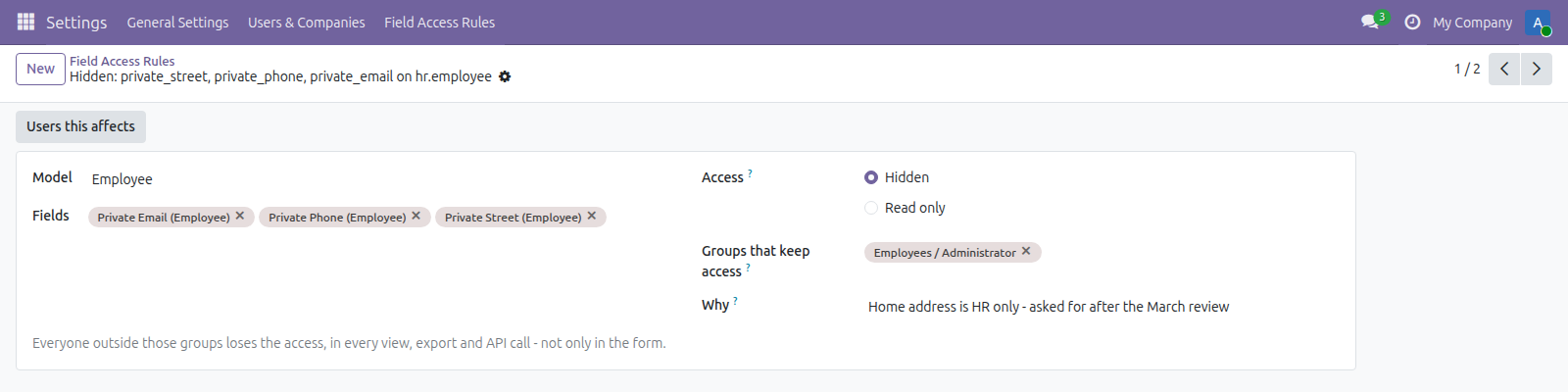
Two rules: an employee's home address hidden from everyone outside HR, and a tax ID left visible but no longer writable.
A model, its fields, the groups that keep access, and what everybody else gets.
What it does
Hidden means gone, not merely invisible
The field is absent from the form, the list, the export dialog and the field list the API answers with, and a search filter on it is refused. A field removed from a view arch is still every one of those things.
Read only is refused on the server
The field stays visible and the write is rejected by the ORM, so an import, a scripted call or a hand-made RPC gets the same answer the form does. The form also greys it out, rather than offering an edit that fails on save.
One code path, so nothing forgets
The rules feed the single hook the ORM uses to ask whether this user may touch this field - the same one that handles a field declared restricted in source. There is no second path that has to be remembered and patched.
It refuses what cannot be undone
A rule whose groups hold no active internal user would take the field from everybody, permanently - reading it back is restricted too. A rule on the rule model would hide the screen you would undo it from. A rule on id or display_name breaks the view rather than hiding anything. All three are refused at the form.
See who it actually affects
One button lists the internal users who fall outside the named groups. That number is what tells you whether the rule does what you thought it did, before anybody discovers it the hard way.
Screenshots

Requirements
- Odoo 19.0, Community or Enterprise.
- Odoo.sh or On-Premise only. Third-party apps cannot be installed on Odoo Online (SaaS) databases — check your hosting before buying.
- Odoo 19 Community or Enterprise, no other module needed. It restricts fields, not records - which rows a user sees is record rules, a different question. The superuser is never restricted, so crons and upgrades keep working.
- Module
mh_field_access_rules, version 19.0.1.0.15, licensed OPL-1.
Related apps
Move Odoo attachments out of the filestore into a Google Drive folder, using Odoo 19 own cloud storage migration - Drive is the provider Odoo does not ship
Write a record rule and see how many records it actually leaves a chosen user, counted for real before you save it
Log users out after an idle time you set per group, and see and end the sessions that are open right now