Field Change Log
The video below shows Field Change Log running on a real Odoo 19 database. Want it driven against your own data, or a question answered first? Ask and we will set up a session.
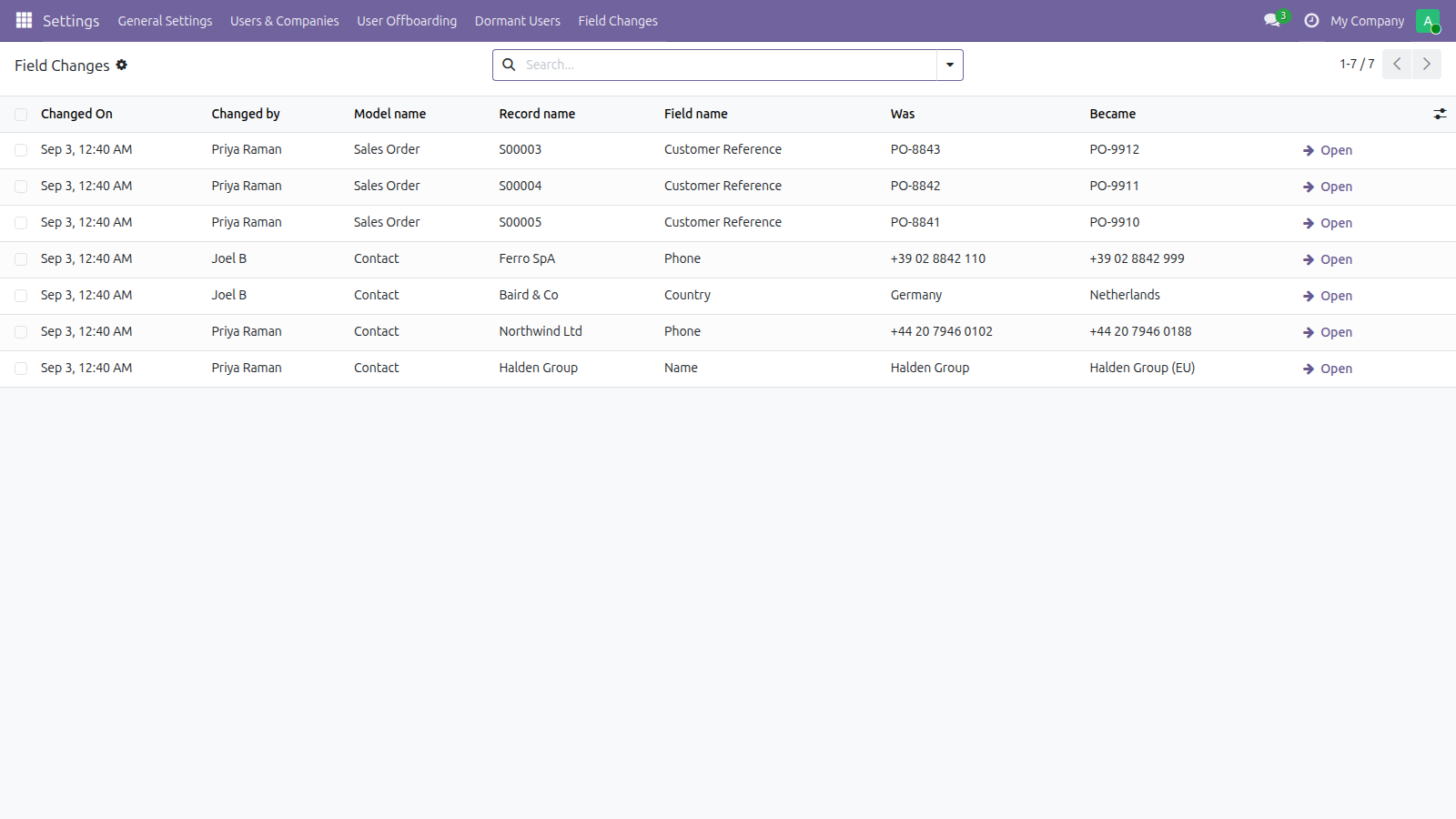
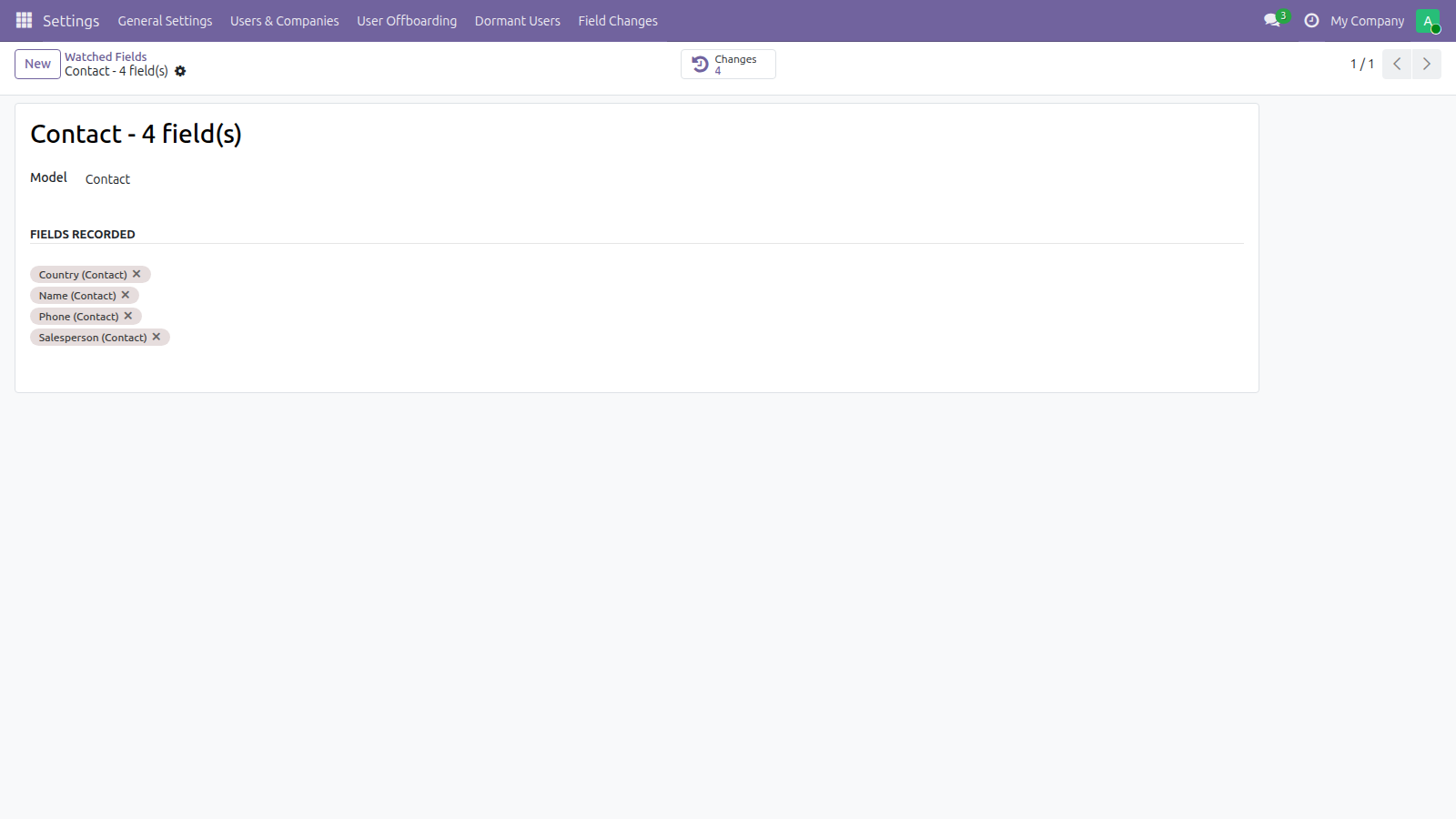
Record who changed which field on which record, with the old value and the new one — only for the models and fields you name, so the log stays readable and does not grow forever
What it does
Who changed this credit limit?
Odoo can answer that for the handful of fields its own developers marked as tracked, and for nothing else.
Every audit-log module for Odoo answers it by recording everything — and every one of them ends up unusable for the same reason. The day somebody actually has to answer the question, the log has four million rows in it and no way to find the one that matters.
Who, when, on which record, what it was and what it became — for the fields you named and nothing else.
Nothing is recorded until it is named here. Choosing is the feature.
Written for whoever reads it a year later
Values are stored as they read on the screen, not as they sit in the database: a linked record by its name, a selection by its label. A stored key like invoice means nothing to somebody reading the log after the fact.
The record's name is kept as it read at the time, so an entry still means something after the record is renamed — or deleted.
What it refuses to record
A write that sets a field to the value it already holds. That is not a change, and a log full of them is the log nobody reads.
Anything written while a module is installing or updating — thousands of rows in one go, and not one of them a decision anybody made.
Its own tables, and Odoo's internal plumbing.
What it does not do
A retention period, set in Settings and applied by a nightly job. Two years by default. Zero keeps everything, which is a decision worth making on purpose rather than by leaving a box empty.
Stated up front so nothing about the scope is a surprise after you install it.
Screenshots
Requirements
- Odoo 19.0, Community or Enterprise.
- Odoo.sh or On-Premise only. Third-party apps cannot be installed on Odoo Online (SaaS) databases — check your hosting before buying.
- Odoo 19, Community or Enterprise. No dependencies beyond the base system. Administrator access to choose what is watched and to read the log.
- Module
mh_field_change_log, version 19.0.1.0.11, licensed OPL-1.
Related apps
Move Odoo attachments out of the filestore into a Google Drive folder, using Odoo 19 own cloud storage migration - Drive is the provider Odoo does not ship
Hide or lock any field for the groups you choose, on any model, enforced by the server and not just hidden in the form view
Write a record rule and see how many records it actually leaves a chosen user, counted for real before you save it