Kanban Column WIP Limits
Cap how many tasks a Project stage can hold, and flag the column red once it's over
The video below shows Kanban Column WIP Limits running on a real Odoo 19 database. Want it driven against your own data, or a question answered first? Ask and we will set up a session.
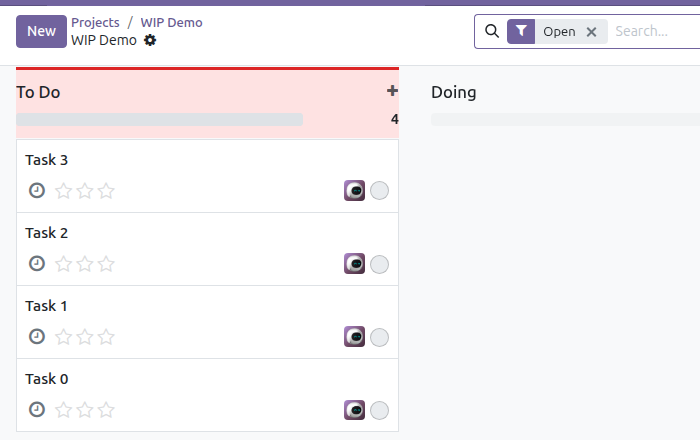
Sets a work-in-progress limit per Project stage. Once a stage's task count exceeds its limit, the kanban column header turns red - a plain visual signal, no blocking, no workflow engine. Project's own kanban has no per-stage capacity field or visual warning of any kind.
What it does
Set it per stage, not globally
Open any stage's edit dialog from its kanban column menu and set a WIP Limit. Leave it at 0 for stages that shouldn't be capped at all.
A signal, not a lock
Going over the limit never blocks moving a task into the stage - it just turns the column red so the team notices and can act on it.
Screenshots
Requirements
- Odoo 19.0, Community or Enterprise.
- Odoo.sh or On-Premise only. Third-party apps cannot be installed on Odoo Online (SaaS) databases — check your hosting before buying.
- Module
mh_kanban_wip_limits, version 19.0.1.0.7, licensed OPL-1.
Related apps
Project timesheets that have been worked and never invoiced, aged by how long they have been sitting, with the cost and the sale value of each bucket
See what each project has already cost plus what you have committed on open purchase orders, and which projects only look profitable because the bills have not landed yet
One number: how much you have committed on confirmed purchase orders that no project report shows yet, because the supplier has not invoiced