Project Cost Exposure
See what each project has already cost plus what you have committed on open purchase orders, and which projects only look profitable because the bills have not landed yet
The video below shows Project Cost Exposure running on a real Odoo 19 database. Want it driven against your own data, or a question answered first? Ask and we will set up a session.
Analytic accounting answers what a project has cost. It cannot answer what a project is going to cost, because a purchase order confirmed last week is a real obligation that appears in no report until the supplier gets round to invoicing.
That is how a project stays green for a month and then goes red all at once - and why the people who could still have done something find out when it is too late to.
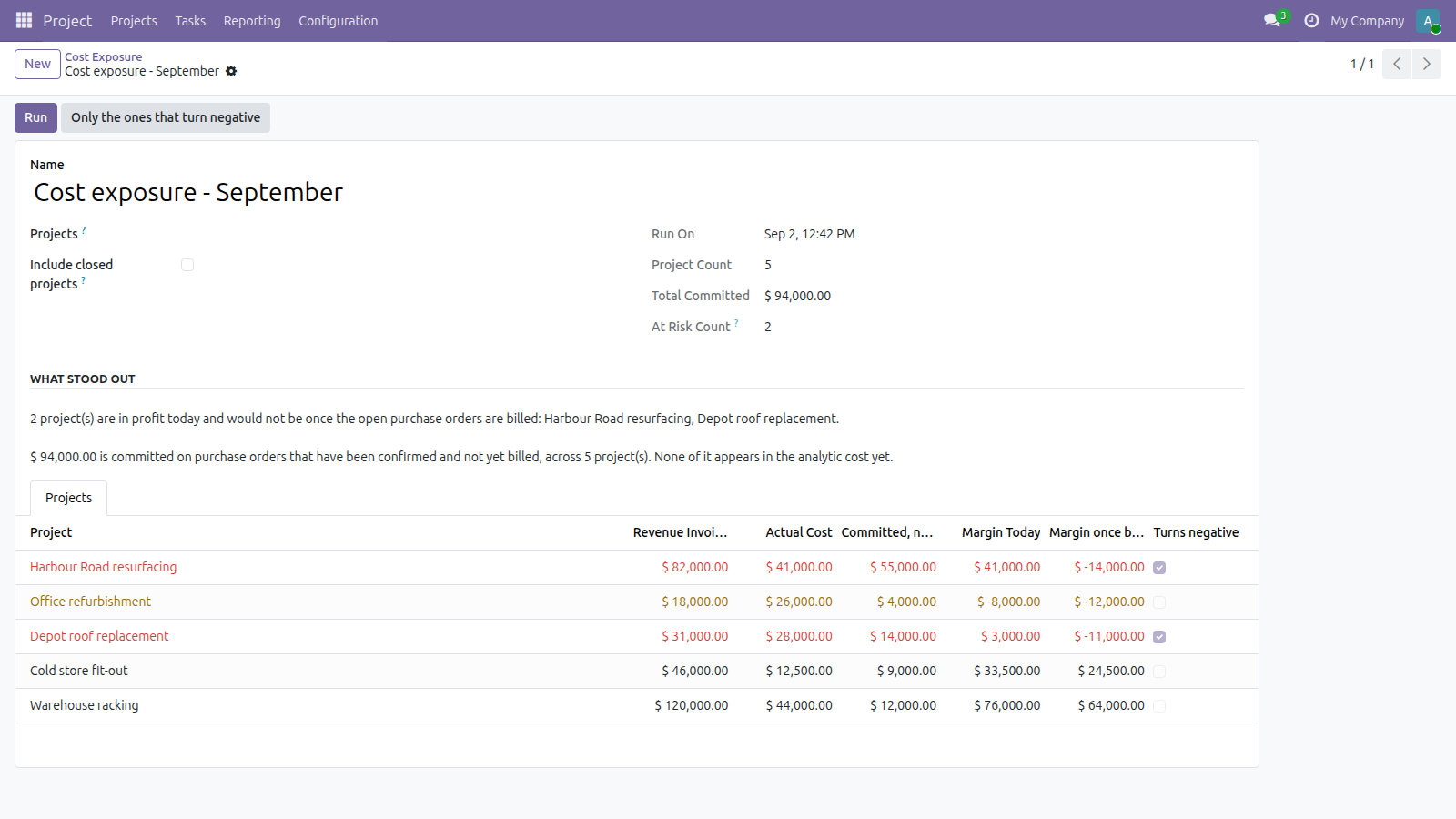
Billed, spent, and still owed on confirmed orders - and the margin once those orders are invoiced.
What it does
The list that is the point
Projects in profit today that would not be once the open purchase orders are billed. One button opens only those, and the findings name the five worst.
Nothing is counted twice
The billed part of an order stops counting as committed, because it has already become an actual cost. Counting both would make every project look far worse than it is, which is a different kind of useless.
A draft order is not a commitment
Only confirmed and done orders count - nobody has told the supplier to go ahead on a draft, and a report that treated quotes as obligations would cry wolf until people stopped reading it.
Shared order lines are split
One line spread across projects is divided by its analytic percentages rather than charged in full to each, so the company's total commitment adds up to what was actually ordered.
Costs and revenue are not netted
Summed separately, because netting them reports a project with heavy spending and heavy billing as quiet - and a project already losing money is not listed as a surprise, since it would only bury the ones about to turn.
Screenshots
Requirements
- Odoo 19.0, Community or Enterprise.
- Odoo.sh or On-Premise only. Third-party apps cannot be installed on Odoo Online (SaaS) databases — check your hosting before buying.
- Odoo 19 Community or Enterprise with Project and Purchase. It changes nothing - no journal entries, no analytic lines, no orders. It has no opinion about what the budget should have been: it reports what has been committed, not whether committing it was wise. Projects with no analytic account are skipped.
- Module
mh_project_cost_exposure, version 19.0.1.0.14, licensed OPL-1.
Related apps
Project timesheets that have been worked and never invoiced, aged by how long they have been sitting, with the cost and the sale value of each bucket
Cap how many tasks a Project stage can hold, and flag the column red once it's over
One number: how much you have committed on confirmed purchase orders that no project report shows yet, because the supplier has not invoiced