Letters and Certificates
Fill in a letter or certificate from a contact or employee and print it as a PDF saved on the record's chatter
Request a live demo · Odoo.sh or On-Premise only, not Odoo Online (SaaS).
1 text
per letter or certificate: write it once with fields of a contact or employee, print one filled-in PDF for each record you select
26
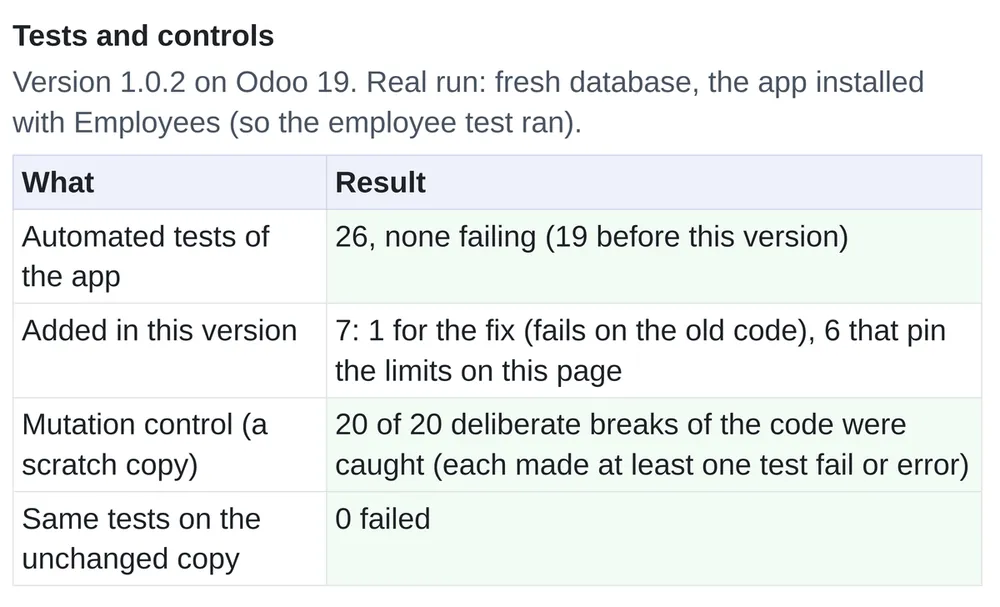
automated tests in the app, none failing; 7 were added in this version
20 of 20
deliberate breaks of the code were caught by the tests (the real code: 0 failed)
1
defect found and fixed in this version (a placeholder typed in a link broke the link), disclosed below
0
code runs from a template: a placeholder is a field name and nothing else
Not
a signature, a numbered register, Word files, or a certificate of more than one page (see the known limits)
Odoo prints quotations, invoices and delivery slips, but not a plain letter to a contact or an employee. Business letters, employment letters and certificates of appreciation end up in a word processor with the name and address typed in by hand. Letters and Certificates adds templates: write the text once, put in fields of the record, select one or more contacts or employees and use Action, Print Letter. The dialog shows the first letter, then one PDF per record is saved on that record's chatter and the same letters download as one PDF. This page walks through it with screenshots of an Odoo 19 database holding a made-up consulting firm, with the real PDFs the app saved (rendered to pictures), and with tables rendered from real readings of the same run; each picture says which it is.
The page also says where the app stops: placeholders fill in the text and not in link addresses, a certificate is one page and long text is cut, printing takes about two seconds per record, every print saves another PDF with no register, and the logo of the letterhead was not verified in the PDF.
Install it and a Letters menu appears. It needs only the Discuss base (mail) and works on contacts out of the box; with the Employees app installed it works on employees too. It sends no data anywhere.
How it works
What it keeps, what it changes, what it does not
Each line was tested or read in the code or on the running database.
1 Write a letter or certificate once
Use it when you send the same kind of letter again and again.Writes when saved
A template is plain text with the fields you want filled in. Nothing in Odoo does this for a letter that is not a quotation or an invoice.
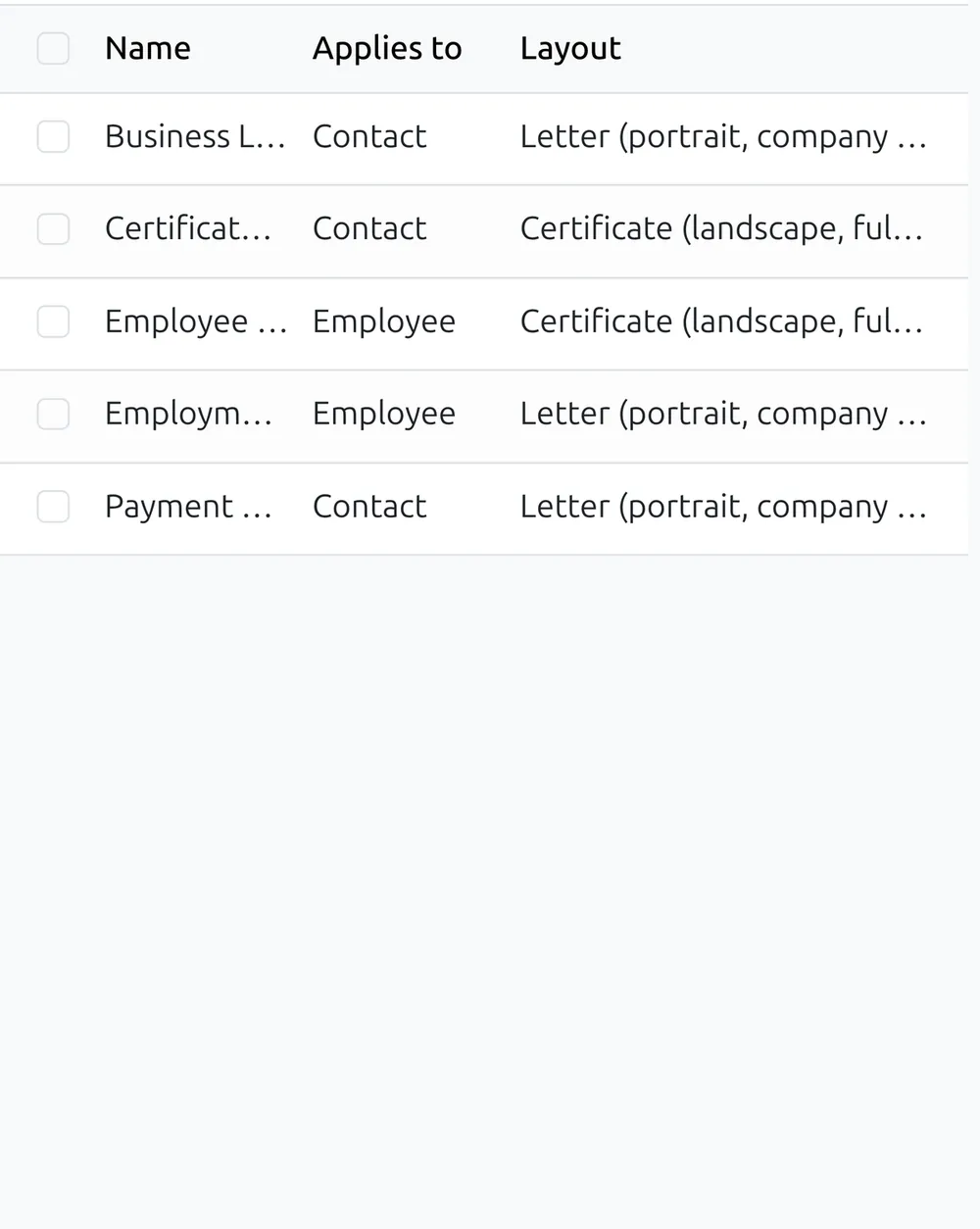
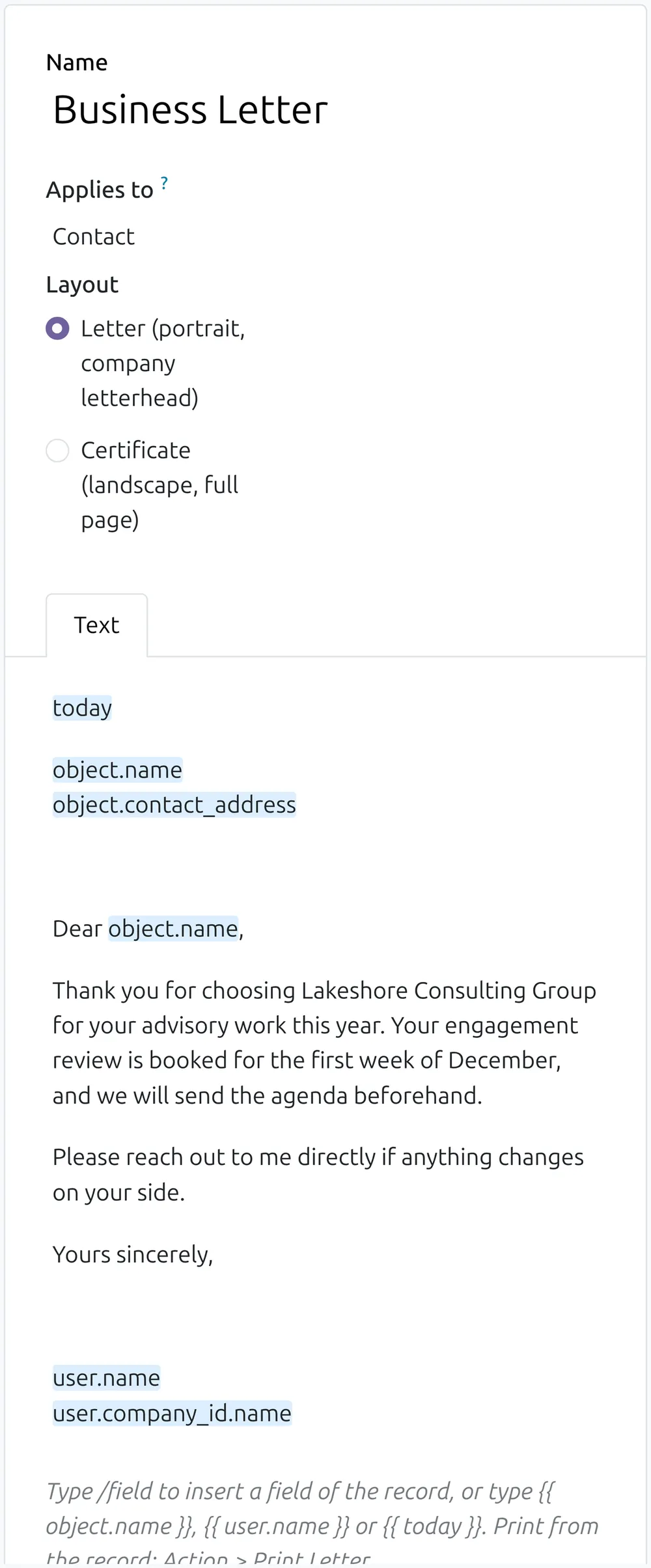
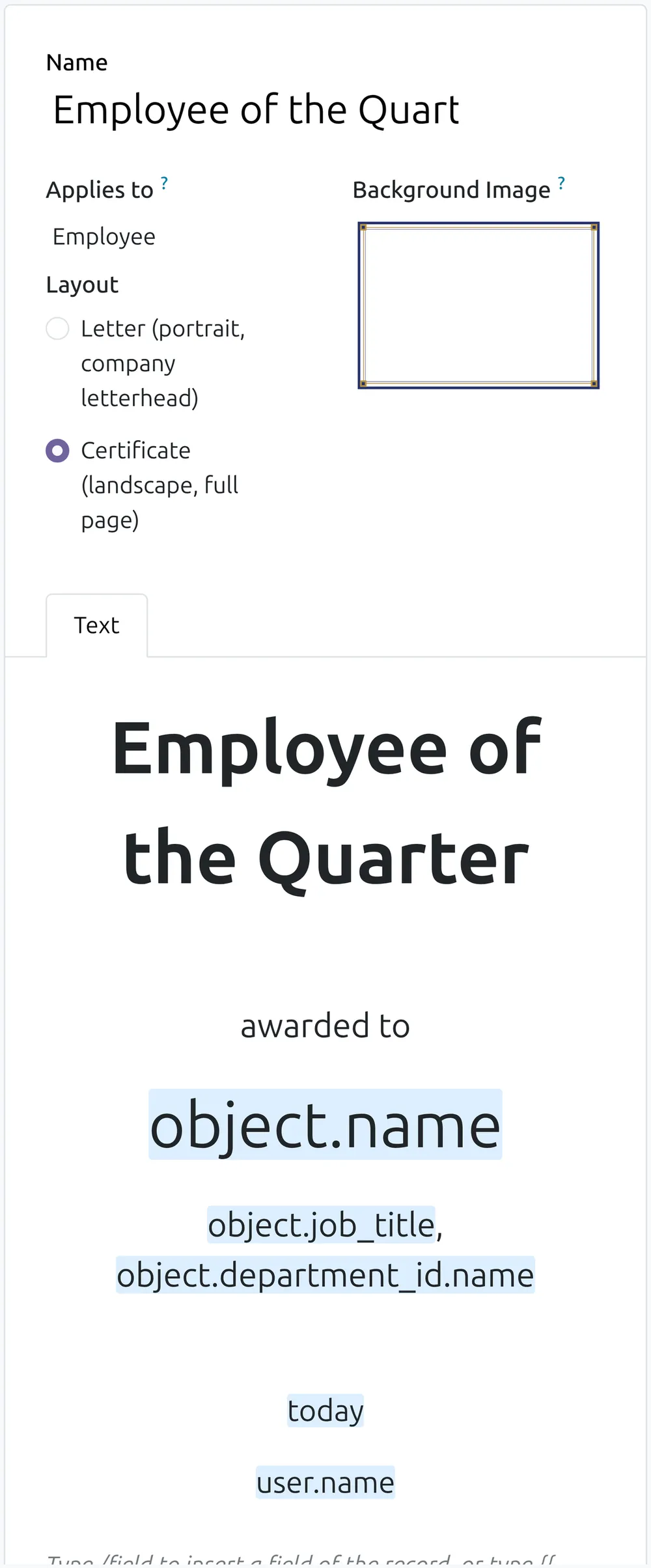
Open Letters (a menu of its own). The list holds the templates: the two starters (Business Letter, Certificate of Appreciation) and three made for this page. A template has a name, Applies to (contact, employee or any record with a chatter), a layout (letter on the company letterhead, or certificate in landscape with a background image) and the text. Fields are inserted with the editor's /field command, which shows in the text as a highlighted field name, or typed as {{ object.name }} , {{ user.name }} or {{ today }} . Pictures are real Odoo 19 screens: the list, the Business Letter and the certificate Employee of the Quarter.
A placeholder prints one field: no conditions, no loops, no filters.
The Letters list. Real Odoo screen.
Business Letter: the fields show as highlighted names in the text. Real Odoo screen.
Employee of the Quarter: a certificate with a background image. Real Odoo screen.
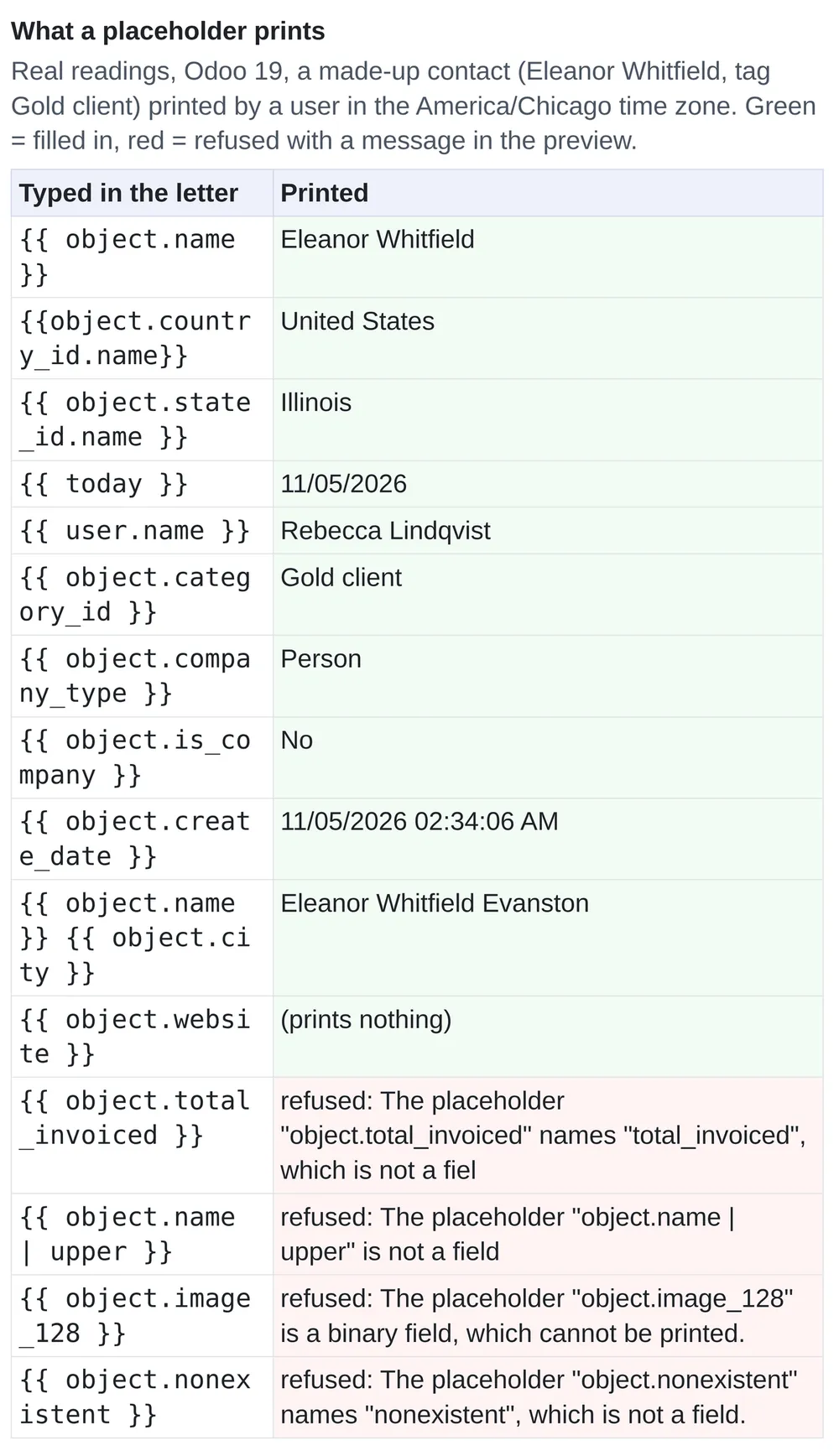
What a placeholder prints. Evidence table.
2 Print one letter or a hundred from a list
Use it when you need the letter for several people at once.Writes when printed
Selecting people and typing their details into a document is the slow part.
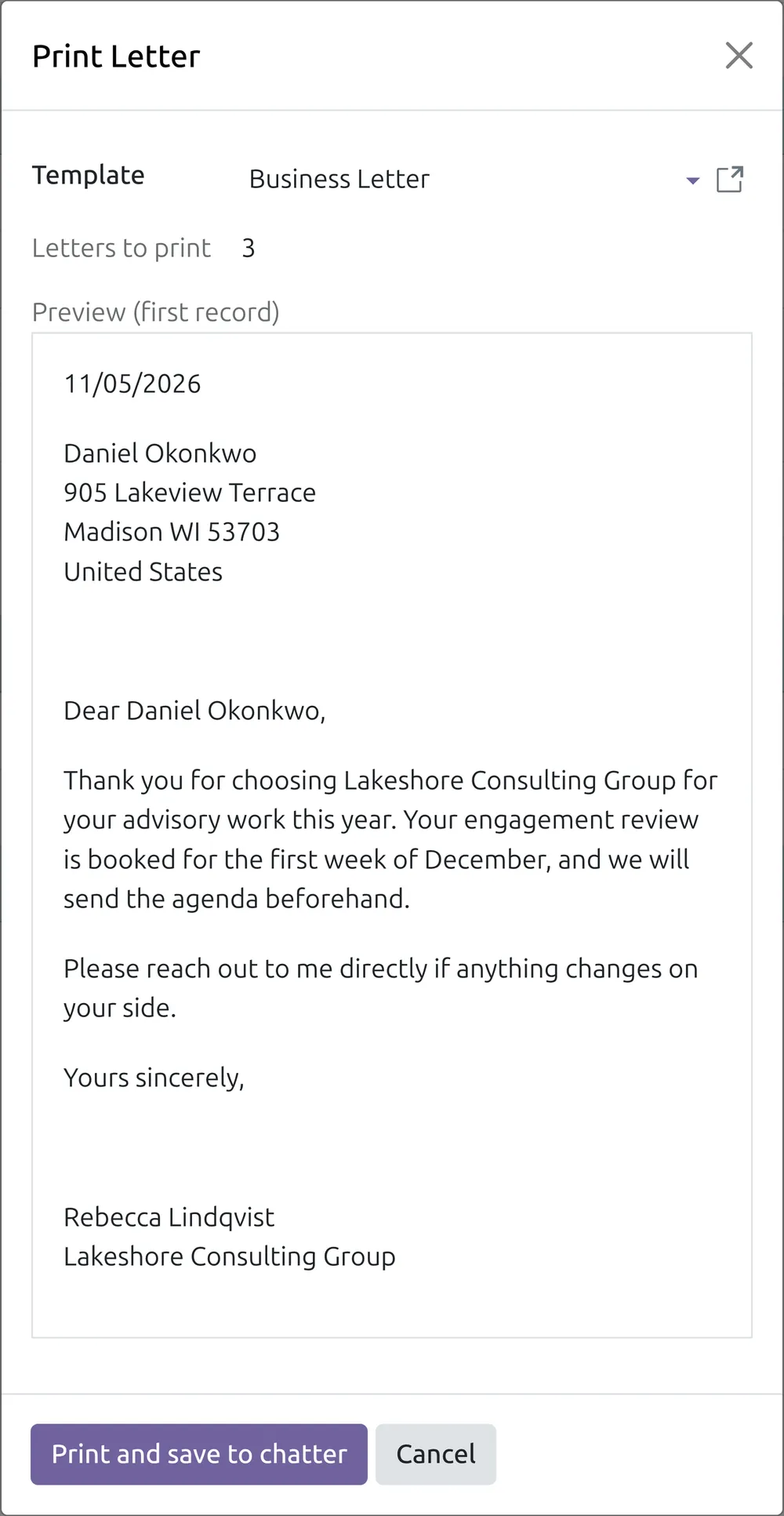
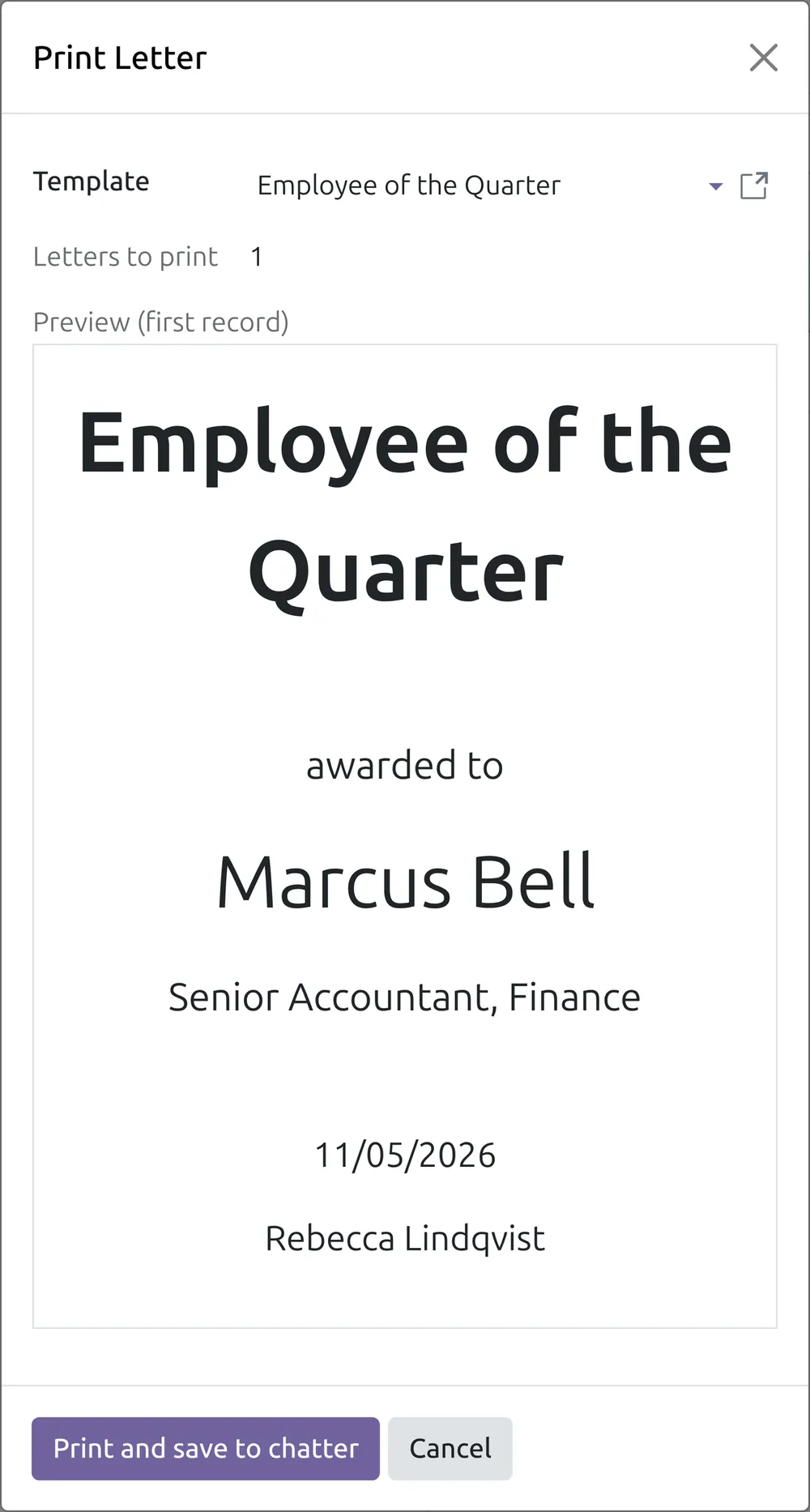
Select records in a list (or open one) and choose Action, Print Letter . The dialog names the template, says how many letters will be printed and previews the first record . A placeholder the app cannot read is shown in the preview as a message and nothing is printed. The templates offered are the ones for that kind of record. The template picked first is the first by name: for employees that is Employee of the Quarter, a certificate, so check the name before you print. Pictures are real Odoo 19 screens: three contacts with Business Letter, and one employee with Employee of the Quarter.
The entry appears in the Action menu only for kinds of record that have a template; a template for another kind of record than the selection is refused.
Three contacts selected; the preview is the first one. Real Odoo screen.
One employee, a certificate template. Real Odoo screen.
3 Each PDF stays with its record
Use it when you want the letter on file with the person it was written for.Writes when printed
A letter in a folder on someone's disk is not with the contact or employee it was sent to.
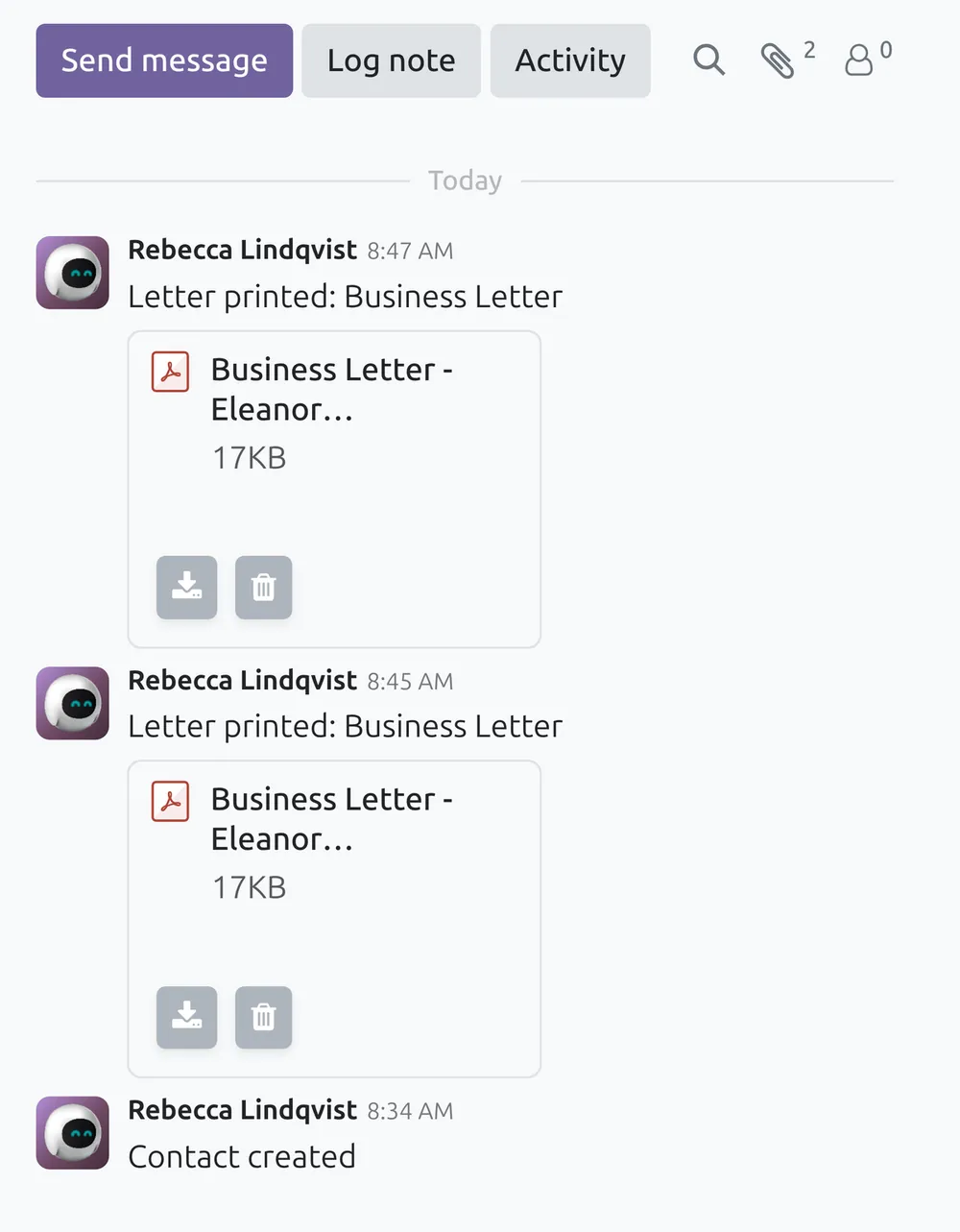
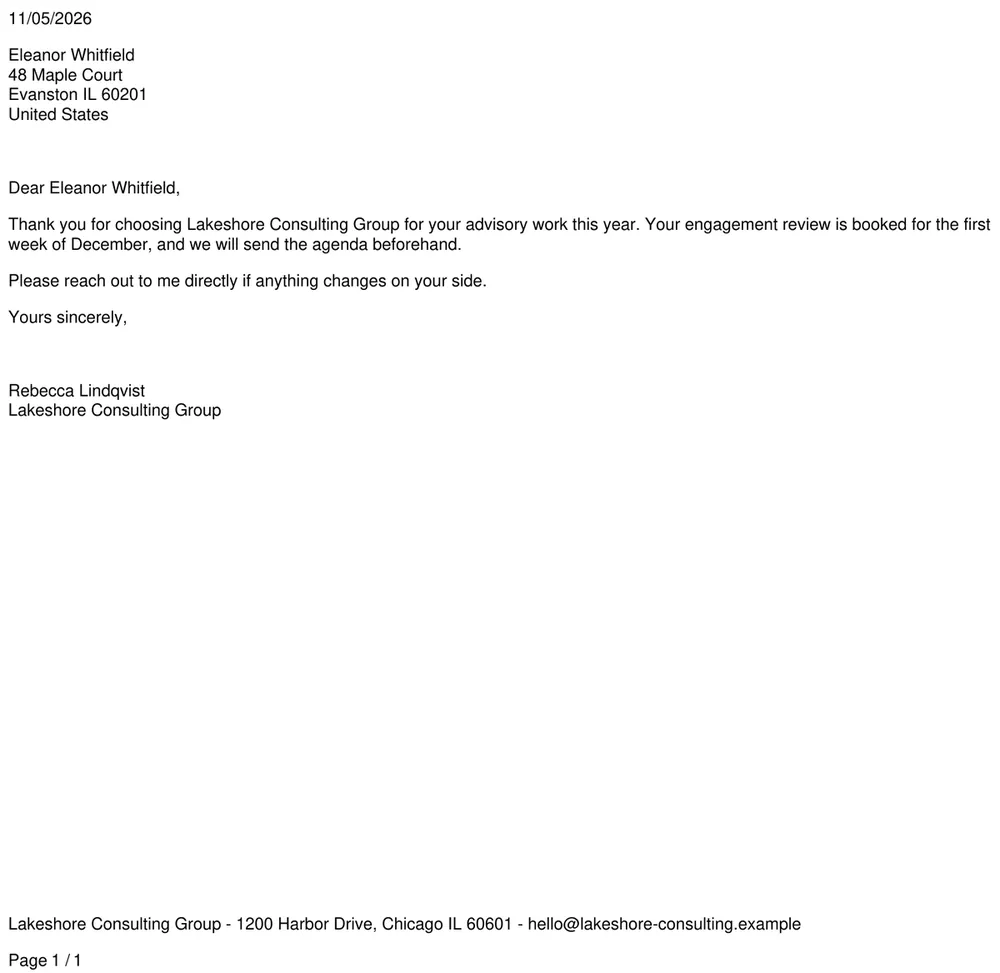
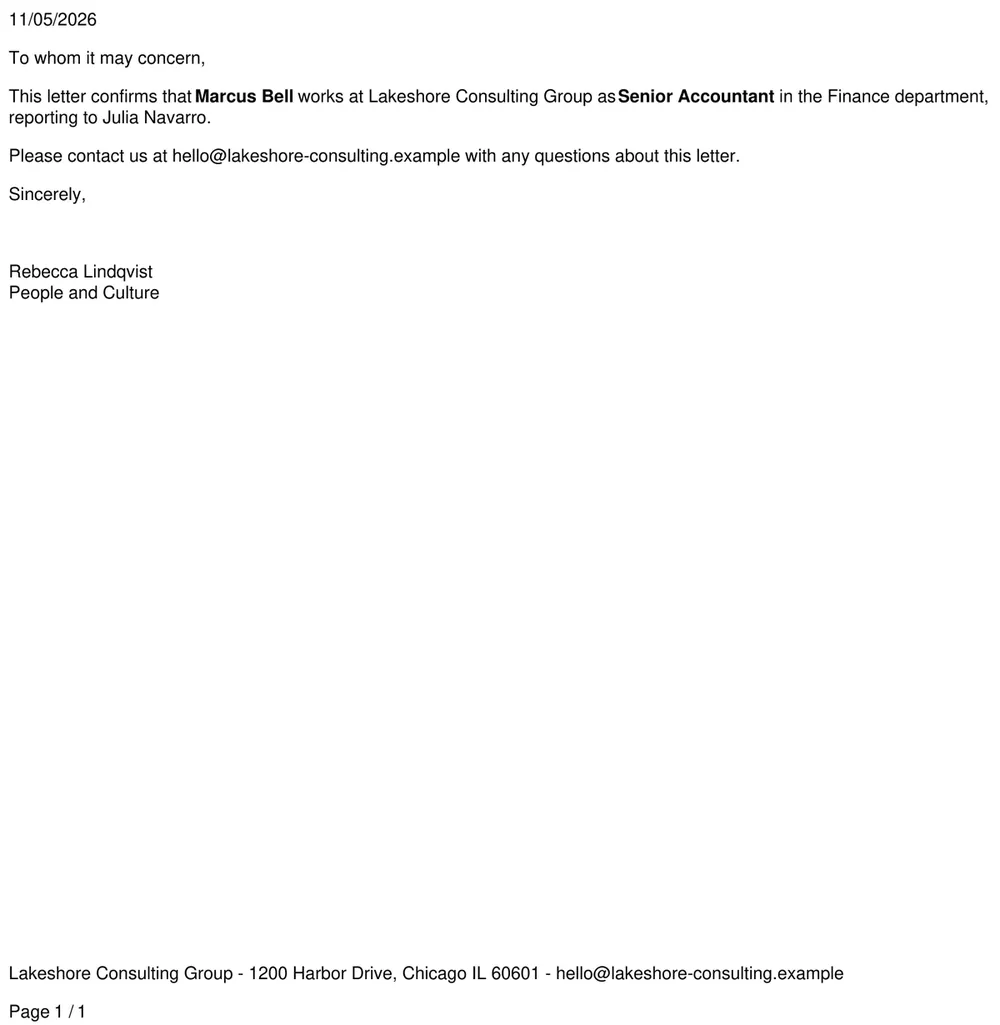
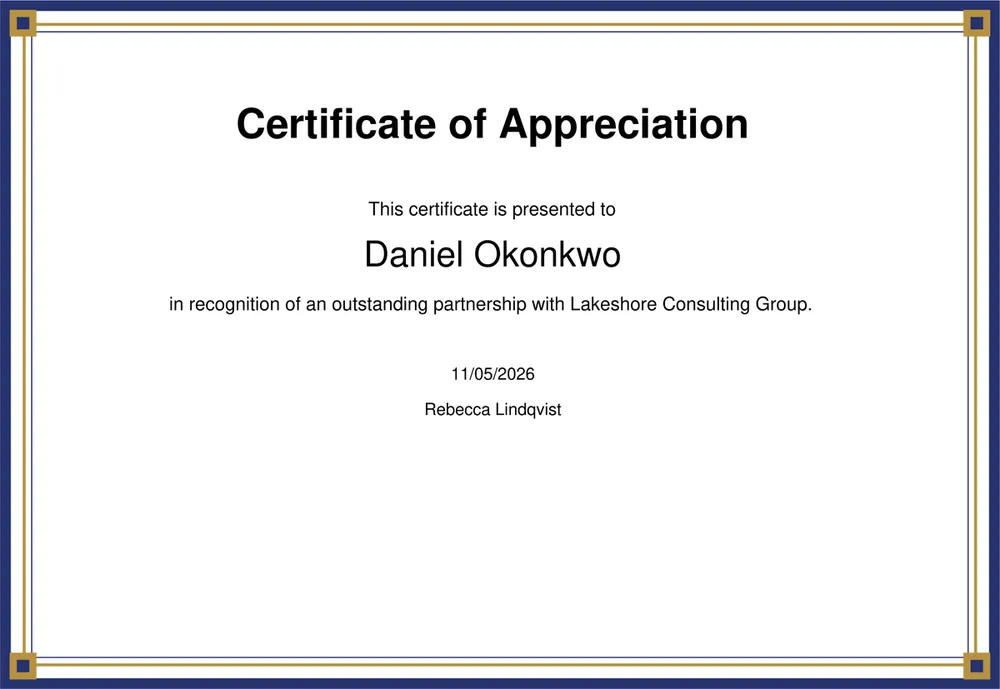
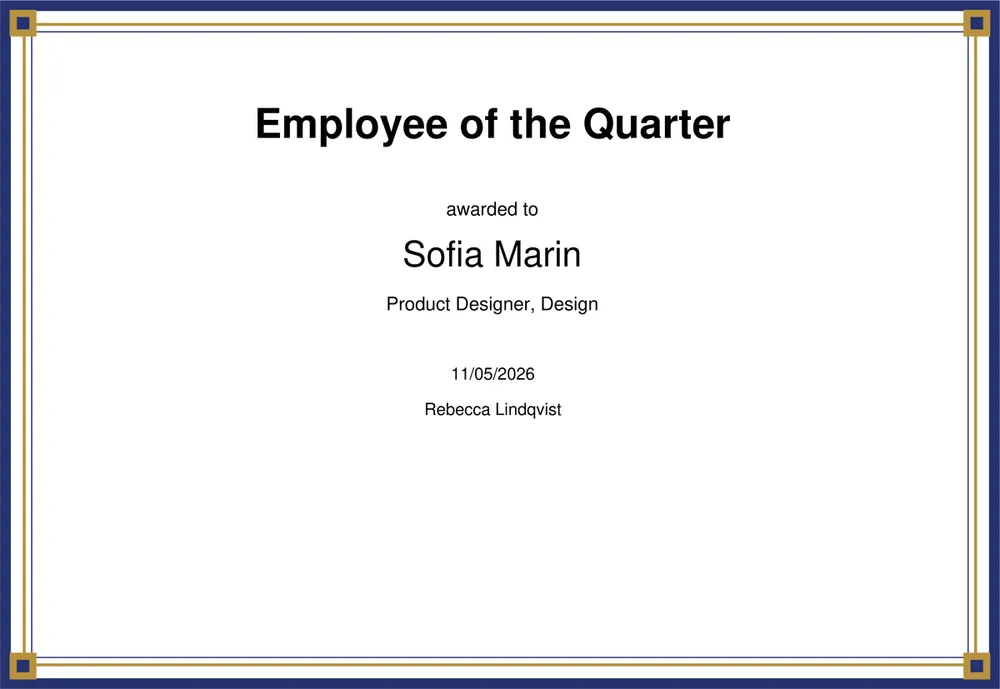
Print and save makes one PDF per record and posts it on that record's chatter as an internal note, named Template - Record name . Each record gets only its own letter. The same letters then download as one PDF with one letter per page (five contacts gave five attachments and a five page download). Printing the same letter again saves another PDF: both notes stay. Letters print in portrait on the company's document layout, certificates on A4 landscape with the background over the whole page. The first picture is a real Odoo 19 chatter; the four after it are the real PDFs the app saved, rendered with pdftoppm and cropped to the printed part. The company footer line and page number print; the logo of the letterhead did not show in the PDFs of this test server, also not for a plain Odoo report with the same layout, so it is not verified.
No electronic signature and no numbered register of issued letters; the app does not send letters by email.
Two prints of the same letter: two notes, two PDFs. Real Odoo screen.
The letter as saved on the chatter. Real PDF, rendered to a picture.
An employee letter from the Employees fields. Real PDF, rendered to a picture.
The starter certificate. Real PDF, rendered to a picture.
An employee certificate. Real PDF, rendered to a picture.
4 A template cannot run code
Use it when people other than administrators write templates.Read-only
A letter template is text that ordinary users write and that prints other people's data. If a placeholder were run as code, a template could change or read anything.
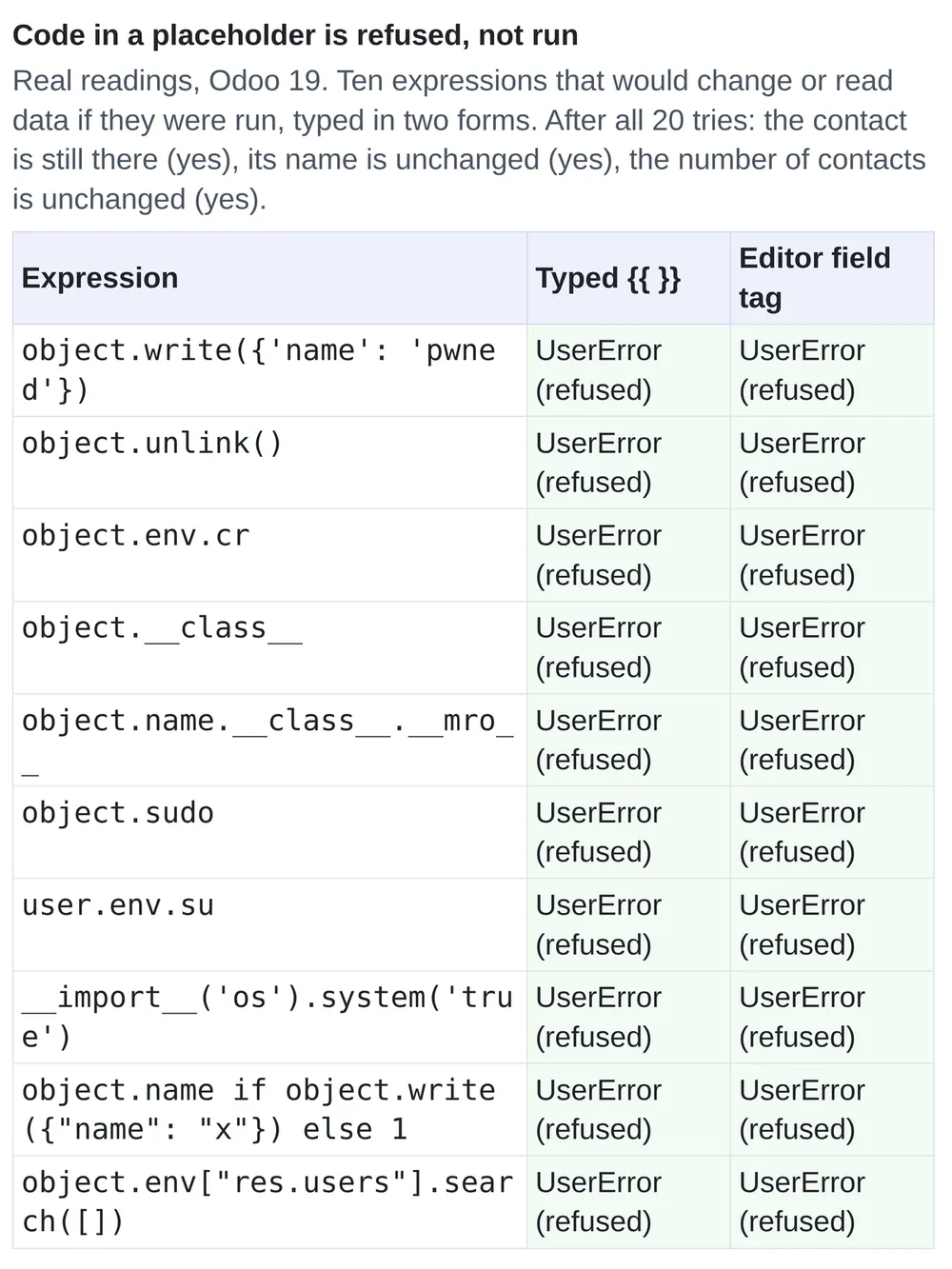
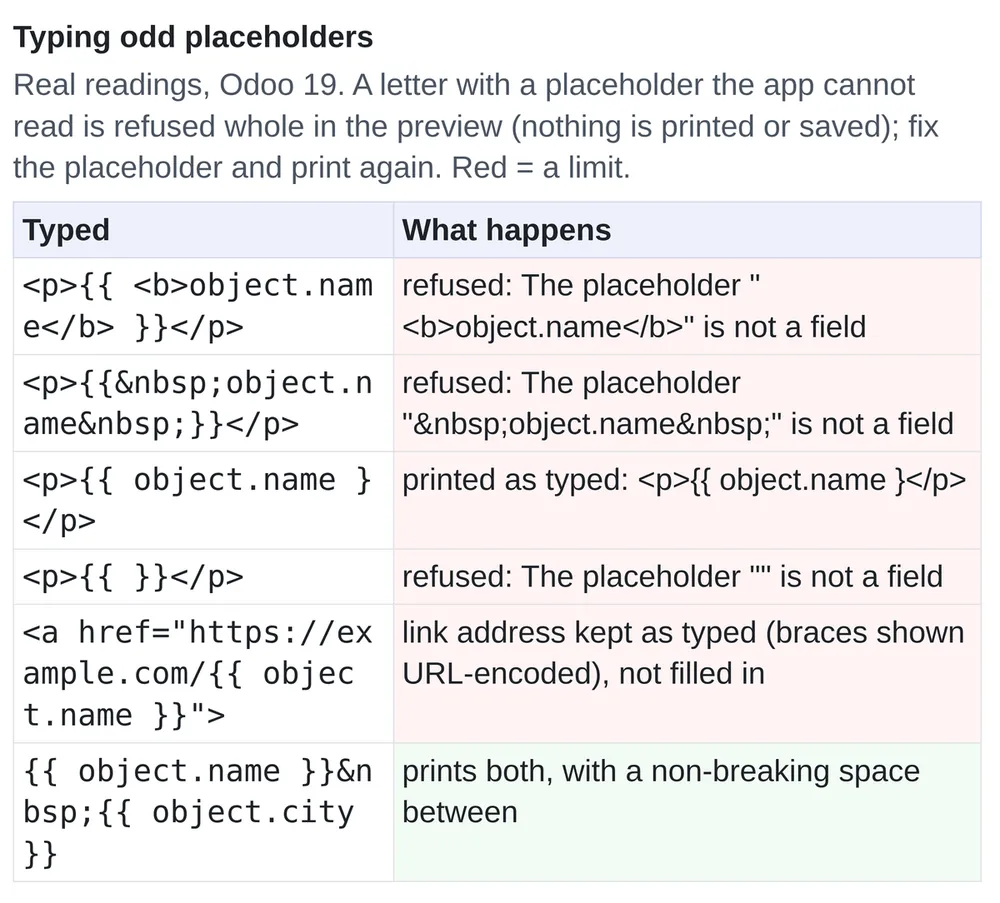
A placeholder is looked up as a path of field names and read as text; the template text is never evaluated. The first table typed ten expressions that would write, delete or read data, each in two forms, and every one was refused with a message; the contact, its name and the number of contacts were unchanged afterwards. The second table lists odd typing: a letter with a placeholder it cannot read is refused whole in the preview, so you fix it before anything is saved.
A placeholder with a filter or an operation (a bar, a plus) is refused, not run.
Ten expressions, all refused. Evidence table.
Typing odd placeholders. Evidence table.
5 Who can print what
Use it when you want to know what a printer can reach.Read-only
A letter can pull in any field of the record. The user who prints must not be able to print a field they may not read.
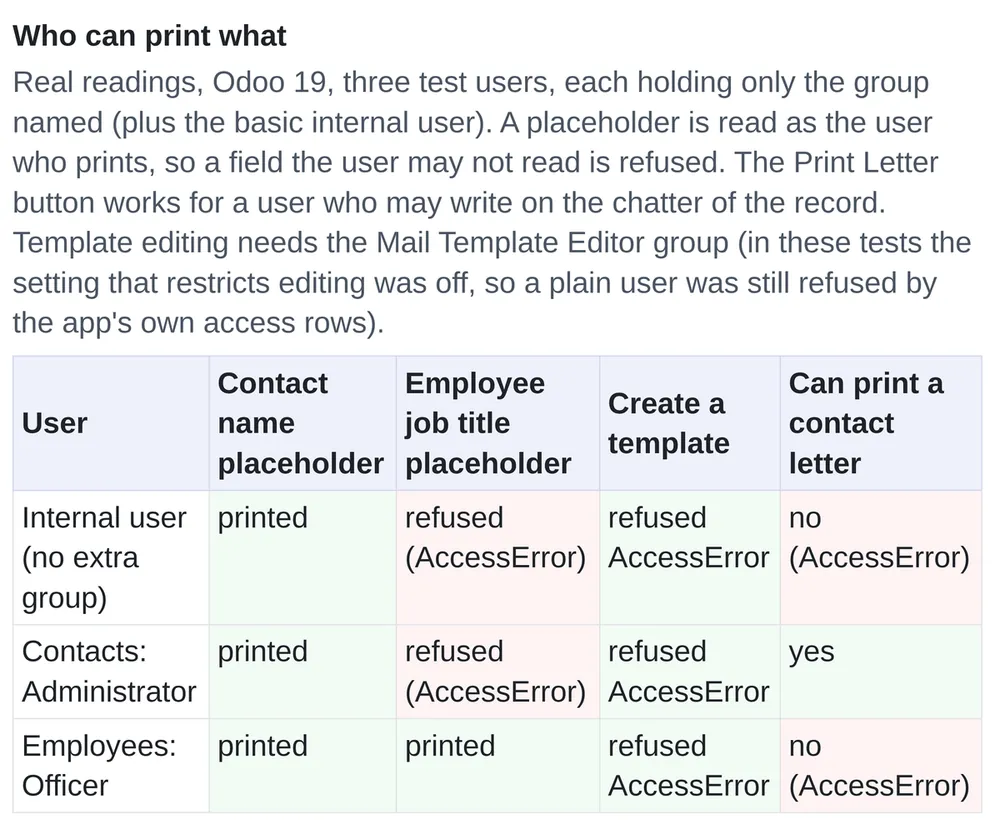
Placeholders are read with the rights of the user who prints. The table shows three users, each holding one group: a plain internal user, a Contacts administrator and an Employees officer. A plain user's employee placeholder is refused, an officer's prints. Reading templates is open to every internal user; creating or changing one needs the Mail Template Editor group, and a portal user cannot print at all. Who may print a contact letter follows Odoo's own rights on the contact: see the table for this version.
The app adds no group; it uses Odoo's own rights.
Who can print what. Evidence table.
6 How far it goes
Use it when you print many letters, or long ones.Read-only
Letters and certificates have different shapes, and printing a lot takes time.
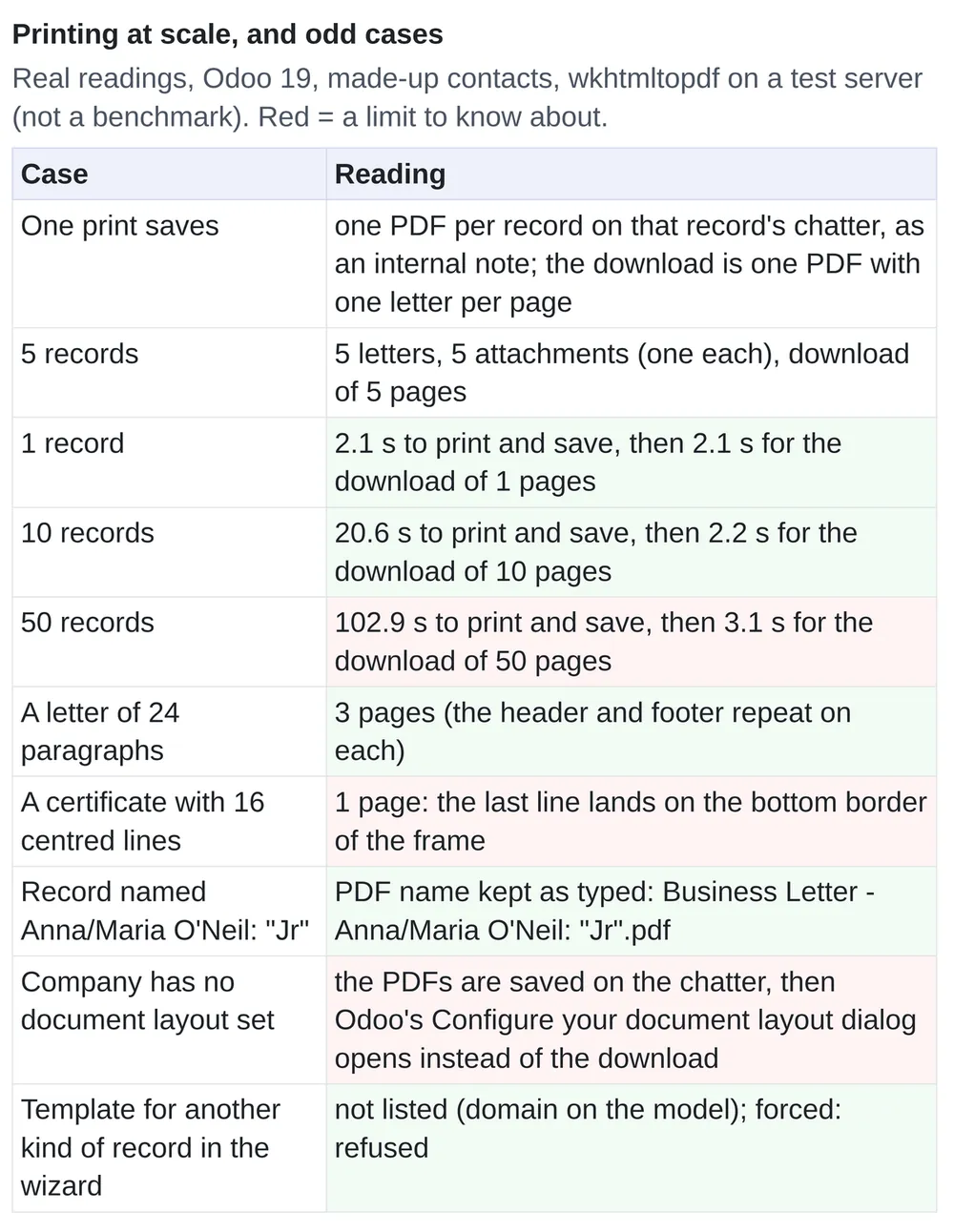
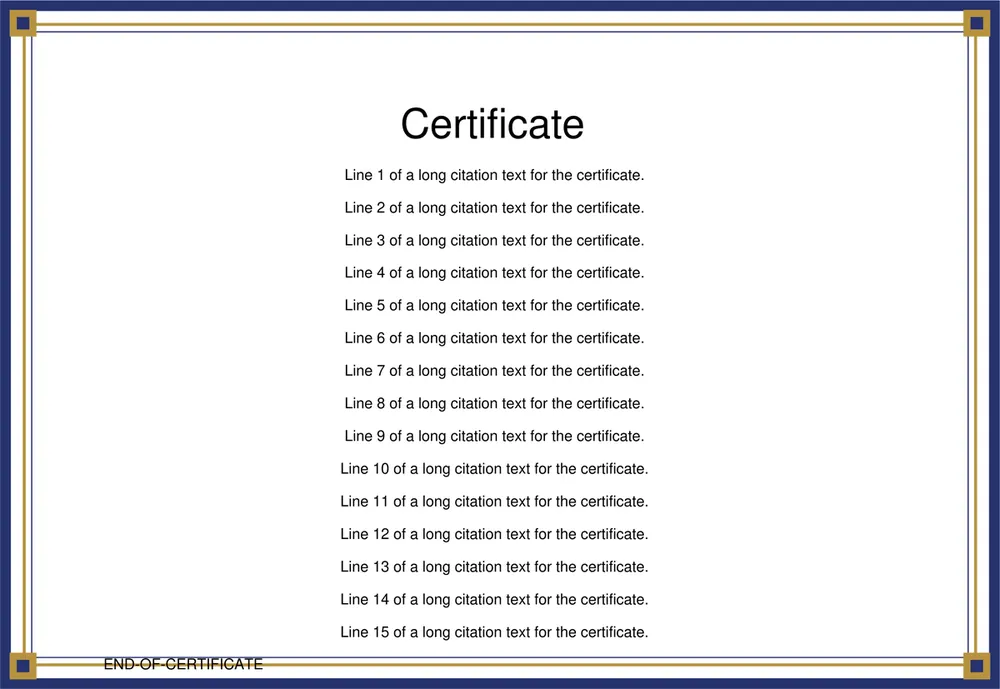
A letter runs on to more pages (24 paragraphs gave 3 pages). A certificate is one page: with 16 centred lines the last line lands on the bottom border of the frame, as the picture shows. Printing takes about two seconds per record on the test server: 10 records 21 seconds, 50 records about 100 seconds on Odoo 19; this is close to the default time limit of an Odoo web request when workers are used, so print very large lots in several steps. A record with a slash and quotes in its name, and one with a 200 character name, were saved with that name.
It does not shrink the text to fit a certificate page.
Printing at scale, and odd cases. Evidence table.
A certificate with too much text. Real PDF, rendered to a picture.
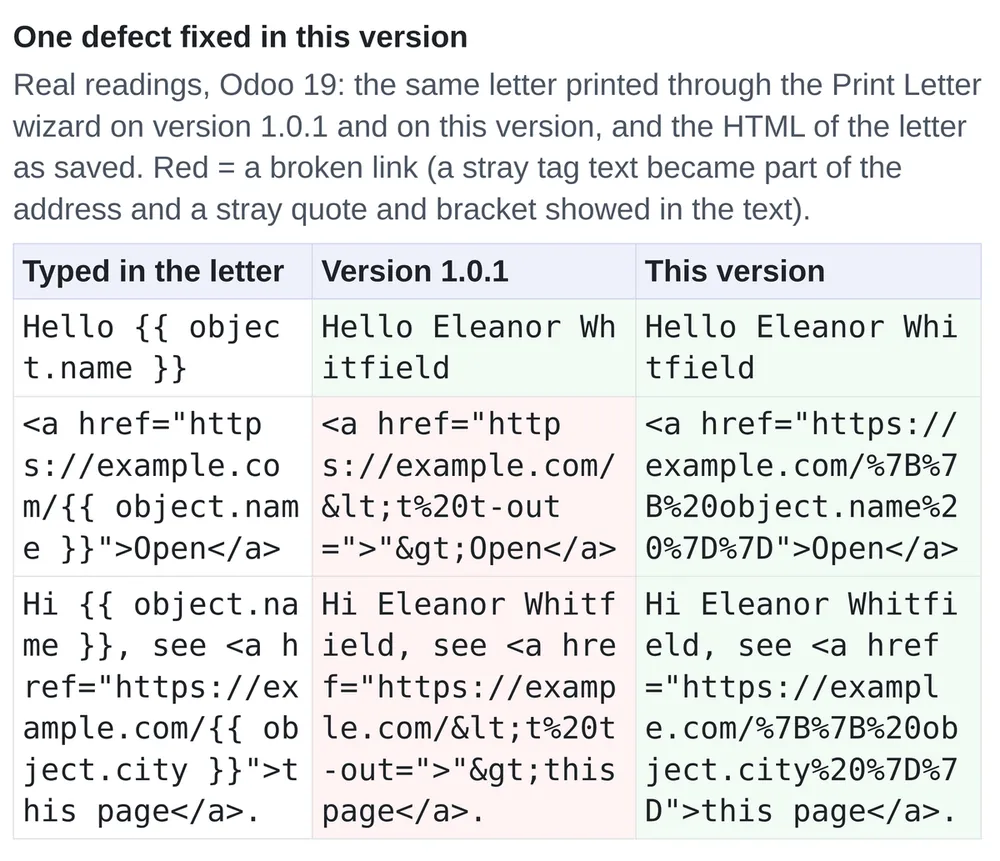
7 One defect fixed in this version
Use it when you put a placeholder in a link.Read-only
One defect was found while checking this page against the code, and fixed in both versions.
A typed placeholder inside a link address, (an href) that holds {{ object.name }} , was wrapped in a tag inside the address. The saved letter had a broken link and the stray characters "> showed in the text next to the link text, on every print. Now a tag is left alone: the placeholder stays as typed in the address and the placeholders in the text of the same letter still fill. The link address itself is not filled in: placeholders work in the text only. The test goes through the wizard's Print and save and fails on the old code and passes now; breaking the fix again on a scratch copy makes it fail again.
The defect, before and after. Evidence table.
What changed in this version
Version 19.1.0.2 fixes one defect (see section 7) and adds 7 automated tests (19 before, 26 now), 1 for the fix and 6 that pin the limits above. It replaces the screenshots, the icon, the banner and the page text with checked ones, adds the known limits to the manifest description, and takes no feature out. The demo video of an earlier version is kept as it was and was not re-recorded.
Screenshots
What it does not do
- Each of these was reproduced on a running Odoo 19 and is pinned by a test that passes where a test can pin it; none is changed in this version except the link defect above.
- Tests and controls. Evidence table.
Requirements
- Odoo 19.0 or 20.0. The App Store sells each version separately, so buy the one that matches your database.
- Odoo.sh or On-Premise only. Third-party apps cannot be installed on Odoo Online (SaaS) databases. Check your hosting before buying.
- Module
mh_letters_certificates, version 19.0.1.0.1, licensed OPL-1.