Lost Message Recovery
Route the inbound emails Odoo failed to process into the right model and retry them, instead of reading them and retyping by hand
The video below shows Lost Message Recovery running on a real Odoo 19 database. Want it driven against your own data, or a question answered first? Ask and we will set up a session.
When an inbound email fails to route, native Odoo writes a line to the server log, marks the message seen on the mail server, and moves on. The email is gone. The free Lost Messages Routing app stops that by capturing it - and capturing it is half the job.
This is the other half: say where the message should have gone, and put it there.
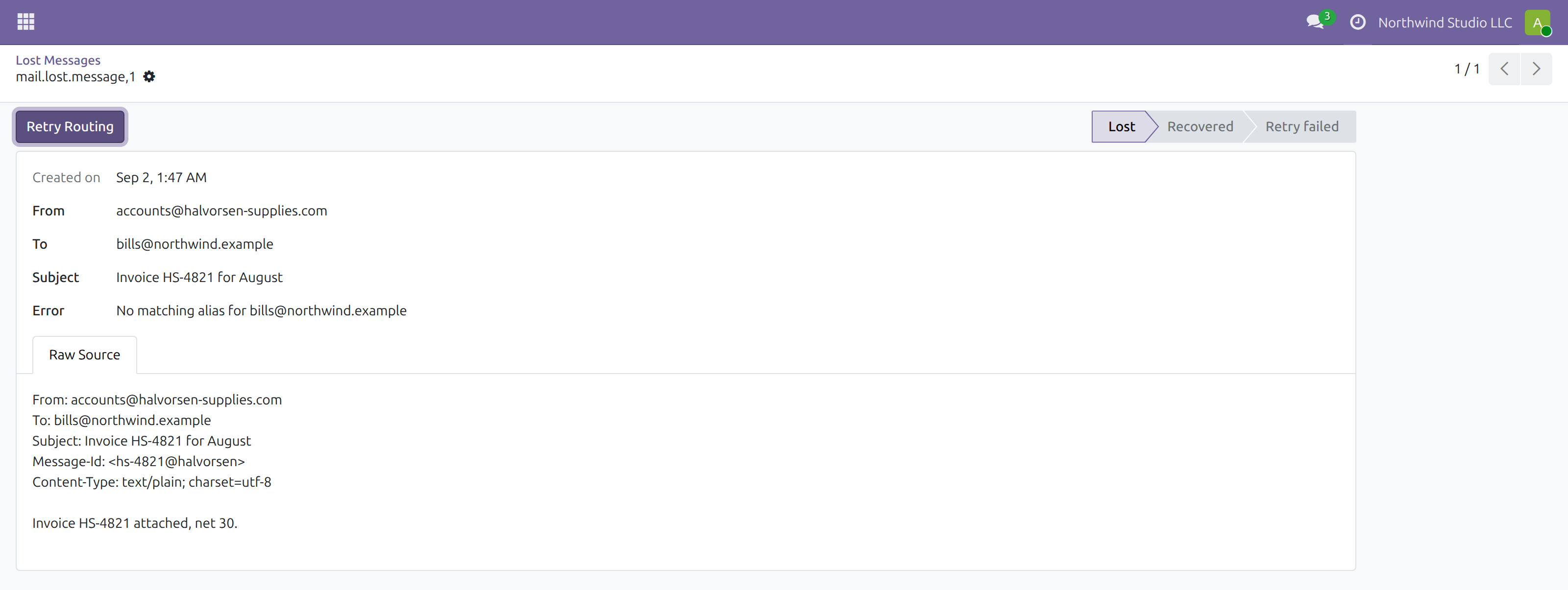
A supplier invoice that failed on a missing alias, with its raw source kept and one button to route it.
What it does
Routing rules
Match a lost message on sender, recipient or subject, and name the model it should have created a record in. Every condition you fill in must match, and the lowest sequence wins when more than one rule fits.
Retry, through Odoo's own routing
The stored raw message is fed back through the same mail processing that failed, against the model the rule names. The record is created exactly as it would have been - nothing is reconstructed or guessed from the headers.
Rules can be written after the fact
Matching runs against the headers already captured, so a message that failed months ago can still be routed. The rule does not have to have existed when the email arrived, which is the whole point - you rarely know the alias was wrong until mail starts going missing.
It refuses the things that go wrong
A message already recovered is not retried, because that would create a second copy of the record. A message captured without its raw source says so plainly instead of failing with a confusing routing error. A rule with no conditions is refused - it would swallow every lost message into one model.
The outcome is on the record
Recovered, or failed with the reason kept. A recovered message links straight to the record it produced, so you can check it landed where you meant rather than trusting a success message.
Screenshots
Requirements
- Odoo 19.0, Community or Enterprise.
- Odoo.sh or On-Premise only. Third-party apps cannot be installed on Odoo Online (SaaS) databases — check your hosting before buying.
- Odoo 19 Community or Enterprise, with Discuss. Installs the free Lost Messages Routing , which does the capturing. Only models that accept incoming mail can be targeted.
- Module
mh_lost_message_recovery, version 19.0.1.0.11, licensed OPL-1.
Related apps
Eleven access tools in one app, from who-can-do-what across every model to safe offboarding
See exactly what every user can read, write, create and delete across every model, resolved through group inheritance and record rules
Set the default list view columns for a model and assign them per group, so a team opens the same layout instead of rebuilding it