Mail Template Companies
A separate email template for each company, so a quotation or invoice of company B is sent with company B wording
Request a live demo · Odoo.sh or On-Premise only, not Odoo Online (SaaS).
1
variant per company for each email template
4
Odoo render and send entry points the swap hooks into
32
automated tests, none failing
0
outgoing calls: it only changes how Odoo renders and sends
the only Odoo module it depends on
Copy
a variant is a copy; it does not follow later edits to the original
Odoo keeps one email template per document type for the whole database. In a multi-company group, a quotation, an invoice or a purchase order of company B goes out with the wording written for company A. Mail Template Companies lets a template carry one variant per company. This page walks through it with screenshots of an Odoo 19 database with two made-up companies, and says where it stops.
How it works
Why variants
Odoo picks the template first and renders it per record afterwards. The company is only known at render time, so that is where this app swaps.
1 Variants: one copy of the template per company
Use it when two companies in one database need different wording, sender or attachments.Editors of email templates
The quotation template holds one subject and one body. Company B's customers receive company A's wording, name and footer.
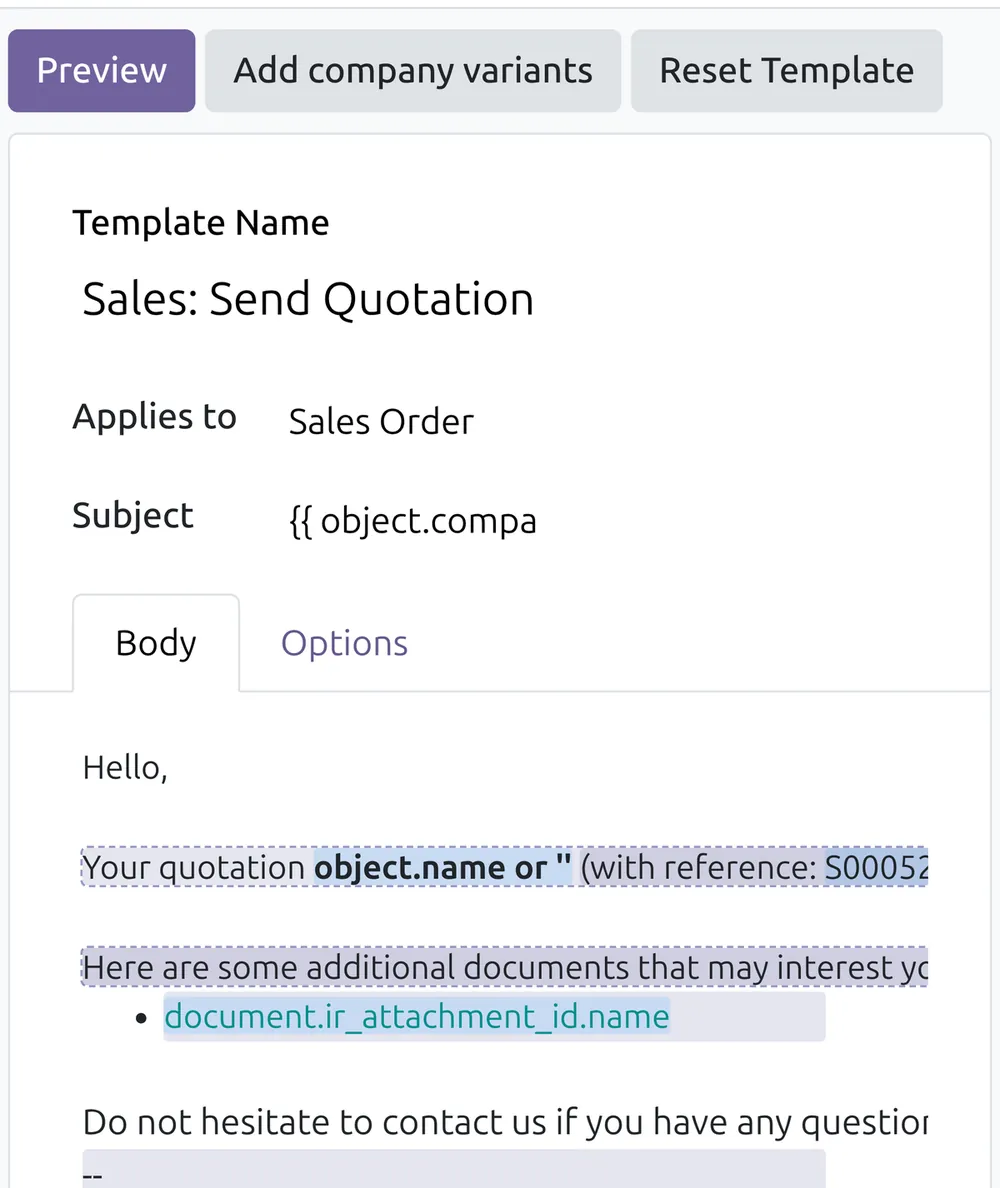
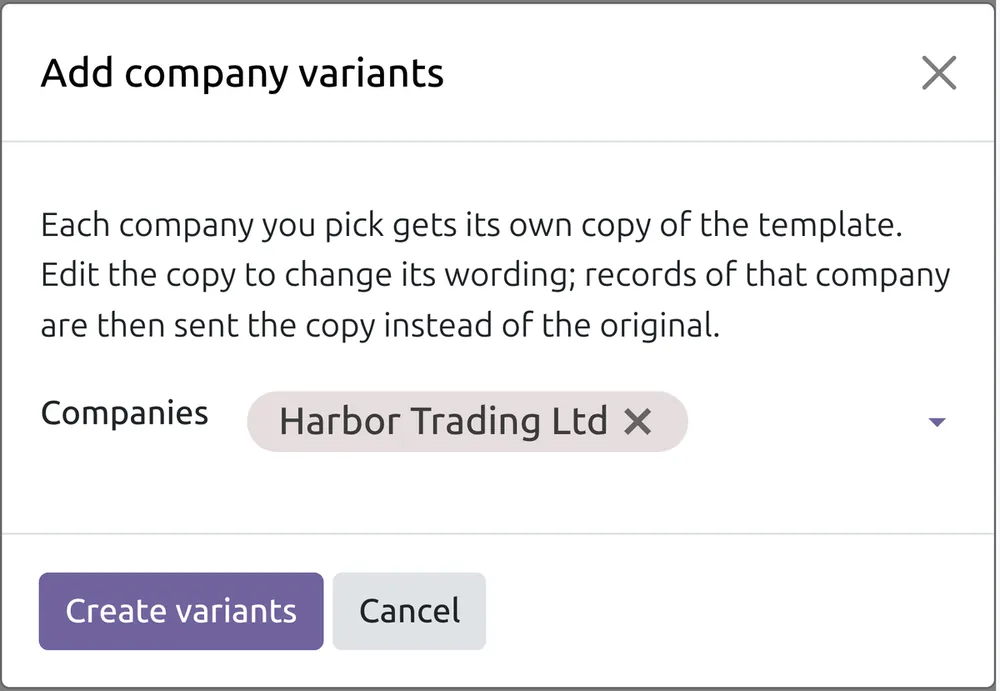
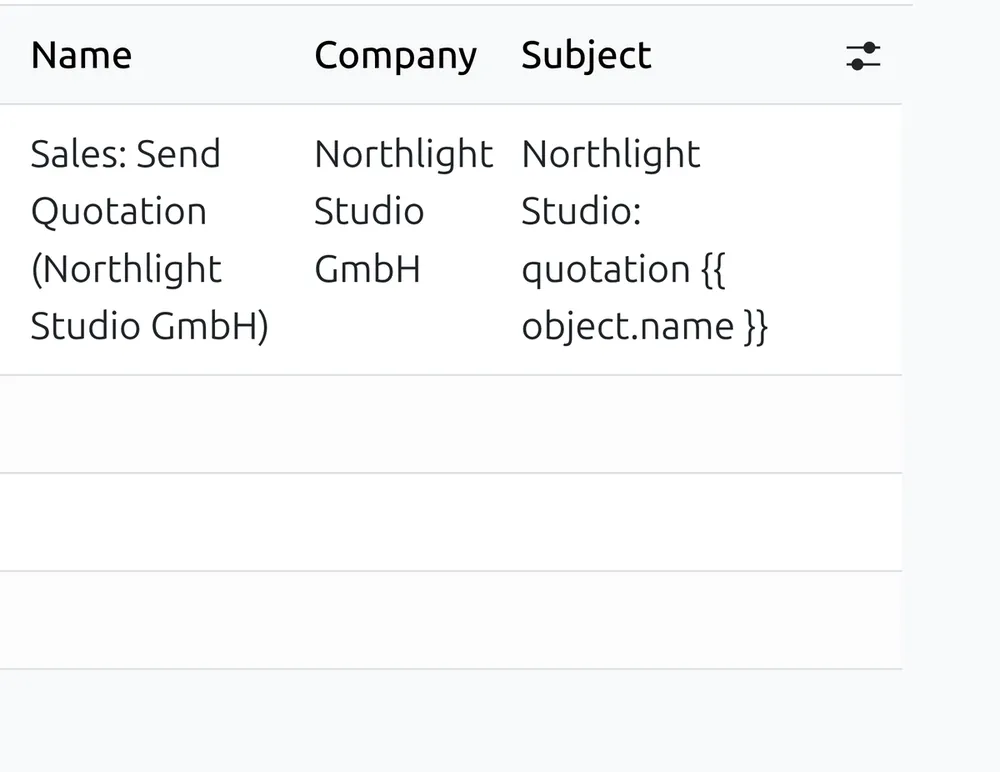
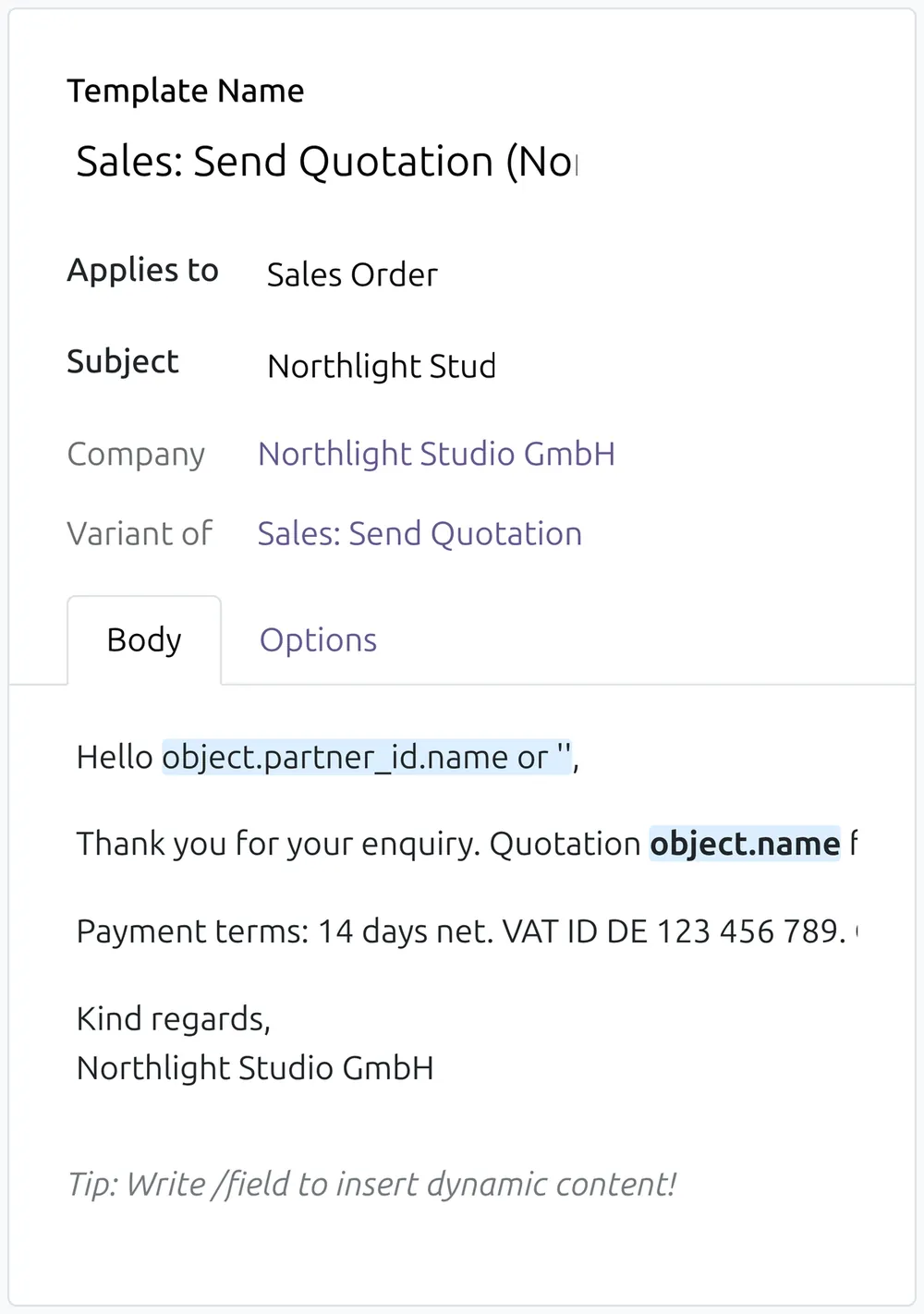
Open an email template (for example Sales: Send Quotation) and press Add company variants . Pick the companies; each gets a copy named after the template and the company, which you edit like any other template. A Company variants button on the original lists them. A variant's form shows its Company and the template it is a variant of.
The original template, with the Add company variants button.
The dialog offers the companies that have no variant yet.
The variants of the quotation template, with their company and subject.
A variant: its own subject and body, and the company it belongs to.
Harbor Trading Ltd and Northlight Studio GmbH share a database. The quotation template got a variant for Northlight with its own subject, sender and a body that names Northlight Studio GmbH and its payment terms. Harbor Trading, which has no variant, keeps the original. In the dialog above only Harbor Trading was offered, because Northlight already had its variant.
The dialog offers only the companies you have switched on. A template can have one variant per company, a variant cannot have variants, and a variant must apply to the same model as its original.
2 At send time: the record's company decides
Use it when a quotation of company B is sent from the Send button.Original template unchanged
Template pickers and server actions hand Odoo the original template and only later render it for a record. Swapping the template in each of them would miss most paths.
Nothing new: you press Send as usual. Subject, body, sender, reply to, recipients, language, attachments, layout and mail server of the variant are used for records of its company. A record of a company without a variant gets the original. A record with no company gets the variant of the sending company.
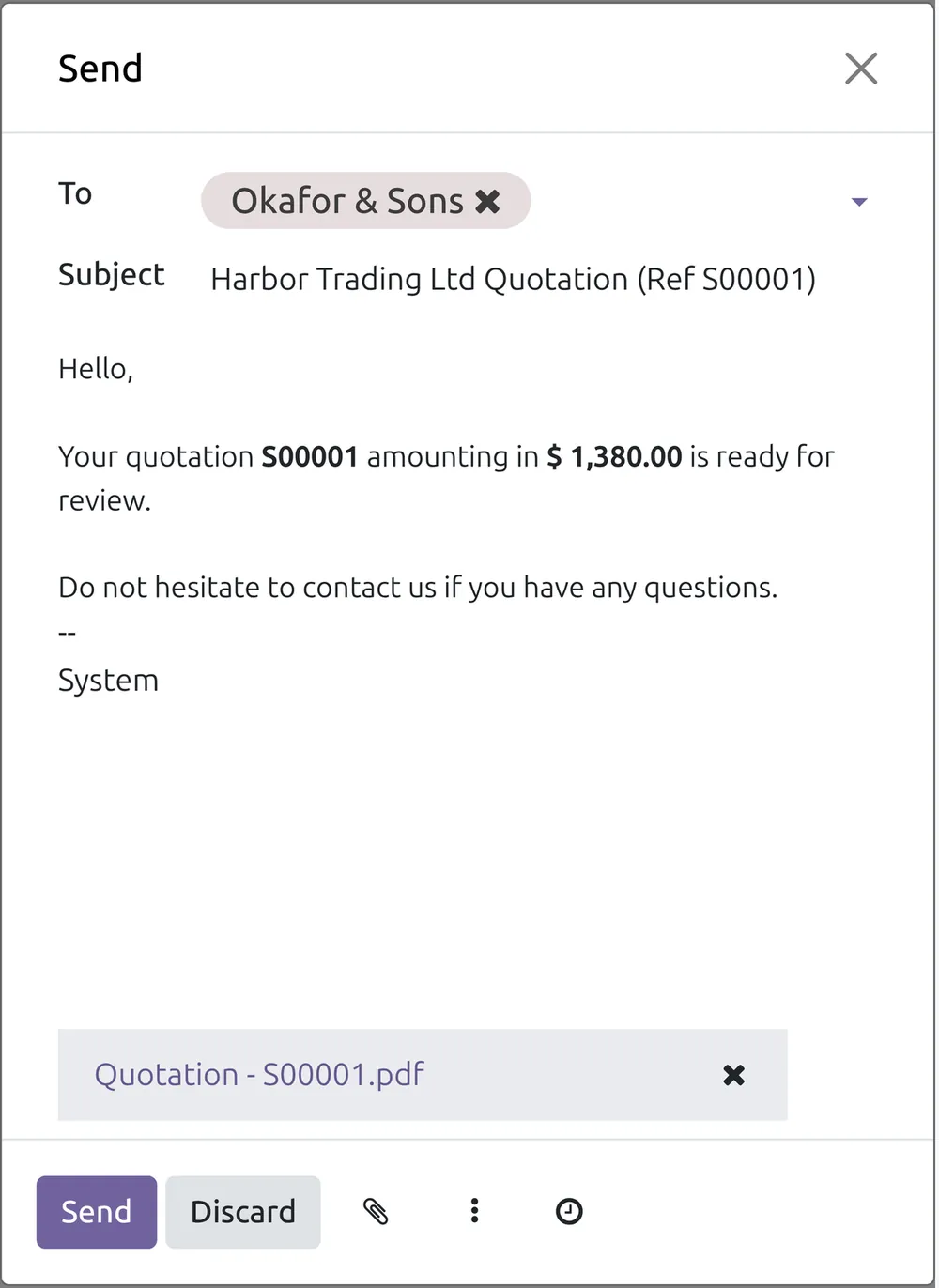
Quotation S00001, company Harbor Trading Ltd: the original wording.
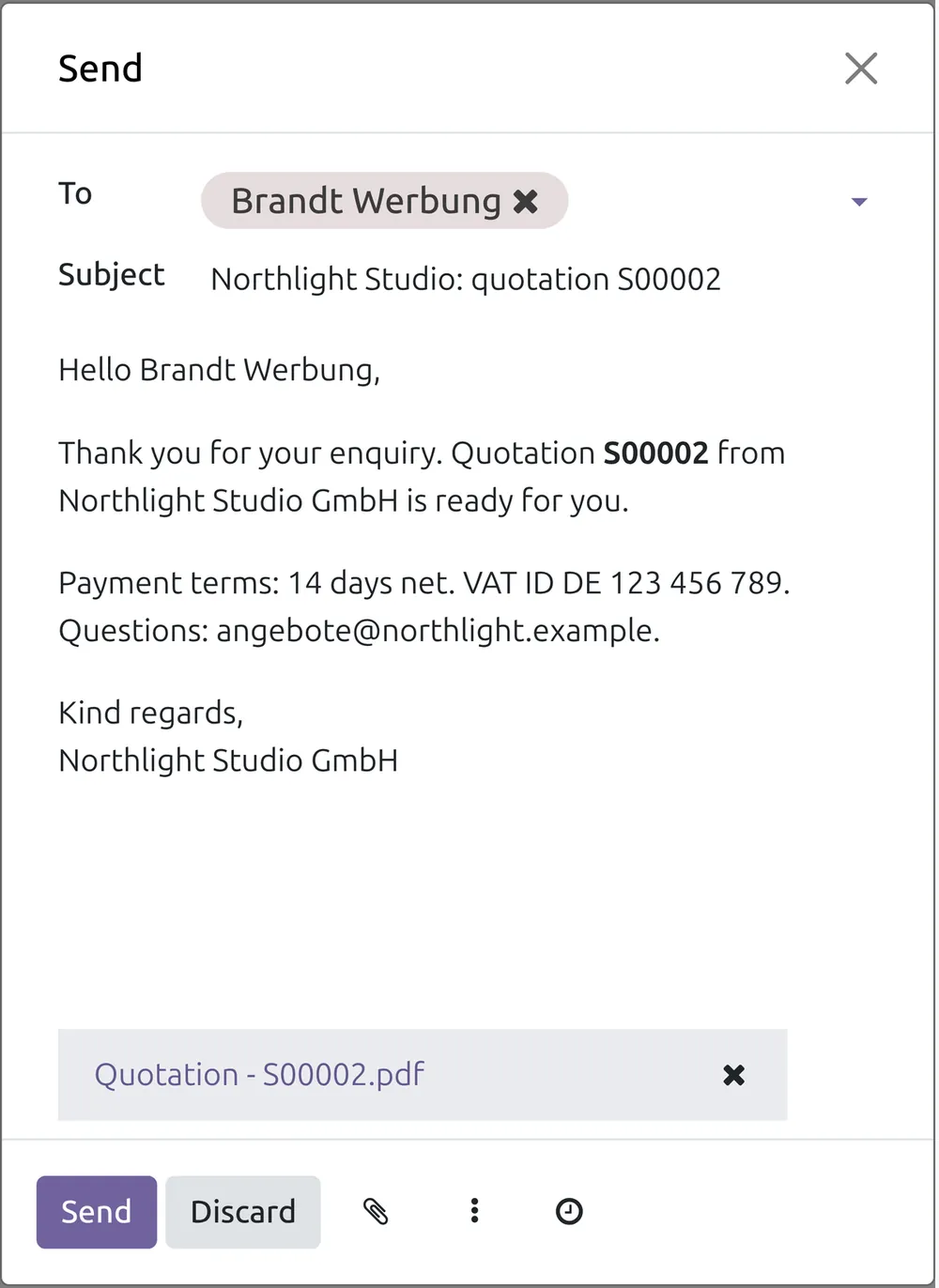
Quotation S00002, company Northlight Studio GmbH: the variant, from the same template.
Both dialogs come from Sales: Send Quotation. The first order belongs to Harbor Trading, the second to Northlight Studio. Picking a company's variant by name for a record of another company still sends that record its own company's wording.
It does not set a different outgoing mail server or from address by itself; put them on the variant.
Two of Odoo's send screens take only part of the variant. Invoice Send and Print takes subject, body, language and reply to from it, but its attachments, mail server and recipient defaults still come from the original template. The composer in mass mode renders subject and body per record from the right variant but takes sender, reply to, attachments and mail server from the template you picked.
3 Mixed batches are split per company
Use it when one send covers records of several companies.One mail per record
A batch send over records of two companies would otherwise use one template for all of them.
Records are grouped by company and each group is rendered with its own variant; companies without a variant get the original.
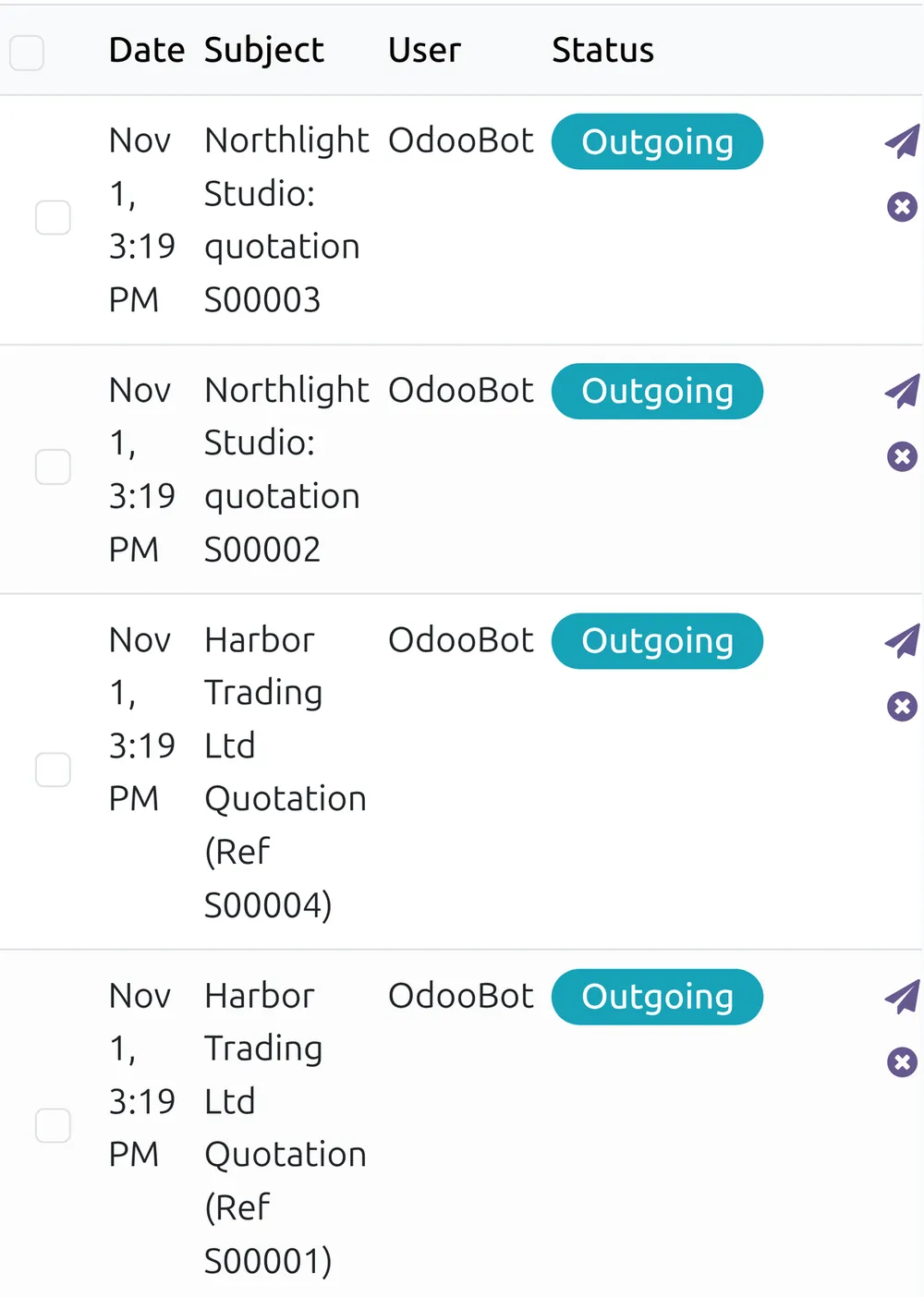
One batch over four quotations: two mails with the Harbor Trading wording, two with the Northlight Studio wording.
A single send of the quotation template over four quotations, two per company, queued four mails. The two for Northlight Studio carry the variant's subject and sender angebote@northlight.example; the two for Harbor Trading carry the original.
It does not keep variants in sync with the original, translate, or change email signatures.
4 Who sees the variants
Use it when each company's staff should only see their own templates.Sending is not affected
Variants carry a company's wording and should not clutter other companies' users.
A variant is visible only to users who have its company switched on. Original templates stay visible to everyone, as before. Sending reads variants as the system, so a record of another company still gets its own company's wording whoever presses Send.
A user working only in Harbor Trading does not see the Northlight variant in the template list. A quotation of Northlight sent by that user still goes out with the Northlight wording.
Behaviour on Odoo Enterprise and on Odoo.sh was not tested.
Questions buyers ask
Does editing the original update the variants?
No. A variant is a copy made when you add it.
Does a variant use its own mail server and sender?
If you put them on the variant, yes in most send paths; the invoice Send and Print wizard and the mass composer take some of these from the original or the picked template.
What does a company without a variant get?
The original template.
Does it send data anywhere?
No. It makes no outgoing call.
Requirements
- Odoo 19.0 or 20.0. The App Store sells each version separately, so buy the one that matches your database.
- Odoo.sh or On-Premise only. Third-party apps cannot be installed on Odoo Online (SaaS) databases. Check your hosting before buying.
- Module
mh_mail_template_company, version 19.0.1.0.3, licensed OPL-1.