Multi-Company Access
Grant or revoke multiple users' company access at once, previewing default-company moves and Odoo's group changes.
The video below shows Multi-Company Access running on a real Odoo 19 database. Want it driven against your own data, or a question answered first? Ask and we will set up a session.
What it does
Bulk grant or revoke company access
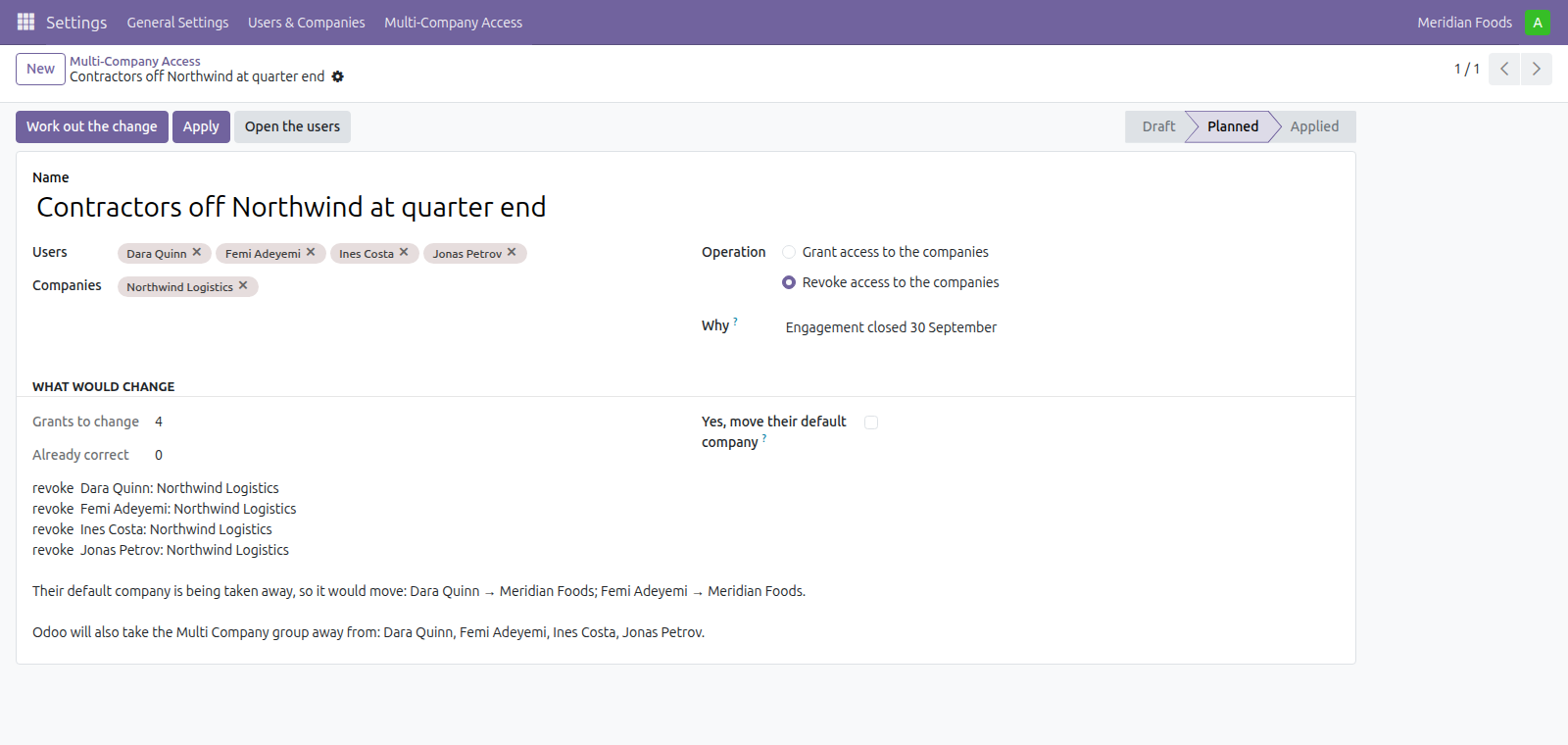
Grant or revoke access to many companies for many users at once.
Preview default-company and group changes
See the default-company moves and the automatic group changes Odoo will perform before the change is written.
Find stranded defaults and emptied users
Identify users whose default company would fall outside their allowed set and users this change would leave with no company.
Plan first, apply second
Work out the change and read what it would do, then apply it as a separate step. A plan whose selection has moved since is refused rather than applied.
Open the affected users from the plan
Open the affected users directly from the plan to inspect or edit them before applying.
What it does not do
It does not give different access rights in different companies. Odoo groups are global - a Sales Manager is a Sales Manager in every company - and this app does not change that. It cannot be done safely: Odoo caches a user's group membership per user with the context deliberately stripped, and a user can have several companies active at once, so anything rewriting groups on a company switch would hand a second browser tab the wrong rights. What this changes is which companies a user may work in.
It changes visibility, not history. Revoking a company does not touch the records somebody already created there. It changes what they can reach from now on.
It leaves companies it was not asked about alone. Only the companies named in the change move. A bulk tool that rewrote the whole list would drop access nobody mentioned, and the person who lost it would have no way to find out why.
Screenshots
Requirements
- Odoo 19.0, Community or Enterprise.
- Odoo.sh or On-Premise only. Third-party apps cannot be installed on Odoo Online (SaaS) databases — check your hosting before buying.
- Odoo 19 Community or Enterprise, no other module needed. Third-party apps install on Odoo.sh or On-Premise only — they cannot be installed on Odoo Online (SaaS).
- Module
mh_multi_company_access, version 19.0.1.0.8, licensed OPL-1.
Related apps
Move Odoo attachments out of the filestore into a Google Drive folder, using Odoo 19 own cloud storage migration - Drive is the provider Odoo does not ship
Hide or lock any field for the groups you choose, on any model, enforced by the server and not just hidden in the form view
Write a record rule and see how many records it actually leaves a chosen user, counted for real before you save it