Portal Stale-Grant Badge
Find the portal logins you granted years ago and nobody ever used
The video below shows Portal Stale-Grant Badge running on a real Odoo 19 database. Want it driven against your own data, or a question answered first? Ask and we will set up a session.
Portal access is easy to grant and easy to forget. Odoo records the last sign-in for every portal account, but only ever shows it one contact at a time, buried inside the Grant Portal Access dialog. There is no list, no filter, no badge.
So the accounts nobody has touched since the day they were created are exactly the ones you never see - and they keep working.
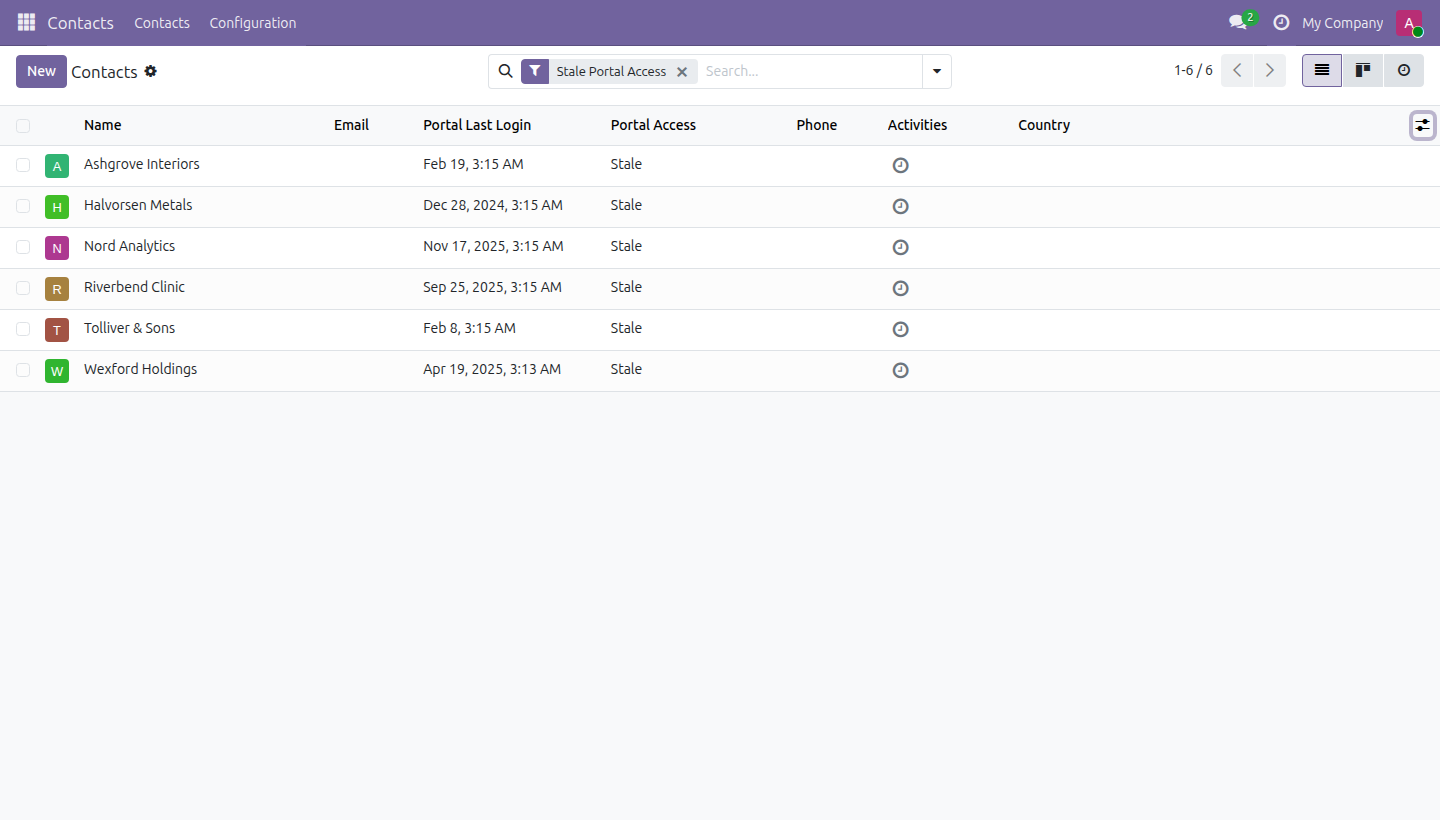
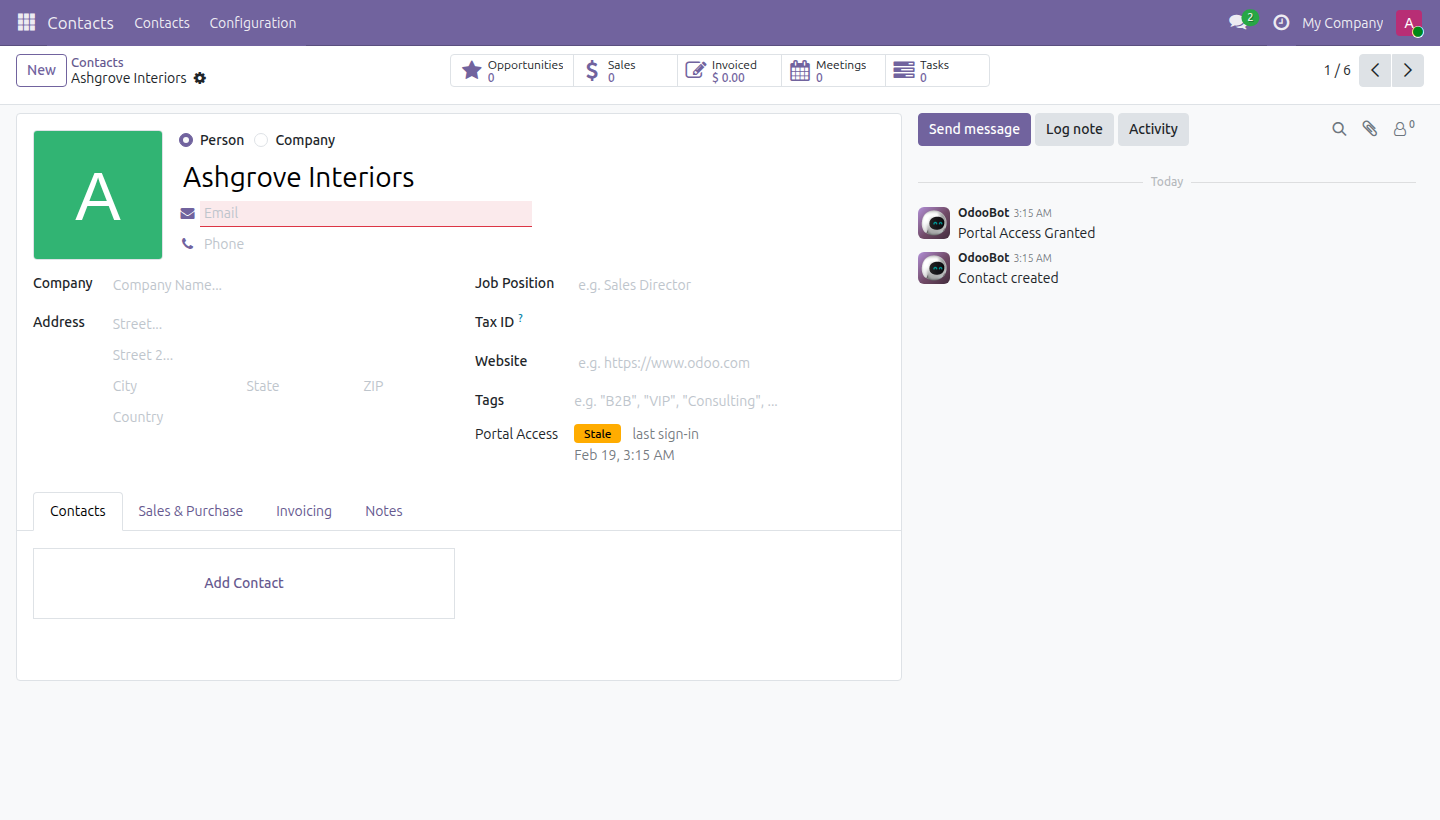
This app puts that state on the contact: a badge reading Never Used , Stale or Active with the date behind it, plus two search filters so a whole database can be swept in one search.
What it does
Sweep the whole address book
One filter, and every portal account nobody has signed into is on the screen - with the date of the last sign-in in an optional column.
And read it on the contact
The badge sits on the contact form, next to the fields you already read.
Never quietly out of date
The state is computed on read, not stored and refreshed by a nightly job - so "stale" always means stale as of right now, not as of the last cron run.
One setting, and that's it
Set the staleness window in days (default 180) under Settings. No new model, no new menu, no per-contact configuration.
Screenshots
Requirements
- Odoo 19.0, Community or Enterprise.
- Odoo.sh or On-Premise only. Third-party apps cannot be installed on Odoo Online (SaaS) databases — check your hosting before buying.
- Module
mh_portal_stale_grant, version 19.0.1.0.8, licensed OPL-1.
Related apps
Per-field anonymization, a legal hold override, and an append-only purge log - not a Data Recycle clone
Real WCAG violations, found in your rendered pages - not another overlay widget
The Article 33 72-hour clock starts the moment you log the incident