POS A4 Receipt
An invoice style A4 PDF of any POS order, from the receipt screen at the till and from the backend.
Request a live demo · Odoo.sh or On-Premise only, not Odoo Online (SaaS).
Free
App Store price, per Odoo version
19 · 20
Odoo versions, each sold on its own page
Odoo.sh
or On-Premise; not Odoo Online (SaaS)
1.0.1
version of mh_pos_a4_receipt
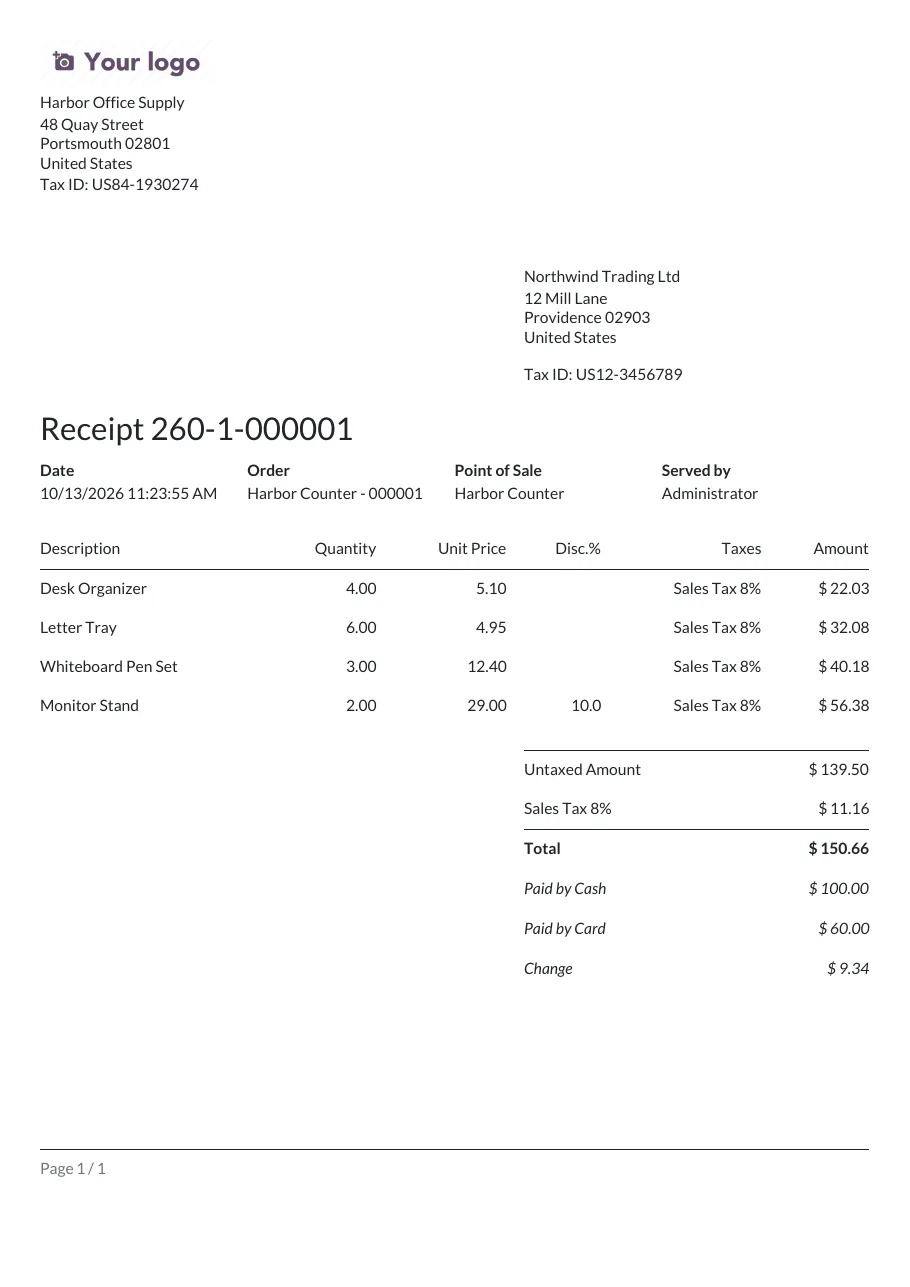
The Point of Sale receipt is made for an 80 mm thermal printer. Business customers ask for the receipt on A4 paper, laid out like an invoice, and Point of Sale has no A4 version of it. This app adds one: a PDF of the order with your company header, the customer, the lines, the taxes, the payments and the change.
How it works
A4 Receipt at the till
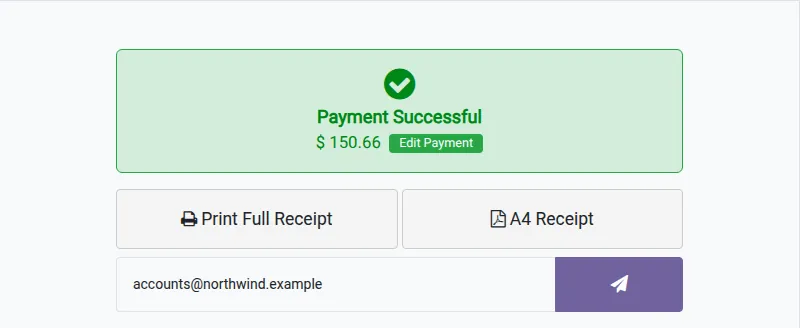
After payment, the receipt screen gets an A4 Receipt button on Odoo 19, and an A4 Receipt entry in the Print menu on Odoo 20. It downloads the PDF of that order.
Any order, from the backend
In Point of Sale > Orders > Orders, the Print menu has A4 Receipt for one order or for several selected orders, so a customer who comes back next week can still have one.
Laid out like an invoice
Your company header and footer from the document layout, the customer's address and tax ID when the order has a customer, and the order's date, number, Point of Sale and cashier. Lines show description, quantity, unit price, taxes and amount, plus a discount column when a line carries a discount.
Totals that add up
Untaxed amount, each tax, a Rounding line when the order was cash rounded, the total, how it was paid by payment method, and the change given. A refund prints as a Refund Receipt with negative amounts. Every figure is read from the order as Odoo stored it, and the taxes come from Odoo's own tax engine.
One switch per Point of Sale
Settings > Point of Sale > Bills & Receipts has an A4 Receipt setting, on by default. Turning it off removes the entry at the till for that Point of Sale; printing from the backend stays available.
Who it is for
Shops that sell to businesses and are asked for a proper document, not a till slip: trade counters, wholesalers with a counter, and any shop whose customers claim the purchase as an expense.
Screenshots
What it does not do
- The PDF is made by the server. An order paid while the till is offline has not reached the server yet, so the till says so, instead of failing without a word, and the order can be printed from the backend once it has synced.
- It does not replace the thermal receipt and does not change it. It is not an invoice: nothing is created or posted, and the invoice number is shown only if the order was already invoiced. The paper is A4 portrait whatever your default paper format is; there are no other sizes and no layout editor, and the header and footer are your company's document layout. It does not email the receipt or print on its own after payment. On Odoo 19 the till button is on the receipt screen after payment only, not in the order list.
Requirements
- Odoo 19.0 or 20.0. The App Store sells each version separately, so buy the one that matches your database.
- Odoo.sh or On-Premise only. Third-party apps cannot be installed on Odoo Online (SaaS) databases. Check your hosting before buying.
- Odoo 19 and 20, Community or Enterprise, with Point of Sale; nothing else to install. Third-party apps install on Odoo.sh or On-Premise only - they cannot be installed on Odoo Online (SaaS).
- Module
mh_pos_a4_receipt, version 19.0.1.0.1, licensed OPL-1.