POS Card Charges
Credit card surcharge or POS fee by payment method: a percentage, a fixed amount or both, added as an order line when the card payment is added, on the receipt
Request a live demo · Odoo.sh or On-Premise only, not Odoo Online (SaaS).
50.68
card line for a 49.68 bill at 1.5% + 0.25: the charge (1.00) is worked out on the part the card pays and added as its own order line
10
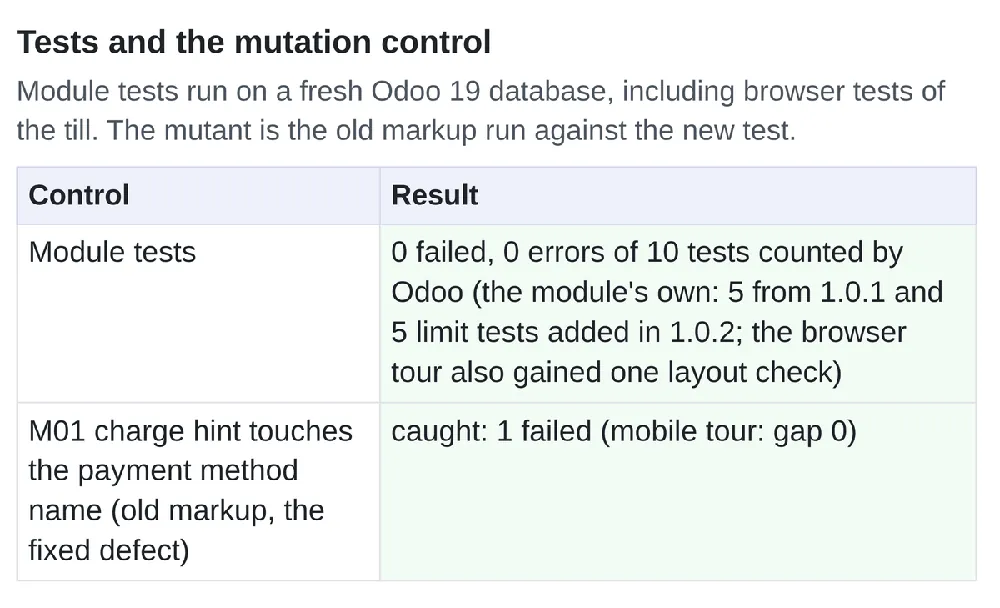
tests in the run, none failing, including browser tests of the till (5 added in this release)
490100
the charge posts to the charge product's own income account: on the invoice, in Orders Analysis and at session closing
0
network calls, scheduled actions or access rules added
1
display defect fixed in this release: the charge hint touched the method name on narrow lines (section 7)
Not
checked: Enterprise, Odoo.sh, several companies, terminals, restaurant, cash rounding, loyalty, and any legal question (see Before you install)
Odoo's point of sale takes a card payment for the bill and has no place to say that paying by card costs the shop something. With this app a payment method gets a percentage and a fixed amount. When the cashier adds a payment line of that method, the app works out the charge on the part of the bill the line pays, adds one Card Charge line to the order and raises the payment line by the charge. This page walks through it with screenshots of a real cashier session on an Odoo 19 database holding a made-up homeware shop, with readings taken from the database afterwards, and with the limits found when it was tested.
A charge is money taken from a customer, so this page also says what the app changes, what it keeps, and what it does not check. The merchant is responsible for checking that card surcharging is allowed where they trade.
Install it and a payment method gains Charge (%) , Charge (fixed) and Charge Product , and the payment screen shows incl. charge on the card line. It needs Odoo's own Point of Sale and nothing else.
How it works
1 Set the charge on a payment method
Use it when you decide what a card payment costs the customer.Writes settings
Odoo's payment methods have no field for what a payment costs.
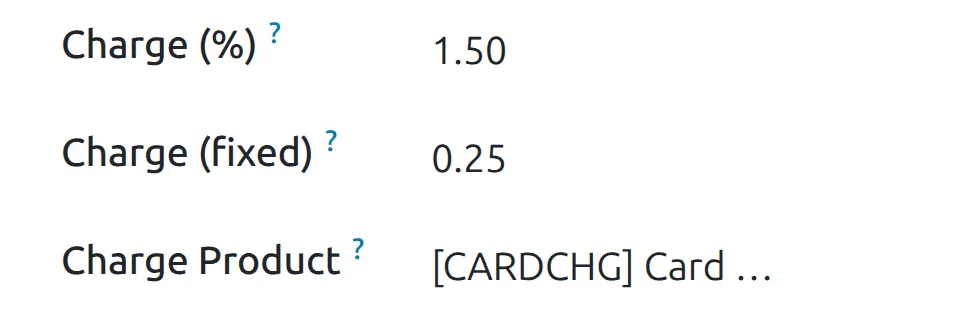
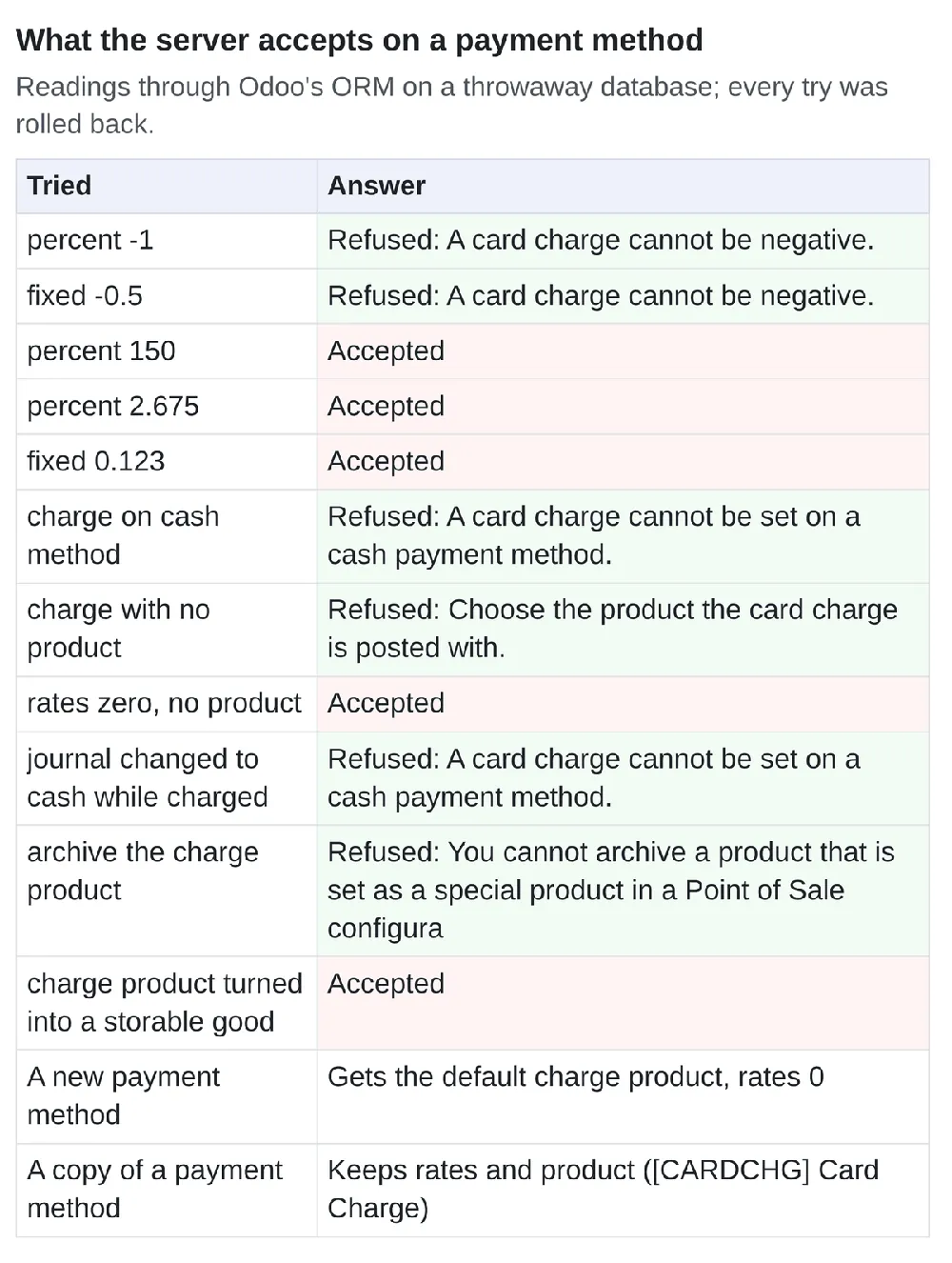
Open Point of Sale > Configuration > Payment Methods. A non-cash method has a Card Charge block: a percentage, a fixed amount in the currency of the point of sale, and the product the charge is posted with (it posts to that product's income account and carries that product's taxes). A new method gets the default Card Charge product with both rates at 0, and a copy keeps rates and product. The server refuses a negative charge, a charge on a cash method, and a charge with no product. A percent above 100 and a percent with more than two decimals were accepted.
No rate per card brand: one rate per payment method. Check that surcharging is allowed where you trade.
The Card method: 1.5% + 0.25.
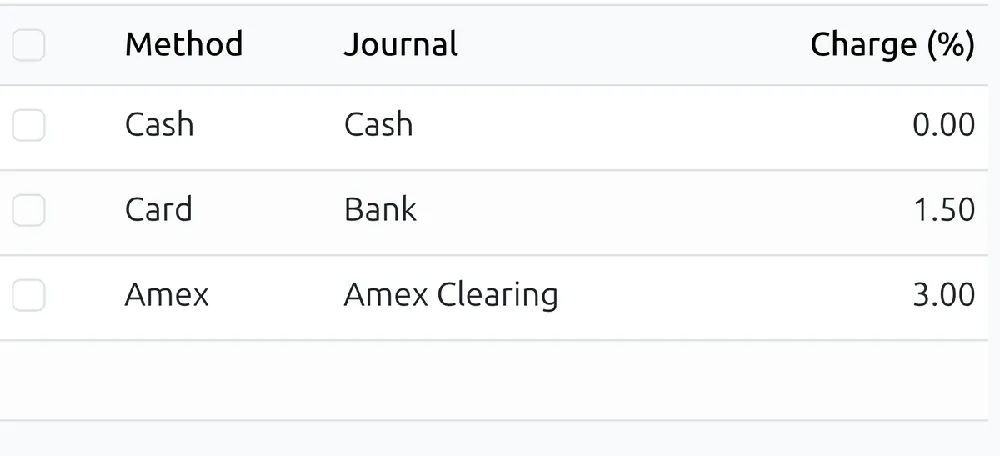
The list shows the percentage column.
What was refused and what was accepted, from ORM readings. Generated, not a live screen.
2 The charge when the card line is added
Use it when the customer sees the real total before paying.Writes on the order
A card fee added by hand is forgotten, mistyped or argued about.
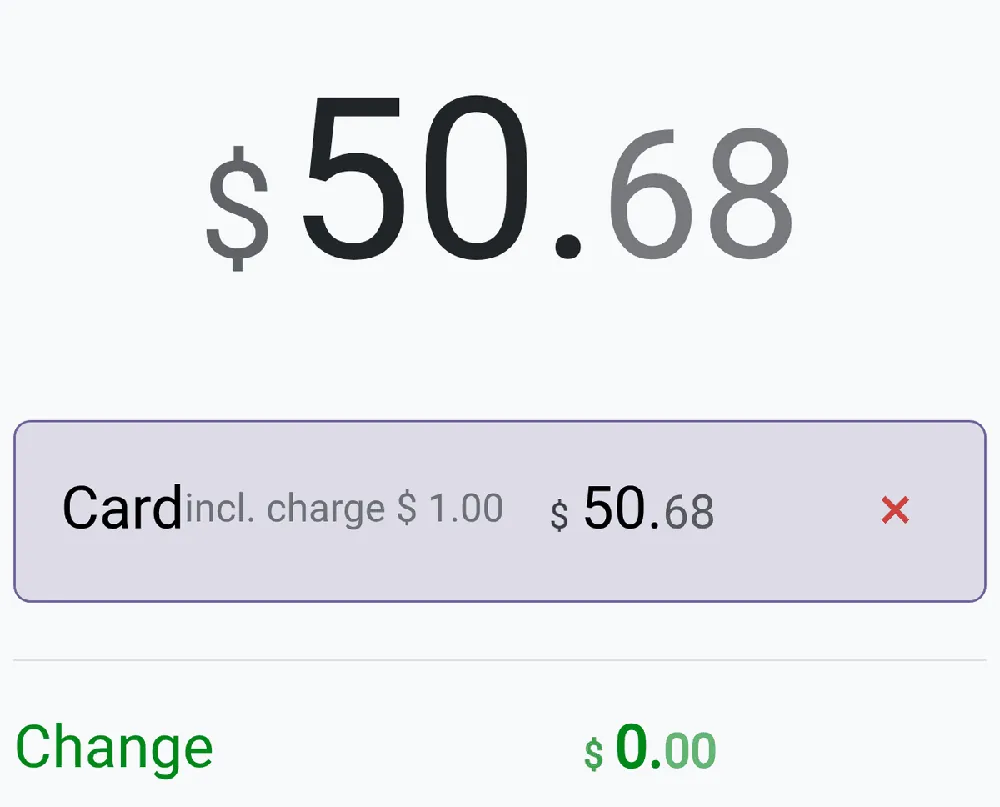
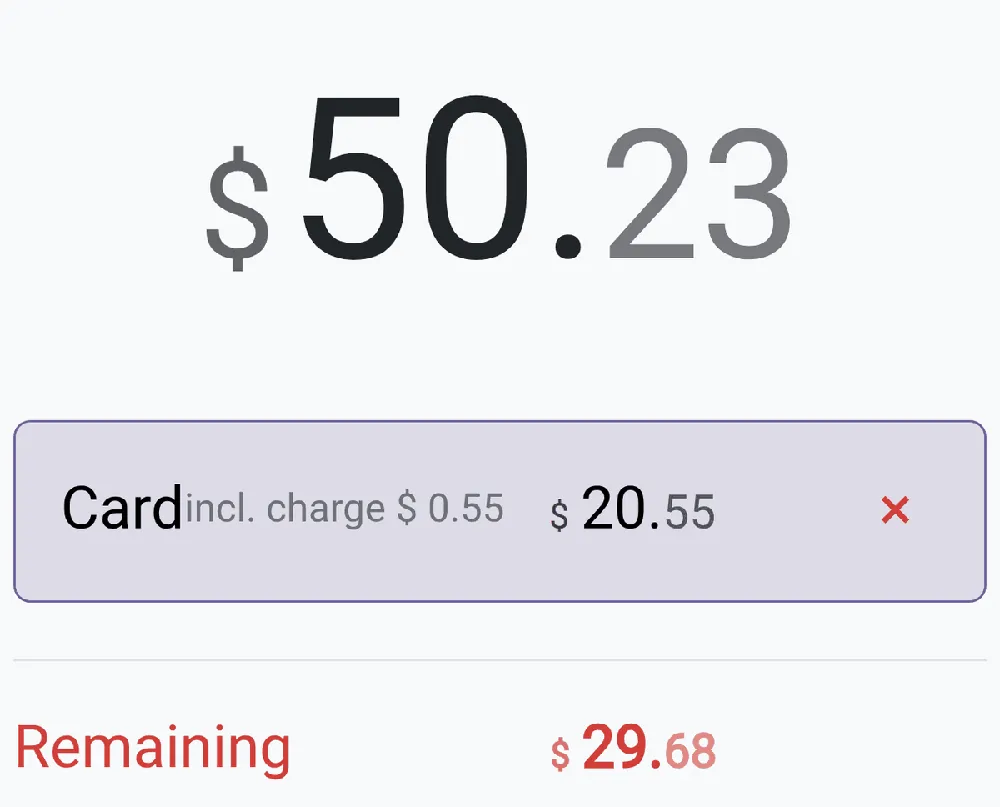
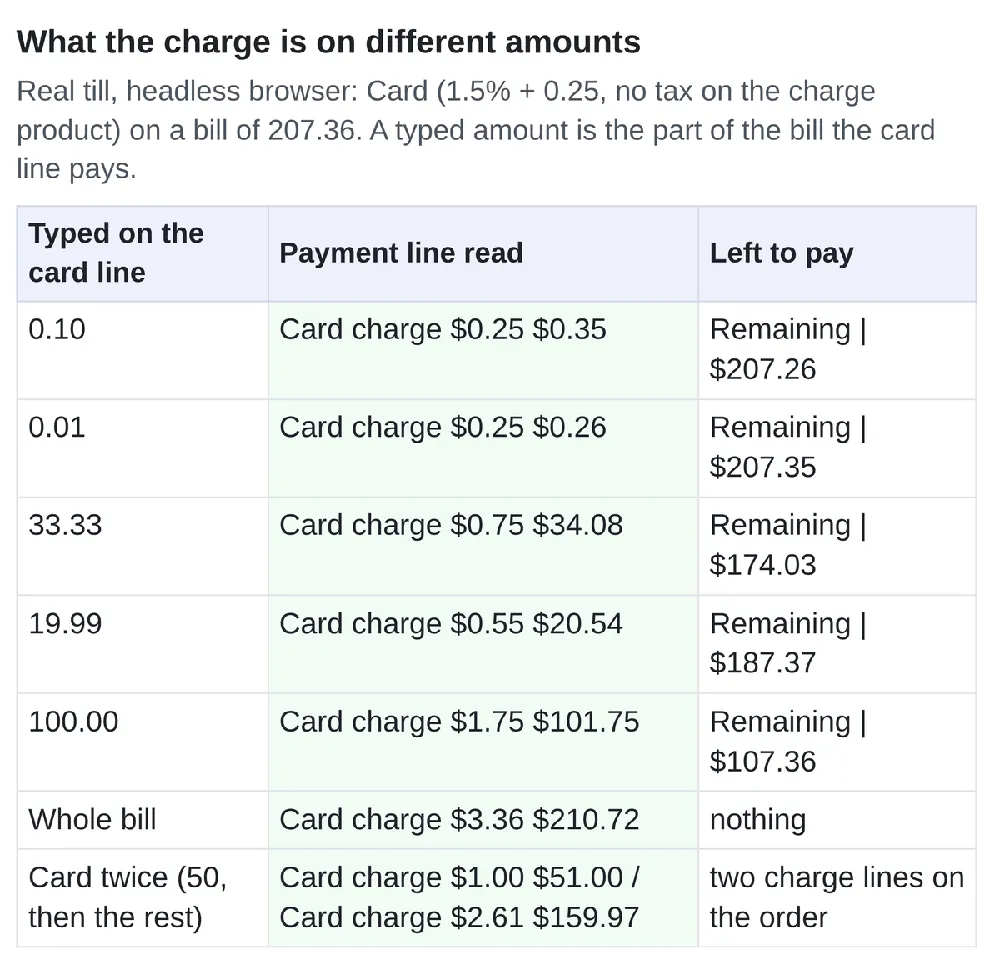
On the payment screen the cashier taps Card. The bill is 49.68 (two mugs and a spoon set with 8% tax); 1.5% of 49.68 plus 0.25 is 1.00, so the card line reads 50.68 and shows incl. charge $1.00 . The percentage applies to the part of the bill the line pays, taxes of the goods included. Typing a different amount on the line works out its own charge: 20 typed gave 0.55 and a line of 20.55 with 29.68 left to pay. The numpad edits the part of the bill the card pays, not the charged total. Deleting the payment line deletes its charge. A very small amount still gets the fixed part (0.10 gave 0.35).
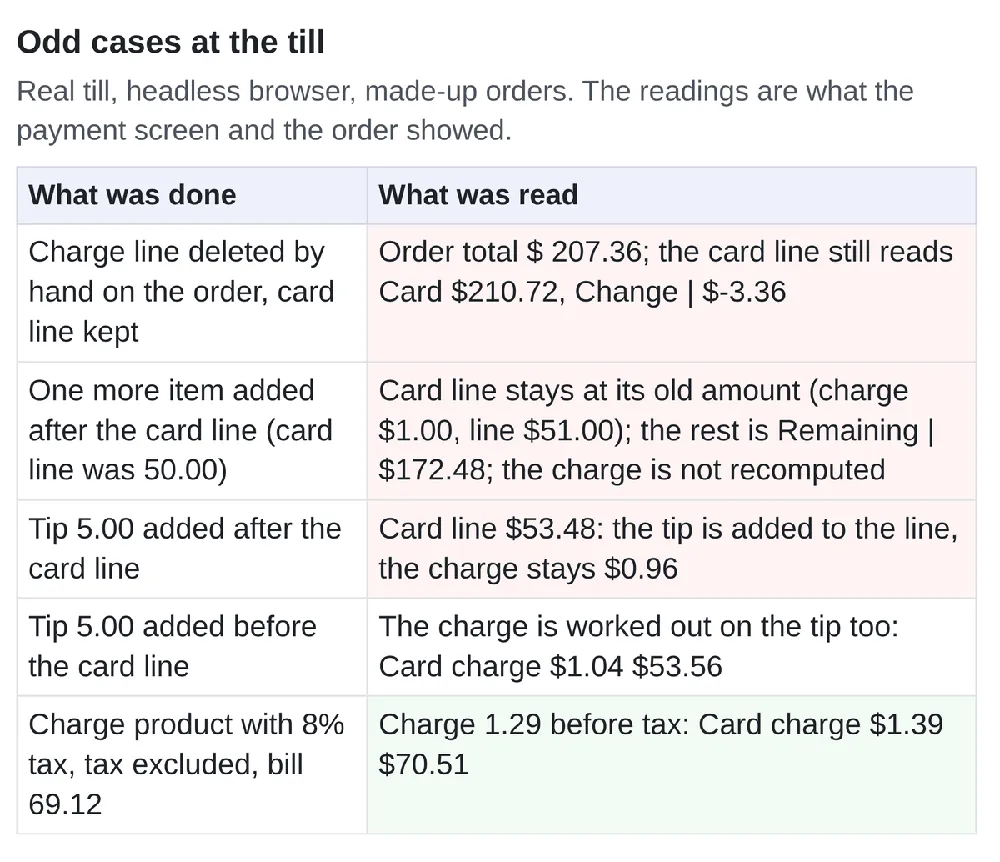
The charge is not recomputed when the order changes after the card line (section 7).
Card for the whole bill: 49.68 plus a charge of 1.00.
20 typed on the card line: its own charge of 0.55.
Real till readings for five amounts. Generated from the readings, not a live screen.
3 Split payments and several cards
Use it when a bill paid with cash and card, or two cards, is charged line by line.Writes on the order
Charging the whole bill when only part is paid by card would overcharge.
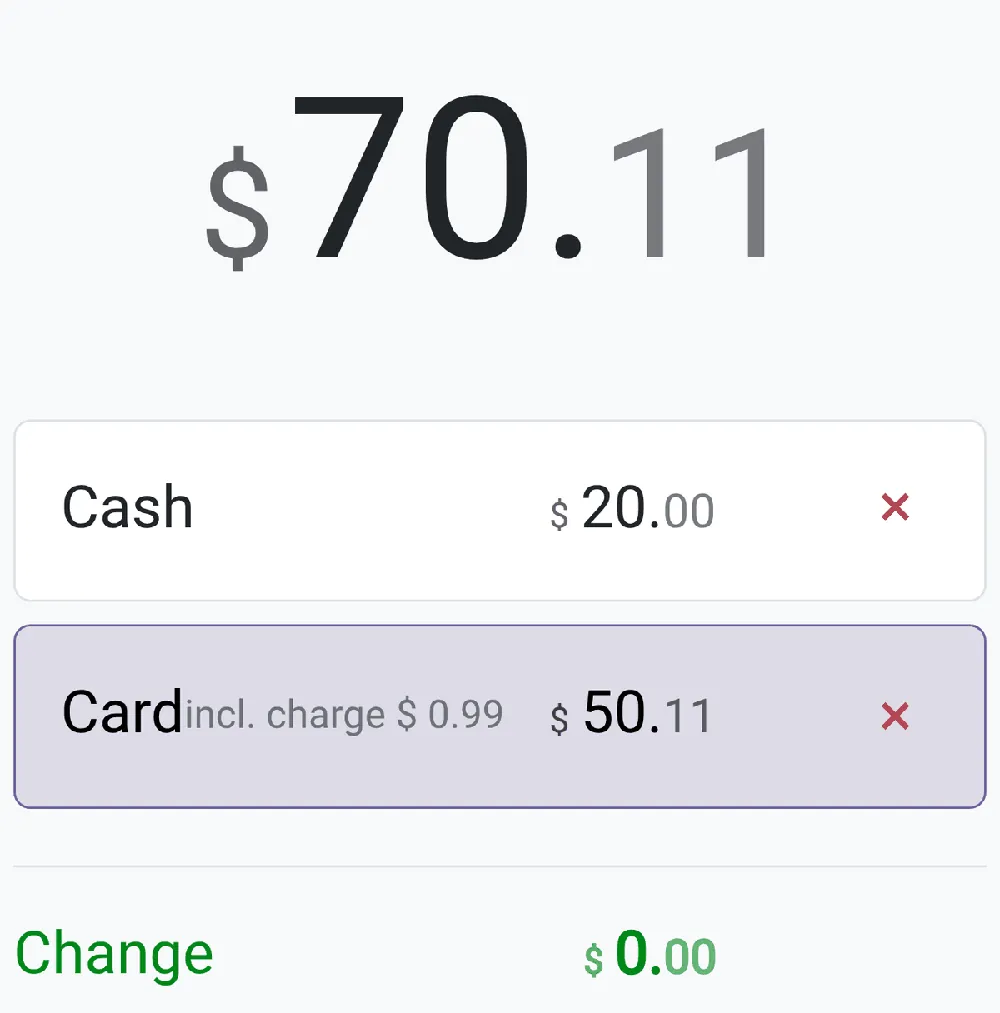
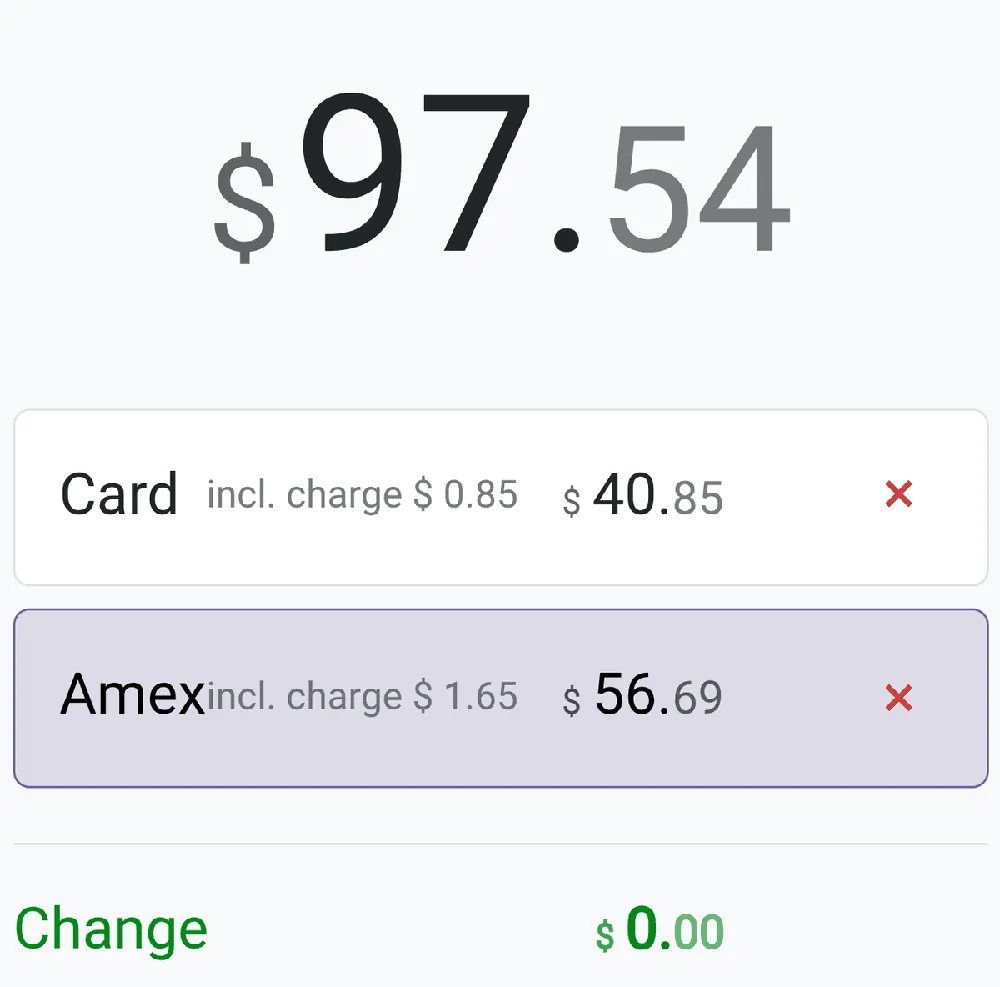
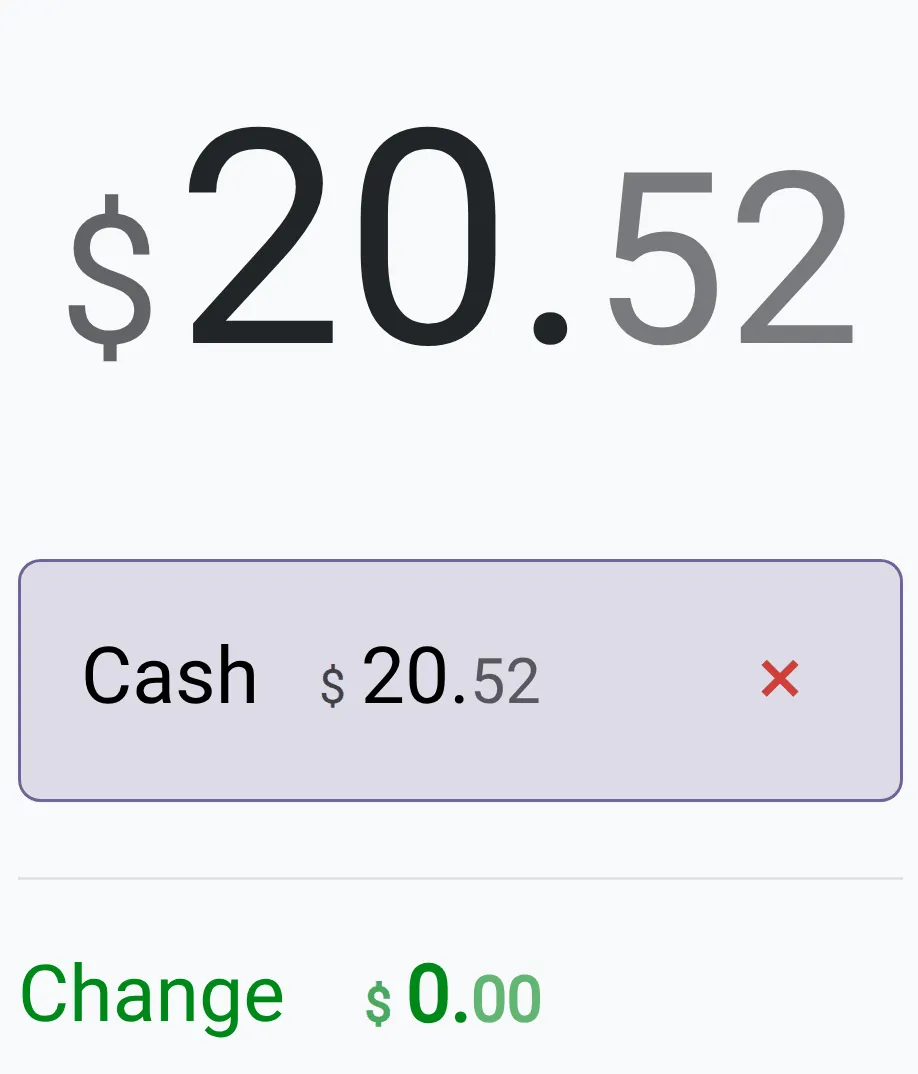
Each payment line has its own charge line. A skillet bill of 69.12 paid with 20.00 in cash and the rest by card charged only the card's 49.12: charge 0.99, line 50.11, total 70.11. Card 40.00 then Amex for the rest gave charges of 0.85 and 1.65 on one order. Cash lines are never charged (a charge on a cash method is refused by the server). The same method used twice charges its fixed part twice.
No charge on cash and none on refunds.
Cash 20.00, then card for the rest.
Two cards, two charges.
Cash only: no charge.
4 On the order, the receipt and the invoice
Use it when the charge is a normal line wherever the order goes.Reads orders
A fee that lives only in the payment amount cannot be reported or invoiced.
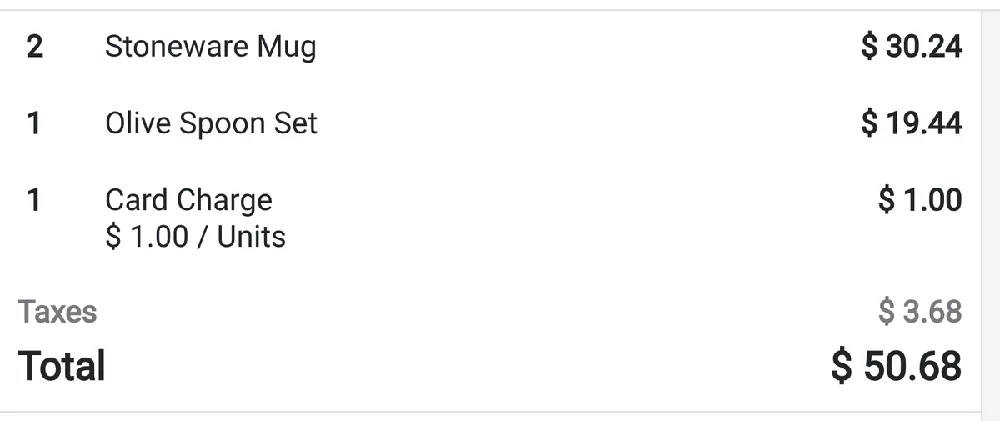
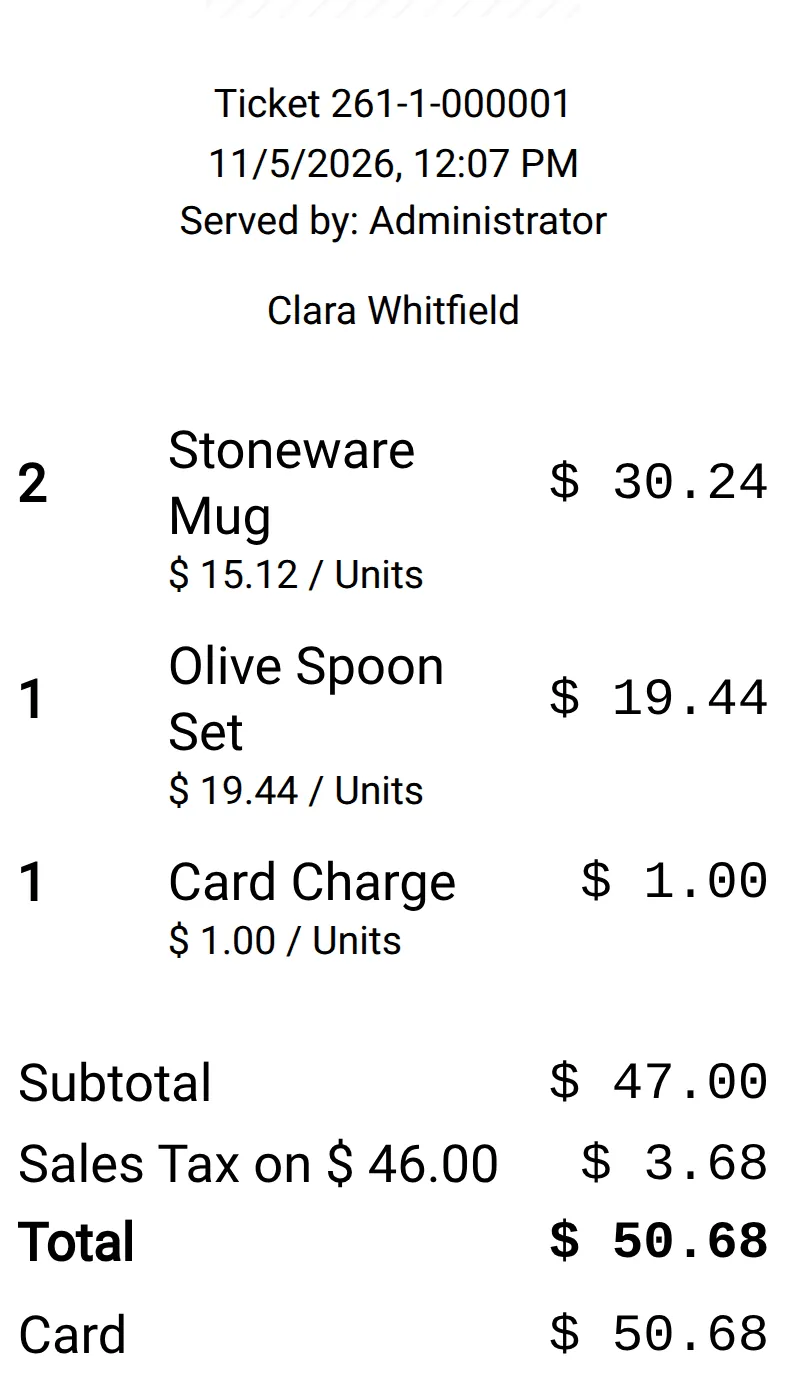
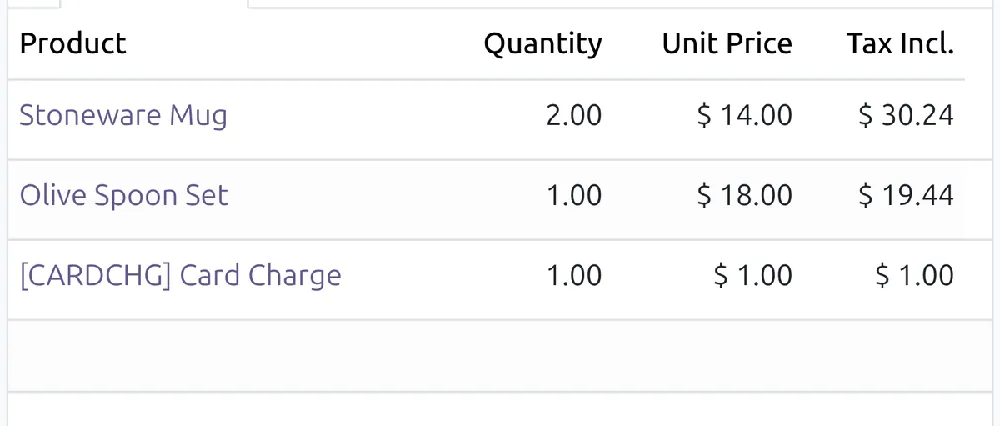
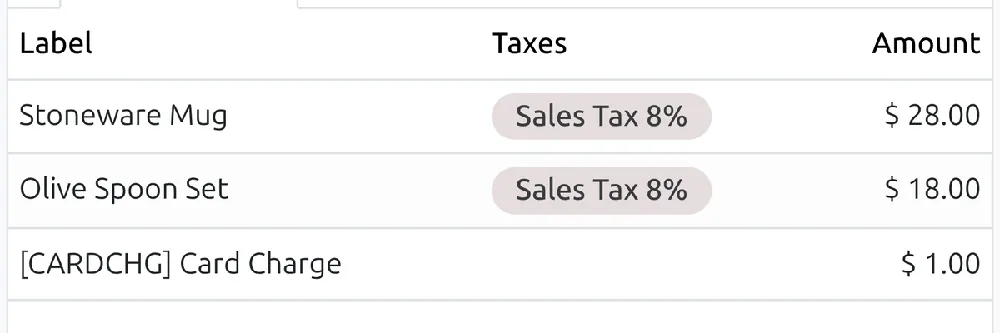
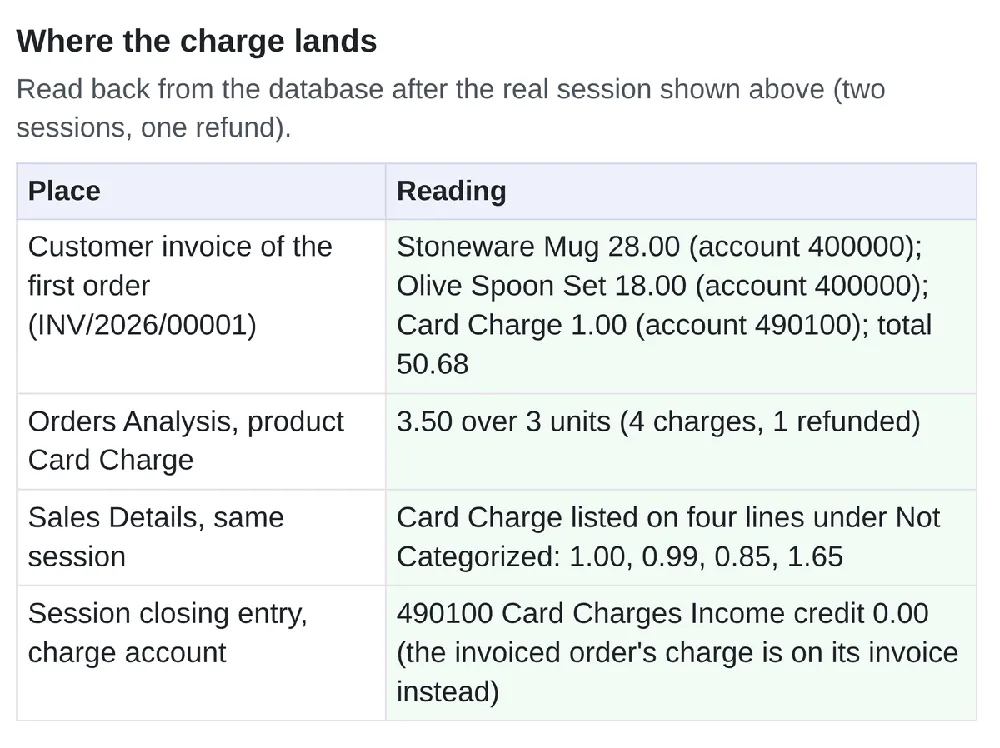
The charge is an ordinary order line of the charge product, so it is on the order form, the printed receipt, the customer invoice (Card Charge 1.00 posted to its own account), Orders Analysis (3.50 over 3 units in the demo: four charges, one refunded) and Sales Details. The charge product is kept off the product screen and cannot be archived while a method uses it.
The charge line is not meant to be edited or deleted by hand (section 7).
The order with its Card Charge line.
The receipt prints the charge as a line.
The order form in the back office.
The invoice of the first order.
5 Taxes on the charge
Use it when the charge follows the charge product's tax settings.Writes on the order
A surcharge is taxed differently in different places and the app must not guess.
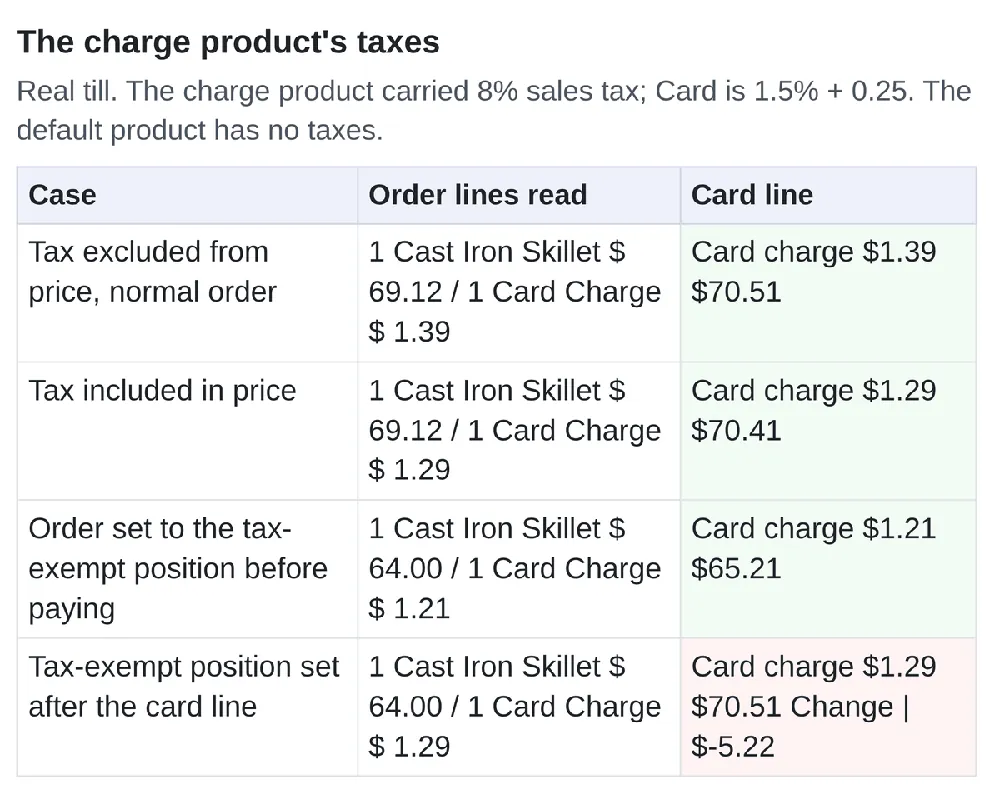
The default Card Charge product has no taxes. Set the taxes and income account that fit where you trade on it, or pick another service product per method. With 8% sales tax excluded from the price a charge of 1.29 became 1.39 and the card line 70.51; with the tax included in the price the line was 70.41; on an order set to a tax-exempt fiscal position before paying the charge was untaxed. The charge is not split by the taxes of the goods.
Whether a surcharge may be taxed, and how, was not examined.
Real till readings. Generated from the readings, not a live screen.
6 Refunds and closing the session
Use it when end of day books the charge where you chose.Reads sessions
A fee that cannot be reversed or reported at closing is a liability.
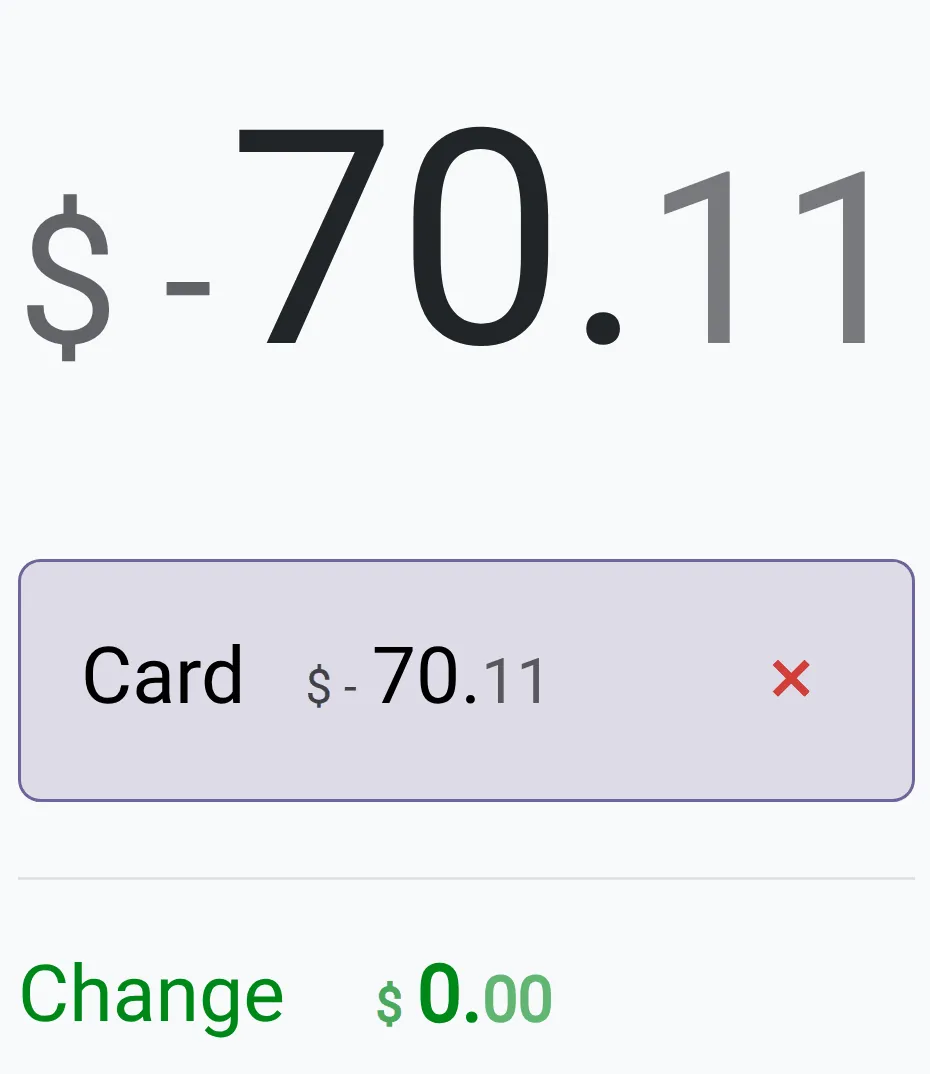
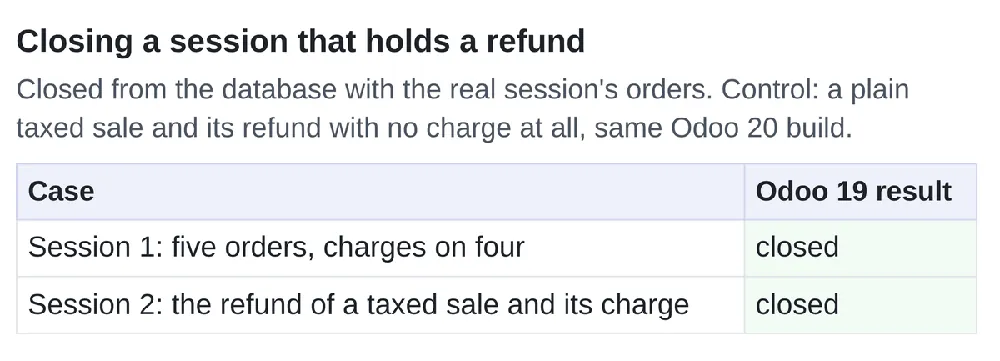
A refund that includes the charge line reverses it and adds no new charge: refunding 70.11 to the card read 70.11 with no hint. At closing the charge posts to the charge product's income account: 490100 was credited 3.49 and the refund's closing debited it back 0.99 (an invoiced order's charge sits on its invoice). On Odoo 19 both sessions closed.
A partial refund that leaves the charge line out was not run.
Refund to the card: no new charge.
Where the charge landed, read from the database. Generated, not a live screen.
Closing readings. Generated, not a live screen.
7 Odd cases and limits
Use it when you know what the app leaves alone.Nothing written
A feature that adds money to a bill should state where it stops.
Real till readings. Generated from the readings, not a live screen.
Screenshots
What it does not do
- This is the part to read before buying. Each line was tested on a throwaway Odoo 19 Community database.
- The test run and the mutation control, rendered as a table. Generated from the test logs, not a live screen.
Questions buyers ask
Does it charge cash payments or refunds?
No. A charge on a cash method is refused and a refund's payment line gets none.
On what amount is the percentage worked out?
On the part of the bill the payment line pays, taxes of the goods included. A split payment charges only the card's share.
Is the charge on the receipt and the invoice?
Yes. It is an ordinary order line of the charge product, so it is on the receipt, the invoice, Orders Analysis and the session closing.
Can I waive the charge on one order?
Not by deleting the charge line: that leaves the card line overpaid. Use a payment method without a charge.
What if the order changes after I added the card line?
The line and its charge are not recomputed. Delete the payment line and add it again.
Are tips charged?
A tip added before the card line is charged with the rest; a tip added after it is not.
Is card surcharging allowed where I trade?
That is for you to check. The app states this and claims nothing about legality.
Does it work on Odoo Online or Enterprise?
Not on Odoo Online (SaaS): third-party apps cannot be installed there. Enterprise and Odoo.sh were not tested.
Requirements
- Odoo 19.0 or 20.0. The App Store sells each version separately, so buy the one that matches your database.
- Odoo.sh or On-Premise only. Third-party apps cannot be installed on Odoo Online (SaaS) databases. Check your hosting before buying.
- Module
mh_pos_card_charges, version 19.0.1.0.1, licensed OPL-1.