Private Office Preview
Open Word and Excel attachments in Odoo's own file viewer, drawn in the browser from your Odoo server, with no file sent to Microsoft or Google
Request a live demo · Odoo.sh or On-Premise only, not Odoo Online (SaaS).
2
file types opened in the viewer: Word (DOCX) and Excel (XLSX)
1
host contacted while files were open in a real browser: your own Odoo server
6
automated browser tests in the app, none failing (one added to pin the limits on this page)
10 MB
the size line: a file of exactly 10 MB was previewed, one byte more was refused
0
database tables, columns or settings added; the app writes nothing
#NAME?
what an Excel function Odoo's spreadsheet engine does not know shows (LET and STOCKHISTORY were tested)
Odoo's file viewer shows pictures and PDFs. A Word or Excel attachment in the chatter is only a download: people save it, open it in another program and come back. Private Office Preview makes the same viewer open DOCX and XLSX files. This page walks through it with screenshots of an Odoo 19 database holding a made-up freight customer, and with readings from a real browser run, including what it does not do well.
The app stores nothing. It reads the file from your Odoo server, draws it in the browser tab and sends it nowhere else.
Install it and nothing changes in the menus: Word and Excel tiles in the chatter now open in the viewer. There are no settings. It needs the Discuss and chatter module (mail) and Odoo's Spreadsheet module (spreadsheet), both in Odoo Community.
How it works
What it changes, what it keeps, what it does not do
Each line was tested or read in the code.
1 Open a Word file
Use it when a contract or letter arrives as a DOCX and you want to read it without leaving Odoo.Read-only
Opening a Word attachment means downloading it, finding it, opening another program and coming back.
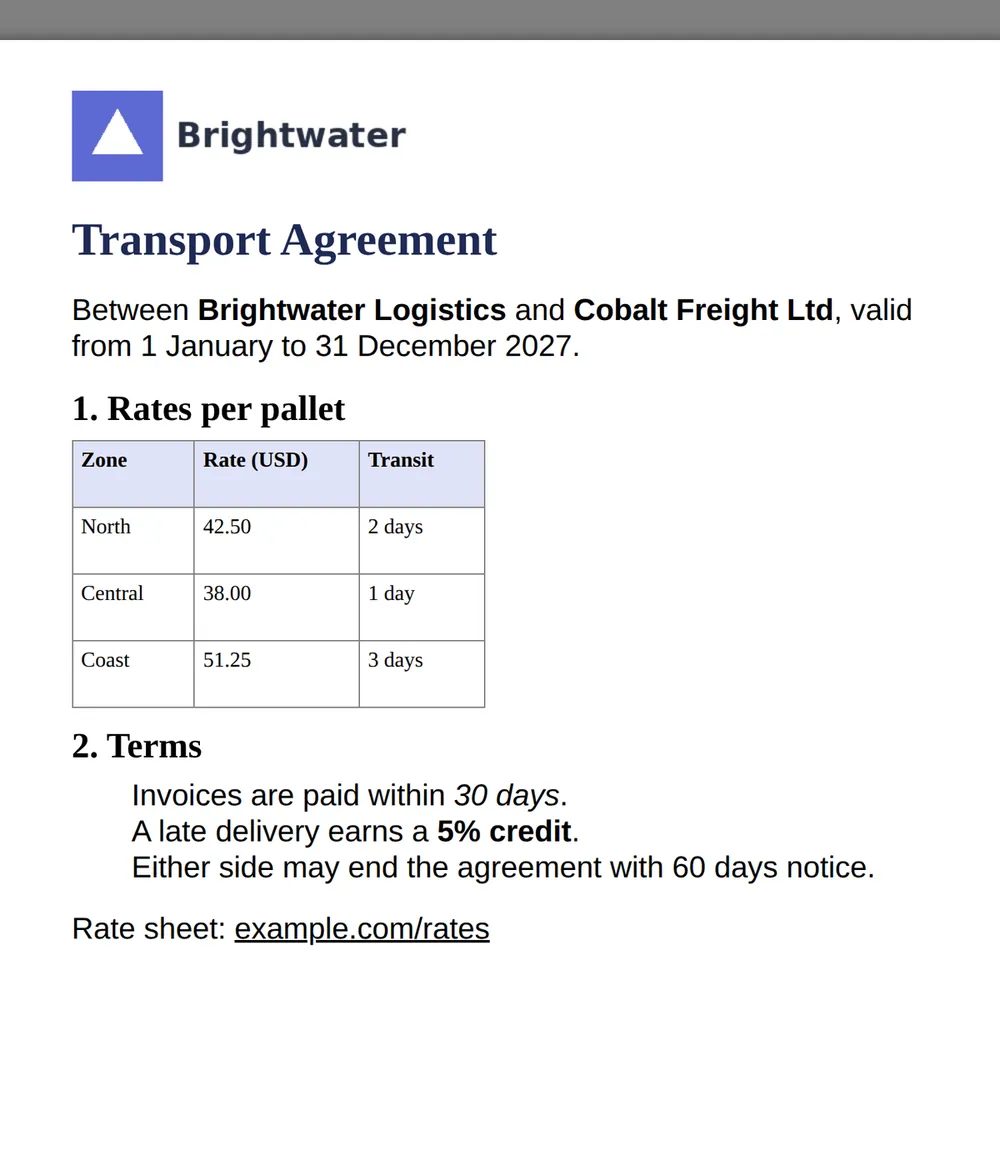
Click the Word file in the chatter. It opens in the same viewer that shows pictures and PDFs, with the same Download button and Close button, and with next and previous arrows when the record holds more than one viewable file. In the run behind this page a Word file with a heading, a table, bold and italic text, a link and a picture was shown in under a third of a second.
The document is drawn inside a sandboxed frame that runs no script and blocks every network request. Embedded HTML parts of a DOCX are not rendered, and links other than http, https and mailto are removed. A picture that points at another server is not loaded and is not requested.
It is not Word. Fonts, page breaks, bullet markers, headers and footers can look different, and tracked changes appear as plain text: the inserted text is shown and the deleted text is left out.
A made-up transport agreement in the viewer. The terms list shows no bullet markers in this run: the layout is approximate.
2 Open an Excel file
Use it when a budget or price list arrives as an XLSX and you want to read the numbers.Read-only
A spreadsheet attachment is also download only, even when you want to check one number.
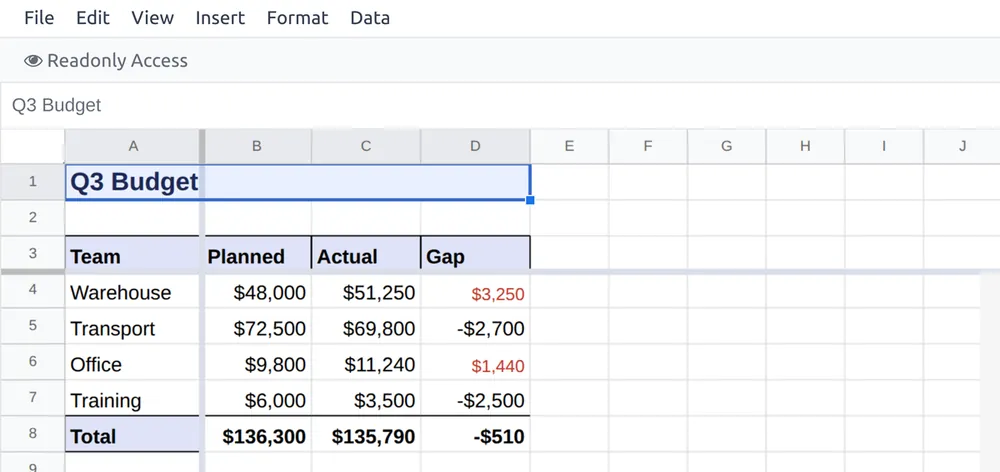
Click the Excel file. It opens in a read-only spreadsheet drawn by the engine that Odoo's Spreadsheet module already includes, with sheet tabs, frozen rows, formatting and formulas calculated in the browser. In the run, the Total row of a budget showed $136,300, $135,790 and -$510, and a workbook of 40,000 rows (a 1 MB file) opened in 3.6 seconds on the test server. Files made by tools other than Excel (openpyxl, pandas) are adjusted so Odoo's reader accepts them. An arrow key pressed inside the sheet moves in the sheet and does not switch to the next file.
Nothing can be edited or saved back. Hidden sheets are not offered. Functions that Odoo's spreadsheet engine does not know show #NAME? even if Excel stored a result: XLOOKUP and SUM were calculated, LET and STOCKHISTORY were not.
A made-up budget. Sheet tabs sit below the grid; the top bar says Readonly Access. The toolbar and column letters are Odoo's own and small at this size.
3 Where the preview opens
Use it when files sit in the chatter, in a composer, behind attachment thumbnails or in file fields.Read-only
Odoo shows files in several places and only some of them have a viewer.
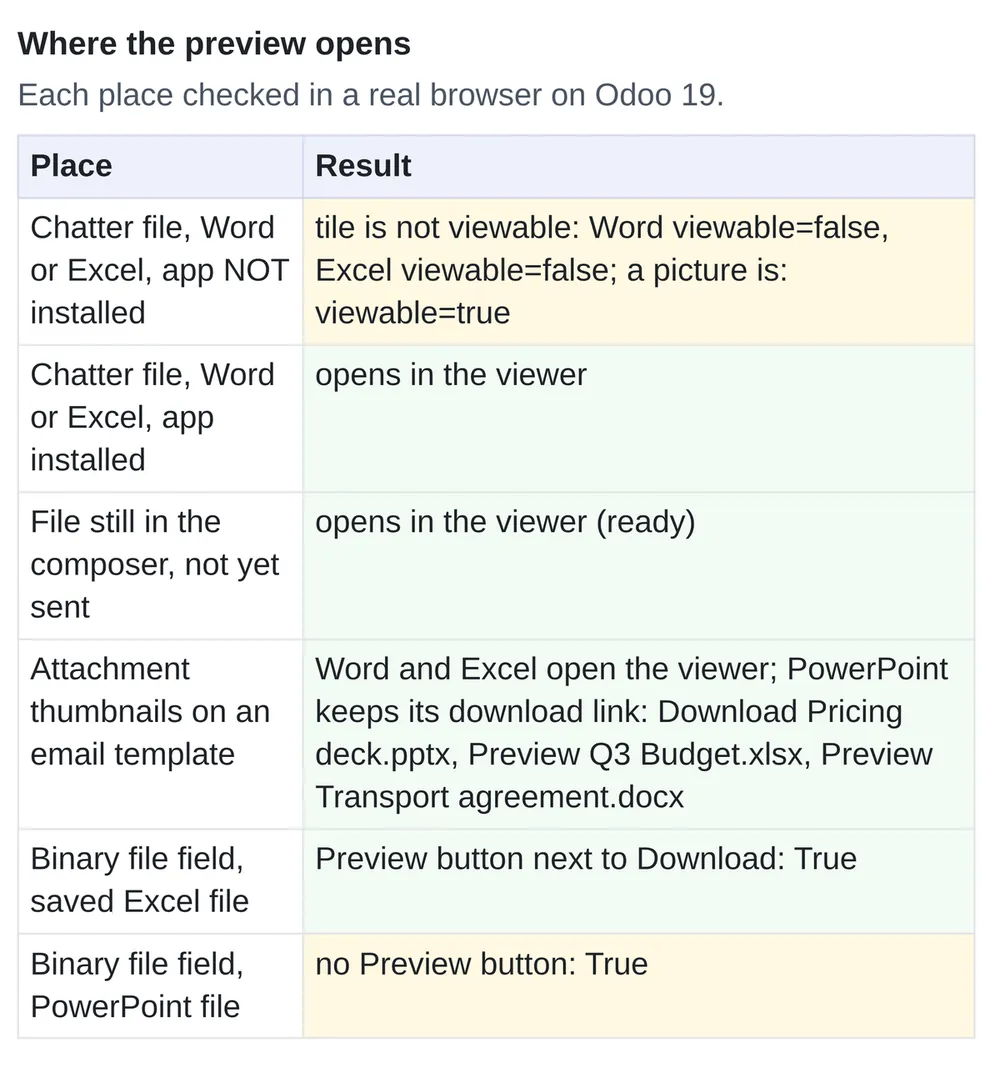
It opens from a file in a chatter, from a file you have attached in the composer but not sent yet, from the thumbnails of an attachment field such as the attachments of an email template (Word and Excel open the viewer, PowerPoint keeps its download link), and from a Preview button next to Download on a binary file field when the record is saved and the file is Word, Excel, PDF or an image by its file name. The Preview button is hidden while the record has unsaved changes, because the file on the server may not be the one on screen.
Discuss channels and the full-screen email composer were not tested.
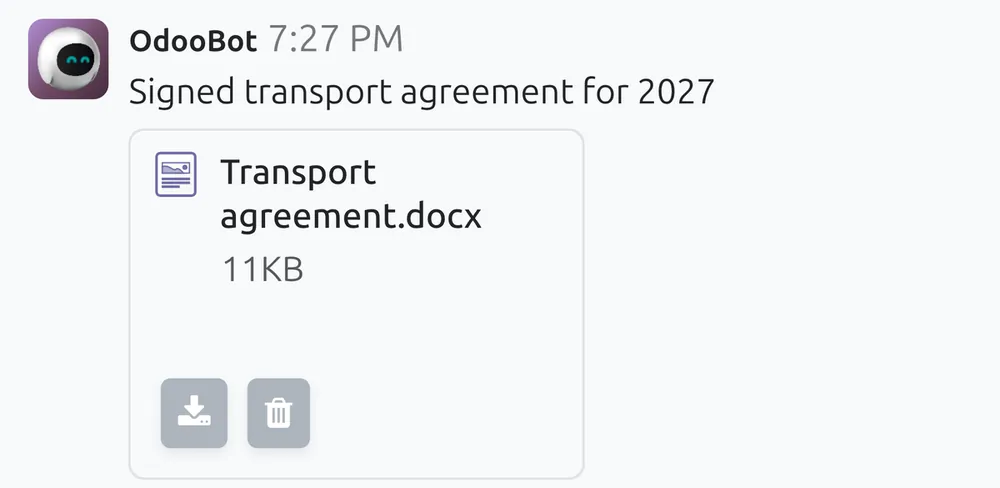
A Word file in the chatter. Without the app, this tile is not viewable and only downloads.
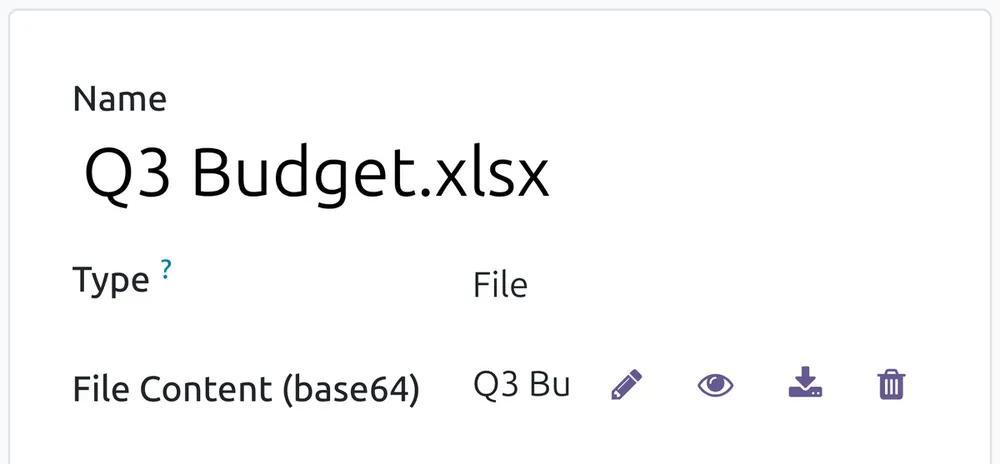
A file field with the Preview button.
The places checked, read from a real browser run.
4 The file goes nowhere else
Use it when documents are confidential, or the server is on an intranet.Read-only
Online viewers hand each document to a third party and need a server that can be reached from the internet.
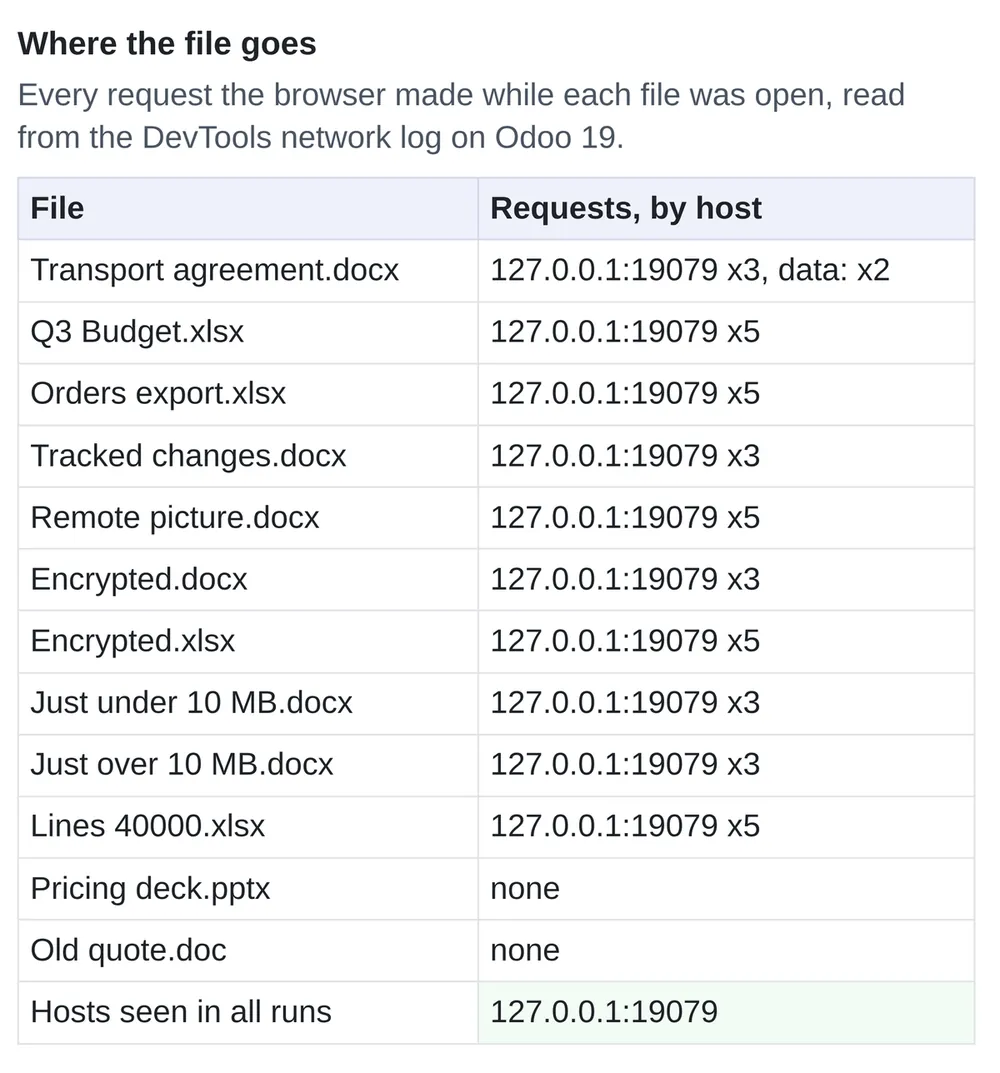
The two document libraries, docx-preview (Apache-2.0) and JSZip (MIT), ship inside the module and load only when a preview opens. Excel is drawn by Odoo's own spreadsheet engine. In the run behind this page, every request the browser made while a file was open went to the Odoo server (plus data: pictures made in the page), and none to any other host. The table lists them file by file.
This was tested on a local test server; an intranet or VPN setup was not tested.
Requests read from the browser's network log while each file was open.
5 Who can open a preview
Use it when some records must stay private to some users.Read-only
A preview must not show a file that the Download button would refuse.
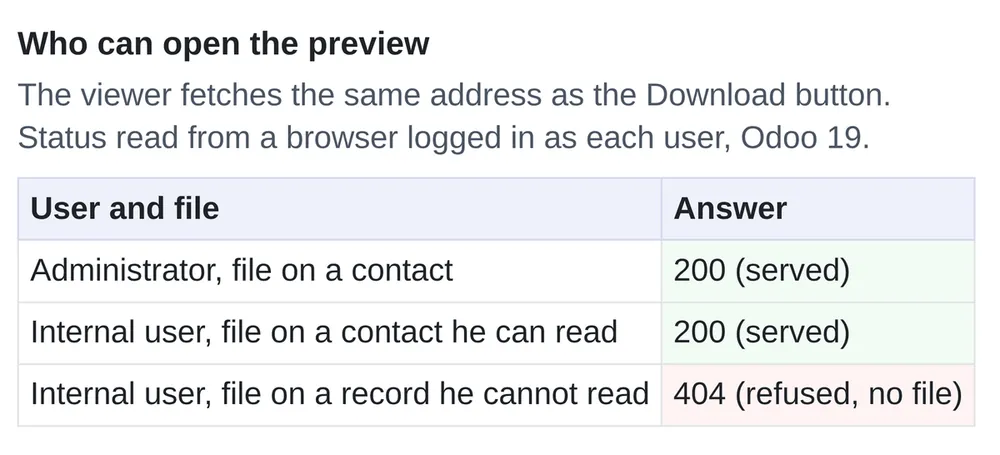
The viewer fetches the file from the same address as the Download button, so access is the same. In the run, an internal user got the file for an attachment on a contact he can read, and got a 404 with no file for an attachment on a record he cannot read.
Status answers read from a browser logged in as each user.
6 Big, broken and unsupported files
Use it when somebody attaches a very large file, a damaged one or a PowerPoint.Read-only
A huge or broken file must not freeze the tab or show an empty page.
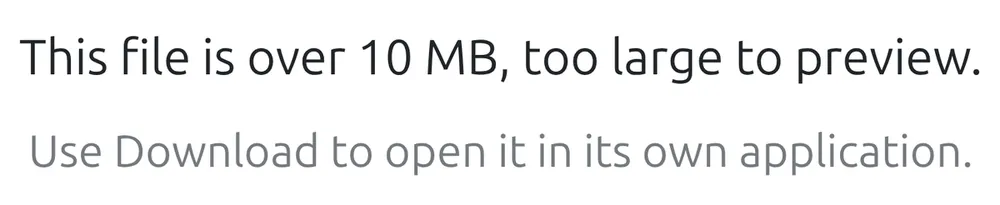
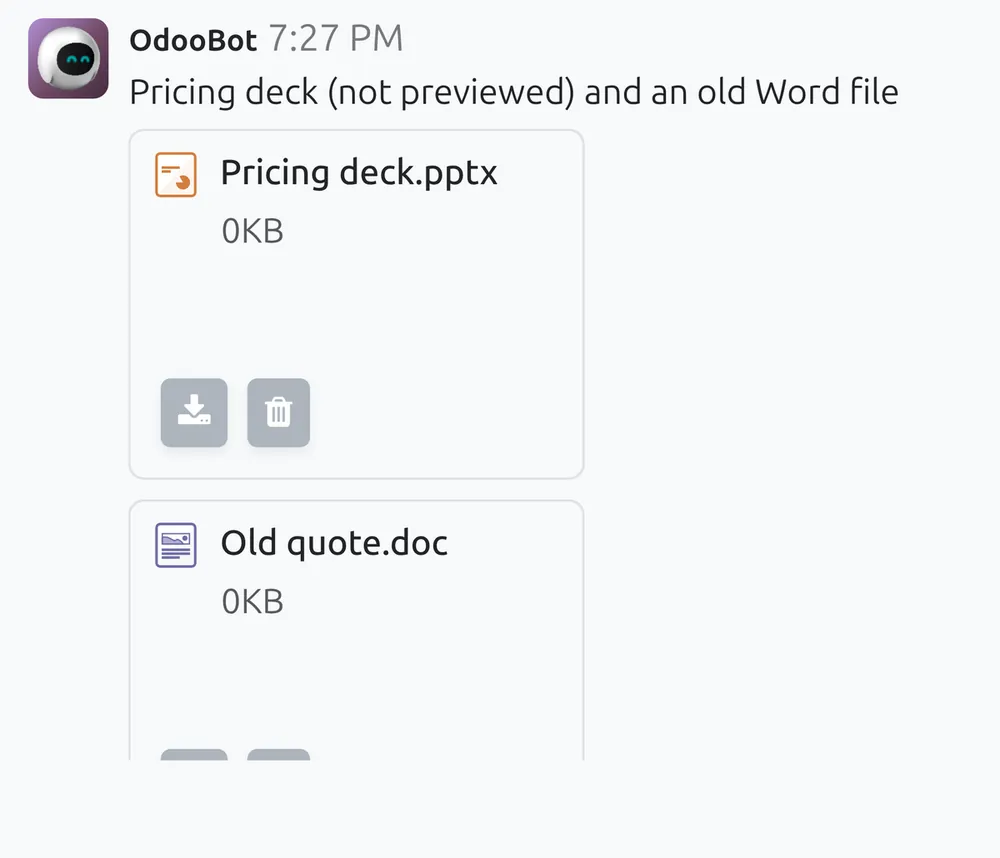
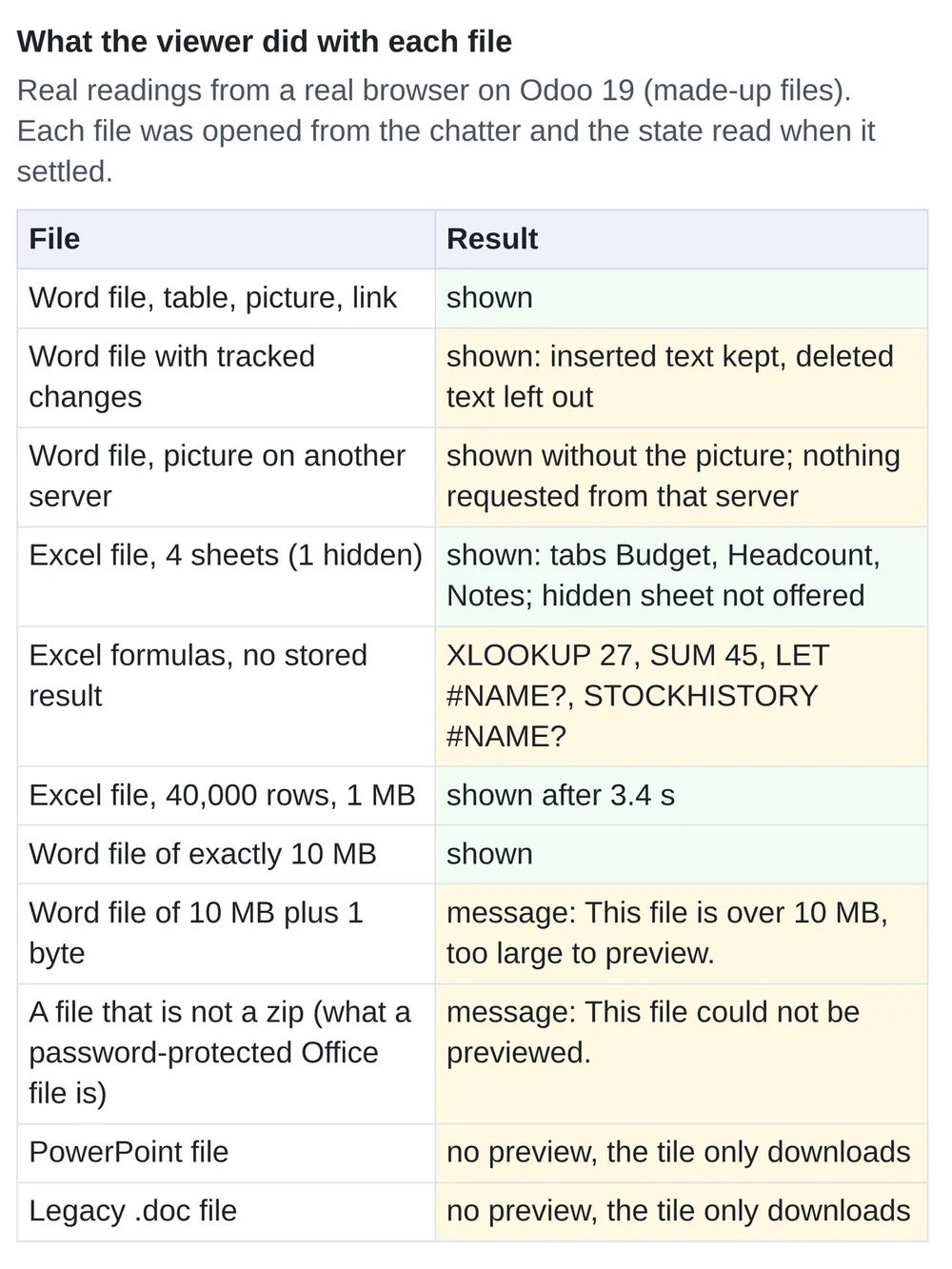
Over 10 MB, the viewer shows a short message and points to Download. A Word file of exactly 10 MB (10,485,760 bytes) was shown and one of 10,485,761 bytes was refused. A zip that is not a real workbook, or a file that is not a zip at all (the container of a password-protected Office file), shows "This file could not be previewed." PowerPoint (PPTX), the old .doc and .xls formats and OpenDocument files are not previewed: their tiles stay download-only. The size is checked after the whole file has been downloaded, so a very large file is fetched before it is refused.
The message for a file over 10 MB.
The message for a file that is not a real Office file.
PowerPoint and old .doc tiles stay download-only.
What the viewer did with each test file.

7 The layout is approximate
Use it when you compare the preview with the original and see a difference.Read-only
A preview that looks slightly different from the original can be mistaken for the original.
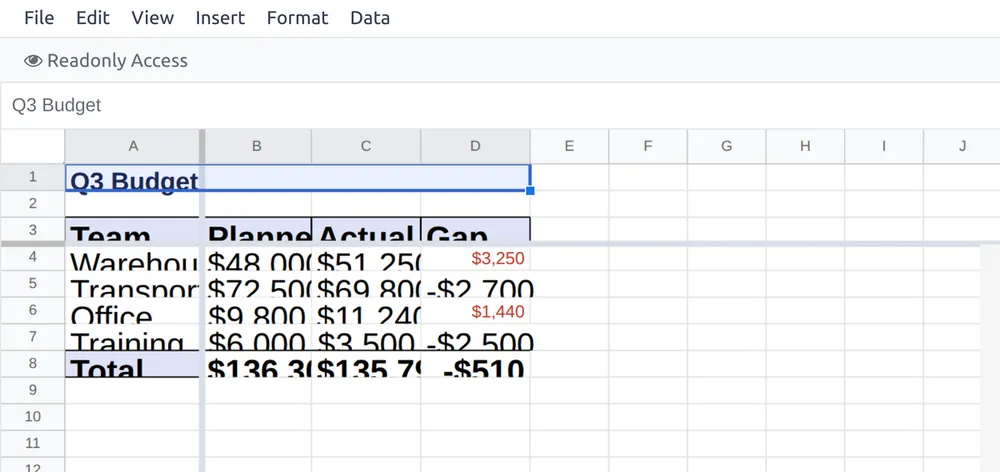
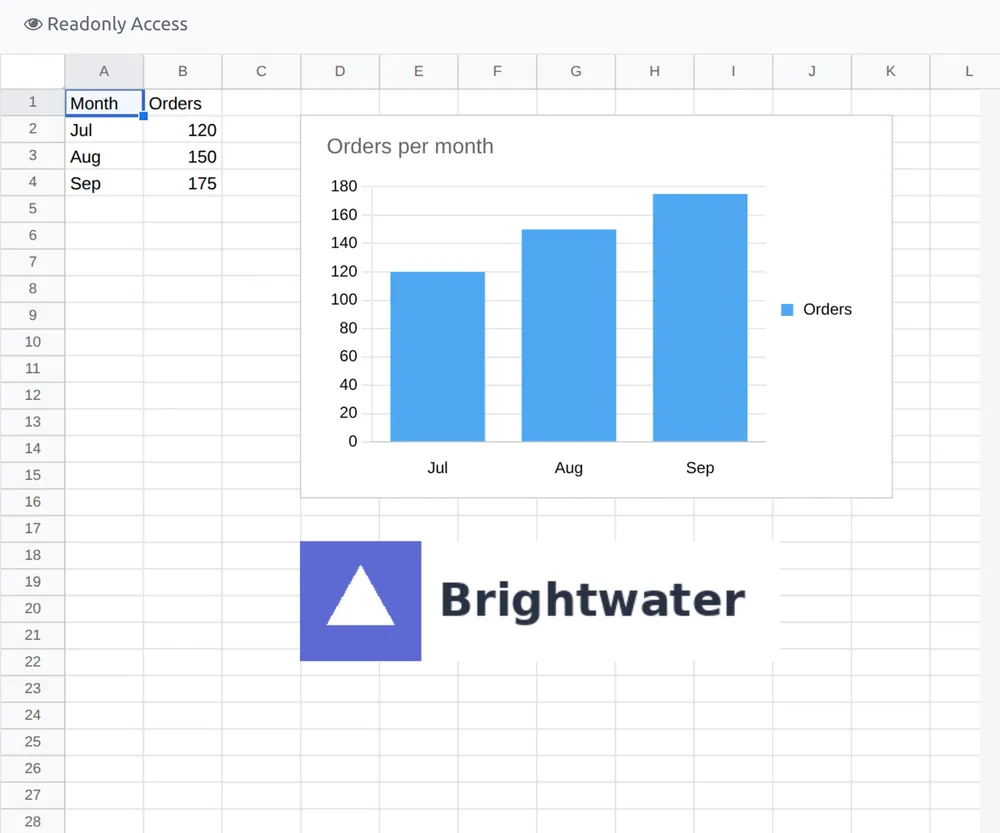
Two differences were seen. In a Word list the bullet markers were not drawn (the terms list in section 1; the markers are Symbol-font characters, and whether the viewer or the fonts of the test machine caused it was not isolated). In an Excel file written with an 18 pt font and no stored row heights, the rows were not made taller to fit, so the text was clipped; a file saved by Excel stores its row heights. A column chart and a picture in an Excel file were drawn; neither was compared with Excel.
Pictures and charts were looked at once each; no comparison with Excel or Word was made.
An 18 pt Excel file with no stored row heights: the text is clipped.
A column chart and a picture in an Excel file, drawn by the spreadsheet engine.
What it does not do
- These were measured in the test run or read from the code. None is fixed in this version.
Questions buyers ask
Does it send my files to Microsoft or Google?
No. In a real browser run every request went to the Odoo host only. The libraries ship inside the module and Excel is drawn by Odoo's own spreadsheet engine.
Which files can it preview?
Word (.docx) and Excel (.xlsx), up to 10 MB. PowerPoint, .doc, .xls and OpenDocument files are not previewed.
Can it edit the file?
No. The preview is read-only and nothing is saved back.
Who can see a preview?
Anyone who can download the file: it is fetched from the same address as the Download button.
Does it look exactly like Word or Excel?
No. Bullet markers and Excel row heights were seen to differ, tracked changes appear as plain text, and unknown Excel functions show #NAME?.
What is stored in my database?
Nothing. The app adds no model, column or setting.
Does it work for files in fields, not only the chatter?
Yes: the thumbnails of attachment fields and a Preview button on file fields were tested. Discuss channels and the full-screen email composer were not.
What happens if I uninstall it?
The app wrote nothing, so no data changes and Word and Excel files go back to download only. Uninstalling itself was not tested.
Requirements
- Odoo 19.0 or 20.0. The App Store sells each version separately, so buy the one that matches your database.
- Odoo.sh or On-Premise only. Third-party apps cannot be installed on Odoo Online (SaaS) databases. Check your hosting before buying.
- Module
mh_office_preview, version 19.0.1.0.3, licensed OPL-1.