Product Size Chart
A size guide link on the product page opens your size chart. Write each chart once, assign it to categories or products.
Request a live demo · Odoo.sh or On-Premise only, not Odoo Online (SaaS).
Free
App Store price, per Odoo version
19 · 20
Odoo versions, each sold on its own page
Odoo.sh
or On-Premise; not Odoo Online (SaaS)
1.0.2
version of mh_website_size_chart
Odoo's product page has no size chart. You can paste a table into each product's description by hand, but then every product needs its own copy, and nothing sits next to the size options where a shopper is looking. This adds a "Size guide" link under the variant options of every product page a chart applies to.
How it works
What it does
A size chart is a record with a size table, an optional image and an optional "how to measure" note. Assign it to eCommerce categories, to individual products, or both. The product page shows a "Size guide" link under the variant options; it opens the chart in a dialog.
The dialog works with the keyboard: Tab to the link, Enter to open it, Escape to close it. The chart is plain HTML, so it can be translated per language.
Which chart a product shows
A chart set on the product itself wins. Otherwise the chart on the product's nearest eCommerce category is used, so a chart on Clothing / Tops beats one on Clothing, and a chart on Clothing covers every subcategory that has none of its own. If two charts sit on the same category, the one higher in the Size Charts list wins. Archived charts are never shown.
Assign one chart to many products
Assign the chart to a category and every product in it is covered. Or open the chart's Products tab and add many products at once. Or select products in the eCommerce product list and set the Size Chart column once; Odoo applies it to every selected row.
Who it is for
Shops that sell clothing, shoes or anything else sold by size, and want one chart per range instead of a pasted table on every product.
Screenshots
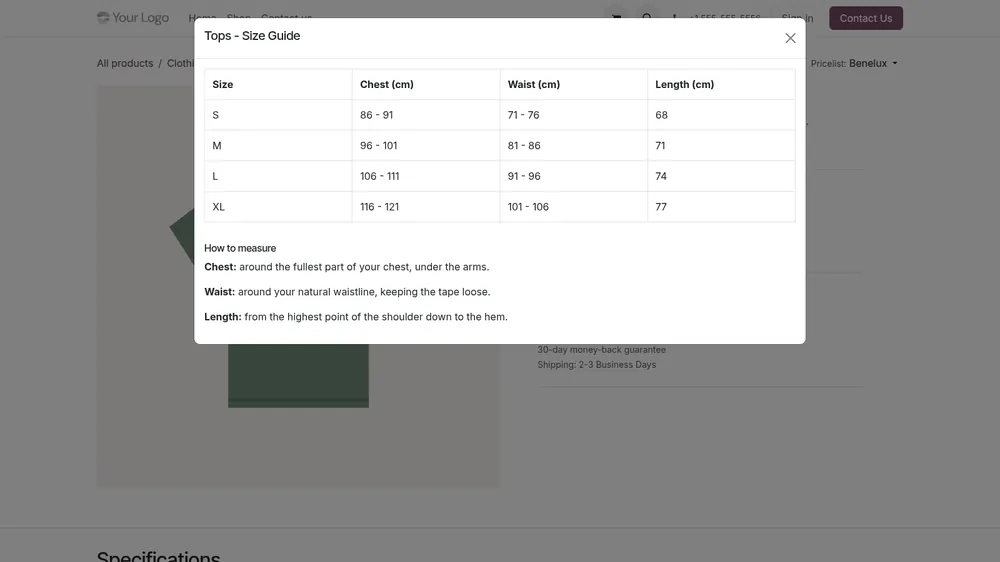
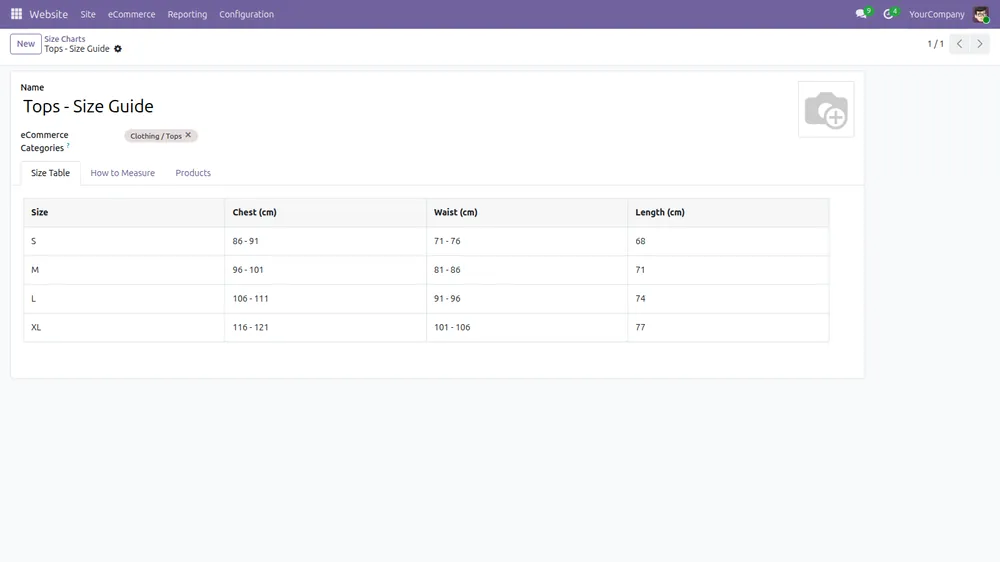
What it does not do
- It assigns by eCommerce category only, not by internal (accounting) product category. It shows one chart per product page, not a different chart per variant. It does not recommend a size or convert units. It sends no data anywhere. If a product has no chart, nothing is added to its page.
Requirements
- Odoo 19.0 or 20.0. The App Store sells each version separately, so buy the one that matches your database.
- Odoo.sh or On-Premise only. Third-party apps cannot be installed on Odoo Online (SaaS) databases. Check your hosting before buying.
- Odoo 19 and 20, Community or Enterprise, with the eCommerce app (website_sale). Third-party apps install on Odoo.sh or On-Premise only - they cannot be installed on Odoo Online (SaaS).
- Module
mh_website_size_chart, version 19.0.1.0.2, licensed OPL-1.