SAF-T Readiness Check
Find the missing master data that would get your D406 rejected
The video below shows SAF-T Readiness Check running on a real Odoo 19 database. Want it driven against your own data, or a question answered first? Ask and we will set up a session.
A D406 declaration is rejected for boring reasons: a supplier with no VAT number, an account with no code, a company contact missing its registry number. You find out after submitting, when ANAF tells you.
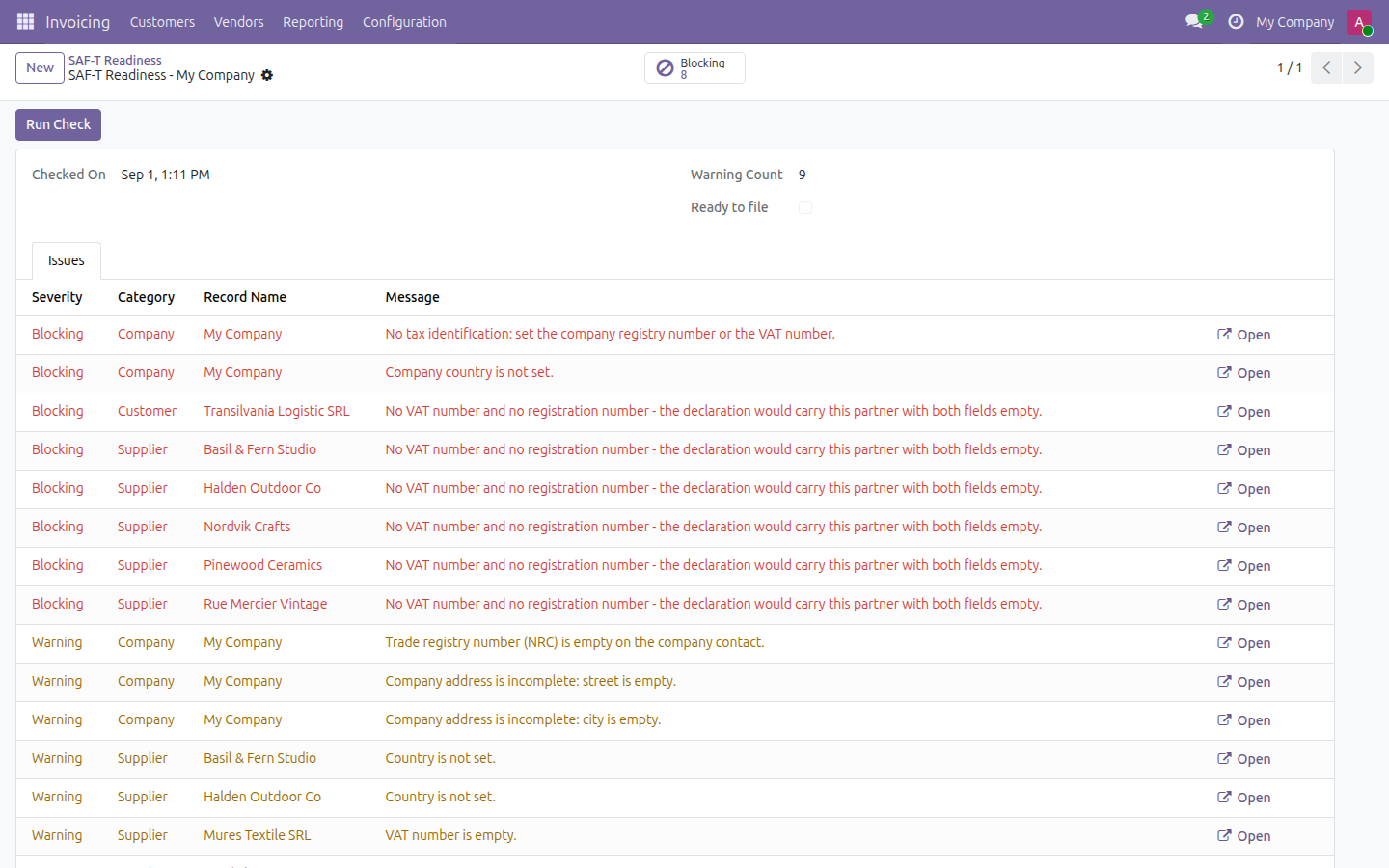
This finds them first. Run the check and it lists every piece of master data a D406 needs and does not have - each one with the record it belongs to and a button that opens it, so fixing the list is a morning's work rather than an investigation.
Blocking issues first, each naming the record and what it is missing.
What it does
Blocking versus warning
Blocking means the declaration would carry an empty value where the authority expects data. Warning means it is worth fixing but will not usually stop a submission by itself. The split tells you what to fix today and what can wait.
Checks, never files
This app produces no XML, no export and no attachment - a test in the module asserts that. It tells you whether your records are ready; it does not build the declaration.
Not tax advice
This app checks for data your records are missing. It does not guarantee acceptance by ANAF - always validate the final declaration with ANAF's own DUKIntegrator before submitting, and take filing decisions with your adviser.
What it does not do
Stated up front so nothing about the scope is a surprise after you install it.
Screenshots
Requirements
- Odoo 19.0, Community or Enterprise.
- Odoo.sh or On-Premise only. Third-party apps cannot be installed on Odoo Online (SaaS) databases — check your hosting before buying.
- Module
mh_ro_saft_readiness, version 19.0.1.0.8, licensed OPL-1.
Related apps
Cash application for accounts receivable: match bank statement lines to open invoices, including a lump sum across several invoices and a short pay writeoff.
Form 1099-NEC and 1099-MISC: W-9 and TIN records, exclusions, box amounts and a filing export
SAF-T for Odoo Community - no Enterprise upgrade, no consultancy engagement