US 1099 Reporting
Which tracked vendors pass the 1099 threshold for a calendar year after corporation and card exclusions, which lack a W-9 or TIN, and a CSV of the result
Request a live demo · Odoo.sh or On-Premise only, not Odoo Online (SaaS).
2,000
USD threshold seeded for 2026 (600 for 2024 and 2025); one editable row per year
6
boxes offered: 1099-NEC box 1 and 1099-MISC boxes 1, 2, 3, 6 and 10
4
paperwork checks per payee: classification, W-9 flag, a TIN, nine digits
31
automated tests in this app, none failing
0
things sent to the IRS or anyone else
CSV
the one export; last four digits of each TIN unless you switch full TIN on
Totalling what a vendor was paid is arithmetic. This app does that for the vendors you mark, takes off what its rules say comes off, keeps the W-9 and TIN details on the contact, and lists who is still missing paperwork. It is a reporting aid: it files nothing, and the tax treatment must be reviewed by a qualified preparer. This page shows an Odoo 19 database seeded with made-up vendors and TINs, and says where the app stops.
How it works
Why a run per year
The app keeps four things in Odoo so the year's answer is a screen you can reopen, not a spreadsheet.
1 Payee records: classification, W-9 and TIN on the contact
Use it when you collect W-9s and need the details next to the vendor.Writes when saved
The details a 1099 needs (how the payee is classified, whether a W-9 came in, the number) usually live in a folder or a spreadsheet.
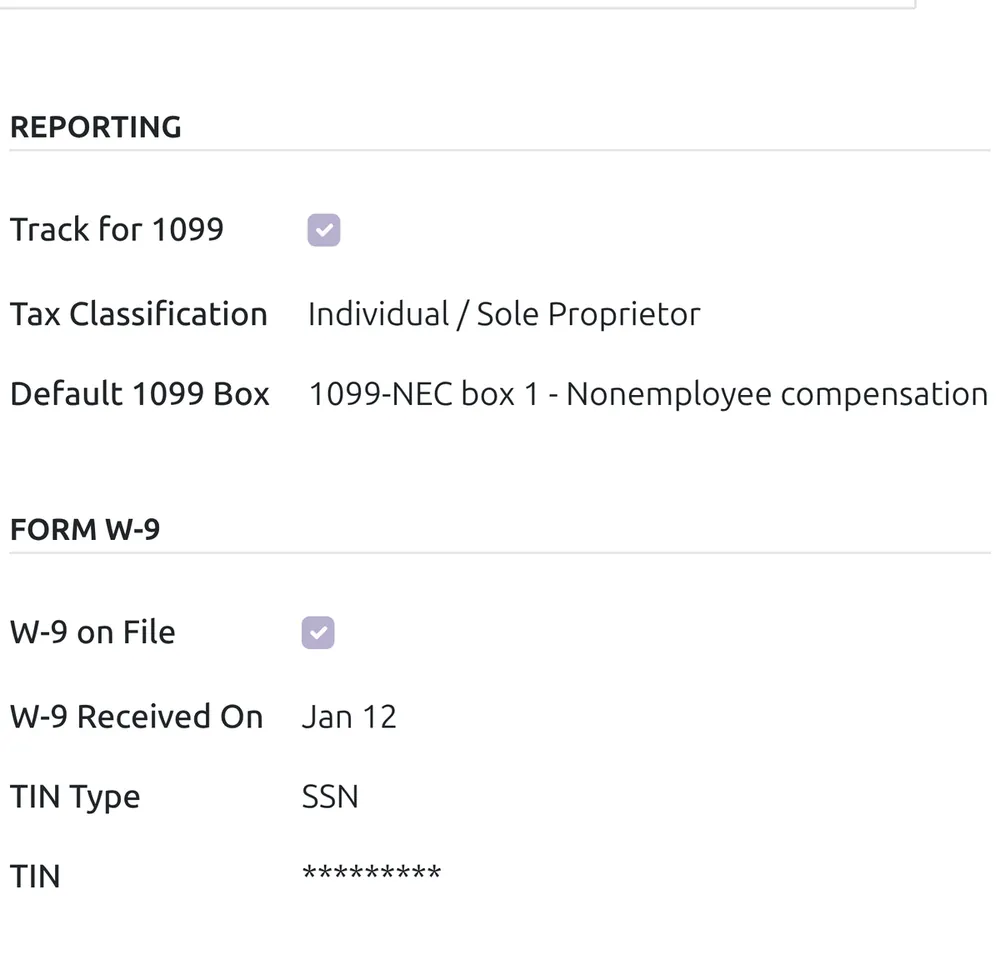
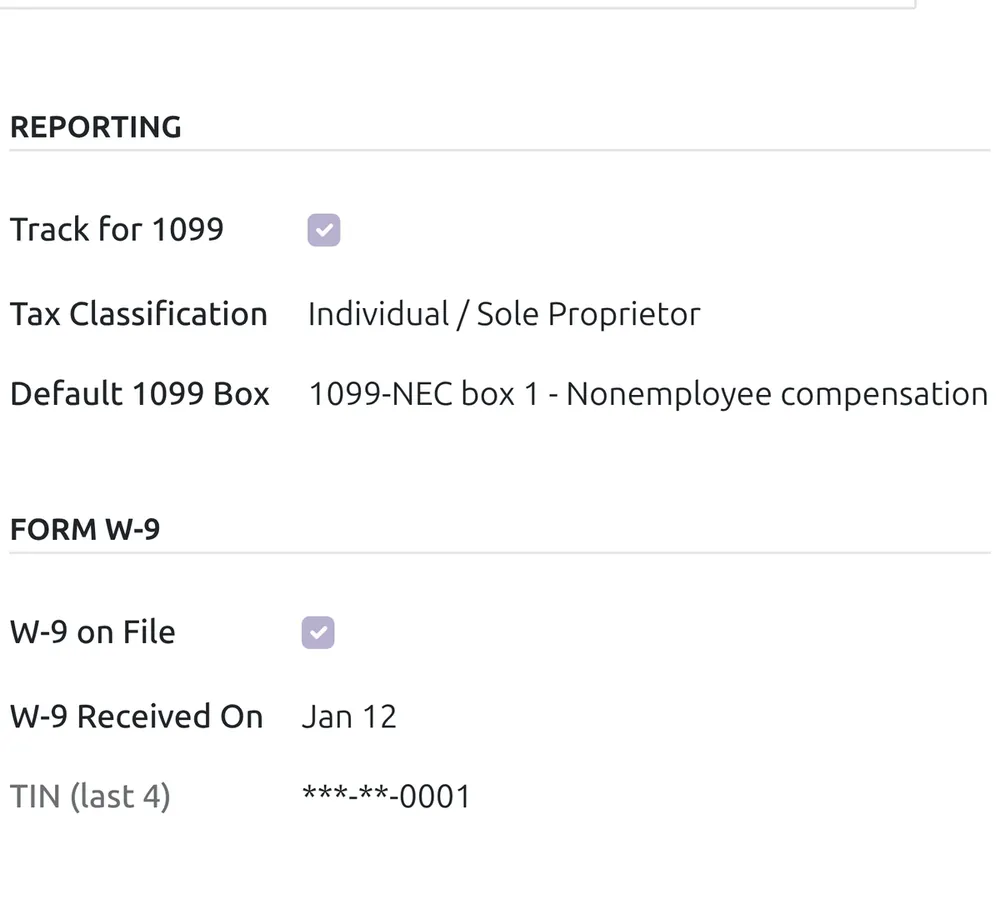
Contacts get a 1099 tab for Accounting users: Track for 1099 , Tax Classification as stated on the W-9, a Default 1099 Box , W-9 on File with the date received, TIN Type (SSN or EIN) and TIN . Only tracked contacts take part in a run.
An Accounting Administrator sees the TIN type and the TIN, masked in the form.
An Accounting user who is not an administrator sees only the last four digits.
Harbor Lane Design is tracked, classified as an individual, has a W-9 on file received on 12 January and an invented TIN. The Accounting user Priya Nair sees ***-**-0001 ; she cannot read the full number.
It does not check a W-9 is genuine, match the TIN against anyone's records, or check the TIN's structure beyond counting nine digits.
The TIN is stored as plain text in the database; the restriction is Odoo field access, not encryption. The tax classification becomes required in the form once Track for 1099 is ticked, but not at database level.
2 Card and payment-network journals come off
Use it when some vendors are paid by card, and you want those amounts kept out of the figure.Writes when saved
A payment settled through a card or a payment network is a payment the processor may report on its own. Whether to count it again is a decision about the journal, and Odoo cannot guess it.
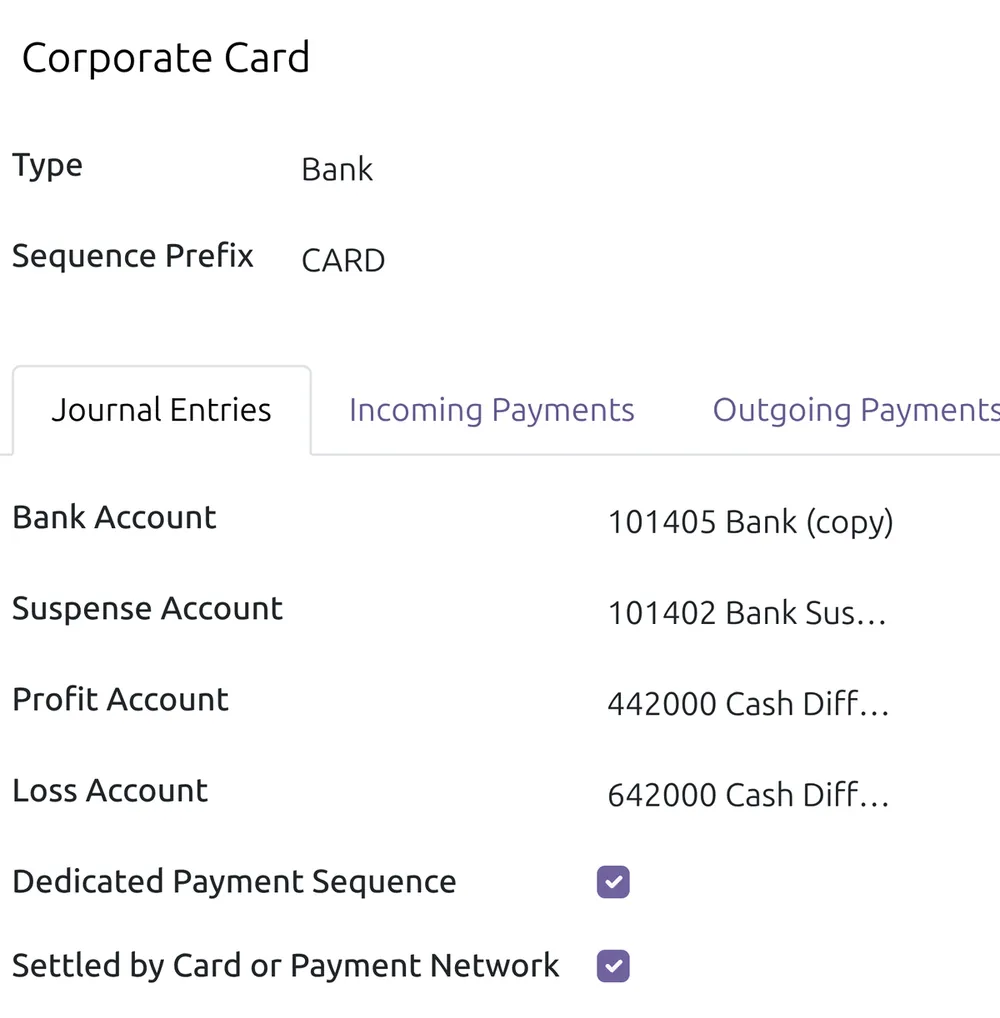
Bank, cash and credit journals get a checkbox, Settled by Card or Payment Network . Payments made through a flagged journal are taken off the payee's amount and shown in a Card / Network column, next to the gross figure.
The flag sits on the journal; you decide which journals it applies to.
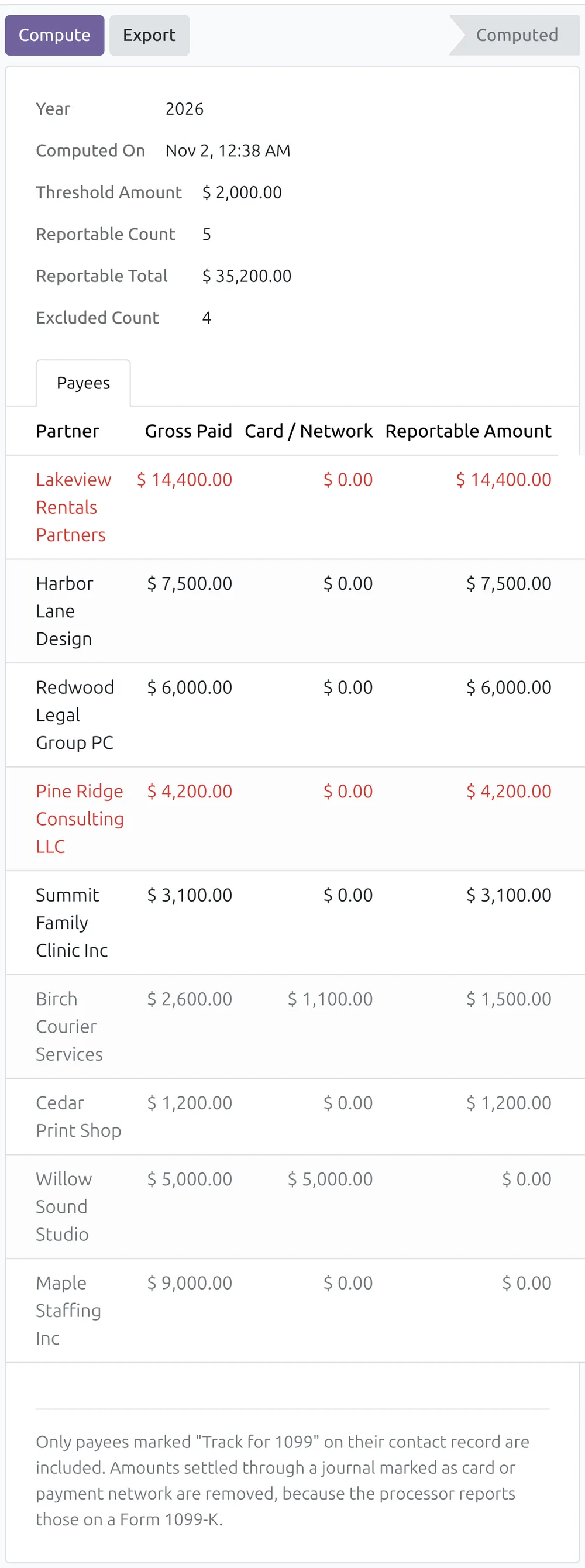
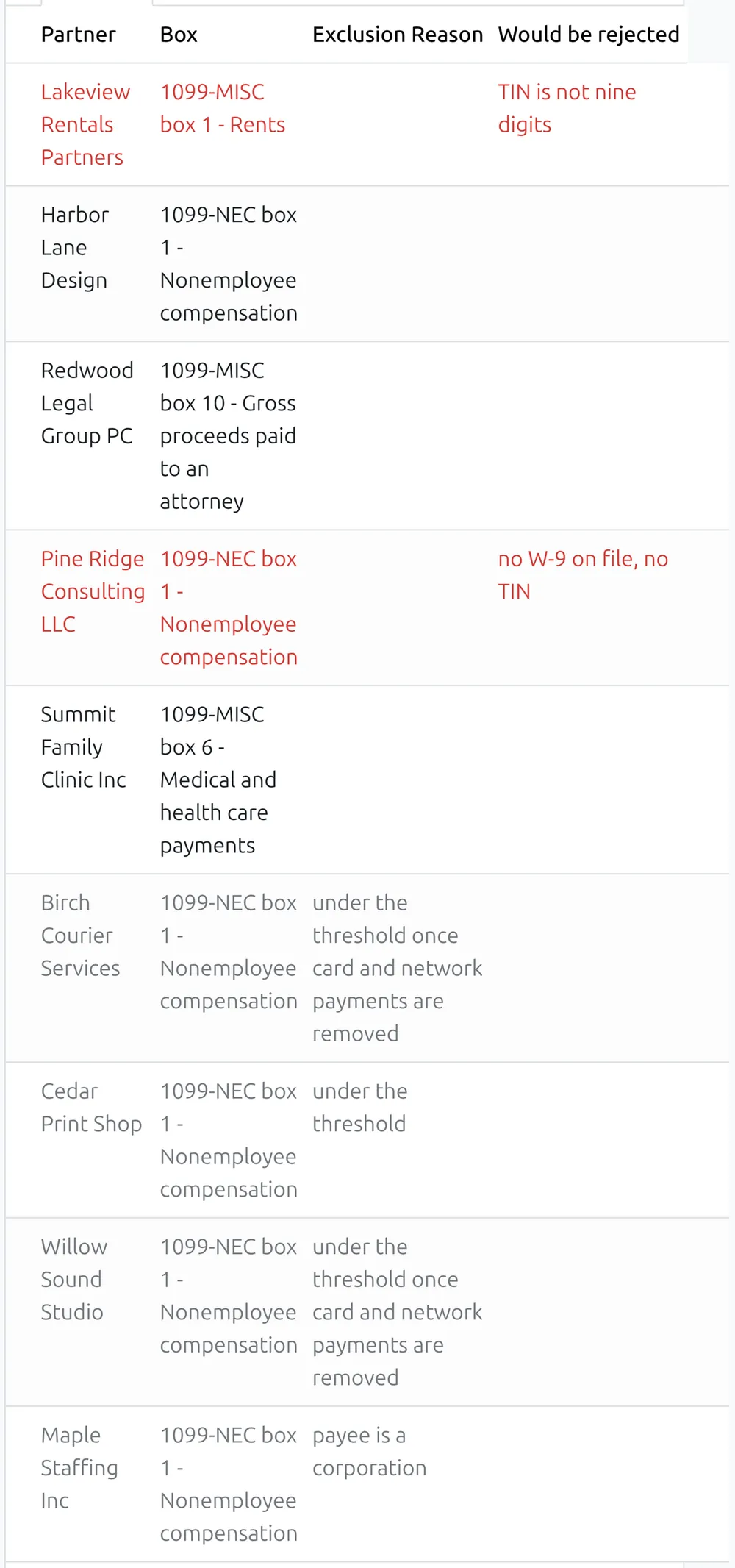
Birch Courier Services was paid 2,600 in 2026, 1,100 of it through the Corporate Card journal. 1,500 is left, which is under 2,000, so Birch is excluded with the reason under the threshold once card and network payments are removed . Willow Sound Studio was paid 5,000 entirely by card and still gets a line, with a reportable amount of 0.00.
The app does not check that any processor reports anything. It only removes what the flagged journals carried.
3 The run: one year, one threshold
Use it when it is year end and you want to see who passes the line.Rebuilds the lines each time
Adding up payments is the easy half. The year's answer depends on a threshold that differs by year and on who is excluded.
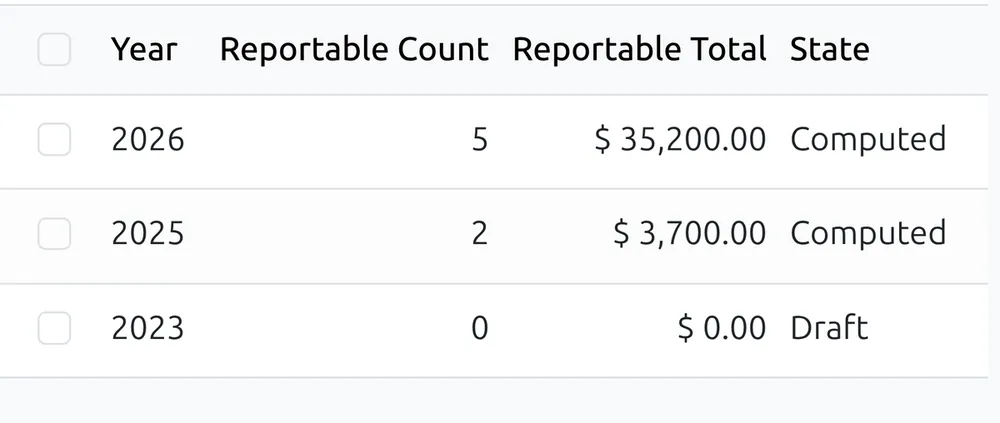
Under Accounting > Reporting > 1099 Reporting you pick a year and press Compute . The run adds up the paid vendor payments dated in that year for each tracked payee (payments to a contact under a company count for the company), shows the threshold used, the reportable count and total, and the excluded count. The Payees tab has one line per payee.
Three runs: two computed, one still a draft.
The 2026 run: gross paid, what came off as card or network, and the reportable amount per payee.
Boxes, and the reason a payee is left out.
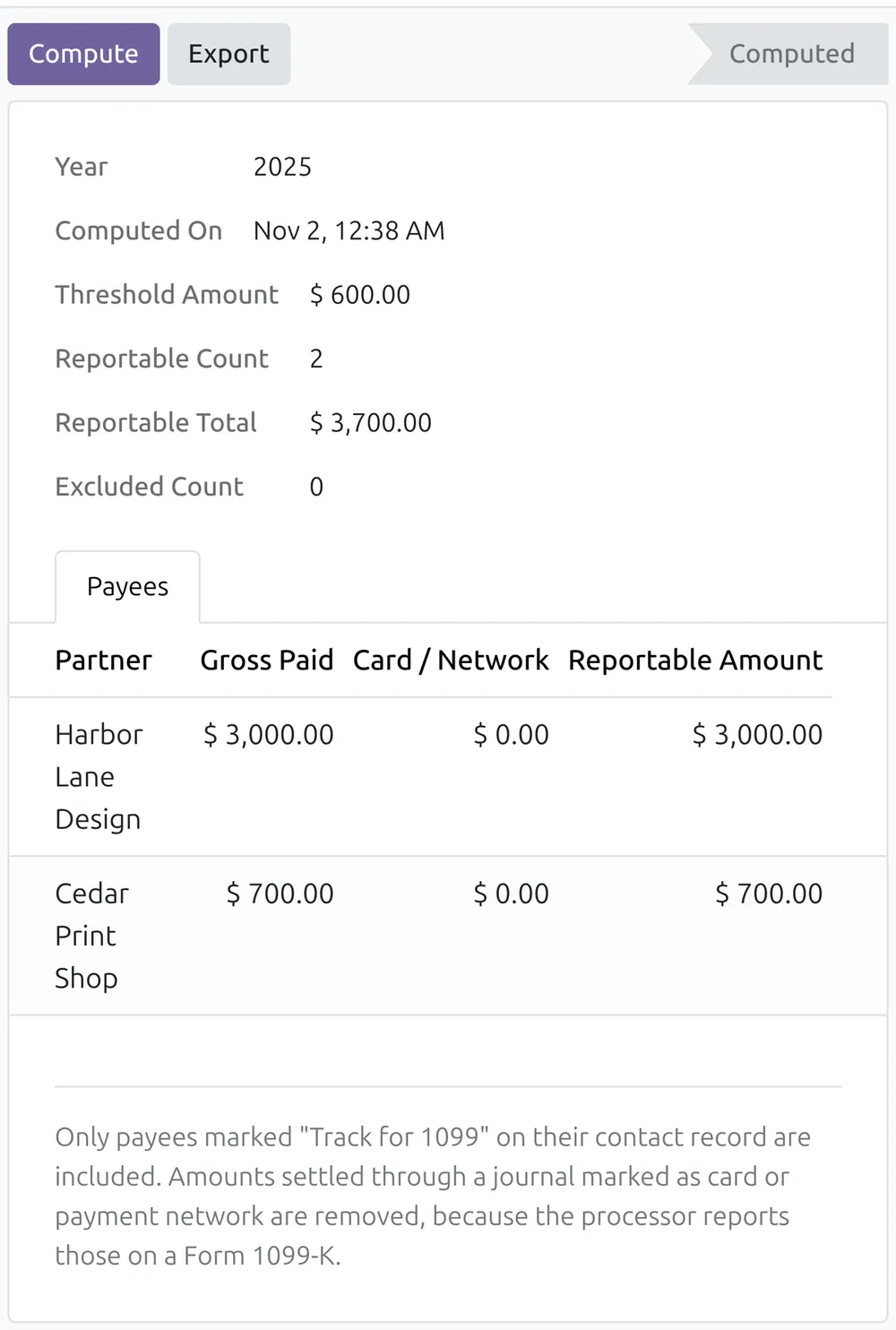
The 2025 run uses the 2025 row of the table, 600.00; Cedar's 700 is over it that year.
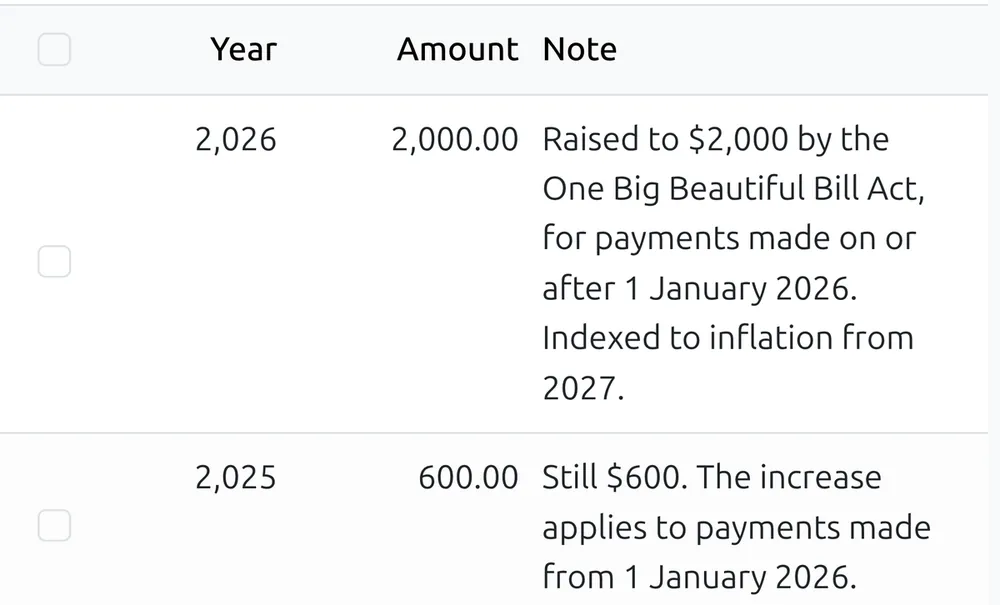
The per-year table the run reads. You can add or correct a year.
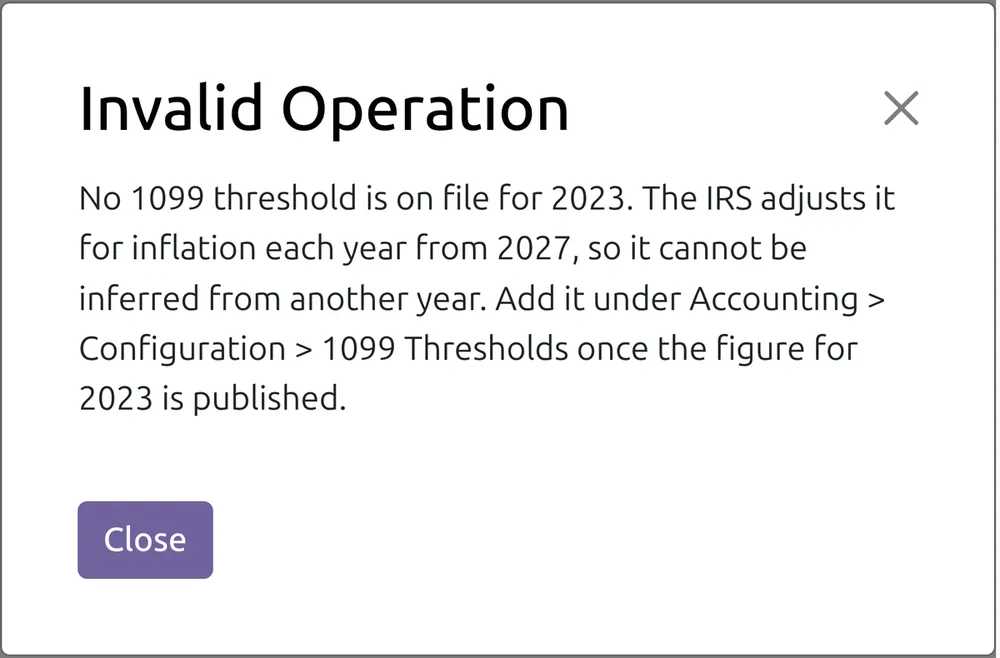
A year with no row stops the run; nothing is guessed.
In the seeded 2026 run, Maple Staffing Inc (a C corporation, 9,000 paid, box 1-NEC) is dropped. Redwood Legal Group PC (a C corporation, box 10, 6,000) and Summit Family Clinic Inc (an S corporation, box 6, 3,100) stay, because the exception follows the box. Cedar Print Shop was paid 1,200 in 2026, under 2,000.
It reads outbound vendor payments, not vendor bills, and does not net off money received back from a vendor. The corporation exception looks at the box, not at what a payment was for. There is one line and one box per payee; the amount cannot be split, and pressing Compute again rebuilds the lines and resets any box you changed.
Reportable means a payee passes the year, threshold and corporation rules. The reportable count and total include payees that would be rejected (2 of the 5 in the seeded run). The threshold figures are the table's seeded values, not a statement of the law for your year: confirm the figure yourself.
4 What would be rejected
Use it when you want the missing paperwork listed before the figures leave the building.Read-only list
A reportable payee with no number or no W-9 flag is a loose end that is easy to find in January and harder in March.
A Would be rejected button on the run opens the reportable payees that have no tax classification, no W-9 flag, no TIN, or a TIN that does not have nine digits. Those rows are red in the payee list.
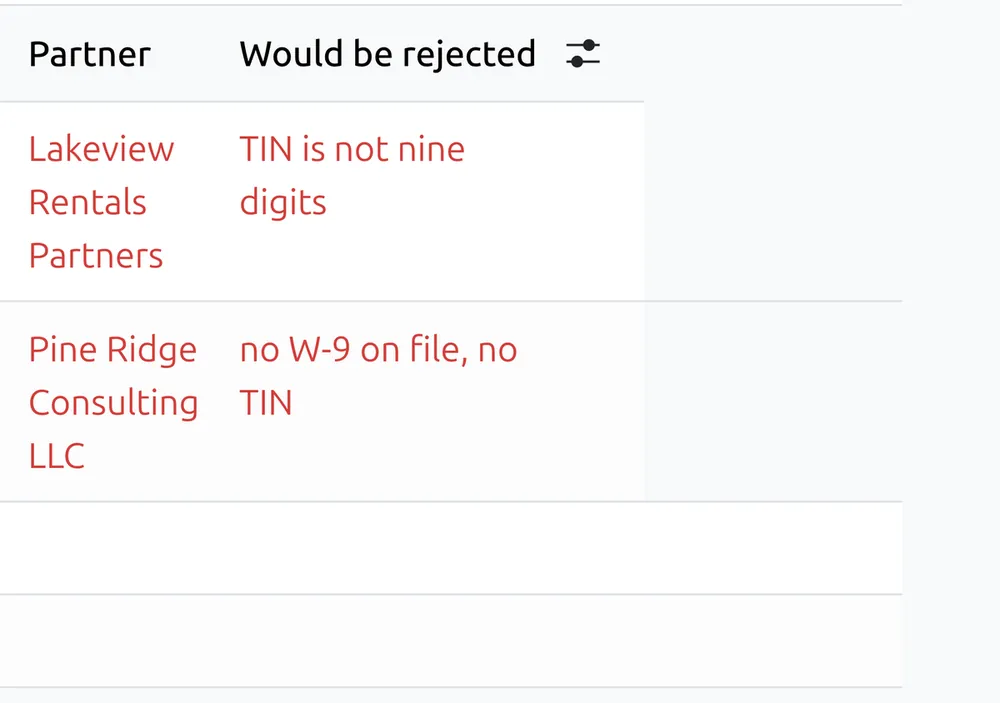
Two payees from the 2026 run, with the reason for each.
Lakeview Rentals Partners (rent, 14,400) has an eight-digit TIN. Pine Ridge Consulting LLC (4,200) has neither a W-9 flag nor a TIN.
It does not contact anyone, and it does not know whether a payee's classification is right.
"Would be rejected" is the app's label for four checks, not an IRS validation. A missing address is not flagged and a TIN written with dashes passes, because only digits are counted.
5 The export: a CSV for whoever prepares the filing
Use it when your preparer wants payee, address, box and amount in a file.Builds a file
The figures have to leave Odoo somehow, and a file with full taxpayer numbers is a different thing to handle than one without.
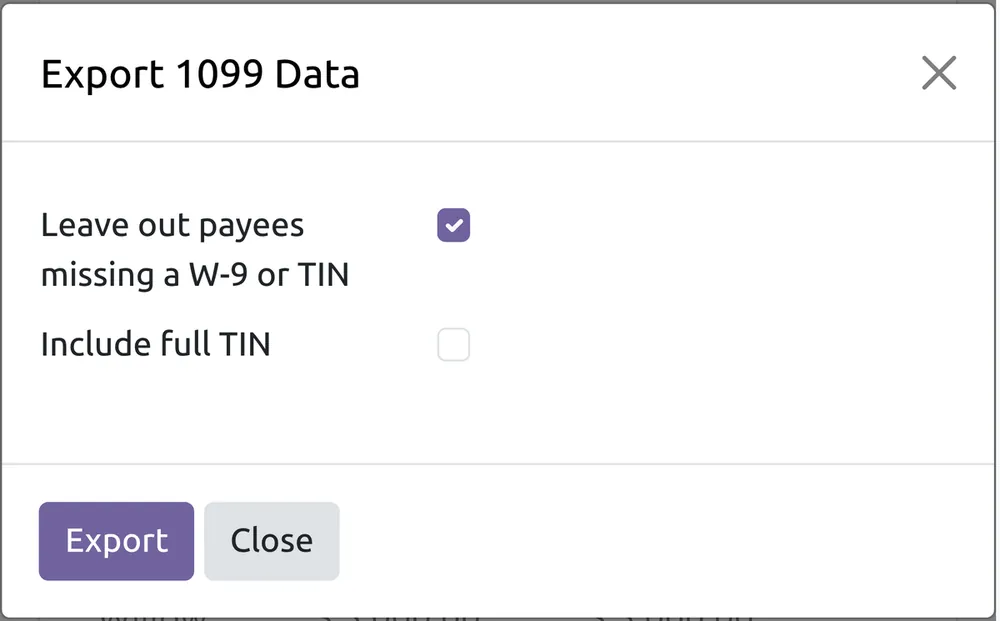
Accounting Administrators press Export on a computed run. Two switches: leave out payees that would be rejected (on by default) and include the full TIN (off by default, with a warning when on). The file has one row per payee: payee name, TIN type, TIN, street, street 2, city, state, zip, country, box and amount.
The two options; full TINs are off unless you ask.
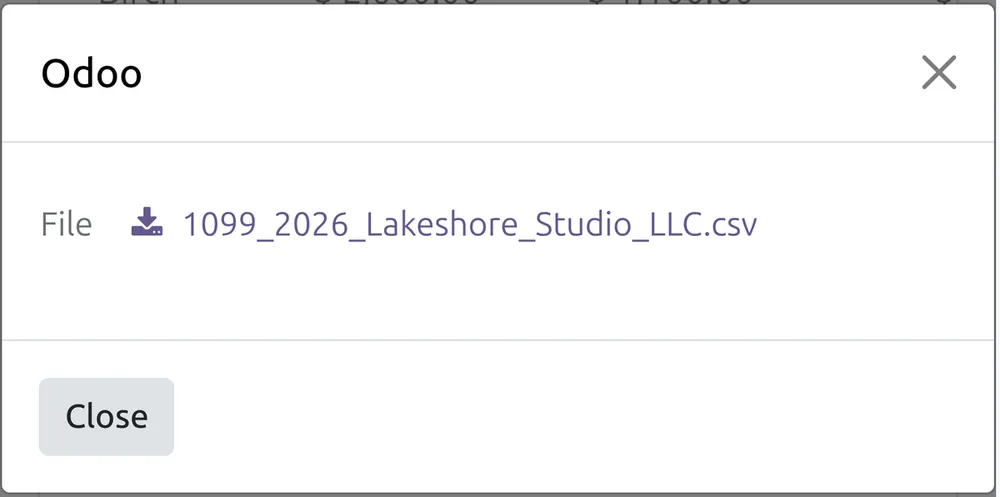
The generated file, named by year and company.
With the defaults, the seeded 2026 run exports three rows, for example Harbor Lane Design,ssn,***-**-0001,14 Example Street,,Portland,OR,97201,US,nec_1,7500.00 , then Redwood Legal Group PC (misc_10, 6000.00) and Summit Family Clinic Inc (misc_6, 3100.00). With full TINs on and rejected payees kept, it has five rows, including Lakeview Rentals Partners with its eight-digit TIN.
No forms, no recipient copies, no TIN matching, no backup withholding, no state filings, no corrections. A qualified preparer must review the tax treatment.
The default file carries only the last four digits of each TIN, so a file meant for a preparer needs Include full TIN. The box column holds the app's own codes (nec_1, misc_10 and so on); the file is not in an IRS filing layout, and nothing is transmitted.
Questions buyers ask
Does it file with the IRS?
No. It transmits nothing, produces no forms and stores no filing credentials. It exports a CSV.
Is the output ready to file?
No claim is made. The app lists figures and missing paperwork under its own rules; a qualified preparer must review the tax treatment.
Which threshold does it use?
The row for the run's year in an editable table: 600.00 for 2024 and 2025 and 2,000.00 for 2026 as seeded. A year with no row stops the run. Confirm the figure for your year yourself.
Can it split one payee's payments across boxes?
No. There is one line and one box per payee in a run, and computing again resets a box you changed.
Who can see the TIN?
Accounting Administrators. An Accounting user sees the last four digits. The number is plain text in the database, protected by field access.
Requirements
- Odoo 19.0 or 20.0. The App Store sells each version separately, so buy the one that matches your database.
- Odoo.sh or On-Premise only. Third-party apps cannot be installed on Odoo Online (SaaS) databases. Check your hosting before buying.
- Module
mh_1099_reporting, version 19.0.1.0.12, licensed OPL-1.