Stock Count Error Check
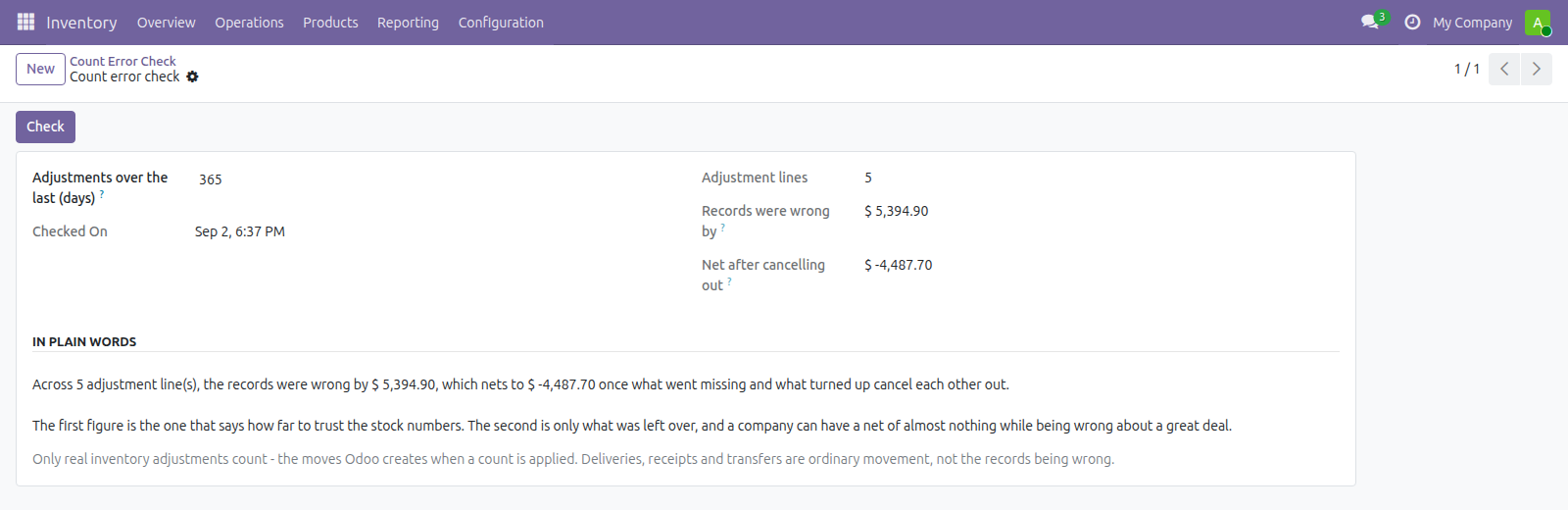
One number: how much your inventory adjustments say the stock records were wrong by over the last year, valued at cost
The video below shows Stock Count Error Check running on a real Odoo 19 database. Want it driven against your own data, or a question answered first? Ask and we will set up a session.
Every inventory adjustment is a measurement: the gap between what Odoo believed was on the shelf and what somebody found there. Odoo posts the correction and moves on, so the gap itself is never added up anywhere.
One check, and the two figures that are not the same figure.
The error, not just the loss
Stock found plus stock missing, ignoring direction, next to what was left once they cancelled out. A company can have a net of almost nothing while being wrong about a great deal - which is exactly the case a single net figure hides.
Only real adjustments
The moves Odoo creates when a count is applied - not deliveries, receipts, transfers or scrap. Those are ordinary stock movement, and counting them would make a busy month look like a broken warehouse.
It says when the answer is nothing
A period with no adjustments reports that plainly rather than a confident zero. Nothing counted and every count agreeing look identical from here, and they are not the same situation.
Requirements, and where it stops
Odoo 19 Community or Enterprise with Inventory. Free, and deliberately one figure per company - it does not name locations or products. Reads only; nothing is created or changed.
Screenshots
Requirements
- Odoo 19.0, Community or Enterprise.
- Odoo.sh or On-Premise only. Third-party apps cannot be installed on Odoo Online (SaaS) databases — check your hosting before buying.
- Module
mh_count_error_check, version 19.0.1.0.13, licensed OPL-1.
Related apps
Inventory valuation for any period: opening stock, received, issued and closing value, per product.
Record the plots of land behind every lot of coffee, cocoa, soya, rubber, palm, cattle or wood, and check a shipment has the geolocation data an EU deforestation due diligence statement needs before it leaves
Age your inventory into buckets by how long it has sat unsold, with the capital tied up in each, per warehouse and category