User Offboarding Check
The video below shows User Offboarding Check running on a real Odoo 19 database. Want it driven against your own data, or a question answered first? Ask and we will set up a session.
Everything in the database that still points at a user before you archive them: scheduled actions, open activities, assigned records, API keys — and what silently breaks if you archive without reassigning
What it does
The one that costs the most, and it is not what you would guess
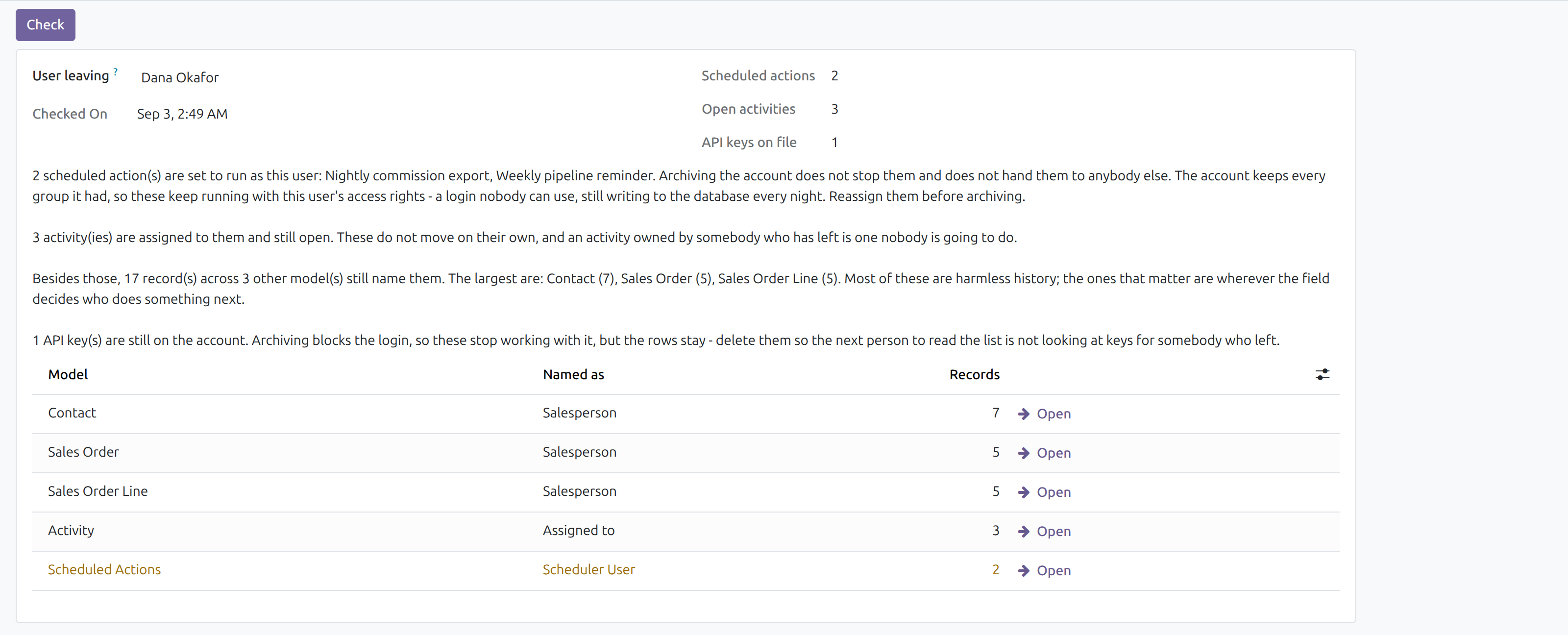
A scheduled action owned by somebody who has left keeps running, with their access rights, for as long as nobody notices. Archiving blocks the login and nothing else - the account keeps every group it had, so the job goes on creating and writing as them.
Verified rather than reasoned about: an archived user still returns True from has_group and keeps every implied group, and a real scheduled action owned by one was run through Odoo's own callback and created a record without raising. A login nobody can use, still writing to the database on a schedule.
Found by asking the database, not by keeping a list
The check sweeps the registry for every stored field that points at a user and counts what each one holds for this person. A list maintained inside the app would miss exactly the custom fields somebody is most likely to be named on.
Bookkeeping is deliberately left out. Created-by and written-by point at whoever typed something once; counting them would put every record the person ever touched into the report and bury the handful anybody has to act on.
What it does not do
Every record that named them still names them. Every activity assigned to them is still assigned to them. Every scheduled action set to run as them is still set to run as them. None of it is reassigned, and nothing tells you any of it was there.
One person, everything still attached to them, and the two categories that stop something happening called out separately. Each line opens the records it counted.
Stated up front so nothing about the scope is a surprise after you install it.
Screenshots
Requirements
- Odoo 19.0, Community or Enterprise.
- Odoo.sh or On-Premise only. Third-party apps cannot be installed on Odoo Online (SaaS) databases — check your hosting before buying.
- Odoo 19, Community or Enterprise. Needs Discuss (for activities). Administrator access, since the check reads across every model in the database. Nothing is written to any record it finds.
- Module
mh_user_offboarding, version 19.0.1.0.17, licensed OPL-1.
Related apps
Move Odoo attachments out of the filestore into a Google Drive folder, using Odoo 19 own cloud storage migration - Drive is the provider Odoo does not ship
Hide or lock any field for the groups you choose, on any model, enforced by the server and not just hidden in the form view
Write a record rule and see how many records it actually leaves a chosen user, counted for real before you save it