Variant Descriptions
A 28 litre bag and a 12 litre bag should not share one description: write one per variant
Request a live demo · Odoo.sh or On-Premise only, not Odoo Online (SaaS).
1 text
per product variant on the product page, swapped in when the visitor picks another option, no page reload
30
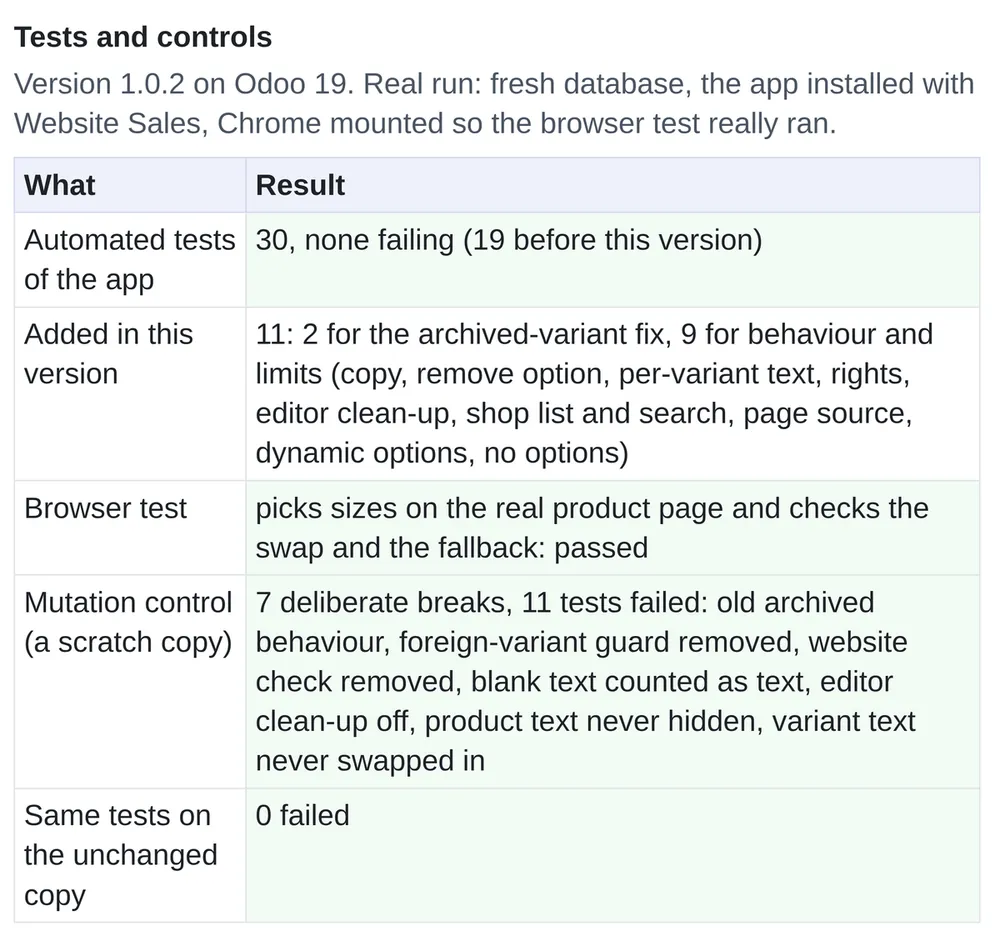
automated tests in the app, none failing, including a browser test on the real product page; 11 were added in this version
7 of 7
deliberate breaks of the code were caught by the tests (11 tests failed on the broken copy, 0 on the real one)
1
small defect found and fixed in this version (the text of an archived variant was still returned), disclosed below
0
settings, menus or data added: one field on the variant and one page to write it on
Not
copied when a product is duplicated, searched by the shop search or written per attribute value (see the known limits)
Odoo gives a product one eCommerce description, shown for every variant. When the size, capacity or material changes what the product is, the page cannot say so. Variant Descriptions adds a rich text description to each product variant. On the shop product page it takes the place of the product description and is swapped when the visitor picks another option, without a page reload. A variant with no text of its own shows the product description. This page walks through it with screenshots of an Odoo 19 database holding a made-up outdoor shop, and with tables rendered from real readings of the same run; each picture says which it is.
The page also says where the app stops: a text belongs to one variant (a size and colour product needs each combination written), duplicating a product does not copy the texts, and only the picked variant's text is in the served page.
Install it and a Variant Description page appears on the product variant form. It needs only the Website Sales app (website_sale) and adds no menu, setting or data.
How it works
What it keeps, what it changes, what it does not
Each line was tested or read in the code or on the running shop.
1 One description per variant, as in Odoo by default
Use it when your variants differ in more than a name and shoppers need to know how.Read-only for visitors
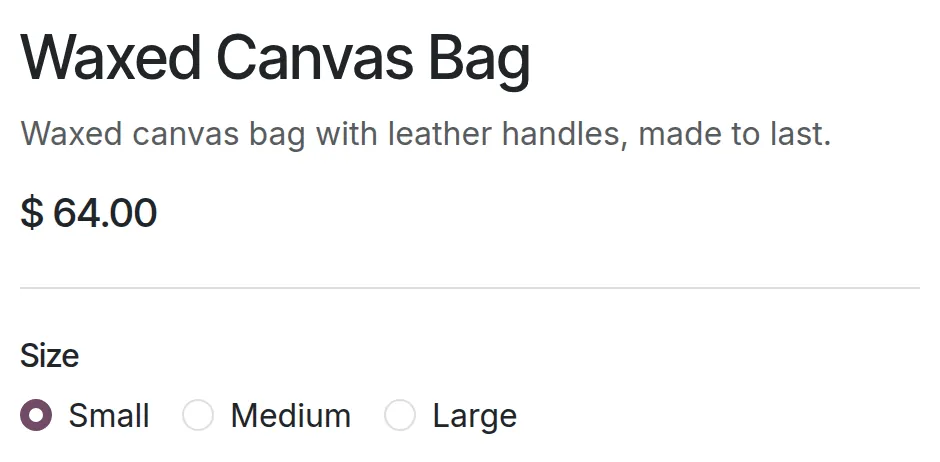
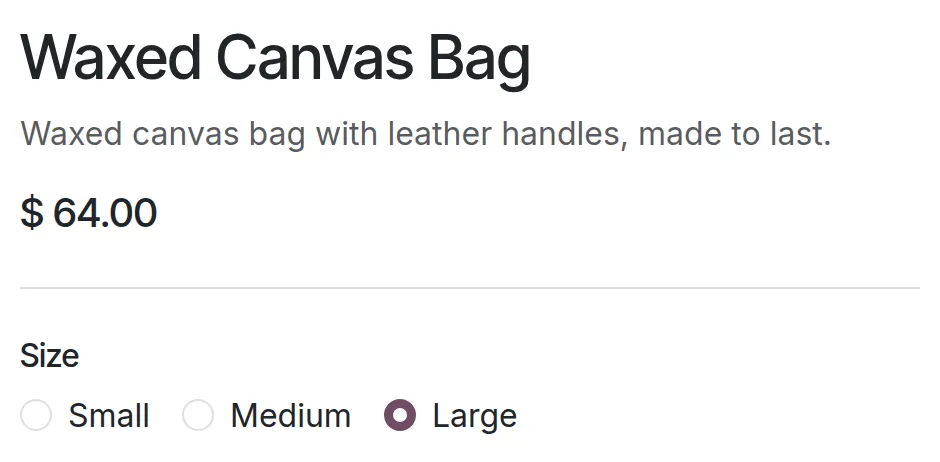
Odoo shows the same eCommerce description for every variant. The two pictures below were taken before the app was installed, in the same database: size Small and size Large show the same sentence.
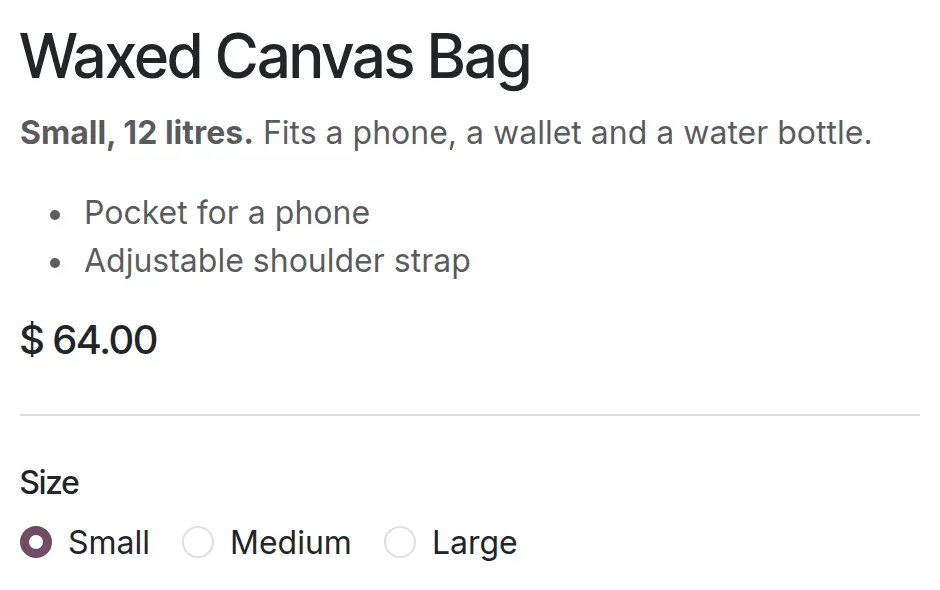
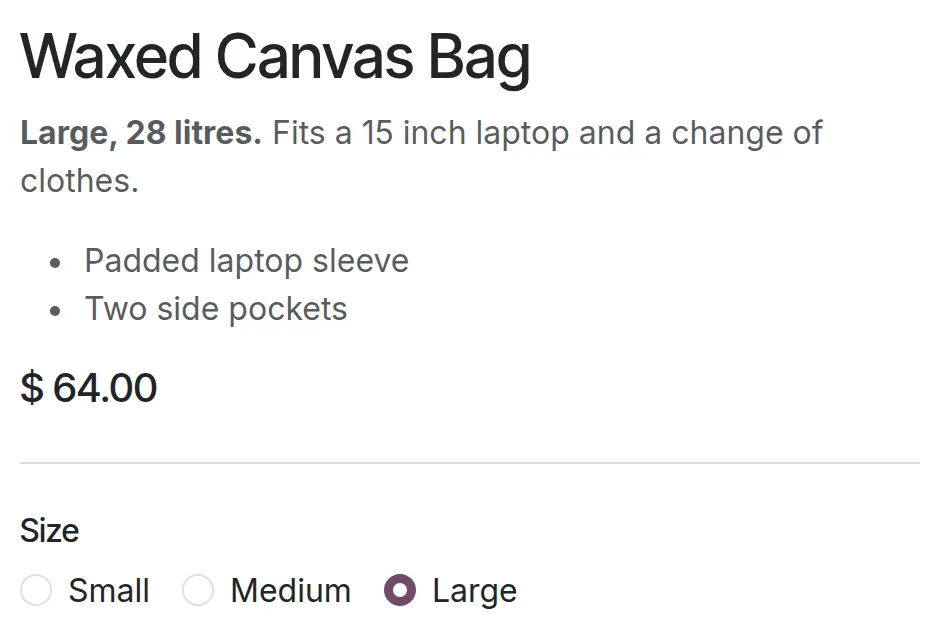
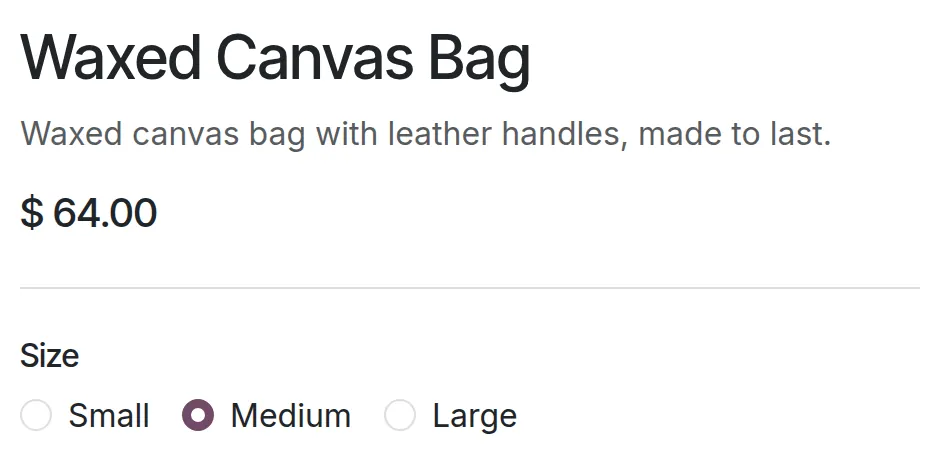
Without the app, picking Large after Small changes nothing in the description. With the app, each variant that has a text shows its own: Small (12 litres, a phone pocket) and Large (28 litres, a laptop sleeve) differ below. The third picture is the Medium variant, which has no text of its own: it shows the product description again. Pictures are real Odoo 19 screens as an anonymous visitor, cropped to the title, description, price and option picker.
It does not change the price, the stock or the picture of the product, and it does not change the shop list.
Before: size Small. Real Odoo screen (app not installed).
Before: size Large, the same sentence. Real Odoo screen (app not installed).
With the app: size Small. Real Odoo screen.
With the app: size Large. Real Odoo screen.
With the app: size Medium has no text, the product description shows. Real Odoo screen.
2 Write the text on the variant
Use it when you or a colleague writes the product copy.Writes when saved
The text has to live somewhere a merchant can edit it without touching code.
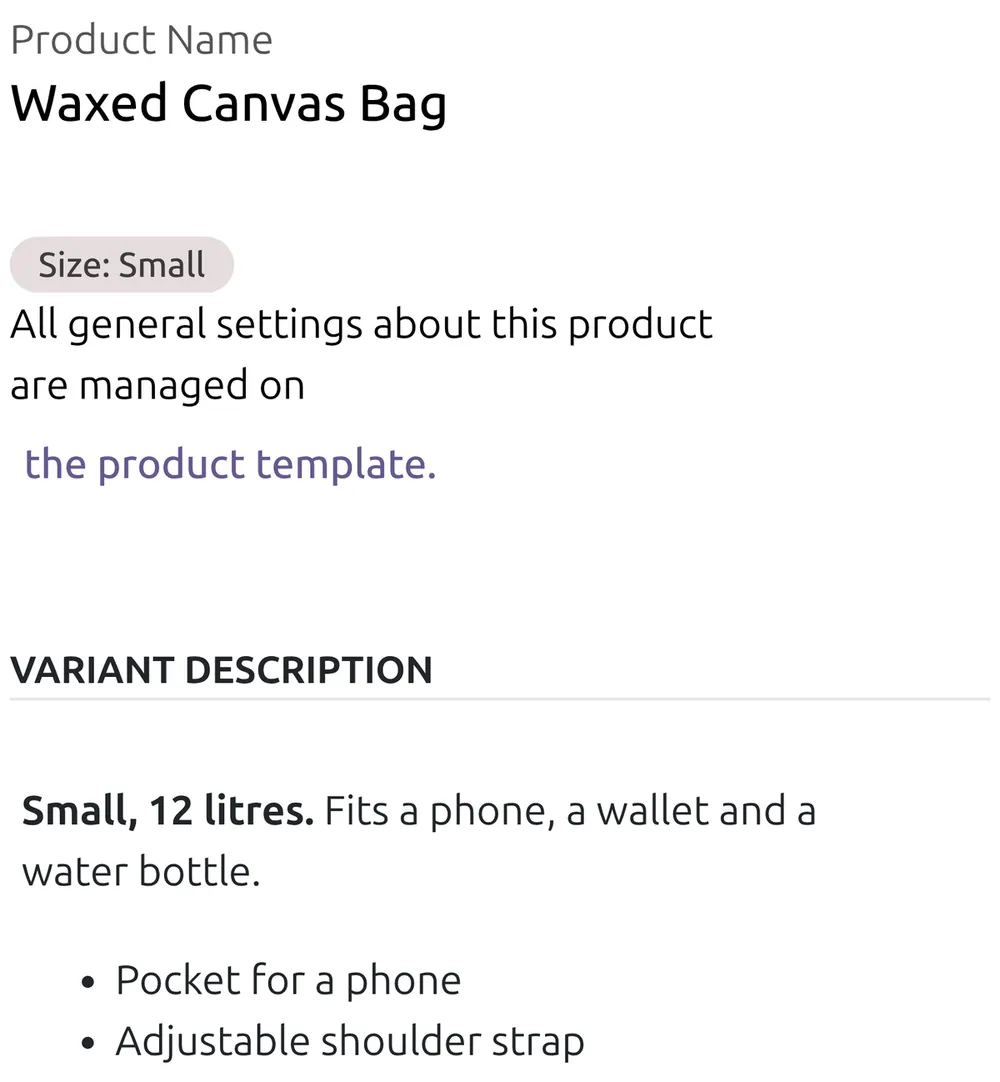
Open the product, click the Variants button and open the variant: its form has the Variant Description text box (Odoo 19: a group at the foot of the form, as in the picture). Leave it empty to show the product description. A variant that cannot be sold does not show the page on the full variant form.
It is not edited from the website editor, and there is no text per website.
The Small variant's text on its form. Real Odoo screen (cropped to the title and the text).
3 Which text a visitor gets
Use it when you want to know what a shopper sees for every kind of variant.Read-only
Variants with a text, without one, with blank text and with one option only must all give a sensible page.
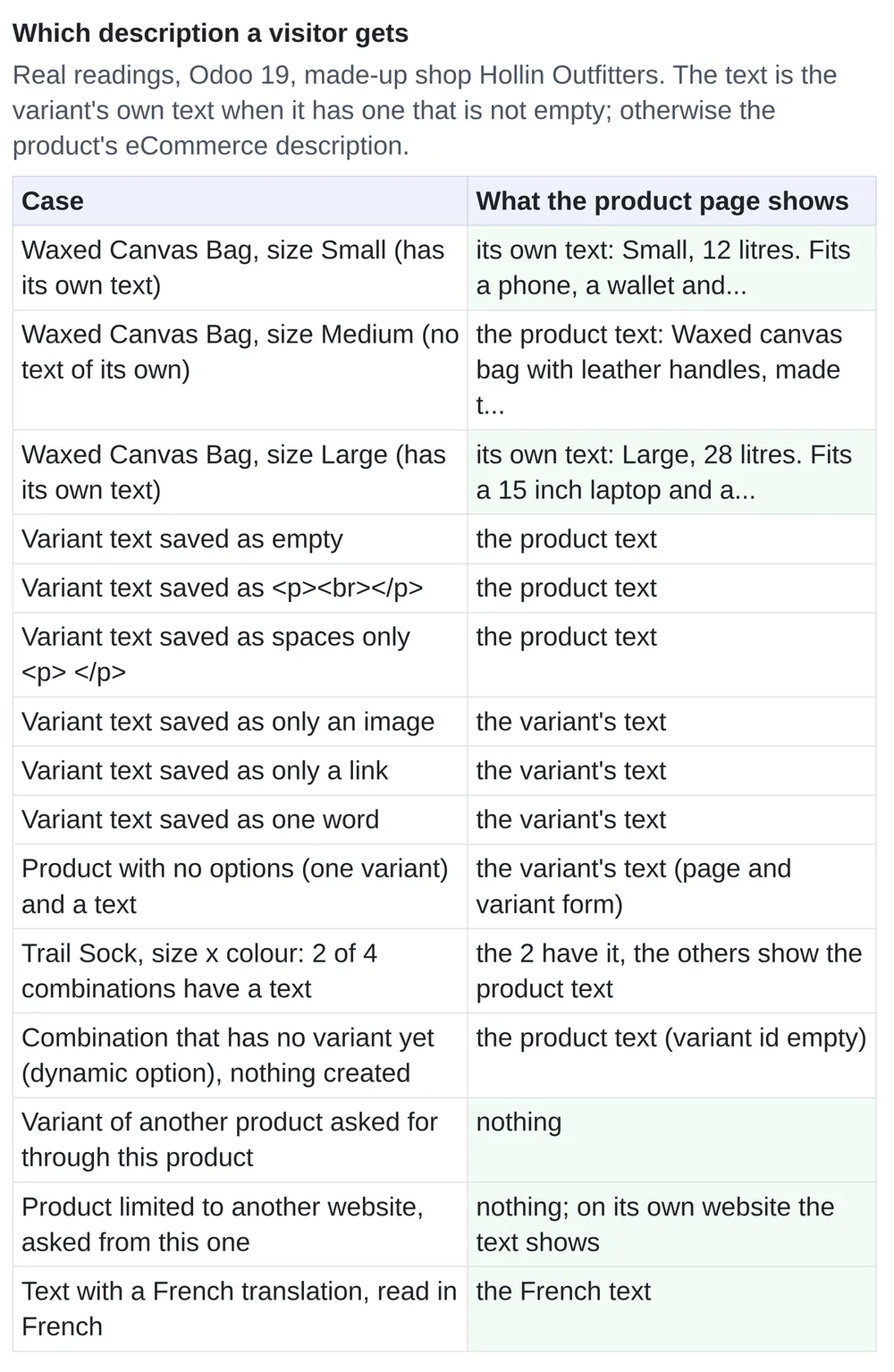
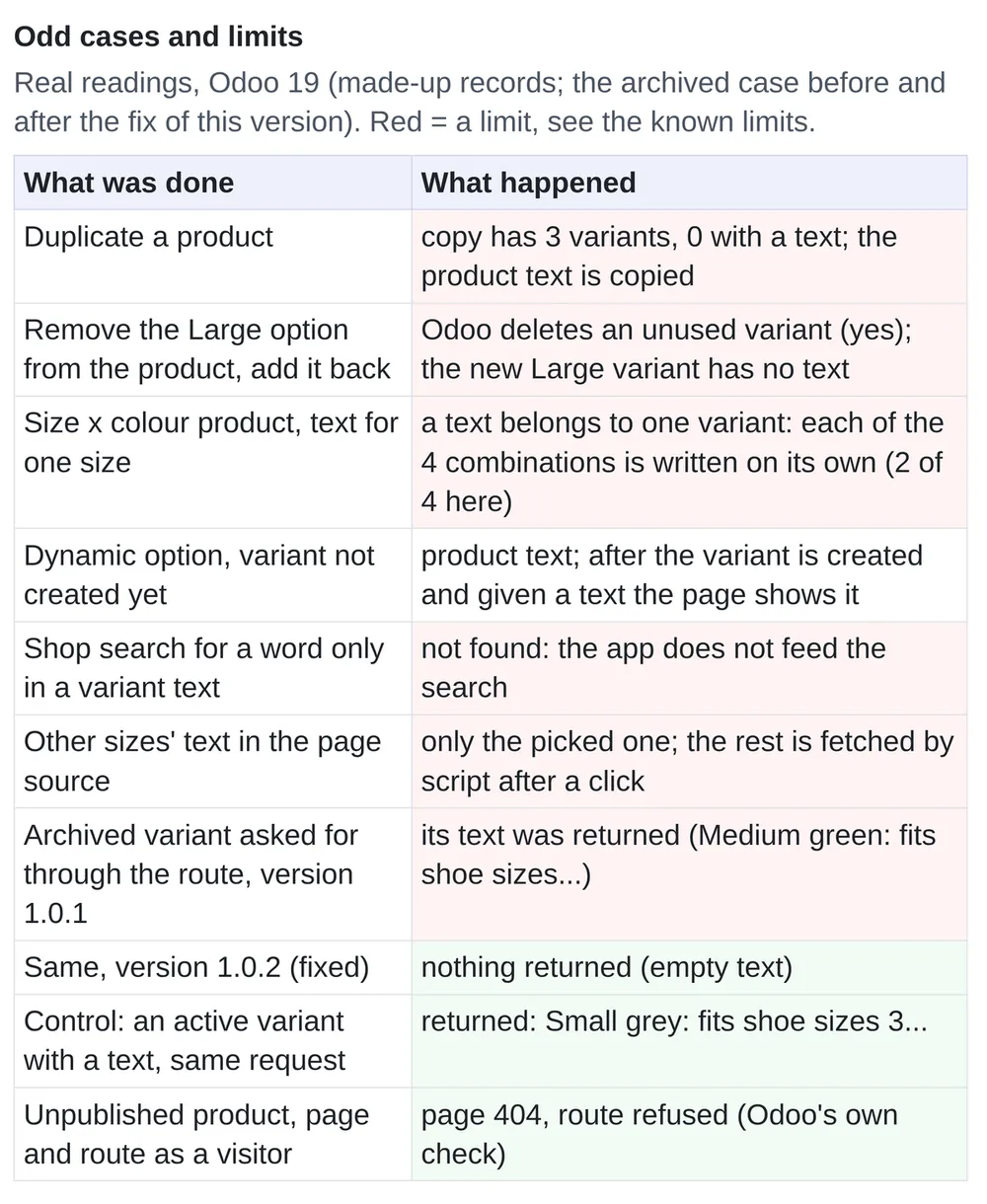
The text is the variant's own text when it has one that is not empty. A text saved as an empty paragraph counts as no text, so the product description shows; a text that is only an image, only a link or one word counts as a text. A product with no options can have a text too. A size and colour product shows a text only on the combinations that have one. The table has every reading, including a product limited to another website and a variant of another product asked for through this one (nothing).
A combination that has no variant yet (a dynamic option) shows the product text until the variant exists.
Which description a visitor gets. Evidence table.
4 What the browser gets
Use it when you care how the page works without script, and what search and structured data see.Read-only
A page that only fills in its text after a script runs is invisible to a crawler.
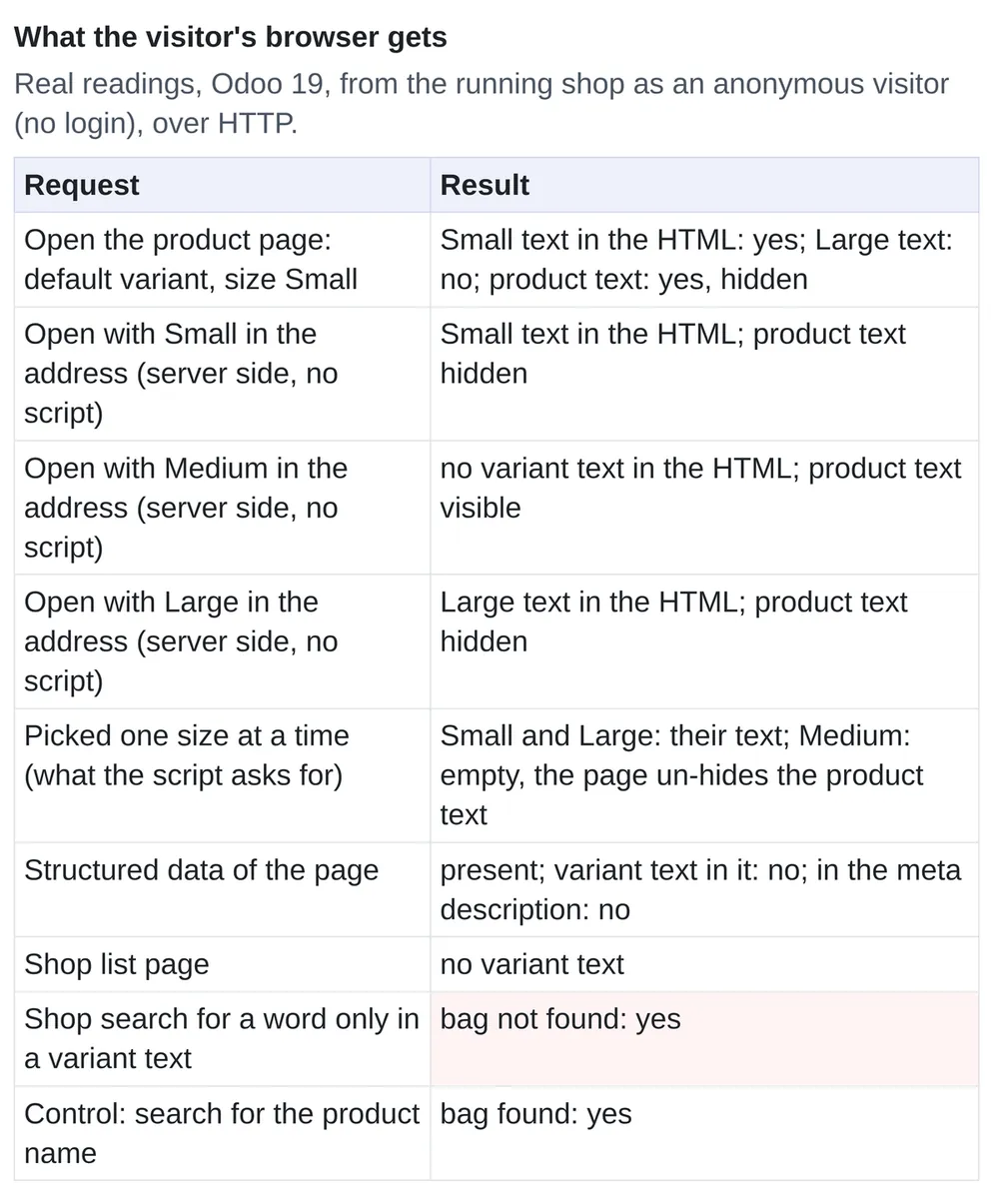
The first page load already contains the picked variant's text: with Small in the address the HTML holds the Small text, with Large the Large text. Picking another option fetches the text of that variant and swaps it in. Only the picked variant's text is in the served page, the others are not; the shop list holds no variant text, the shop search does not find a word that occurs only in a variant text (a search for the product name does) and the structured data and meta description tags hold no variant text. The browser test of the app picks the sizes on the real page.
The product text is hidden (not removed) while a variant text shows.
What an anonymous visitor's browser gets. Evidence table.
5 What the editor does to the text
Use it when several people write product copy and one pasted something odd.Cleans when saved
The text is output as HTML on a public page, so it must never carry a script.
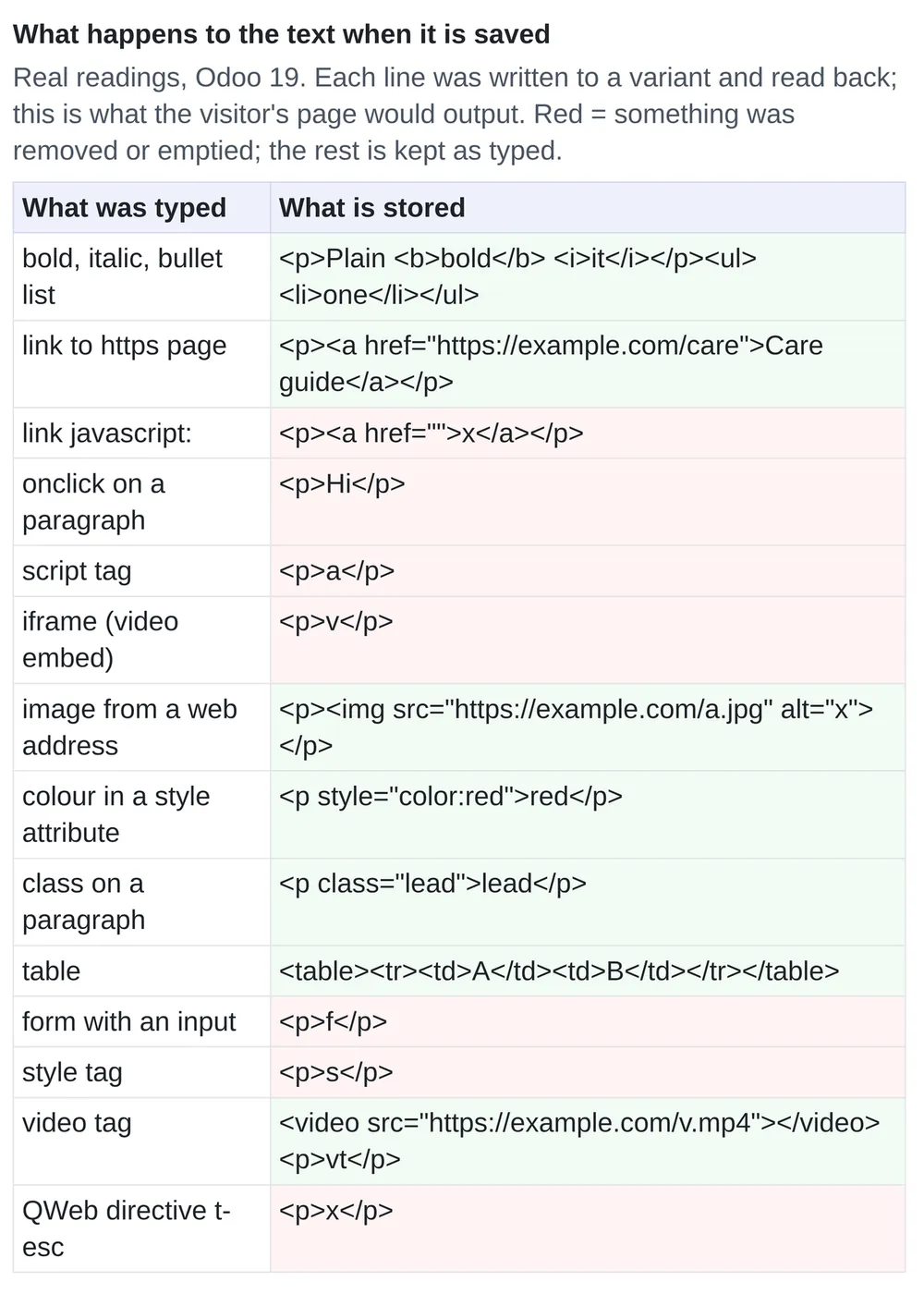
The text is cleaned when it is saved by Odoo's own HTML cleaning, which the app never switches off. The table shows 14 inputs and what was stored. Scripts, iframes (video embeds), forms, style tags, event attributes such as onclick and QWeb directives are removed; a javascript: link keeps an empty address. Bold, lists, https links, images from a web address, tables, the style and class attributes and a video tag are kept. The text can be translated with Odoo's own translation tools.
Embedded videos in an iframe are removed; a video tag with a web address is kept.
What happens to the text when it is saved. Evidence table.
6 Who can change it
Use it when you want to know who can edit the copy.Read-only
Public-page text should not be editable by everybody.
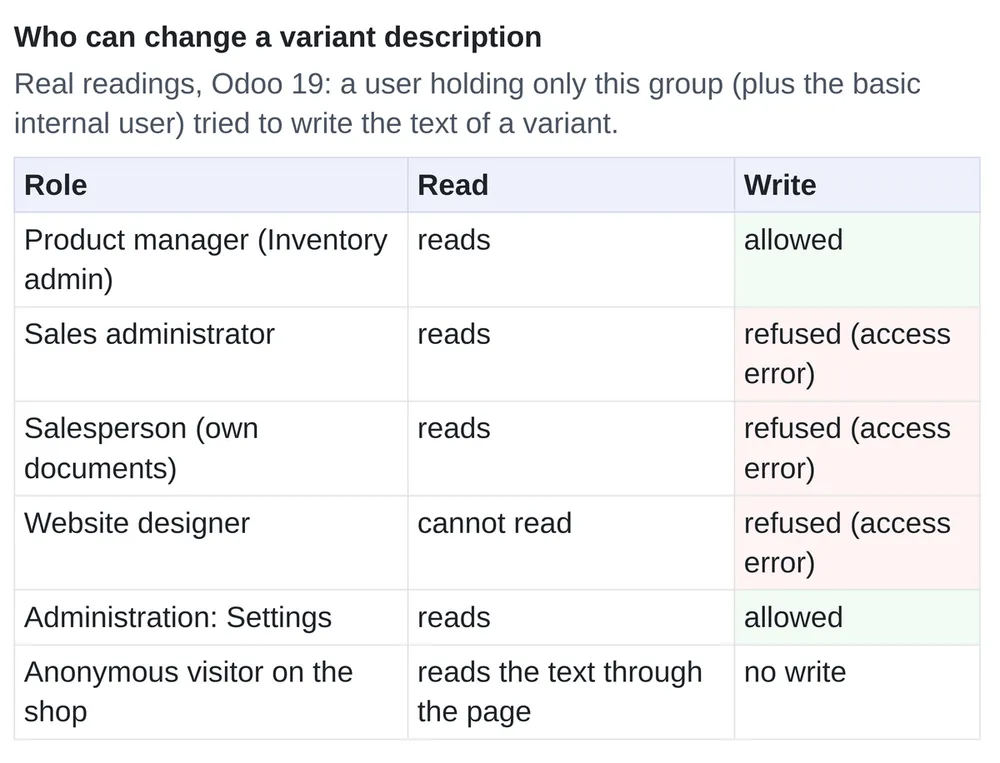
Product managers and Settings administrators can write the text. A Sales administrator, a salesperson and a Website designer cannot (the write is refused with an access error). Visitors read it through the product page.
Who can change a variant description. Evidence table.
7 One defect fixed in this version
Use it when you want to know what changed in behaviour.Read-only
One small defect was found while checking this page against the code, and fixed.
The shop asks the server for a variant's text by variant id, and the id comes from the browser. The app already refused a variant of another product, but it still returned the text of an archived variant of the same product, to an anonymous visitor. Now an archived variant returns no text. Two tests fail on the old code. No other behaviour changed.
Odd cases and limits, including the archived variant before and after the fix. Evidence table.
What changed in this version
Version 19.1.0.2 fixes one small defect (the text of an archived variant was still returned by the shop's variant route) and adds 11 automated tests (19 before, 30 now), 2 for the fix and 9 for the limits above. It replaces the screenshots and the page text with checked ones, rewrites the manifest summary and description (a claim about the meta description that was not verified was removed) and takes no feature out. The demo video of an earlier version is kept as it was and was not re-recorded.
Screenshots
What it does not do
- Each of these was reproduced on a running Odoo 19 shop and is pinned by a test that passes; none is changed in this version. The table above (odd cases) shows the readings, the one below the tests and controls.
- Tests and controls. Evidence table.
Requirements
- Odoo 19.0 or 20.0. The App Store sells each version separately, so buy the one that matches your database.
- Odoo.sh or On-Premise only. Third-party apps cannot be installed on Odoo Online (SaaS) databases. Check your hosting before buying.
- Module
mh_variant_descriptions, version 19.0.1.0.2, licensed OPL-1.